ECEU530 Project Proposal (Handout 4) ECE U530 Description of what - - PDF document

eceu530
SMART_READER_LITE
LIVE PREVIEW

ECEU530 Project Proposal (Handout 4) ECE U530 Description of what - - PDF document

ECEU530 Project Proposal (Handout 4) ECE U530 Description of what you will describe in VHDL Digital Hardware Synthesis A detailed plan of how you will implement your project Prof. Miriam Leeser Several different implementations,


slide-1
SLIDE 1

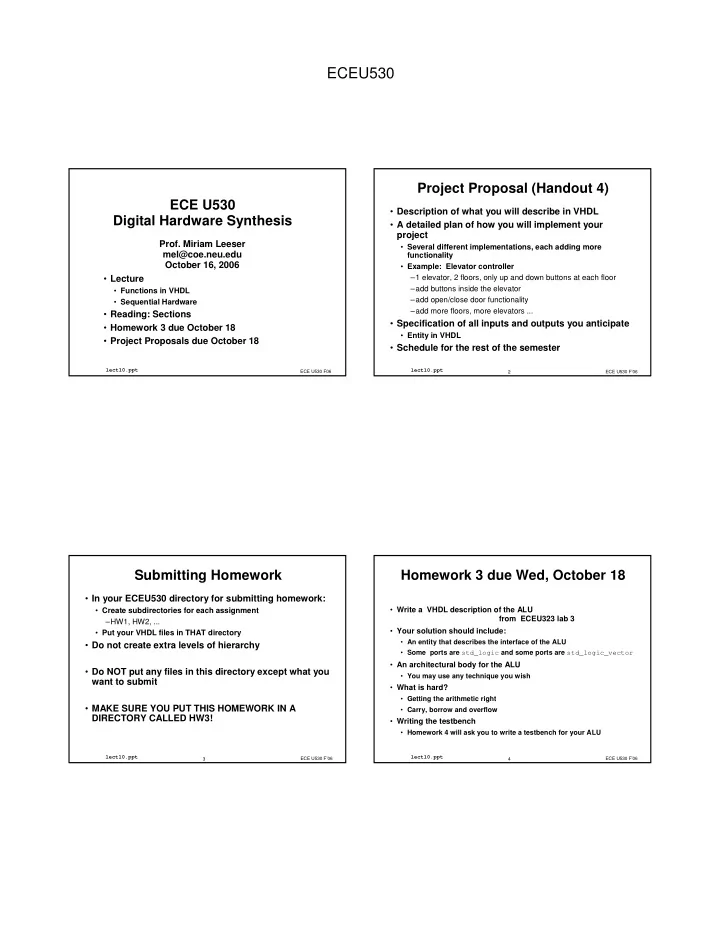
ECEU530

ECE U530 Digital Hardware Synthesis

  • Lecture
  • Functions in VHDL
  • Sequential Hardware
  • Reading: Sections
  • Homework 3 due October 18
  • Project Proposals due October 18

ECE U530 F06

lect10.ppt

  • Prof. Miriam Leeser

mel@coe.neu.edu October 16, 2006

ECE U530 F’06 2

lect10.ppt

Project Proposal (Handout 4)

  • Description of what you will describe in VHDL
  • A detailed plan of how you will implement your

project

  • Several different implementations, each adding more

functionality

  • Example: Elevator controller

–1 elevator, 2 floors, only up and down buttons at each floor –add buttons inside the elevator –add open/close door functionality –add more floors, more elevators ...

  • Specification of all inputs and outputs you anticipate
  • Entity in VHDL
  • Schedule for the rest of the semester

ECE U530 F’06 3

lect10.ppt

Submitting Homework

  • In your ECEU530 directory for submitting homework:
  • Create subdirectories for each assignment

–HW1, HW2, ...

  • Put your VHDL files in THAT directory
  • Do not create extra levels of hierarchy
  • Do NOT put any files in this directory except what you

want to submit

  • MAKE SURE YOU PUT THIS HOMEWORK IN A

DIRECTORY CALLED HW3!

ECE U530 F’06 4

lect10.ppt

Homework 3 due Wed, October 18

  • Write a VHDL description of the ALU

from ECEU323 lab 3

  • Your solution should include:
  • An entity that describes the interface of the ALU
  • Some ports are std_logic and some ports are std_logic_vector
  • An architectural body for the ALU
  • You may use any technique you wish
  • What is hard?
  • Getting the arithmetic right
  • Carry, borrow and overflow
  • Writing the testbench
  • Homework 4 will ask you to write a testbench for your ALU
slide-2
SLIDE 2

ECEU530

ECE U530 F’06 5

lect10.ppt

Homework 2: Process Sensitivity List

architecture Behavioral of hw2 is signal input: std_logic_vector(3 downto 0); signal output: std_logic_vector(6 downto 0); begin input <= (A,B,C,D); process ( input, output ) begin case input is when "0000" => output <= "1111110"; -- 0 when "0001" => output <= "0110000"; -- 1 when "0010" => output <= "1101101"; -- 2 when "0011" => output <= "1111001"; -- 3 when "0100" => output <= "0110011"; -- 4 when "0101" => output <= "1011011"; -- 5 when "0110" => output <= "1011111"; -- 6 ... when others => output <= "-------"; -- dont care end case; Sa <= output(6); Sb <= output(5); Sc <= output(4); Sd <= output(3); Se <= output(2); Sf <= output(1); Sg <= output(0); end process; end Behavioral; ECE U530 F’06 6

lect10.ppt

Homework 4 due Wednesday, Oct 25

  • Write a testbench for the ALU from Homework 3
  • Write a MUX4 function
  • Call your MUX4 function from within a VHDL

architecture

  • Described on next few slides

ECE U530 F’06 7

lect10.ppt

HW4: Implement this functionality

process(OpSel, A, B, C, D, E, F, G, H) begin case OpSel is when ”00” => Z <= A - B; when ”01” => Z <= C - D; when ”10” => Z <= E - F; when ”11” => Z <= G - H; when others => Z <= (others => ’’) ; end case; end process;

  • with a function

ECE U530 F’06 8

lect10.ppt

To Guarantee Resource Sharing

  • Create a function called Mux4

X <= Mux4(OpSel, A, C, E, G); Y <= Mux4(OpSel, B, D, F, H); Z <= X Y;

  • Function is NOT a component
  • more on functions and procedures later
  • This guarantees one subtractor is inferred
slide-3
SLIDE 3

ECEU530

ECE U530 F’06 9

lect10.ppt

Functions

  • Declared by specifying:

1) The name of the function 2) The input parameters, (if any), and their type 3) The type of the returned value 4) Any declarations required by the function itself 5) An algorithm for the computation of the returned value

ECE U530 F’06 10

lect10.ppt

Functions

  • Algorithmically generates and returns only one value
  • May be on right hand side of expression
  • Must always return a value
  • must always contain a return statement
  • Executes in zero simulation time
  • No process statements inside a function
  • Functions cannot contain wait statements

ECE U530 F’06 11

lect10.ppt

Function Syntax

function identifier [ parameter_interface_list ] return {type} is { subprogram_declarative_part } begin { sequential_statement } [ label : ] return expression ; end [ function ] [ identifier ] ;

ECE U530 F’06 12

lect10.ppt

Function Example

subtype word_8 is std_logic_vector(7 downto 0); function byte_to_int ( mybyte : word_8 ) return integer is variable result : integer := 0 ; begin for index in 0 to 7 loop result := result*(2**index) + mybyte(index) ; end loop ; return result ; end function byte_to_int ;

slide-4
SLIDE 4

ECEU530

ECE U530 F’06 13

lect10.ppt

Function Calling

  • Once declared, can be used in any expression
  • A function Is not a sequential statement:
  • It is called as part of an expression

[ label : ] function_name [ parameter_association_list ] ;

ECE U530 F’06 14

lect10.ppt

Pure Functions

  • A pure function does not refer to any variables or

signals declared by parent

  • Result of function only depends on parameters

passed to it

  • Always returns the same value for same passed

parameters:

  • A pure function does not have any state
  • If not stated explicitly, a function is assumed to be

pure

ECE U530 F’06 15

lect10.ppt

Functions can be Declared in Packages

package PKG is function ADD (A,B, CIN : STD_LOGIC ) return STD_LOGIC_VECTOR; end PKG; package body PKG is function ADD (A,B, CIN : STD_LOGIC ) return STD_LOGIC_VECTOR is variable S, COUT : STD_LOGIC; variable RESULT : STD_LOGIC_VECTOR (1 downto 0); begin S := A xor B xor CIN; COUT := (A and B) or (A and CIN) or (B and CIN); RESULT := COUT & S; return RESULT; end ADD; end PKG;

ECE U530 F’06 16

lect10.ppt

Using Function ADD

use work.PKG.all; entity EXAMPLE is port ( A,B : in STD_LOGIC_VECTOR (3 downto 0); CIN : in STD_LOGIC; S : out STD_LOGIC_VECTOR (3 downto 0); COUT : out STD_LOGIC); end EXAMPLE; architecture ARCHI of EXAMPLE is signal S0, S1, S2, S3 : STD_LOGIC_VECTOR (1 downto 0); begin S0 <= ADD (A(0), B(0), CIN); S1 <= ADD (A(1), B(1), S0(1)); S2 <= ADD (A(2), B(2), S1(1)); S3 <= ADD (A(3), B(3), S2(1)); S <= S3(0) & S2(0) & S1(0) & S0(0); COUT <= S3(1); end ARCHI;

slide-5
SLIDE 5

ECEU530

ECE U530 F’06 17

lect10.ppt

VHDL Testbench

  • Testbench code does not need to be synthesizable:
  • anything goes
  • Entity is empty
  • UUT is a component in the testbench
  • This part is automatically generated by our tools
  • All inputs and outputs to the UUT are declared as

internal signals

  • Testbench generates all external stimulus,
  • including clock and reset
  • tests different input combinations

ECE U530 F’06 18

lect10.ppt

Components in your Design

  • A component is a structural entity:
  • Just like you did for the structural design in Homework 1
  • Similar to the way it is done in a testbench
  • Your component is compiled in library work

library work; use work.all;

  • Declare the component in your architecture
  • Instantiate the component and wire it up using a port

map

ECE U530 F’06 19

lect10.ppt

Using Components

library IEEE; use ieee.std_logic_1164.all; library work; use work.all; architecture test of tb is component aoi_structural port (a,b,c,d: in std_logic; e: out std_logic); end component; signal a,b,c,d,e: std_logic ; begin uut: aoi_structural port map(a => a, b=>b, c=>c, d=>d, e=>e); ...

ECE U530 F’06 20

lect10.ppt

Synthesizable Subset of VHDL

  • Not all VHDL constructs are synthesizable
  • What is synthesizable differs from one tool to another
  • Most synthesis tools support:
  • Loops whose bounds can be determined at compile time
  • Functions that can be expanded in-line
  • Most synthesis tools do NOT support:
  • Arbitrary loops:

–While loops, loops with exit statements

  • Procedures
slide-6
SLIDE 6

ECEU530

ECE U530 F’06 21

lect10.ppt

Combinational and Sequential Hardware

  • Synthesizable VHDL code can model combinational
  • r sequential hardware
  • Difference between combinational and sequential

hardware: clock

  • In this class we are not considering asynchronous

hardware

  • Sequential VHDL statements (loops, if-then-else, ...)

can model combinational or sequential hardware!

ECE U530 F’06 22

lect10.ppt

wait statements

  • wait can be used to suspend a process for a specified

time period

  • Example: Using wait in a testbench:
  • Can also wait on a signal or on an event
  • Most synthesis tools limit the way wait statements can be

used

  • - *********************************
  • - process for simulating the clock

process begin clk <= not(clk); wait for 20 ns; end process;

  • - *********************************

ECE U530 F’06 23

lect10.ppt

Process Simulation

  • Process can have wait statement or sensitivity list,

but not both

  • If process has sensitivity list, process is executed
  • nce at simulation start up, and after that when a

signal on the sensitivity list changes

  • If process has has a wait statement, process is

executed at simulation start up until wait statement is executed, then it suspends

  • Process “wakes up” when wait condition is met

ECE U530 F’06 24

lect10.ppt

Sequential vs. Combinational HW

  • Combinational Circuits
  • Output depends on current values of inputs only
  • No feedback
  • No memory
  • Sequential Hardware
  • Feedback
  • Output depends on current inputs and current state
  • Circuit has memory elements
  • Sequential Hardware =

Combinational Hardware + memory elements : latches, flipflops, memories ...

slide-7
SLIDE 7

ECEU530

ECE U530 F’06 25

lect10.ppt

Comb Ckt Next State Variables Present State Variables Input Memory Feedback

Sequential HardwareModel

Outputs

ECE U530 F’06 26

lect10.ppt

Sequential Hardware in VHDL

  • We will describe synchronous, sequential hardware in

VHDL

  • Synchronous, sequential hardware is clocked
  • flip-flops
  • registers and shift registers
  • counters
  • state machines
  • I can describe sequential hardware with
  • sequential VHDL statements
  • concurrent VHDL statements

–signal assignments

  • same as combinational hardware

ECE U530 F’06 27

lect10.ppt

Sequential Hardware in VHDL

  • Synchronous Only (this class)
  • Clock
  • May or may not have a reset signal
  • Sequential Hardware is defined with a particular

“style”

  • VHDL synthesis tool looks for hardware described

using that style, and translates it to flip-flops and combinational logic

  • Clock signal is special. Usually called “CLK”

ECE U530 F’06 28

lect10.ppt

Sequential Hardware with no reset

  • Sequential hardware with no reset signal
  • Has a clock signal, called clk
  • No reset signal
  • Process only has clock signal in its sensitivity list:

process(clk) »Do not put all RHS signals on sensitivity list

  • Synthesis tool assumes that all signal assigment

statements in the body of a process with ‘clk’ on its sensitivity list occur when clock changes

slide-8
SLIDE 8

ECEU530

ECE U530 F’06 29

lect10.ppt

D Flip-flop in VHDL

entity DFF is PORT(D, CLK: in std_logic; Q, QN : out std_logic); end DFF; architecture simple of DFF is begin process(CLK) begin if CLK = ’1’ then Q <= D; QN <= not D; end if; end process; end simple;

ECE U530 F’06 30

lect10.ppt

Signals can have attributes too

  • Only signal attributes supported for synthesis are:
  • event -- a change on a signal
  • stable -- the lack of change on a signal
  • For synthesis, attributes can be used with wait

statements and if statements only

signal CLK: std_logic; clk’event -- means an event on signal clk clk’stable -- means no event on signal clk not(clk’stable) = clk’event

  • Other signal attributes are not synthesizable

clk’last_value -- previous value of signal clk

ECE U530 F’06 31

lect10.ppt

Wait statements

  • Can use wait statements instead of putting the clock on the

sensitivity list

  • For synthesis, use wait statements with clk signal only !
  • wait statements with clock signal:

wait until clk’event and clk = ’1’; wait until clk’event and clk = ’0’; wait until clk’event;

  • There are predefined edge detection functions:

falling_edge(clk) rising_edge(clk)

ECE U530 F’06 32

lect10.ppt

Edge Detection Functions

FUNCTION rising_edge (SIGNAL s : std_logic) RETURN BOOLEAN IS BEGIN RETURN (s’EVENT AND (s = ’1’)); END; FUNCTION falling_edge (SIGNAL s : std_logic) RETURN BOOLEAN IS BEGIN RETURN (s'EVENT AND s = ’0’)); END; IMPORTANT: Use these only with the clk signal

slide-9
SLIDE 9

ECEU530

ECE U530 F’06 33

lect10.ppt

D Flip-flop in VHDL(2)

entity DFF is PORT(D, CLK: in std_logic; Q, QN : out std_logic); end DFF; architecture with_wait of DFF is begin process begin wait until rising_edge(CLK); Q <= D; QN <= not D; end process; end with_wait; When you use a wait statement, you have no sensitivity list !

ECE U530 F’06 34

lect10.ppt

Clocked Hardware with Asynch Reset

  • Process sensitivity list contains reset, clk signal
  • Use nested if statements
  • First check reset signal, then clock edge
  • All assignments in clocked branch of if then else statement

have a D-FF inferred

  • Asynchronous Set is similar
  • Syntax directed synthesis:
  • Form of statements -- syntax --

determines hardware that is implemented

ECE U530 F’06 35

lect10.ppt

ECE U530 F’06 36

lect10.ppt

Sequential Hardware with Synch Reset

  • CLK with synchronous reset or set signal
  • Use nested if statements
  • CLK should appear as the outermost nested if statement
  • Alternative: clock with synchronous reset
  • Can use wait statements with clock signal only;
  • First check reset condition, then do processing
  • Synchronous Set treated similarly to synchronous

reset

  • Syntax directed synthesis:
  • Form of statements -- syntax --

determines hardware that is implemented

slide-10
SLIDE 10

ECEU530

ECE U530 F’06 37

lect10.ppt

Clocked Processes

  • Any signal assignment under control of a clock edge

causes a flip-flop to be inferred

  • Enabled assignment shown

Reg_Proc: process(Clk) begin if Clk'event and Clk='1' then -- or rising_edge(Clk) if En = '1' then Cnt <= Cnt + 1; end if; end if; end process Reg_Proc;

ECE U530 F’06 38

lect10.ppt

Clocked Process Rules

Additional conditions prevent the synthesis tool from recognizing the clock edge. The outer if/then or wait statement should have only the clock condition.

Reg_Proc: process(Clk) begin if Clk'event and Clk='1' and En = '1' then Cnt <= Cnt + 1; end if; end process Reg_Proc;

Correct VHDL, but NOT synthesizable.

Additional condition!

ECE U530 F’06 39

lect10.ppt

Clocked Process Rules

Rule: The outer if/then should have only the clock edge as a condition for sequential processes (if there are no asynchronous inputs) Reg_Proc: process(Clk) begin if Clk'event and Clk='1' then if En = '1' then Cnt <= Cnt + 1; end if; end if; end process Reg_Proc;

ECE U530 F’06 40

lect10.ppt

Clocked Process Rules

  • Rule: The outer if/then may include an asynchronous

set or reset but this condition must appear before the clock edge condition.

Reg_Proc: process(Rst, Clk) begin if Rst = '1' then Cnt <= 0; elsif Clk'event and Clk='1' then if En = '1' then Cnt <= Cnt + 1; end if; end if; end process Reg_Proc; Usually avoid using both set and reset

slide-11
SLIDE 11

ECEU530

ECE U530 F’06 41

lect10.ppt

Clocked Process Rules

Rule: When using the if/then construct, only the clock and the set or reset should appear in the sensitivity list. Reg_Proc: process(Rst, Clk) begin if Rst = '1' then Cnt <= 0; elsif Clk'event and Clk='1' then if En = '1' then Cnt <= Cnt + 1; end if; end if; end process Reg_Proc;

ECE U530 F’06 42

lect10.ppt

Synthesis from Process Statements

  • Combinational Synthesis
  • No clock edge
  • All signals on RHS go on process sensitivity list
  • Some processes that look combinational produce sequential

results!

  • Sequential Synthesis
  • Process with a wait for clock edge
  • r if -- then --else with clock edge in it
  • wait statement -- no sensitivity list
  • if -- then -- else: only clock and set or reset on sensitivity list
  • These are synthesis rules, not VHDL rules
  • Result of the way hardware is inferred

ECE U530 F’06 43

lect10.ppt

Process Construct for Synthesis

process(A, B, C) variable D: Std_Logic; begin if A='1' then D := B; else D := B or C; end if; F <= D; end process; A B C F

ECE U530 F’06 44

lect10.ppt

Latches in VHDL

  • For FPGA design, want to use

D-FFs, not latches

  • FPGAs have D-FFs built in.
  • FPGAs don’t have latches.

Synthesis tool builds them from gates.

  • Why is this a latch?
  • What goes on process

sensitivity list?

if En = '1' then Q <= D; end if; Q D E En D Q Latch

slide-12
SLIDE 12

ECEU530

ECE U530 F’06 45

lect10.ppt

process(Clk) begin if rising_edge(Clk) then Q <= D; end if; end process; Clk Q D C D Q

Clocked Flip-flop

ECE U530 F’06 46

lect10.ppt

process(Rst, Clk) begin if Rst = '0' then Q <= '0'; elsif rising_edge(Clk) then Q <= D; end if; end process; Q D C Clk D Q R Rst Active low

Active Low Reset on a FF

ECE U530 F’06 47

lect10.ppt

Register (Eight-bit)

process(Clk) begin if rising_edge(Clk) then Q <= D; end if; end process; D (7 downto 0) Q(7 downto 0) Clk Clk Q(7) Q(6) Q(5) Q(1) Q(2) Q(3) Q(0) D(7) D(6) D(5) D(4) D(1) D(2) D(3) D(0) Q(4) This register has no reset.

ECE U530 F’06 48

lect10.ppt

Register with Asynch Reset

process(Rst, Clk) begin if Rst = '0' then Q <= (others => ‘0’); elsif rising_edge(Clk) then Q <= D; end if; end process;

  • How is this different from a flip-flop?
slide-13
SLIDE 13

ECEU530

ECE U530 F’06 49

lect10.ppt

Reg with Asynchronous Reset and Synchronous Enable

process(Rst, Clk) begin if Rst = '0' then Q <= (others => ‘0’); elsif rising_edge(Clk) then if EN = ’1’ then Q <= D; end if; end if; end process;

ECE U530 F’06 50

lect10.ppt

8-bit Register with Sensitivity List

entity 8bitreg is port (DI : in std_logic_VECTOR (7 downto 0); CLK : in std_logic; DO : out std_logic_VECTOR (7 downto 0)); end 8bitreg; architecture ARCH_withsl of 8bitreg is begin process (CLK) begin if CLK'EVENT and CLK = '1' then DO <= DI ; end if; end process; end ARCH_withsl;

ECE U530 F’06 51

lect10.ppt

8-bit Register with Wait Statement

entity 8bitreg is port (DI : in std_logic_VECTOR (7 downto 0); CLK : in std_logic; DO : out std_logic_VECTOR (7 downto 0)); end 8bitreg; architecture ARCH_withwait of 8bitreg is begin process begin wait until CLK'EVENT and CLK = '1'; DO <= DI; end process; end ARCH_withwait;

ECE U530 F’06 52

lect10.ppt

8-bit Register with Reset

entity 8bitreg_withreset is port (DI : in std_logic_VECTOR (7 downto 0); CLK : in std_logic; RST : in std_logic; DO : out std_logic_VECTOR (7 downto 0) ); end 8bitreg_withreset; architecture withsl of 8bitreg_withreset is begin process (CLK, RST) begin if RST = '1' then DO <= "00000000"; elsif CLK'EVENT and CLK = '1' then DO <= DI ; end if; end process; end withsl;

slide-14
SLIDE 14

ECEU530

ECE U530 F’06 53

lect10.ppt

8-bit Register with Load and Reset

entity 8bitreg_withreset is port (DI : in std_logic_VECTOR (7 downto 0); CLK : in std_logic; RST, Load : in std_logic; DO : out std_logic_VECTOR (7 downto 0) ); end 8bitreg_withreset; architecture withsl of 8bitreg_withreset is begin process (CLK, RST) begin if RST = '1' then DO <= "00000000"; elsif CLK'EVENT and CLK = '1' then if Load = ’1’ then DO <= DI ; end if; end process; end withsl;

ECE U530 F’06 54

lect10.ppt

process(Clk) begin if rising_edge(Clk) then Q <= Q(6 downto 0) & Ser_In; end if; end process;

  • Problem:

Q cannot be an input and an output! Shift Register (Eight-bit)

Ser_In Q(7 downto 0) Clk

ECE U530 F’06 55

lect10.ppt

Ser_Out <= Q(7); process(Clk) begin if rising_edge(Clk) then if Load = '0' then Q <= D; else Q <= Q(6 downto 0) & '0'; end if; end if; end process;

Parallel-In/Serial-Out Shift Register (Eight-bit)

Ser_Out D Clk Load

signal Q:Std_Logic_Vector(7 downto 0);

ECE U530 F’06 56

lect10.ppt

Count Q(7 downto 0) Clk process(Clk) begin if rising_edge(Clk) then if Count = '1' then Q <= Q + 1; end if; end if; end process;

Binary Counter (Eight-bit)

Q cannot be input and

  • utput.

The VHDL shown must have a function "+" defined to be complete. Count Q(7 downto 0) Clk "00000001" +

slide-15
SLIDE 15

ECEU530

ECE U530 F’06 57

lect10.ppt

What hardware gets inferred?

C <= A and B; D <= not C; process(Clk) begin if rising_edge(Clk) then Q_r <= D; end if; end process; A B C D Q D C Q_r Clk

ECE U530 F’06 58

lect10.ppt

What hardware gets inferred?

process(Clk) begin if rising_edge(Clk) then C <= A and B; D <= not C; Q_r <= D; end if; end process;

A B

C D Q D clk Q_r Clk Q D clk Q D clk

ECE U530 F’06 59

lect10.ppt

C <= A and B after 5 ns; D <= not C after 10 ns; process(Clk) begin if rising_edge(Clk) then Q_r <= D; end if; end process;

CSAs with Processes (one flip-flop)

A B D C 0 ns 10 ns 40 ns 50 ns 60 ns 20 ns 30 ns Clk Q_r

A B C D Q D C Q_r Clk

ECE U530 F’06 60

lect10.ppt

C <= A_r and B_r after 5 ns; D <= not C after 10 ns; process(Clk) begin if rising_edge(Clk) then Q_r <= D; A_r <= A; B_r <= B; end if; end process;

CSAs with Processes (multiple flip-flops)

A B C D Q D C Q_r Clk Q D C Q D C A_r B_r

A B D C 0 ns 10 ns 40 ns 50 ns 60 ns 20 ns 30 ns Clk Q A_r B_r

slide-16
SLIDE 16

ECEU530

ECE U530 F’06 61

lect10.ppt

8 bit Counter with Reset

entity Counter is port (CLK : in std_logic; RST : in std_logic; DO : out std_logic_VECTOR (7 downto 0) ); end Counter; architecture withsl of Counter is begin process (CLK, RST) variable COUNT : BIT_VECTOR (7 downto 0); begin if RST = '1' then COUNT := "00000000"; elsif CLK'EVENT and CLK = '1' then COUNT := COUNT + "00000001"; end if; DO <= COUNT; end process; end withsl;

ECE U530 F’06 62

lect10.ppt

Specifying Sequential Circuits

  • Sequential Circuits have a CLK signal
  • may or may not have a RESET
  • Sequential Circuits described with processes
  • with a sensitivity list
  • with a wait statement and no sensitivity list
  • All signal assignments within a clocked process infer

flipflops for the assigned signals

  • Put combinational logic outside of clocked processes

ECE U530 F’06 63

lect10.ppt

Wait Statement

  • Wait statement in a process implies synchronous

logic

  • You may only “wait” on a clock signal
  • Xilinx tools support the following format for a wait

statement

wait [on clock_signal] until [(clock_signal'EVENT | not clock_signal'STABLE) and ] clock_signal = {'0' | '1'};

  • Usually wait is the first statement in a process
  • All signal assignments in process body cause

flipflops to be inferred