ECEU530 Homework 2 ECE U530 Complete Lab 2 from ECEU323 in VHDL - - PDF document

eceu530
SMART_READER_LITE
LIVE PREVIEW

ECEU530 Homework 2 ECE U530 Complete Lab 2 from ECEU323 in VHDL - - PDF document

ECEU530 Homework 2 ECE U530 Complete Lab 2 from ECEU323 in VHDL Digital Hardware Synthesis Describe a seven segment decoder Prof. Miriam Leeser mel@coe.neu.edu September 27, 2006 Implementing the equations using std_logic Quiz


slide-1
SLIDE 1

ECEU530

ECE U530 Digital Hardware Synthesis

  • Quiz 1 Average: 75
  • Lecture 7:
  • How to write a test bench
  • Data types and operators
  • VHDL arithmetic
  • Reading: Chapter 2, Sections 8.4 and 8.5
  • Homework 2 Due Wednesday, October 4
  • Email me your project idea by Monday October 9

ECE U530 F06

lect07.ppt

  • Prof. Miriam Leeser

mel@coe.neu.edu September 27, 2006

ECE U530 F’06 2

lect07.ppt

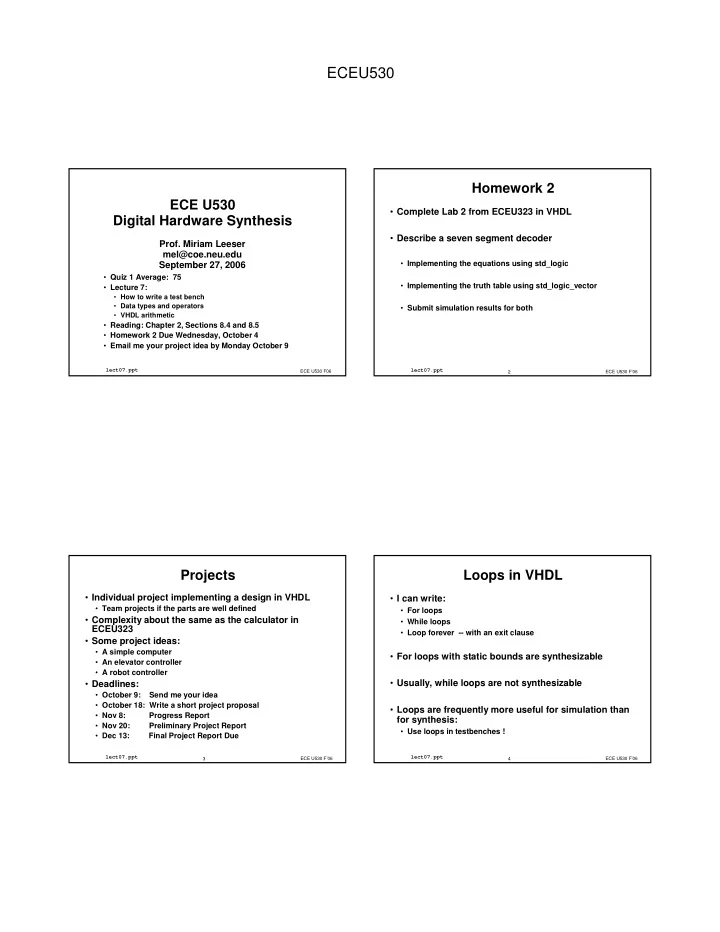
Homework 2

  • Complete Lab 2 from ECEU323 in VHDL
  • Describe a seven segment decoder
  • Implementing the equations using std_logic
  • Implementing the truth table using std_logic_vector
  • Submit simulation results for both

ECE U530 F’06 3

lect07.ppt

Projects

  • Individual project implementing a design in VHDL
  • Team projects if the parts are well defined
  • Complexity about the same as the calculator in

ECEU323

  • Some project ideas:
  • A simple computer
  • An elevator controller
  • A robot controller
  • Deadlines:
  • October 9: Send me your idea
  • October 18: Write a short project proposal
  • Nov 8: Progress Report
  • Nov 20: Preliminary Project Report
  • Dec 13: Final Project Report Due

ECE U530 F’06 4

lect07.ppt

Loops in VHDL

  • I can write:
  • For loops
  • While loops
  • Loop forever -- with an exit clause
  • For loops with static bounds are synthesizable
  • Usually, while loops are not synthesizable
  • Loops are frequently more useful for simulation than

for synthesis:

  • Use loops in testbenches !
slide-2
SLIDE 2

ECEU530

ECE U530 F’06 5

lect07.ppt

For Loops

[label:] for <identifier> in <range> loop sequential statement; {sequential statements}; end loop [label];

  • A loop statement is a sequential statement
  • Must be in a process
  • identifier is automatically declared and is local to the

loop

  • Range: <integer expression> to <integer expression>
  • r <integer expression> downto

<integer expression>

  • An integer expression evaluates to an integer

ECE U530 F’06 6

lect07.ppt

For Loop Example

FOR N IN 3 DOWNTO 1 LOOP shift_reg(N) <= shift_reg(N-1); END LOOP; Unrolled Loop : shift_reg(3) <= shift_reg(2); shift_reg(2) <= shift_reg(1); shift_reg(1) <= shift_reg(0);

  • Note: N is only defined for the loop
  • What goes on the process sensitivity list?
  • When synthesized, loops are usually unrolled
  • Integer expressions are evaluated at compile time

ECE U530 F’06 7

lect07.ppt

Inferring Hardware from a For Loop

ARCHITECTURE arch OF some IS BEGIN PROCESS (A) BEGIN FOR i IN A’RANGE LOOP Z(i) <= NOT A(i); END LOOP; END PROCESS; END arch;

Unrolled loop : Z(3) <= NOT A(3); Z(2) <= NOT A(2); Z(1) <= NOT A(1); Z(0) <= NOT A(0);

A Z

ECE U530 F’06 8

lect07.ppt

Array Attributes

A’left(N) left bound of index range of dimension N of A A’right(N) right bound of index range of dimension N of A A’low(N) lower bound of index range of dimension N of A A’high(N) upper bound of index range of dimension N of A A’range(N) index range of dimension N of A A’reverse_range(N) reverse of index range of dimension N of A A’length(N) length of index range of dimension N of A A’ascending(N) true if index range of dimension N of A is an ascending range, false otherwise (Book page 93)

slide-3
SLIDE 3

ECEU530

ECE U530 F’06 9

lect07.ppt

Testbench Generate Stimulus UUT Monitor Response

Using a VHDL testbench :

  • UUT = Unit under test;
  • testbench = VHDL code to test UUT
  • testbench code is

usually not synthesized, usually written in a behavioral style

ECE U530 F’06 10

lect07.ppt

Simulation Test Methods

BEHAVIORAL TESTBENCH BEHAVIORAL TESTBENCH RTL VHDL RTL VHDL BEHAVIORAL TESTBENCH BEHAVIORAL TESTBENCH RTL VHDL RTL VHDL SIMULATOR STIMULUS COMMANDS DESIGN (SCHEMATIC OR OTHER) DESIGN (SCHEMATIC OR OTHER)

Stimulus Design

Non-portable Complex Simple

ECE U530 F’06 11

lect07.ppt

VHDL Testbench

  • Testbench code does not need to be synthesizable:
  • anything goes
  • Entity is empty
  • UUT is a component in the testbench
  • This part is automatically generated by Xilinx tools
  • All inputs and outputs to the UUT are declared as

internal signals

  • Testbench generates all external stimuli,
  • including clock and reset
  • tests different input combinations

ECE U530 F’06 12

lect07.ppt

VHDL Testbench Organization

  • Library and package calls
  • Entity declaration
  • Generally has no inputs or outputs
  • Architecture section
  • UUT is a component
  • Testbench logic is a process
slide-4
SLIDE 4

ECEU530

ECE U530 F’06 13

lect07.ppt

Tutorial Testbench

LIBRARY IEEE; USE IEEE.STD_LOGIC_1164.ALL; USE IEEE.STD_LOGIC_ARITH.ALL; USE IEEE.STD_LOGIC_UNSIGNED.ALL; USE IEEE.STD_LOGIC_TEXTIO.ALL; USE STD.TEXTIO.ALL; ENTITY counter_tbw IS END counter_tbw; ARCHITECTURE testbench_arch OF counter_tbw IS FILE RESULTS: TEXT OPEN WRITE_MODE IS "results.txt"; COMPONENT counter PORT ( CLK : In std_logic; RESET : In std_logic; CE : In std_logic; LOAD : In std_logic; DIR : In std_logic; DIN : In std_logic_vector (3 DOWNTO 0); COUNT : InOut std_logic_vector (3 DOWNTO 0) ); END COMPONENT;

ECE U530 F’06 14

lect07.ppt

Tutorial Testbench (2)

SIGNAL CLK : std_logic; SIGNAL RESET : std_logic; SIGNAL CE : std_logic; SIGNAL LOAD : std_logic; SIGNAL DIR : std_logic; SIGNAL DIN : std_logic_vector (3 DOWNTO 0); SIGNAL COUNT : std_logic_vector (3 DOWNTO 0); BEGIN UUT : counter PORT MAP ( CLK => CLK, RESET => RESET, CE => CE, LOAD => LOAD, DIR => DIR, DIN => DIN, COUNT => COUNT);

ECE U530 F’06 15

lect07.ppt

Testbench from Tutorial (3)

PROCESS -- clock process for CLK, BEGIN CLOCK_LOOP : LOOP CLK <= transport '0'; WAIT FOR 10 ns; CLK <= transport '1'; WAIT FOR 10 ns; WAIT FOR 40 ns; CLK <= transport '0'; WAIT FOR 40 ns; END LOOP CLOCK_LOOP; END PROCESS;

ECE U530 F’06 16

lect07.ppt

wait statements

  • wait can be used to suspend a process for a specified

time period

  • Example: Using wait in a testbench:
  • Can also wait on a signal or on an event
  • Most synthesis tools limit the way wait statements can be

used

  • - *********************************
  • - process for simulating the clock

process begin clk <= not(clk); wait for 20 ns; end process;

  • - *********************************
slide-5
SLIDE 5

ECEU530

ECE U530 F’06 17

lect07.ppt

Inertial vs Transport Delays

A B C

ENTITY nand2 IS PORT( A, B : IN BIT; C : OUT BIT); END nand2; ARCHITECTURE behavior OF nand2 IS BEGIN C <= NOT(A AND B) AFTER 25 ns; END behavior; ENTITY nand2 IS PORT( A, B : IN BIT; C : OUT BIT); END nand2; ARCHITECTURE behavior OF nand2 IS BEGIN C <= NOT(A AND B) AFTER 25 ns; END behavior; ENTITY nand2 IS PORT( A, B : IN BIT; C : OUT BIT); END nand2; ARCHITECTURE behavior OF nand2 IS BEGIN C <= TRANSPORT NOT(A AND B) AFTER 25 ns; END behavior; ENTITY nand2 IS PORT( A, B : IN BIT; C : OUT BIT); END nand2; ARCHITECTURE behavior OF nand2 IS BEGIN C <= TRANSPORT NOT(A AND B) AFTER 25 ns; END behavior;

  • ECE U530 F’06

18

lect07.ppt

Testbench from Tutorial (4)

  • -Simulation Code

simulation: process(clk) -- simulation process

  • - triggers on clock edge

variable cycle : integer := 0; begin case cycle is when 0 to 1 => -- reset the counter reset <= '1'; ce <= '0'; load <= '0'; dir <= '0'; din <= (others => '0');

ECE U530 F’06 19

lect07.ppt

Testbench from Tutorial(5)

when 2 to 5 => -- count up for two cycles reset <= '0'; ce <= '1'; load <= '0'; dir <= '1'; when 6 to 7 => -- count down for one cycle reset <= '0'; ce <= '1'; dir <= '0'; load <= '0'; ...

ECE U530 F’06 20

lect07.ppt

Testbench from Tutorial (6)

... when others => -- hold count value reset <= '0'; ce <= '0'; load <= '0'; dir <= '0'; end case; cycle := cycle+1; end process;

slide-6
SLIDE 6

ECEU530

ECE U530 F’06 21

lect07.ppt

Testbench Example: Adder

Library IEEE; use IEEE.STD_LOGIC_1164.all; use IEEE.STD_LOGIC_ARITH.all; use IEEE.std_logic_unsigned.all; Library WORK; use WORK.all; entity testbench is end testbench; architecture test of testbench is signal clk : std_logic:= '0'; signal rst : std_logic:= '0'; signal data_in1:std_logic_vector(4 downto 0); signal data_in2:std_logic_vector(4 downto 0); signal data_out:std_logic_vector(4 downto 0);

ECE U530 F’06 22

lect07.ppt

Testbench Example (2)

component adder port( in1 : in std_logic_vector(4 downto 0); in2 : in std_logic_vector(4 downto 0);

  • ut : out std_logic_vector(4 downto 0));

end component; signal a : std_logic_vector(4 downto 0); signal b : std_logic_vector(4 downto 0); signal c : std_logic_vector(4 downto 0); begin add1 : adder port map( in1 => a, in2 => b,

  • ut => c );

ECE U530 F’06 23

lect07.ppt

Testbench Example (3)

  • - *********************************
  • - process for simulating the clock

process begin clk <= not(clk); wait for 20 ns; end process;

  • - *********************************

ECE U530 F’06 24

lect07.ppt

Testbench Example (4)

process variable i : integer; variable j : integer; begin for i in 0 to 15 loop for j in 0 to 15 loop a <= CONV_STD_LOGIC_VECTOR(i, 5); b <= CONV_STD_LOGIC_VECTOR(j, 5); wait until (clk'event and clk='1'); end loop; end loop; end process;

  • -******************************************

end test; CONV_STD_LOGIC_VECTOR is a function that converts an

  • integer. Takes bitwidth of the standard logic vector.
slide-7
SLIDE 7

ECEU530

ECE U530 F’06 25

lect07.ppt

Input Stimuli

  • What should inputs be?
  • All possible combinations
  • Use VHDL loops to generate these
  • May be too long or complex for some applications
  • Test important cases to verify design functionality

–Example: ALU »Test each type of operation with different inputs » Test boundary cases »Make sure each input and output bit is tested »overflow, ...

  • Can use same testbench for specified and

synthesized design

ECE U530 F’06 26

lect07.ppt

Simple UUTs

  • Combinational circuits are easy to test
  • Inputs can come in any order
  • Outputs are only dependent on current input, not previous

inputs

  • Usually we can test combinational circuits

exhaustively (all possible combinations of inputs)

  • loops are often useful here

ECE U530 F’06 27

lect07.ppt

Simple UUT: AOI

  • ! " #$

$%

  • &&'
  • ()!%"#%%

&'

ECE U530 F’06 28

lect07.ppt

Simple UUT: Testbench (1)

  • &** ''
  • &

+ $ $% +

slide-8
SLIDE 8

ECEU530

ECE U530 F’06 29

lect07.ppt

Simple UUT: Testbench (2)

$', -% $

  • $ +).,% )./%

).% ).-% ).% &$ '$$)-

() '' % /-

  • &

ECE U530 F’06 30

lect07.ppt

What does it do?

  • cycles through 0(0000) to 15(1111)

are assigned to bits of

  • This covers all possible inputs to the circuit
  • Coverage is an important term when testing any

circuit

  • “How much functionality did I actually test?”

ECE U530 F’06 31

lect07.ppt

How do I know it works? (1)

  • Inspection: Run it in Modelsim and see if the output is

what you expect

  • Have to figure out all the correct outputs yourself
  • There are only 4 inputs (16 possible values) here, so this is

pretty easy and doable

  • Can look at the output in the Testbench Waveform

tool or in Modelsim

  • What if I have a lot of inputs, or a more complex

circuit?

  • Cannot test all possible combinations

ECE U530 F’06 32

lect07.ppt

How do I know it works? (2)

  • Golden Standard: Compare the output to another

circuit which implements the same function

  • Ex.: Behavioral model vs. Structural model
  • Instantiate a “standard” circuit alongside the UUT,

connected to the same inputs

  • If the outputs are the same, the UUT works
  • Requires a circuit that already works!
slide-9
SLIDE 9

ECEU530

ECE U530 F’06 33

lect07.ppt

Golden Standard example

  • $& +

).,% )./% ).% ).-% ).% $ + ).,% )./% ).% ).-% ).% $ %

ECE U530 F’06 34

lect07.ppt

How do I know it works? (3)

  • Self-checking: Write the correct answers directly into

the testbench

  • VHDL has an
  • function for just this sort of concept

(textbook p.77)

  • You still need to know what the outputs are supposed to be
  • No more squinting at Modelsim waveforms!

ECE U530 F’06 35

lect07.ppt

Assert: Syntax

  • 1

1 1 1% % % % 2 2 2 23 3 3 3+ + + +4 4 4 4 5 5 5 5 2' 2' 2' 2'' ' ' ' 5 5 5 5 ' ' ' ' )67 )67 )67 )67

  • The error message is printed if the assertion fails, i.e.

the condition is not met

  • In other words, 1

1 1 1 should be the CORRECT

value

ECE U530 F’06 36

lect07.ppt

Assert: Parameters

  • There is a default error message (“Assertion

violation”) if you don’t include one

  • '

' ' ' defaults to

  • Setting '

' ' ' to

  • will cause your simulation to

stop if the assertion fails

  • This is configurable inside your simulator
slide-10
SLIDE 10

ECEU530

ECE U530 F’06 37

lect07.ppt

Assert: Example

$ +).,% )./% ).% ).-% ).% &$ '$$)-

() '' % / ),%/%% %-%%%% 384 ' 9

  • ECE U530 F’06

38

lect07.ppt

Frequently used Data Types

  • Boolean (true or false)
  • Integer
  • type STD_ULOGIC is

(‘U’,‘X’,‘0’,‘1’, ‘Z’,‘W’,‘L’,‘H’,‘-’);

  • type STD_LOGIC is resolved STD_ULOGIC;
  • type STD_LOGIC_VECTOR is array

(natural range <>) of std_logic;

ECE U530 F’06 39

lect07.ppt

Vectors

  • You can access individual bits of a vector

using the index of the bit position

  • You can build a vector from individual bits:

this is called aggregating

subtype my_vector is std_logic_vector(1 to 4); signal x: my_vector; variable A,B: std_logic; X<= my_vector’(‘1’, A nand B, ‘1’, A or B);

ECE U530 F’06 40

lect07.ppt

Signal Assignment

architecture new_behav of mux21_8 is signal temp: std_logic_vector ( 7 downto 0); begin temp <= (sel,sel,sel, others => sel); y <= ((not temp) and a) or (temp and b); end new_behav;

  • Every bit of temp is set equal to sel:

temp <= (sel, sel, sel, sel, sel, sel, sel, sel); temp <= (others => sel); temp <= ( 1 => sel, 7 => sel, ...);

slide-11
SLIDE 11

ECEU530

ECE U530 F’06 41

lect07.ppt

Operators

  • Logical: and or nand nor xor not
  • Relational:

=

  • - equal

/=

  • - not equal

<

  • - less than

<= -- less than or equal to > -- greater than or equal to >=

  • - greater than or equal to

signal s1: integer; s1 <= 10; -- signal assignment if (s1 <= 10) then -- less than or equal to

ECE U530 F’06 42

lect07.ppt

Addition Operators

  • Adding: +, - &

+

  • - addition
  • - subtraction

& -- concatenation of arrays

  • Remember, strings are arrays of characters

signal A,D: std_logic_vector(3 downto 0); signal B,C: std_logic_vector(1 downto 0); signal check: Boolean; A <= B & C; D <= (not B) & (not C); check <= ( D = (not (B & C)));

ECE U530 F’06 43

lect07.ppt

Data Types in Package Standard

  • Data Types defined in package standard
  • Package standard is automatically loaded

Data Type Values

Boolean true, false Integer

  • (231 - 1) to (231-1)

Character String array of character Real

  • 1.0E38 to 1.0E38

Time 1 fs to 1 hr

ECE U530 F’06 44

lect07.ppt

Operators on Data Types

  • Operators are defined for particular data types
  • logical operators for Boolean, bit, std_logic:

and or nand nor xor xnor not

  • Relational operators are defined as long as both sides

have the same type

  • relational operators return a Boolean
  • Arithmetic operators for integer, real
slide-12
SLIDE 12

ECEU530

ECE U530 F’06 45

lect07.ppt

Package std_logic_1164

library IEEE; use IEEE.std_logic_1164.all;

  • Defines types:

std_ulogic std_logic std_ulogic_vector std_logic_vector

  • Defines logical, relation operations on these types
  • Does NOT define arithmetic operations on these types

ECE U530 F’06 46

lect07.ppt

Types signed and unsigned

type unsigned is array (natural <>) of std_logic; type signed is array (natural <>) of std_logic;

  • Defined in packages:
  • package std_logic_arith (signed)
  • package std_logic_unsigned (unsigned)
  • These packages define arithmetic operations on type

signed and unsigned

  • Arithmetic is either unsigned or signed two’s

complement

ECE U530 F’06 47

lect07.ppt

Numeric packages

  • numeric_std is the IEEE standard
  • defines types signed and unsigned
  • defines arithmetic, comparison and logic operations for these

types

  • std_logic_arith was developed at Synopsys
  • is a defacto industry standard
  • defines types signed and unsigned
  • defines arithmetic and comparison operators for these types
  • std_logic_unsigned was developed at Synopsys
  • is a defacto industry standard
  • defines arithmetic and comparison operators for

std_logic_vector

  • not for types unsigned and signed !

ECE U530 F’06 48

lect07.ppt

Which Numeric Package to use?

  • IEEE recommends using numeric_std for new

designs

  • It is okay to use numeric_std and std_logic_unsigned

together

  • NEVER use numeric_std and std_logic_arith

together !!

  • IEEE is planning a new numeric package that allows

unsigned arithmetic with std_logic_vector

slide-13
SLIDE 13

ECEU530

ECE U530 F’06 49

lect07.ppt

Numeric Packages

  • If you want arithmetic operations, your code should

start with:

library IEEE; use IEEE.std_logic_1164.all; use ieee.numeric_std.all;

  • r

library IEEE; use IEEE.std_logic_1164.all; use ieee.std_logic_arith.all; use ieee.std_logic_unsigned.all;

The second option is what the Xilinx tools use by default

ECE U530 F’06 50

lect07.ppt

Representing Signed Values

Value Sign Magnitude

  • ne’s comp

two’s comp +7 0111 0111 0111 +6 0110 0110 0110 +5 0101 0101 0101 +4 0100 0100 0100 +3 0011 0011 0011 +2 0010 0010 0010 +1 0001 0001 0001 +0 0000 0000 0000

1000 1111

  • 1

1001 1110 1111

  • 2

1010 1101 1110

  • 3

1011 1100 1101

  • 4

1100 1011 1100

  • 5

1101 1010 1011

  • 6

1110 1001 1010

  • 7

1111 1000 1001

  • 8
  • 1000

ECE U530 F’06 51

lect07.ppt

Types Signed and Unsigned

Data Type Value

unsigned 0 to 2N - 1 signed

  • 2(N-1) to 2(N-1) - 1
  • -signed two’s complement

signal A_unsigned: unsigned(3 downto 0); signal B_signed: signed(3 downto 0); signal C_slv: std_logic_vector(3 downto 0); A_unsigned <= “1111”; -- value is ______ B_signed <= “1111”; -- value is ______ C_slv <= “1111”; -- value is _______

ECE U530 F’06 52

lect07.ppt

Types Signed and Unsigned

  • definitions of types Unsigned and Signed are identical

to definition of std_logic_vector:

type UNSIGNED is array (natural range <>) of std_logic; type SIGNED is array (natural range <>) of std_logic;

  • How are these types distinguished from one another?
  • How do these generate signed and unsigned

arithmetic?

slide-14
SLIDE 14

ECEU530

ECE U530 F’06 53

lect07.ppt

Signed and Unsigned Arithmetic

  • For each operator, a unique function is called:

function “+” (L,R: signed) return signed; function “+” (L,R: unsigned) return unsigned;

  • This is called operator overloading
  • A different “+” function is called depending on the types of

the operands

  • VHDL uses operator overloading often
  • relational operators
  • logical operators
  • arithmetic operators

ECE U530 F’06 54

lect07.ppt

Signed and Unsigned Arithmetic

UNSIGNED’(“1000”) -- has value ______ SIGNED’(“1001”) -- has value ______ SIGNED’(“0101”) -- has value ______ SIGNED’(“1011”) -- has value ______

  • What is difference?
  • how bits are interpretted
  • how +, - are defined
  • how relational operations are defined:
  • is “1011” < “1010”

?

ECE U530 F’06 55

lect07.ppt

More Operators

  • Arithmetic operators (defined on types integer,

signed, unsigned)

  • +, -, &
  • Unary (sign) operators: +, -
  • n integers
  • Multiplying operators: * / mod rem
  • Other operators:
  • ** raise to a power: must be 2**n to synthesize

(for most CAD tools)

  • abs defined on signed types only
  • not
  • Note: mod and rem return the same result, but may differ in

their sign depending on the sign of the divisor

ECE U530 F’06 56

lect07.ppt

Arithmetic Operators

  • Logic operators are defined as bitwise on

std_logic_vectors:

signal A,D: std_logic_vector(3 downto 0); signal B,C: std_logic_vector(1 downto 0); signal check: Boolean; D <= (not B) & (not C); check <= ( D = (not (B & C)));

  • Can’t add, subtract std_logic_vectors
  • Can add, subtract signed, unsigned
  • Unless you use package std_logic_unsigned

–Allows you to add, subtract slv using unsigned arithmetic

  • Not recommended
slide-15
SLIDE 15

ECEU530

ECE U530 F’06 57

lect07.ppt

Arithmetic Operators

  • Convert std_logic_vectors to signed or unsigned first

signal A: std_logic_vector(3 downto 0); signal A_unsigned: unsigned(3 downto 0); A_unsigned <= unsigned’(A); A <= std_logic_vector’(A_unsigned);

  • unsigned’() and std_logic_vector’() are type

conversion functions

  • they are overloaded functions
  • std_logic_vector’() is defined differently for

parameters of type signed and unsigned

ECE U530 F’06 58

lect07.ppt

Synthesis and Data types

  • Use std_logic_vectors, signed and unsigned values
  • If you use integers
  • always specify integer ranges

signal A, B, C, D : integer;

  • will synthesize 32 bit registers

signal A, B, C, D: integer range 0 to 31;

  • will synthesize ______ bit registers

ECE U530 F’06 59

lect07.ppt

Types and Subtypes

  • Users can specify new types and new subtypes
  • A subtype is a constrained version of an existing type

subtype small_int is integer range -128 to 127; variable deviation: small_int; variable adjustment: integer; deviation := deviation + adjustment;

  • This is legal VHDL. Can mix types small_int and
  • integer. Result must be in the range -128 to 127.
  • Can use all the operations of integer with a subtype

based on integer

ECE U530 F’06 60

lect07.ppt

Types vs. Subtypes

  • A new type is different from its base type
  • A subtype “inherits” all the functions of its base type

(including defined operators!)

subtype four_bit is std_logic_vector(3 downto 0); type four_array is array(3 downto 0) of std_logic;

  • Cannot write:

type four_array2 is std_logic_vector(3 downto 0);

  • can add signals of type four_bit
  • cannot add signals of type four_array2:
  • have to specify “+” function first
  • Use subtypes for restricted data ranges
  • Use types for new, enumerated types
slide-16
SLIDE 16

ECEU530

ECE U530 F’06 61

lect07.ppt

Numeric Packages

  • Your code should start with (default in Xilinx):

library IEEE; use IEEE.std_logic_1164.all; use ieee.std_logic_arith.all; use ieee.std_logic_unsigned.all;

  • std_logic_1164 defines std_logic, std_logic_vector
  • std_logic_unsigned defines unsigned arithmetic on

standard logic vector

  • std_logic_signed defines signed two’s complement

data types and arithmetic and unsigned data types and arithmetic

ECE U530 F’06 62

lect07.ppt

Signed and Unsigned Arithmetic

type unsigned is array (natural <>) of std_logic; type signed is array (natural <>) of std_logic; type std_logic_vector is array (natural <>) of std_logic;

  • How are these types distinguished from one another?
  • How do they generate unsigned and signed

arithmetic?

function ”+” (L, R: signed) return signed; function “+” (L, R: unsigned) return unsigned;

Which function is used depends on types:

A + B

ECE U530 F’06 63

lect07.ppt

Operator Overloading

Operator Left Right Result Logic TypeA TypeA TypeA Numeric Array Array Array Array Integer Array Integer Array Array Array is unsigned, signed or std_logic_vector TypeA is Boolean, std_logic, bit, bit_vector, std_logic_vector Array and TypeA types used in a single expression must be the same

ECE U530 F’06 64

lect07.ppt

Overloading Examples

signal A_uv, B_uv, C_uv, D_uv: unsigned(7 downto 0); signal R_sv, S_sv, T_sv, U_sv: signed (7 downto 0); signal J_slv, K_slv, L_slv: std_logic_vector (7 downto 0); signal Y_sv: signed (8 downto 0);

  • -Permitted

A_uv <= B_uv + C_uv; -- Unsigned + Unsigned = Unsigned D_uv <= B_uv + 1; -- Unsigned + Integer = Unsigned R_sv <= S_sv + T_sv; -- signed + signed = signed U_sv <= S_sv + 1; -- signed + Integer = signed J_slv <= K_slv + L_slv; -- if using std_logic_unsigned

  • -Illegal

Y_sv <= A_uv - B_uv; -- why ? what if want

  • - signed result ?
slide-17
SLIDE 17

ECEU530

ECE U530 F’06 65

lect07.ppt

Strong Typing

  • Size and type of left hand side of signal assignment

must match size and type of right hand side

  • Each operation returns a result that has a specific

size based on rules of the operation

  • A’length is length of array A
  • ’length is a VHDL attribute: Not synthesizable
  • Idea behind strong typing

=> catch errors early

ECE U530 F’06 66

lect07.ppt

Strong Typing Examples

Operation Size of Y = Size of Expression

Y <=“10101010”; number of digits in literal Y <= X”AA”; 4 * (number of digits) Y <= A and B; A’length = B’length W <= A > B; Boolean Y <= A + B; Maximum(A’Length, B’Length) Y <= A + 10; A’Length V <= A * B; A’Length + B’Length

ECE U530 F’06 67

lect07.ppt

Types and Addition

signal A8, B8, Result8 : unsigned(7 downto 0); signal Result9 : unsigned(8 downto 0); signal Result7 : unsigned(6 downto 0); ...

  • - Simple addition, no carry out

Result8 <= A8 + B8;

  • - For smaller result choose part of inputs

Result7 <= A8(6 downto 0) + B8(6 downto 0);

ECE U530 F’06 68

lect07.ppt

Carry out

  • Suppose want carry out from result?
  • Need to make result one bit longer than inputs
  • but type of RHS and LHS must match.
  • Extend RHS signals by one bit using concatenation:
  • signal A8, B8, Result8 : unsigned(7 downto 0);

signal Result9 : unsigned(8 downto 0);

  • - Carry out in result

Result9 <= (‘0’ & A8) + (‘0’ & B8);

  • What about signed values?
  • Will this work ?
slide-18
SLIDE 18

ECEU530

ECE U530 F’06 69

lect07.ppt

Type Conversion Functions

  • VHDL is dependent on overloading operators and on

type conversions

  • Conversion functions needed:
  • Signed and unsigned <=> std_logic_vector
  • signed and unsigned <=> integer
  • std_logic_vector <=> integer
  • These conversion functions are built in to the

arithmetic packages

  • You need to explicitly use them
  • Types convert automatically if one is the subtype of

another

ECE U530 F’06 70

lect07.ppt

Subtracting unsigned vectors

  • What if I want to subtract:

unsigned – unsigned and get a signed result?

signal X_uv, Y_uv: unsigned ( 6 downto 0); signal Z_sv: signed (7 downto 0); Z_sv <= signed’(’0’ & X_uv) – signed’(’0’ & Y_uv);

ECE U530 F’06 71

lect07.ppt

Functions in std_logic_arith

function ”+” (L, R: signed) return signed; function ”+” (L:signed, R: unsigned) return signed; function “+” (L:unsigned, R: signed) return signed;

  • What if I write:

Z_sv <= A_sv + “1010”; is “1010” unsigned? value ______ signed? value ______

ECE U530 F’06 72

lect07.ppt

Std_logic_arith: literals

Z_sv <= A_sv + signed’(“1010”);

  • Note you need the ’ for the type conversion function
  • alternatively, use an integer

Z_sv <= A_sv – 6;

slide-19
SLIDE 19

ECEU530

ECE U530 F’06 73

lect07.ppt

Addition Operators

  • Arithmetic with unsigned numbers

Add_uv <= A_uv + B_uv; Sub_uv <= C_uv – D_uv;

  • Size of result =
  • size of largest RHS operand
  • Size of ADD = maximum (A, B)
  • Shorter array is extended
  • Unsigned with Integers

Inc_uv <= Base_uv + 1; Y_uv <= A_uv + 45;

  • Integers must fit into an array the same size as the

result

  • Extra MSB digits are lost

ECE U530 F’06 74

lect07.ppt

Use integers with care

  • Synthesis tool creates 32 bit wide registers, adders,

etc for unconstrained integers:

signal Y_int, A_int, B_int: integer; Y <= A_int + B_int;

  • Better:

signal A_int, B_int: integer range -8 to 7; signal Y_int: integer range -16 to 15; Y_int <= A_int + B_int;

  • Recommendation: Use integers only as constants

and literals:

Y_uv <= A_uv + 17;

ECE U530 F’06 75

lect07.ppt

Carry Out and Overflow

  • If you add two unsigned numbers, you may get a

carry out from the MSB

  • Carry out means that you have overflowed the range of an

unsigned value

  • Two inputs, A, B are 4 bits, Result is too big for 4 bits
  • If you add two signed numbers you may get an
  • verflow from the MSB
  • Overflow means that you have overflowed the range of a

signed value

  • Overflow is different from Carry Out
  • You can have overflow and no carry out, carry out and no
  • verflow

ECE U530 F’06 76

lect07.ppt

Carry out and overflow

  • 5, 7, -5, -7 represented as 4 bit, signed values:
  • 0101 0111, 1011, 1001

5 + 7 111 0101 0111 1100 overflow, no carry out 5 -7 1 0101 1001 1110 no overflow, no carry out

slide-20
SLIDE 20

ECEU530

ECE U530 F’06 77

lect07.ppt

Carry out and overflow

  • 5, 7, -5, -7 represented as 4 bit, signed values:
  • 0101 0111, 1011, 1001
  • 5 + 7

111 1011 0111 10010 no overflow, carry out

  • 5 -7

11 1011 1001 10100 overflow, carry out

ECE U530 F’06 78

lect07.ppt

Detecting overflow and carry out

  • Detecting carry out is easy
  • convert signals to unsigned
  • extend inputs by concatenating a zero to the MSB
  • if MSB of result is 1 then you have carry out
  • How do you detect overflow?

ECE U530 F’06 79

lect07.ppt

Adder with Carry Out

want to calculate: CarryOut, Result(3:0) <= A(3:0) + B(3:0) this is NOT legal VHDL signal A, B, Result : unsigned(3 downto 0); signal Y5 : unsigned(4 downto 0); signal Co : std_logic;

  • - Carry out and Result in Y5

Y5 <= (‘0’ & A) + (‘0’ & B); Result <= Y5( 3 downto 0); Co <= Y5(4);

ECE U530 F’06 80

lect07.ppt

Adder with Carry In

want to calculate: ??? <= A(3:0) + B(3:0) + CarryIn signal A, B, Result : unsigned(3 downto 0); signal Y5 : unsigned(4 downto 0); signal CarryIn : std_logic;

  • - Carry out and Result in Y5

Y5 <= (A & ‘1’) + (B & CarryIn); Result <= Y5( 4 downto 1); This gives the correct result