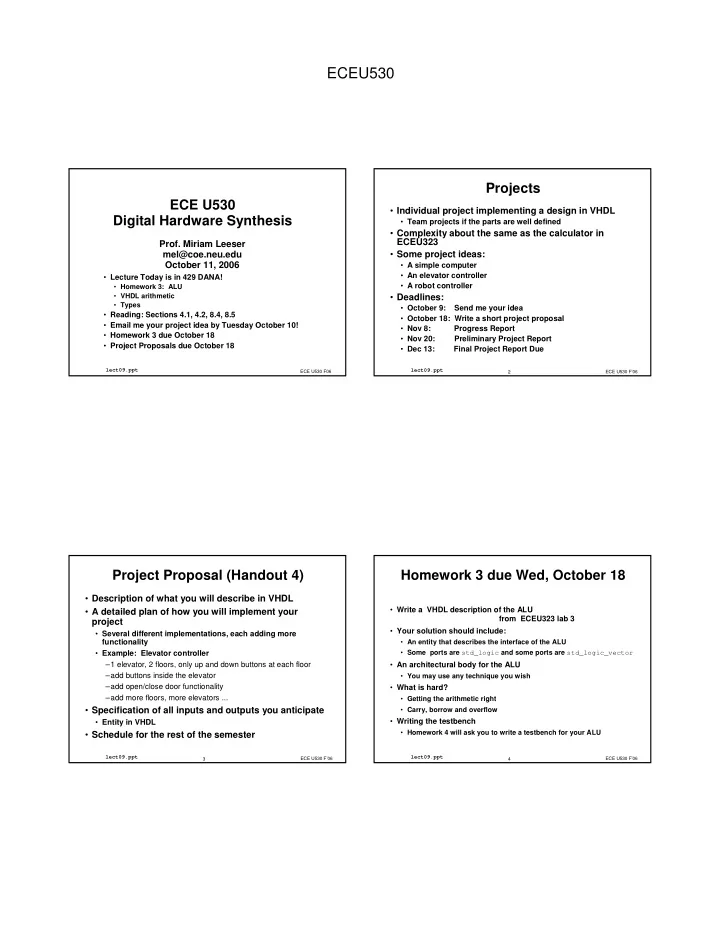
ECEU530 Projects ECE U530 Individual project implementing a design - - PDF document

eceu530
SMART_READER_LITE
LIVE PREVIEW

ECEU530 Projects ECE U530 Individual project implementing a design - - PDF document

ECEU530 Projects ECE U530 Individual project implementing a design in VHDL Digital Hardware Synthesis Team projects if the parts are well defined Complexity about the same as the calculator in ECEU323 Prof. Miriam Leeser


slide-1
SLIDE 1

ECEU530

ECE U530 Digital Hardware Synthesis

  • Lecture Today is in 429 DANA!
  • Homework 3: ALU
  • VHDL arithmetic
  • Types
  • Reading: Sections 4.1, 4.2, 8.4, 8.5
  • Email me your project idea by Tuesday October 10!
  • Homework 3 due October 18
  • Project Proposals due October 18

ECE U530 F06

lect09.ppt

  • Prof. Miriam Leeser

mel@coe.neu.edu October 11, 2006

ECE U530 F’06 2

lect09.ppt

Projects

  • Individual project implementing a design in VHDL
  • Team projects if the parts are well defined
  • Complexity about the same as the calculator in

ECEU323

  • Some project ideas:
  • A simple computer
  • An elevator controller
  • A robot controller
  • Deadlines:
  • October 9: Send me your idea
  • October 18: Write a short project proposal
  • Nov 8: Progress Report
  • Nov 20: Preliminary Project Report
  • Dec 13: Final Project Report Due

ECE U530 F’06 3

lect09.ppt

Project Proposal (Handout 4)

  • Description of what you will describe in VHDL
  • A detailed plan of how you will implement your

project

  • Several different implementations, each adding more

functionality

  • Example: Elevator controller

–1 elevator, 2 floors, only up and down buttons at each floor –add buttons inside the elevator –add open/close door functionality –add more floors, more elevators ...

  • Specification of all inputs and outputs you anticipate
  • Entity in VHDL
  • Schedule for the rest of the semester

ECE U530 F’06 4

lect09.ppt

Homework 3 due Wed, October 18

  • Write a VHDL description of the ALU

from ECEU323 lab 3

  • Your solution should include:
  • An entity that describes the interface of the ALU
  • Some ports are std_logic and some ports are std_logic_vector
  • An architectural body for the ALU
  • You may use any technique you wish
  • What is hard?
  • Getting the arithmetic right
  • Carry, borrow and overflow
  • Writing the testbench
  • Homework 4 will ask you to write a testbench for your ALU
slide-2
SLIDE 2

ECEU530

ECE U530 F’06 5

lect09.ppt

  • Interface:
  • Interface signals should be std_logic_vector or

std_logic

ALU

ECE U530 F’06 6

lect09.ppt

ALU Operation

  • Architecture:
  • Operation depends on inputs S2, S1, S0
  • VHDL architecture body should be a case

statement

ECE U530 F’06 7

lect09.ppt

VHDL Case Statement

case <expression> is when <choices> => <statements> when <choices> => <statements> when others => <statements> end case;

  • All possible values of expression must be covered
  • Exactly one choice should be true
  • Statements can be one or more VHDL statements
  • Good coding style for synthesis:
  • Assign to the same signals in every branch of a case

statement

ECE U530 F’06 8

lect09.ppt

Numeric Packages

  • Your code should start with (default in Xilinx):

library IEEE; use IEEE.std_logic_1164.all; use ieee.std_logic_arith.all; use ieee.std_logic_unsigned.all;

  • std_logic_1164 defines std_logic, std_logic_vector
  • std_logic_unsigned defines unsigned arithmetic on

standard logic vector

  • std_logic_arith defines signed two’s complement

data types and arithmetic and unsigned data types and arithmetic

slide-3
SLIDE 3

ECEU530

ECE U530 F’06 9

lect09.ppt

ALU Arithmetic

  • Should you use unsigned, signed or std_logic_vector

for your ALU?

  • The bits will be the same
  • signed and unsigned are really ways to annotate your code

with the type of arithmetic you are doing

  • For ALU, are you doing signed or unsigned arithmetic?

–Hint: Look at Flag

ECE U530 F’06 10

lect09.ppt

Arithmetic Operators

  • Convert std_logic_vectors to signed or unsigned first

signal A: std_logic_vector(3 downto 0); signal A_unsigned: unsigned(3 downto 0); A_unsigned <= unsigned(A); A <= std_logic_vector(A_unsigned);

  • Important: You do NOT need the single quote!
  • unsigned() and std_logic_vector() are type

conversion functions

  • they are overloaded functions
  • std_logic_vector() is defined differently for

parameters of type signed and unsigned

ECE U530 F’06 11

lect09.ppt

Carry out

  • Suppose want carry out from result?
  • Need to make result one bit longer than inputs
  • but type of RHS and LHS must match.
  • Extend RHS signals by one bit using concatenation:
  • signal A8, B8, Result8 : unsigned(7 downto 0);

signal Result9 : unsigned(8 downto 0);

  • - Carry out in result

Result9 <= (‘0’ & A8) + (‘0’ & B8);

ECE U530 F’06 12

lect09.ppt

Carry Out and Overflow

  • If you add two unsigned numbers, you may get a

carry out from the MSB

  • Carry out means that you have overflowed the range of an

unsigned value

  • Two inputs, A, B are 4 bits, Result is too big for 4 bits
  • If you add two signed numbers you may get an
  • verflow from the MSB
  • Overflow means that you have overflowed the range of a

signed value

  • Overflow is different from Carry Out
  • You can have overflow and no carry out, carry out and no
  • verflow
slide-4
SLIDE 4

ECEU530

ECE U530 F’06 13

lect09.ppt

Carry out and overflow

  • 5, 7, -5, -7 represented as 4 bit, signed values:
  • 0101 0111, 1011, 1001

5 + 7 111 0101 0111 1100 overflow, no carry out 5 -7 1 0101 1001 1110 no overflow, no carry out

ECE U530 F’06 14

lect09.ppt

Carry out and overflow

  • 5, 7, -5, -7 represented as 4 bit, signed values:
  • 0101 0111, 1011, 1001
  • 5 + 7

111 1011 0111 10010 no overflow, carry out

  • 5 -7

11 1011 1001 10100 overflow, carry out

ECE U530 F’06 15

lect09.ppt

Adder with Carry In

want to calculate: ??? <= A(3:0) + B(3:0) + CarryIn signal A, B, Result : unsigned(3 downto 0); signal Y5 : unsigned(4 downto 0); signal CarryIn : std_logic;

  • - Carry out and Result in Y5

Y5 <= (A & ‘1’) + (B & CarryIn); Result <= Y5( 4 downto 1); This gives the correct result

ECE U530 F’06 16

lect09.ppt

Detecting overflow and carry out

  • Detecting carry out is easy
  • convert signals to unsigned
  • extend inputs by concatenating a zero to the MSB
  • if MSB of result is 1 then you have carry out
  • How do you detect overflow?
  • For ALU, only need overflow for negation
  • How do you calculate overflow?
  • How do you compute borrow on subtraction?
  • borrow = not(carryout)
slide-5
SLIDE 5

ECEU530

ECE U530 F’06 17

lect09.ppt

Testing your design

  • Test bench for adder that tests all possible

combinations

  • For ALU, do NOT want to test:
  • all inputs x all outputs x all functions
  • What should you test?

ECE U530 F’06 18

lect09.ppt

Testbench Example: Adder

Library IEEE; use IEEE.STD_LOGIC_1164.all; use IEEE.STD_LOGIC_ARITH.all; use IEEE.std_logic_unsigned.all; Library WORK; use WORK.all; entity testbench is end testbench; architecture test of testbench is signal clk : std_logic:= '0'; signal rst : std_logic:= '0'; signal data_in1:std_logic_vector(4 downto 0); signal data_in2:std_logic_vector(4 downto 0); signal data_out:std_logic_vector(4 downto 0);

ECE U530 F’06 19

lect09.ppt

Testbench Example (2)

component adder port( in1 : in std_logic_vector(3 downto 0); in2 : in std_logic_vector(3 downto 0);

  • ut : out std_logic_vector(4 downto 0));

end component; signal a : std_logic_vector(3 downto 0); signal b : std_logic_vector(3 downto 0); signal c : std_logic_vector(4 downto 0); begin add1 : adder port map( in1 => a, in2 => b,

  • ut => c );

ECE U530 F’06 20

lect09.ppt

Testbench Example (4)

process variable i : integer; variable j : integer; begin for i in 0 to 15 loop for j in 0 to 15 loop a <= CONV_STD_LOGIC_VECTOR(i, 4); b <= CONV_STD_LOGIC_VECTOR(j, 4); wait for 20 ns; end loop; end loop; end process;

  • -******************************************

end test; CONV_STD_LOGIC_VECTOR is defined in package ieee.std_logic_arith

slide-6
SLIDE 6

ECEU530

ECE U530 F’06 21

lect09.ppt

Input Stimuli

  • What should inputs be?
  • All possible combinations
  • Use VHDL loops to generate these
  • May be too long or complex for some applications
  • Test important cases to verify design functionality

–Example: ALU »Test each type of operation with different inputs » Test boundary cases »Make sure each input and output bit is tested »overflow, ...

  • Can use same testbench for specified and

synthesized design

ECE U530 F’06 22

lect09.ppt

Exercise

  • Write an adder and test it using the testbench

ECE U530 F’06 23

lect09.ppt

User defined integer types - Examples

type day_of_month is range 0 to 31; type year is range 0 to 2100; type set_index_range is range 999 downto 100; constant number_of_bits: integer :=32; type bit_index is range 0 to number_of_bits-1;

Values of bounds can be expressions, but need to be known when the model is analyzed.

ECE U530 F’06 24

lect09.ppt

User-defined enumeration types - Examples

type state is (S0, S1); type alu_function is (nop, add, subtract,multiply, divide); type octal_digit is (‘0’, ‘1’, ‘2’, ‘3’, ‘4’, ‘5’, ‘6’, ‘7’); type mixed is (lf, cr, ht, ‘-’, ‘/‘, ‘\’);

Each value in an enumeration type must be either an identifier or a character literal

slide-7
SLIDE 7

ECEU530

ECE U530 F’06 25

lect09.ppt

Floating point types

  • Used to represent real numbers
  • Numbers are represented using a mantissa and an exponent
  • Conform to the IEEE standard 754 or 854

Minimum size of representation that must be supported by the implementation of the VHDL standard: VHDL-2001: 64-bit representation VHDL-87, VHDL-93: 32-bit representation

ECE U530 F’06 26

lect09.ppt

Real literals - examples

23.1 23.1 46E5 46 ⋅ ⋅ ⋅ ⋅ 105 1E+12 1 ⋅ ⋅ ⋅ ⋅ 1012 1.234E09 1.234 ⋅ ⋅ ⋅ ⋅ 109 34.0e-08 34.0 ⋅ ⋅ ⋅ ⋅ 10-8 2#0.101#E5 0.1012 ⋅ ⋅ ⋅ ⋅ 25 =(2-1+2-3) ⋅ ⋅ ⋅ ⋅ 25 8#0.4#E-6 0.48 ⋅ ⋅ ⋅ ⋅ 8-6 = (4 ⋅ ⋅ ⋅ ⋅ 8-1) ⋅ ⋅ ⋅ ⋅ 8-6 16#0.a5#E-8 0.a516 ⋅ ⋅ ⋅ ⋅ 16-8 =(10⋅ ⋅ ⋅ ⋅16-1+5⋅ ⋅ ⋅ ⋅16-2) ⋅ ⋅ ⋅ ⋅ 16-8

ECE U530 F’06 27

lect09.ppt

User-defined floating-point types - Examples

type input_level is range -10.0 to +10.0 type probability is range 0.0 to 1.0; constant max_output: real := 1.0E6; constant min_output: real := 1.0E-6; type output_range is max_output downto min_output;

ECE U530 F’06 28

lect09.ppt

Physical data types

Types representing physical quantities, such as time, voltage, capacitance, etc. are referred in VHDL as physical data types. TIME is the only predefined physical data type. Value of the physical data type is called a physical literal.

slide-8
SLIDE 8

ECEU530

ECE U530 F’06 29

lect09.ppt

Time values (physical literals) - Examples

7 ns 1 min min 10.65 us 10.65 fs

Unit of time (dimension) Space Numeric value

ECE U530 F’06 30

lect09.ppt

Units of time

Unit Definition Base Unit fs femtoseconds (10-15 seconds) Derived Units ps picoseconds (10-12 seconds) ns nanoseconds (10-9 seconds) us microseconds (10-6 seconds) ms miliseconds (10-3 seconds) sec seconds min minutes (60 seconds) hr hours (3600 seconds)

ECE U530 F’06 31

lect09.ppt

User-defined physical types (1)

type resistance is range 0 to 1E9 units

  • hm;

kohm = 1000 ohm; Mohm = 1000 kohm; end units resistance;

ECE U530 F’06 32

lect09.ppt

User-defined physical types (2)

type length is range 0 to 1E10 units um;

  • - primary unit: micron

mm = 1000 um; -- secondary metric units m = 1000 mm; inch = 25400 um; -- secondary English units foot = 12 inch; end units length;

slide-9
SLIDE 9

ECEU530

ECE U530 F’06 33

lect09.ppt

Attributes of all scalar types

T’left first (leftmost) value in T T’right last (rightmost) value in T T’low least value in T T’high greatest value in T type index_range is range 21 downto 11; index_range’left = 21 index_range’right = 11 index_range’low = 11 index_range’high = 21

ECE U530 F’06 34

lect09.ppt

Subtype

  • Defines a subset of a base type values
  • A condition that is used to determine which values

are included in the subtype is called a constraint

  • All operations that are applicable to the base type

also apply to any of its subtypes -- inheritance

  • Base type and subtype can be mixed in the
  • perations, but the result must belong to the subtype,
  • therwise an error is generated.

ECE U530 F’06 35

lect09.ppt

Predefined subtypes

natural integers ≥ 0 positive integers > 0

ECE U530 F’06 36

lect09.ppt

User-defined subtypes - Examples

subtype bit_index is integer range 31 downto 0; subtype input_range is real range 1.0E-9 to 1.0E+12;

slide-10
SLIDE 10

ECEU530

ECE U530 F’06 37

lect09.ppt

One-dimensional arrays – Examples

type controller_state is (initial, idle, active, error); type state_counts_imp is array(controller_state range idle to error) of natural; type state_counts_exp is array(controller_state range idle to error) of natural; type state_counts_full is array(controller_state) of natural; ….. variable counters: state_counts_exp; ….. counters(active) := 0; ….. counters(active) := counters(active) + 1;

ECE U530 F’06 38

lect09.ppt

One-dimensional array – Initialization (1)

type point is array (1 to 3) of real; constant origin_point : point := (0.0, 0.0, 0.0); variable view_point : point := (10.0, 20.0, 45.0);

ECE U530 F’06 39

lect09.ppt

One-dimensional array – Initialization (2)

type coeff_ram_address is integer range 0 to 63; type coef_array is array (coeff_ram_address) of real; variable coeff1: coeff_array := (0 => 1.6, 1=>2.3, 3 to 63 => 0.0); variable coeff2: coeff_array := (0 => 5E-8, 1=>6E3, others => 0.0); variable coeff3: coeff_array := (0 | 5 | 6 => 5E-8, 1 | 2=>6E3, others => 0.0);

ECE U530 F’06 40

lect09.ppt

Multidimensional arrays – Example (1)

type matrix is array (1 to 3, 1 to 3) of real; variable transform: matrix; ….. transform(2, 3) := 4.5E3;

slide-11
SLIDE 11

ECEU530

ECE U530 F’06 41

lect09.ppt

Multidimensional arrays – Example (2)

type symbol is (‘a’, ‘t’, ‘d’, ‘h’, digit, cr, error); type state is range 0 to 6; type transition_matrix is array (state, symbol)

  • f state;

variable transform: transition_matrix; ….. transform(5, ‘d’) := 6;

ECE U530 F’06 42

lect09.ppt

Array Attributes

A’left(N) left bound of index range of dimension N of A A’right(N) right bound of index range of dimension N of A A’low(N) lower bound of index range of dimension N of A A’high(N) upper bound of index range of dimension N of A A’range(N) index range of dimension N of A A’reverse_range(N) index range of dimension N of A A’length(N) length of index range of dimension N of A A’ascending(N) length of index range of dimension N of A

ECE U530 F’06 43

lect09.ppt

Array Attributes - Examples

type A is array (1 to 4, 31 downto 0); A’left(1) = 1 A’right(2) = 0 A’low(1) = 1 A’high(2) = 31 A’range(1) = 1 to 4 A’length(2) = 32 A’ascending(2) = false

ECE U530 F’06 44

lect09.ppt

Predefined Unconstrained Array Types

Predefined bit_vector array of bits string array of characters Defined in the ieee.std_logic_1164 package: std_logic_vector array of std_logic type std_logic_vector is array (natural <>) of std_logic;

slide-12
SLIDE 12

ECEU530

ECE U530 F’06 45

lect09.ppt

Using Predefined Unconstrained Array Types

subtype byte is bit_vector(7 downto 0); …. variable channel_busy : bit_vector(1 to 4); …. constant ready_message :string := “ready”; …. signal memory_bus: std_logic_vector (31 downto 0);

ECE U530 F’06 46

lect09.ppt

User-defined Unconstrained Array Types

type sample is array (natural range <>) of integer; …. variable long_sample is sample(0 to 255); …. constant look_up_table_1: sample := (127, -45, 63, 23, 76); …. constant look_up_table_2: sample := (1=>23, 2=>100, 3=>-16, 4=>11);

ECE U530 F’06 47

lect09.ppt

Array Attributes

  • Most attributes are not synthesizable
  • Useful for writing simulation code
  • These attributes can be determined statically

subtype WORD is std_logic_vector(7 downto 0); WORD’range 7 downto 0 WORD’reverse_range 0 to 7 WORD’length 8 WORD’high 7 WORD’low WORD’left 7 WORD’right

ECE U530 F’06 48

lect09.ppt

Array attributes

  • Assign Thigh the highest and Tlow the lowest bit

value in word:

signal Thigh, Tlow: std_logic; signal Word1: Word; Thigh <= Word1(Word’high); Tlow <= Word1(Word’low);

slide-13
SLIDE 13

ECEU530

ECE U530 F’06 49

lect09.ppt

Automatic Resource Sharing

PROCESS(OP, PC) BEGIN IF OP = skip THEN PC <= PC + 2;

  • - Skip next instruction

ELSE PC <= PC + 1;

  • - Normal sequence

END IF; END PROCESS;

PROCESS(OP, PC) VARIABLE bump_val: integer RANGE 1 TO 2; BEGIN IF OP = skip THEN bump_val := 2; ELSE bump_val := 1; END IF; PC <= PC + bump_val; END PROCESS;

2 1

PC

2 1

PC

ECE U530 F’06 50

lect09.ppt

Automatic Resource Sharing

PROCESS(A, B, C, D, SEL) BEGIN IF SEL = '0' THEN SUM <= A + B - C; ELSE SUM <= D + A + B; END IF; END PROCESS;

PROCESS(A, B, C, D, SEL) VARIABLE temp: std_logic_vector(2 DOWNTO 0); BEGIN temp := A + B; IF SEL = '0' THEN SUM <= temp - C; ELSE SUM <= temp + D; END IF; END PROCESS; Share

ECE U530 F’06 51

lect09.ppt

Example: Resource sharing

process(OpSel, A, B, C, D, E, F, G, H) begin case OpSel is when ”00” => Z <= A + B; when ”01” => Z <= C + D; when ”10” => Z <= E + F; when ”11” => Z <= G + H; when others => Z <= (others => ’-’) ; end case; end process;

  • How many adders are inferred ?

ECE U530 F’06 52

lect09.ppt

To Guarantee Resource Sharing

  • Create a function called Mux4

X <= Mux4(OpSel, A, C, E, G); Y <= Mux4(OpSel, B, D, F, H); Z <= X + Y;

  • Function is NOT a component
  • more on functions and procedures later
  • This guarantees one adder is inferred
slide-14
SLIDE 14

ECEU530

ECE U530 F’06 53

lect09.ppt

Example: Resource sharing

process(OpSel, A, B, C, D, E, F, G, H) begin if (OpSel = ”00”) then Z <= A + B; end if; if (OpSel = ”01”) then Z <= C + D; end if; if (OpSel = ”10”) then Z <= E + F; end if; if (OpSel = ”11”) then Z <= G + H; endif; end process;

  • How many adders are inferred ?

ECE U530 F’06 54

lect09.ppt

Example: Resource sharing

process(OpSel, A, B, C, D, E, F, G, H) begin if (OpSel = ”00”) then Z <= A + B; elsif (OpSel = ”01”) then Z <= C + D; elsif (OpSel = ”10”) then Z <= E + F; elsif (OpSel = ”11”) then Z <= G + H; endif; end process;

  • How many adders are inferred ?

ECE U530 F’06 55

lect09.ppt

Functions and Procedures

  • Functions take parameters and return a value
  • In procedures, the return value is on the list of

arguments

  • For most CAD tools,
  • functions are synthesizable

–expand them in line

  • Procedures are not synthesizable
  • Functions, procedures are useful for
  • type conversion, bus resolution, ...
  • often appear in packages
  • testbenches

ECE U530 F’06 56

lect09.ppt

Functions

  • Declared by specifying:

1)The name of the function 2)The input parameters, (if any), and their type 3)The type of the returned value 4) Any declarations required by the function itself 5)An algorithm for the computation of the returned value

slide-15
SLIDE 15

ECEU530

ECE U530 F’06 57

lect09.ppt

Example 1 – Maj3

  • Declaration:

function MAJ3(X: STD_LOGIC_VECTOR(0 to 2)) return STD_LOGIC is begin return (X(0) and X(1)) or (X(0) and X(2))

  • r (X(1) and X(2));

end MAJ3;

  • Use:

C(1) <= MAJ3(A);

  • Where to declare ?
  • Can be done within any declarative portion

(architecture, process etc.)

ECE U530 F’06 58

lect09.ppt

Wired AND Resolution Function

type TS is (‘0’, ‘1’, ‘Z’); type TSV is (NATURAL range <>) of TS; function WIRED_AND(S: TSV) return TS is variable RESOLVED_VALUE := ‘Z’; begin for I in S’range loop if S(I) = ‘0’ then RESOLVED_VALUE := ‘0’; exit; elsif S(I) = ‘1’ then RESOLVED_VALUE := ‘1’; end if; end loop; return RESOLVED_VALUE; end WIRED_AND;

ECE U530 F’06 59

lect09.ppt

Procedure

  • Declared by specifying

1) The name of the procedure 2) The input and output parameters, (if any) and their types 3) Any declarations required by the procedure itself 4) An algorithm

  • Difference between functions and procedures:
  • Functions evaluate to a value
  • Procedures have input and output parameters

ECE U530 F’06 60

lect09.ppt

Example

procedure ONES_AND_ZEROS_CNT (variable X: in STD_LOGIC_VECTOR(0 to 2); variable N_ONES, N_ZEROS: out STD_LOGIC_VECTOR(0 to 1)) is variable NUM1: INTEGER range 0 to 3 := 0; variable NUM0: INTEGER range 0 to 3 := 0; begin for I in 0 to 2 loop if X(I) = ‘1’ then NUM1 := NUM1 + 1; else NUM0 := NUM0 + 1; end if; end loop;

slide-16
SLIDE 16

ECEU530

ECE U530 F’06 61

lect09.ppt

Example (contd.)

case NUM1 is when 0 => N_ONES := “00” when 1 => N_ONES := “01” when 2 => N_ONES := “10” when 3 => N_ONES := “11” end case; case NUM0 is when 0 => N_ZEROS := “00” when 1 => N_ZEROS := “01” when 2 => N_ZEROS := “10” when 3 => N_ZEROS := “11” end case; end ONES_AND_ZEROS_CNT;

ECE U530 F’06 62

lect09.ppt

Usage

process(INP) variable N1, N0: STD_LOGIC_VECTOR(0 to 1); variable Z: STD_LOGIC_VECTOR(0 to 2); begin Z := INP; ONES_AND_ZEROS_CNT(Z, N1, N0); OUT1 <= N1; OUT0 <= N0; end process;

  • A variable is declared within a block, process, procedure, or

function, and is updated immediately when an assignment statement is executed. Useful for functions and procedures.

  • Procedures are usually not synthesizable
  • Functions are synthesizable: expanded in-line

ECE U530 F’06 63

lect09.ppt

Example: Type Conversion

type byte is array(7 downto 0) of bit; procedure byte_to_integer (ib: IN byte;

  • i: out integer) is

variable result: integer:= 0; begin for I in 0 to ib’range loop if ib(I) = ‘1’ then result := result + 2**i; end if; end loop;

  • i := result;

end byte_to_integer; variable abyte: byte; variable anint: integer; byte_to_integer(abyte,anint);