Living on Zoom Living on Zoom CS 105 Tour of the Black Holes of - - PowerPoint PPT Presentation

▶
living on zoom living on zoom
SMART_READER_LITE
LIVE PREVIEW

Living on Zoom Living on Zoom CS 105 Tour of the Black Holes of - - PowerPoint PPT Presentation

Living on Zoom Living on Zoom CS 105 Tour of the Black Holes of Computing! Were getting to be old hands at thisnot? I try to keep the


slide-1
SLIDE 1

– 1 – CS 105

Computer Systems Introduction Computer Systems Introduction

Topics:

✁

Class Introduction

✁

Data Representation

CS 105 “Tour of the Black Holes of Computing!”

Geoff Kuenning Fall 2020

– 2 – CS 105

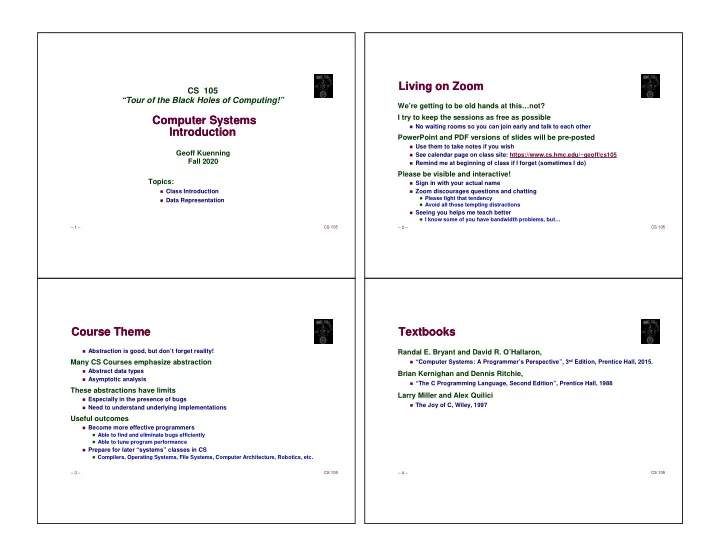
Living on Zoom Living on Zoom

We’re getting to be old hands at this…not? I try to keep the sessions as free as possible

✁

No waiting rooms so you can join early and talk to each other

PowerPoint and PDF versions of slides will be pre-posted

✁

Use them to take notes if you wish

✁

See calendar page on class site: https://www.cs.hmc.edu/~geoff/cs105

✁

Remind me at beginning of class if I forget (sometimes I do)

Please be visible and interactive!

✁

Sign in with your actual name

✁

Zoom discourages questions and chatting

Please fight that tendency Avoid all those tempting distractions

✁

Seeing you helps me teach better

I know some of you have bandwidth problems, but…

– 3 – CS 105

Course Theme Course Theme

✁

Abstraction is good, but don’t forget reality!

Many CS Courses emphasize abstraction

✁

Abstract data types

✁

Asymptotic analysis

These abstractions have limits

✁

Especially in the presence of bugs

✁

Need to understand underlying implementations

Useful outcomes

✁

Become more effective programmers

Able to find and eliminate bugs efficiently Able to tune program performance

✁

Prepare for later “systems” classes in CS

Compilers, Operating Systems, File Systems, Computer Architecture, Robotics, etc.

– 4 – CS 105

Textbooks Textbooks

Randal E. Bryant and David R. O’Hallaron,

✁

“Computer Systems: A Programmer’s Perspective”, 3rd Edition, Prentice Hall, 2015.

Brian Kernighan and Dennis Ritchie,

✁

“The C Programming Language, Second Edition”, Prentice Hall, 1988

Larry Miller and Alex Quilici

✁

The Joy of C, Wiley, 1997

slide-2
SLIDE 2

– 5 – CS 105

Syllabus Syllabus

✁

Syllabus on Web: https://www.cs.hmc.edu/~geoff/cs105

✁

Calendar defines due dates

Also has links to slides and labs

✁

Labs: cs105submit for some, others have specific directions

– 6 – CS 105

Notes: Notes:

Work groups

✁

You must work in pairs on all labs

✁

Honor-code violation to work without your partner!

✁

Corollary: showing up late doesn’t harm only you

Handins

✁

Check calendar for due dates

✁

Electronic submissions only

Grading Characteristics

✁

Lab scores tend to be high

Serious handicap if you don’t hand a lab in

✁

Tests & quizzes typically have a wider range of scores

I.e., they’re have major effect on your grade

» …but not the ONLY one

✁

Do your share of lab work and reading, or bomb tests

✁

Do practice problems in book

– 7 – CS 105

Facilities Facilities

Assignments will use Intel computer systems

Not all machines are created alike Performance varies (and matters sometimes in 105) Security settings vary and can matter Wilkes: x86/Linux specifically set up for this class Log in on a Mac, then ssh to Wilkes If you want fancy programs, start X11 first Directories are cross-mounted, so you can edit on Knuth or your Mac, and

Wilkes will see your files

…or ssh into Wilkes from wherever you are All programs must run on Wilkes: we grade there Have lecture slides (and textbook) available when working on labs!

CS 105

“Tour of the Black Holes of Computing” Topics

✁

Representing information as bits

✁

Bit-level manipulations

✁

Integers

Representation, unsigned and signed Conversion, Casting Expanding, truncating Addition, negation, multiplication, shifting

✁

Representations in memory, pointers, strings

CS 105

Bits, Bytes, Integers Bits, Bytes, Integers

slide-3
SLIDE 3

– 9 – CS 105

Everything is bits Everything is bits

Each bit is 0 or 1 By encoding/interpreting sets of bits in various ways

✁

Computers determine what to do (instructions)

✁

… and represent and manipulate numbers, sets, strings, etc…

Why bits? Electronic implementation

✁

Easy to store with bistable elements

✁

Reliably transmitted on noisy and inaccurate wires

0.0V 0.2V 0.9V 1.1V 1

– 10 – CS 105

Encoding Byte Values Encoding Byte Values

Byte = 8 bits

✁

Binary 000000002 to 111111112

✁

Decimal: 010 to 25510

✁

Hexadecimal 0016 to FF16

Base 16 number representation Use characters ‘0’ to ‘9’ and ‘A’ to ‘F’ Write FA1D37B16 in C as

» 0xFA1D37B » 0xfa1d37b 0000 1 1 0001 2 2 0010 3 3 0011 4 4 0100 5 5 0101 6 6 0110 7 7 0111 8 8 1000 9 9 1001 A 10 1010 B 11 1011 C 12 1100 D 13 1101 E 14 1110 F 15 1111

– 11 – CS 105

Example Data Sizes Example Data Sizes

  • char
  • short
  • int
  • long
  • float
  • double
  • long double
  • – 12 –

CS 105

Boolean Algebra Boolean Algebra

Developed by George Boole in 19th century

✁

Algebraic representation of logic

Encode “True” as 1 and “False” as 0

  • ✁
  • ✁
  • ✁
  • ✁
  • A B A&B

0 0 0 0 1 0 1 0 0 1 1 1 A B A|B 0 0 0 0 1 1 1 0 1 1 1 1 A B A^B 0 0 0 0 1 1 1 0 1 1 1 0 A ~A 0 1 1 0

slide-4
SLIDE 4

– 13 – CS 105

General Boolean Algebras General Boolean Algebras

Operate on bit vectors

✁

Operations applied bitwise

All of the properties of Boolean algebra apply

01101001 & 01010101 01000001 01101001 | 01010101 01111101 01101001 ^ 01010101 00111100 ~ 01010101 10101010 01000001 01111101 00111100 10101010

– 14 – CS 105

Example: Representing & Manipulating Sets Example: Representing & Manipulating Sets

Representation

✁

Width w bit vector represents subsets of {0, …, w–1}

✁

aj = 1 if j A

01101001

{ 0, 3, 5, 6 }

76543210 01010101

{ 0, 2, 4, 6 }

76543210

Operations

✁

& Intersection 01000001 { 0, 6 }

✁

| Union 01111101 { 0, 2, 3, 4, 5, 6 }

✁

^ Symmetric difference 00111100 { 2, 3, 4, 5 }

✁

~ Complement 10101010 { 1, 3, 5, 7 }

– 15 – CS 105

Bit-Level Operations in C Bit-Level Operations in C

Operations , , , available in C

✁

Apply to any “integral” data type

✁

View arguments as bit vectors

✁

Operations applied bit-wise

Examples (char data type)

✁

→ → → →

  • →

→ → →

  • ✁

→ → → →

  • →

→ → →

  • ✁

→ → → →

  • →

→ → →

  • ✁

→ → → →

  • →

→ → →

  • – 16 –

CS 105

Contrast: Logic Operations in C Contrast: Logic Operations in C

Contrast to Logical Operators

✁
  • View 0 as “False”

Anything nonzero seen as “True” Always return 0 or 1 Early termination

Examples (char data type)

✁

→ → → →

✁

→ → → →

✁

→ → → →

✁

→ → → →

✁

→ → → →

✁

(unreadably avoids null pointer access)

slide-5
SLIDE 5

– 18 – CS 105

Shift Operations Shift Operations

Left Shift: x << y

✁

Shift bit-vector x left y positions

» Throw away extra bits on left

Fill with ’s on right

Right Shift: x >> y

✁

Shift bit-vector x right y positions

Throw away extra bits on right

✁

Logical shift

Fill with ’s on left

✁

Arithmetic shift

Replicate most significant bit on left

Undefined Behavior

✁

Shift amount < 0 or word size

01100010 Argument x 00010000 << 3 00011000

  • Log. >> 2

00011000

  • Arith. >> 2

10100010 Argument x 00010000 << 3 00101000

  • Log. >> 2

11101000

  • Arith. >> 2

00010000 00010000 00011000 00011000 00011000 00011000 00010000 00101000 11101000 00010000 00101000 11101000

– 19 – CS 105

C Puzzles C Puzzles

✁

Taken from old exams

✁

Assume machine with 32-bit word size, two’s complement integers

✁

For each of the following C expressions, either:

Argue that it is true for all argument values, or Give example where it is not true

  • x < 0
  • ((x*2) < 0)
  • ux >= 0
  • x & 7 == 7
  • (x<<30) < 0
  • ux > -1
  • x > y
  • x < -y
  • x * x >= 0
  • x > 0 && y > 0
  • x + y > 0
  • x >= 0
  • x <= 0
  • x <= 0
  • x >= 0

int x = foo(); int y = bar(); unsigned ux = x; unsigned uy = y; Initialization

– 20 – CS 105

Encoding Integers Encoding Integers

✁

C short (2 bytes long)

Sign Bit

✁

For 2’s complement, most-significant bit indicates sign

0 for nonnegative 1 for negative

short int x = 15213; short int y = -15213; B2T(X) = −xw−1 ⋅2w−1 + xi ⋅2i

i=0 w−2

  • B2U(X)

= xi ⋅2 i

i=0 w−1

  • Unsigned

Two’s Complement

Sign Bit Decimal Hex Binary x 15213 3B 6D 00111011 01101101 y

  • 15213

C4 93 11000100 10010011

– 21 – CS 105

Encoding Integers (Cont.) Encoding Integers (Cont.)

x = 15213: 00111011 01101101 y = -15213: 11000100 10010011 Weight 15213

  • 15213

1 1 1 1 1 2 1 2 4 1 4 8 1 8 16 1 16 32 1 32 64 1 64 128 1 128 256 1 256 512 1 512 1024 1 1024 2048 1 2048 4096 1 4096 8192 1 8192 16384 1 16384

  • 32768

1

  • 32768

Sum 15213

  • 15213
slide-6
SLIDE 6

– 22 – CS 105

Numeric Ranges Numeric Ranges

Unsigned Values

✁

UMin =

000…0

✁

UMax = 2w – 1

111…1

Two’s-Complement Values

✁

TMin = –2w–1

100…0

✁

TMax = 2w–1 – 1

011…1

Other Values

✁

Minus 1

111…1 Decimal Hex Binary UMax 65535 FF FF 11111111 11111111 TMax 32767 7F FF 01111111 11111111 TMin

  • 32768

80 00 10000000 00000000

  • 1
  • 1

FF FF 11111111 11111111 00 00 00000000 00000000

Values for W = 16

– 23 – CS 105

Values for Different Word Sizes Values for Different Word Sizes

W 8 16 32 64 UMax 255 65,535 4,294,967,295 18,446,744,073,709,551,615 TMax 127 32,767 2,147,483,647 9,223,372,036,854,775,807 TMin

  • 128
  • 32,768
  • 2,147,483,648
  • 9,223,372,036,854,775,808

Observations

✁

|TMin | = TMax + 1

Asymmetric range

✁

UMax = 2 * TMax + 1

C Programming

✁

#include <limits.h>

K&R Appendix B11

✁

Declares constants, e.g.,

ULONG_MAX LONG_MAX LONG_MIN

✁

Values platform-specific

– 24 – CS 105

An Important Detail An Important Detail

No self-identifying data

✁

Looking at a bunch of bits doesn’t tell you what they mean

✁

Could be signed, unsigned integer

✁

Could be floating-point number

✁

Could be part of a string

Only the program (instructions) knows for sure!

✁

(To be fair, experienced humans make good guesses—see Lab 2)

– 25 – CS 105

Unsigned & Signed Numeric Values Unsigned & Signed Numeric Values

X B2T(X) B2U(X) 0000 0001 1 0010 2 0011 3 0100 4 0101 5 0110 6 0111 7 –8 8 –7 9 –6 10 –5 11 –4 12 –3 13 –2 14 –1 15 1000 1001 1010 1011 1100 1101 1110 1111 1 2 3 4 5 6 7

Equivalence

✁

Same encodings for nonnegative values

Uniqueness

✁

Every bit pattern represents unique integer value

✁

Each representable integer has unique bit encoding

slide-7
SLIDE 7

– 26 – CS 105

  • x

ux X

Mapping Between Signed & Unsigned Mapping Between Signed & Unsigned

Mappings between unsigned and two’s complement numbers: Keep bit representations and reinterpret

  • ux

x X

– 27 – CS 105

Mapping Signed ↔ ↔ ↔ ↔ Unsigned Mapping Signed ↔ ↔ ↔ ↔ Unsigned

  • 1

2 3 4 5 6 7

  • 8
  • 7
  • 6
  • 5
  • 4
  • 3
  • 2
  • 1
  • 1

2 3 4 5 6 7 8 9 10 11 12 13 14 15

  • 0000

0001 0010 0011 0100 0101 0110 0111 1000 1001 1010 1011 1100 1101 1110 1111

  • – 28 –

CS 105

Mapping Signed ↔ ↔ ↔ ↔ Unsigned Mapping Signed ↔ ↔ ↔ ↔ Unsigned

  • 1

2 3 4 5 6 7

  • 8
  • 7
  • 6
  • 5
  • 4
  • 3
  • 2
  • 1
  • 1

2 3 4 5 6 7 8 9 10 11 12 13 14 15

  • 0000

0001 0010 0011 0100 0101 0110 0111 1000 1001 1010 1011 1100 1101 1110 1111

  • – 29 –

CS 105

short int x = 15213; unsigned short int ux = (unsigned short) x; short int y = -15213; unsigned short int uy = (unsigned short) y;

Casting Signed to Unsigned Casting Signed to Unsigned

C Allows Conversions from Signed to Unsigned Resulting Value

✁

No change in bit representation

✁

Nonnegative values unchanged

ux = 15213

✁

Negative values change into (large) positive values!

uy = 50323

slide-8
SLIDE 8

– 30 – CS 105

+ + + + + +

  • • •
  • + +

+ + +

  • • •

ux x w–1

Relation Between Signed & Unsigned Relation Between Signed & Unsigned

  • x

ux X

– 31 – CS 105

  • Conversion Visualized

Conversion Visualized

2’s Comp. → → → → Unsigned

✁

Ordering Inversion

✁

Negative → → → → Big Positive

– 32 – CS 105

Signed vs. Unsigned in C Signed vs. Unsigned in C

Integer Constants

✁

By default are considered to be signed integers

Exception: unsigned, if too big to be signed but fit in unsigned

✁

Unsigned if have “U” as suffix

0U, 4294967259u

Casting

✁

Explicit casting between signed & unsigned same as U2T and T2U

int tx, ty; unsigned ux, uy; tx = (int)ux; uy = (unsigned)ty;

✁

Implicit casting also occurs via assignments and procedure calls

tx = ux; uy = ty; lowercase is better here

– 33 – CS 105

Casting Surprises Casting Surprises

Expression Evaluation

✁

If you mix unsigned and signed in single expression, signed values are implicitly cast to unsigned

✁

Including comparison operations <, >, ==, <=, >=

✁

Examples for W = 32

Constant1 Constant2 Relation Evaluation

0u

  • 1
  • 1

0u 2147483647

  • 2147483648

2147483647u

  • 2147483648
  • 1
  • 2

(unsigned)-1

  • 2

2147483647 2147483648u 2147483647 (int)2147483648u

slide-9
SLIDE 9

– 35 – CS 105

Summary: Casting Signed Unsigned: Basic Rules Summary: Casting Signed Unsigned: Basic Rules

Bit pattern is maintained—but reinterpreted Can have unexpected effects: adding or subtracting 2w In expression containing signed and unsigned int:

✁

int is cast to unsigned!!

– 36 – CS 105

Sign Extension Sign Extension

Task:

✁

Given w-bit signed integer x

✁

Convert it to w+k-bit integer with same value

Rule:

✁

Make k copies of sign bit:

✁

X ′ ′ ′ ′ = xw–1 ,…, xw–1 , xw–1 , xw–2 ,…, x0

k copies of MSB

  • • •

X X ′

  • • •
  • • •
  • • •

w w k

– 37 – CS 105

Sign Extension Example Sign Extension Example

✁

Converting from smaller to larger integer data type

✁

C automatically performs sign extension

short int x = 15213; int ix = (int)x; short int y = -15213; int iy = (int)y; Decimal Hex Binary x 15213 3B 6D 00111011 01101101 ix 15213 00 00 3B 6D 00000000 00000000 00111011 01101101 y

  • 15213

C4 93 11000100 10010011 iy

  • 15213 FF FF C4 93

11111111 11111111 11000100 10010011

– 38 – CS 105

Negating with Complement & Increment Negating with Complement & Increment

Claim: Following holds for 2’s complement

~x + 1 == -x

Complement

✁

Observation: ~x + x == 1111…112 == -1

Increment

✁

~x + x + (-x + 1) == -1 + (-x + 1)

✁

~x + 1 == -x

Warning: Be cautious treating int’s as integers

✁

OK here (associativity and commutativity hold)

1 0 0 1 0 1 1 1

x

0 1 1 0 1 0 0 0

~x +

1 1 1 1 1 1 1 1

  • 1
slide-10
SLIDE 10

– 39 – CS 105

Unsigned Addition Unsigned Addition

Standard Addition Function

✁

Ignores carry output

Implements Modular Arithmetic

s = UAddw(u , v) = u + v mod 2w

UAddw(u,v) = u + v u + v < 2w u + v − 2w u + v ≥ 2w

  • • •
  • • •

u v +

  • • •

u + v

  • • •

True Sum: w+1 bits Operands: w bits Discard Carry: w bits UAddw(u , v)

– 40 – CS 105

Two’s-Complement Addition Two’s-Complement Addition

TAdd and UAdd have identical bit-level behavior

✁

Signed vs. unsigned addition in C: int s, t, u, v; s = (int) ((unsigned)u + (unsigned)v); t = u + v

✁

Will give s == t

  • • •
  • • •

u v +

  • • •

u + v

  • • •

True Sum: w+1 bits Operands: w bits Discard Carry: w bits TAddw(u , v)

– 41 – CS 105

Detecting 2’s-Complement Overflow Detecting 2’s-Complement Overflow

Task

✁

Given s = TAddw(u , v)

✁

Determine if s = Addw(u , v)

✁

Example int s, u, v; s = u + v;

Claim

✁

Overflow iff either:

u, v < 0, s ≥ ≥ ≥ ≥ 0 (NegOver) u, v ≥ ≥ ≥ ≥ 0, s < 0 (PosOver) 2w –1 2w–1

PosOver NegOver – 42 – CS 105

A Fun Fact A Fun Fact

Official C standard says overflow is “undefined”

✁

Intention was to let machine define what happens

Recently compiler writers have decided “undefined” means “we get to choose”

✁

We can generate 0, biggest integer, or anything else

✁

Or if we’re sure it’ll overflow, we can optimize out completely

✁

This can introduce some lovely bugs (e.g., it’s tricky to check for overflow)

Fight between compiler community and security community over this issue

slide-11
SLIDE 11

– 43 – CS 105

Multiplication Multiplication

Computing exact product of w-bit numbers x, y

✁

Either signed or unsigned

Ranges

✁

Unsigned: 0 x * y (2w – 1) 2 = 22w – 2w+1 + 1

Up to 2w bits

✁

Two’s complement min: x * y (–2w–1)*(2w–1–1) = –22w–2 + 2w–1

Up to 2w–1 bits (including 1 for sign)

✁

Two’s complement max: x * y (–2w–1) 2 = 22w–2

Up to 2w bits, but only for (TMinw)2

Maintaining exact results

✁

Would need to keep expanding word size with each product computed

✁

Done in software by “arbitrary-precision” arithmetic packages

– 44 – CS 105

Power-of-2 Multiply by Shifting Power-of-2 Multiply by Shifting

Operation

✁

u << k gives u * 2k

✁

Both signed and unsigned

Examples

✁

u << 3 == u * 8

✁

u << 5 - u << 3 == u * 24

✁

Most machines shift and add much faster than multiply

Compiler generates this code automatically

  • • •

0 1 0 0 0

  • u

2k * u · 2k True Product: w+k bits Operands: w bits Discard k bits: w bits UMultw(u , 2k)

  • k
  • • •

0 0

  • TMultw(u , 2k)

0 0

  • – 45 –

CS 105

Unsigned Power-of-2 Divide by Shifting Unsigned Power-of-2 Divide by Shifting

Quotient of unsigned by power of 2

✁

u >> k gives u / 2k

✁

Uses logical shift

Division Computed Hex Binary x 15213 15213 3B 6D 00111011 01101101 x >> 1 7606.5 7606 1D B6 00011101 10110110 x >> 4 950.8125 950 03 B6 00000011 10110110 x >> 8 59.4257813 59 00 3B 00000000 00111011 0 1 0 0 0

  • u

2k / u / 2k Division: Operands:

  • k
  • 0 •••
  • u / 2k
  • Result:

. Binary Point 0 •••

– 46 – CS 105

Arithmetic: Basic Rules Arithmetic: Basic Rules

Addition:

✁

Unsigned/signed: Normal addition followed by truncate; same operation on bit level

✁

Unsigned: addition mod 2w

Mathematical addition + possible subtraction of 2w

✁

Signed: modified addition mod 2w (result in proper range)

Mathematical addition + possible addition or subtraction of 2w

Multiplication:

✁

Unsigned/signed: Normal multiplication followed by truncate; same operation on bit level

✁

Unsigned: multiplication mod 2w

✁

Signed: modified multiplication mod 2w (result in range -2w-1 to 2w-1-1)

slide-12
SLIDE 12

– 47 – CS 105

Why Should I Use Unsigned? Why Should I Use Unsigned?

Don’t use without understanding implications

✁

Easy to make mistakes

unsigned i; for (i = cnt-2; i >= 0; i--) a[i] += a[i+1];

✁

Can be very subtle

#define DELTA sizeof(int) int i; for (i = CNT; i-DELTA >= 0; i-= DELTA) . . .

– 48 – CS 105

Counting Down with Unsigned Counting Down with Unsigned

Proper way to use unsigned as loop index

unsigned i; for (i = cnt-2; i < cnt; i--) a[i] += a[i+1];

See Robert Seacord, Secure Coding in C and C++

✁

C Standard guarantees unsigned addition will behave like modular arithmetic

0 – 1 UMax

Even better

size_t i; for (i = cnt-2; i < cnt; i--) a[i] += a[i+1];

✁

Data type size_t is unsigned value with length = word size

✁

Code will work even if cnt = UMax

✁

What if cnt is signed and < 0?

– 49 – CS 105

Why Should I Use Unsigned? (cont.) Why Should I Use Unsigned? (cont.)

Do Use When Performing Modular Arithmetic

✁

Multiprecision arithmetic

Do Use When Using Bits to Represent Sets

✁

Logical right shift, no sign extension

– 50 – CS 105

Byte-Oriented Memory Organization Byte-Oriented Memory Organization

Programs refer to data by address

✁

Conceptually, envision it as a very large array of bytes

In reality it’s not, but can think of it that way

✁

An address is like an index into that array

and, a pointer variable stores an address

Note: system provides private address spaces to each “process”

✁

Think of a process as a program being executed

✁

So, a program can clobber its own data, but not that of others

  • • •
slide-13
SLIDE 13

– 51 – CS 105

Machine Words Machine Words

Any given computer has a “Word Size”

✁

Nominal size of integer-valued data

and of addresses

✁

Until recently, most machines used 32 bits (4 bytes) as word size

Limits addresses to 4GB (232 bytes)

✁

Increasingly, machines have 64-bit word size

Potentially, could have 18 PB (petabytes) of addressable memory That’s 18.4 X 10¹⁵

✁

Machines still support multiple data formats

Fractions or multiples of word size Always integral number of bytes

– 52 – CS 105

Word-Oriented Memory Organization Word-Oriented Memory Organization

Addresses Specify Byte Locations

✁

Address of first byte in word

✁

Addresses of successive words differ by 4 (32-bit) or 8 (64-bit)

0000 0001 0002 0003 0004 0005 0006 0007 0008 0009 0010 0011 32-bit Words Bytes Addr. 0012 0013 0014 0015 64-bit Words

Addr = ?? Addr = ?? Addr = ?? Addr = ?? Addr = ?? Addr = ?? 0000 0004 0008 0012 0000 0008 – 53 – CS 105

Byte Ordering Byte Ordering

So, how are the bytes within a multi-byte word ordered in memory? Conventions

✁

Big Endian: Sun, PPC Mac, Internet

Least significant byte has highest address

✁

Little Endian: x86, ARM processors running Android, iOS, and Windows

Least significant byte has lowest address

– 54 – CS 105

Byte Ordering Example Byte Ordering Example

Example

✁

Variable x has 4-byte value of 0x01234567

✁

Address given by &x is 0x100

0x100 0x101 0x102 0x103

01 23 45 67

0x100 0x101 0x102 0x103

67 45 23 01 Big Endian Little Endian 01 23 45 67 67 45 23 01 This is what we use in 105 And it will drive you nuts!

slide-14
SLIDE 14

– 55 – CS 105

char S[6] = "15213";

Representing Strings Representing Strings

Strings in C

✁

Represented by array of characters

✁

Each character encoded in ASCII format

Standard 7-bit encoding of character set Character “0” has code 0x30

» Digit has code 0x30+

✁

String should be null-terminated

Final character = 0

Compatibility

✁

Byte ordering not an issue

IA32 Sun 31 35 32 31 33 00 31 35 32 31 33 00