
SLIDE 1
Introduction to the OpenGL Shading Language
David Wolff Pacific Lutheran University
CCSC-NW 2008 Ashland, OR
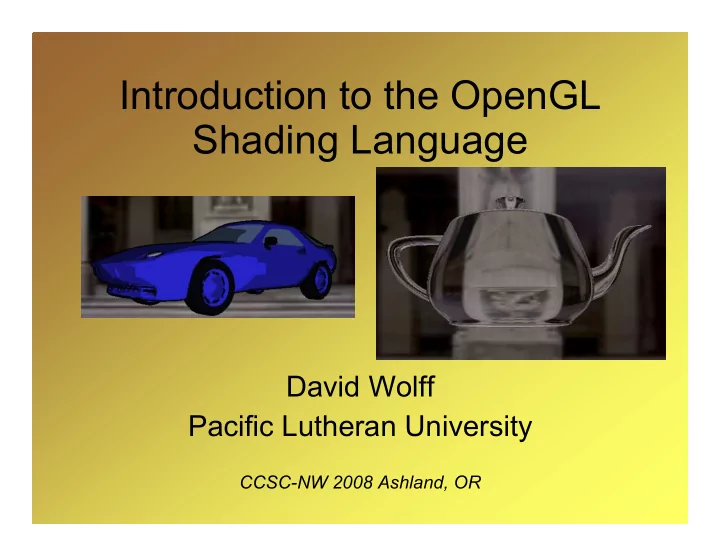
Introduction to the OpenGL Shading Language David Wolff Pacific - - PowerPoint PPT Presentation
Introduction to the OpenGL Shading Language David Wolff Pacific Lutheran University CCSC-NW 2008 Ashland, OR Schedule 1.OpenGL pipeline, setup Eclipse (10 min) 2.Hello World shaders (15 min) 3.GLSL Overview (10 min) 4.Cartoon Shader (10
CCSC-NW 2008 Ashland, OR
10/11/2008 Introduction to GLSL - CCSC-NW
10/11/2008 Introduction to GLSL - CCSC-NW
10/11/2008 Introduction to GLSL - CCSC-NW
10/11/2008 Introduction to GLSL - CCSC-NW
10/11/2008 Introduction to GLSL - CCSC-NW
10/11/2008 Introduction to GLSL - CCSC-NW
10/11/2008 Introduction to GLSL - CCSC-NW
// Compile vertex shader object int int vertShader = glCreateShader(GL_VERTEX_SHADER); glShaderSource(vertShader, 1, vertSource, null); glCompileShader(vertShader); // Compile fragment shader object int int fragShader = glCreateShader(GL_FRAGMENT_SHADER); glShaderSource(fragShader, 1, fragSource, null); glCompileShader(fragShader); // Create and link program object int int program = glCreateProgram(); glAttachShader(program,vertShader); glAttachShader(program,fragShader); glLinkProgram(program); … … glUseProgram(program);
10/11/2008 Introduction to GLSL - CCSC-NW
public public cl class GLSLProgram { private in int id; public vo void compileVertexShader(String src) throws ShaderException public vo void compileFragmentShader(String src) throws ShaderException public vo void link() th throws ShaderException public vo void enable() th throws ShaderException public vo void disable() ... }
10/11/2008 Introduction to GLSL - CCSC-NW
10/11/2008 Introduction to GLSL - CCSC-NW
10/11/2008 Introduction to GLSL - CCSC-NW
10/11/2008 Introduction to GLSL - CCSC-NW
// Vertex Shader void main( ) { gl_Position = gl_ModelViewProjectionMatrix * gl_Vertex; } // Fragment Shader void main( ) { gl_FragColor = vec4(1.0,0.0,0.0,1.0); }
10/11/2008 Introduction to GLSL - CCSC-NW
// Vertex Shader void main( ) { gl_Position = gl_ModelViewProjectionMatrix * gl_Vertex; } // Vertex Shader void main( ) { gl_Position = ftransform(); }
10/11/2008 Introduction to GLSL - CCSC-NW
// Fragment Shader void main( ) { float scale = 20.0 / 800.0; float fr = fract(gl_FragCoord.x * scale); gl_FragColor = vec4( step( 0.5, fr ),0.0,0.0,1.0 ); }
10/11/2008 Introduction to GLSL - CCSC-NW
// Fragment Shader void main( ) { float scale = 20.0 / 800.0; float fr = fract(gl_FragCoord.x * scale); gl_FragColor = vec4( smoothstep( 0.2,0.8, fr ),0.0,0.0,1.0 ); }
10/11/2008 Introduction to GLSL - CCSC-NW
// Pass along the texture coordinate gl_TexCoord[0] = glMultiTexCoord0;
float scale = 5.0; float fr = fract(gl_TexCoord[0].s * scale); gl_FragColor = vec4( smoothstep(0.2,0.8,fr),0.0,0.0,1.0 );
10/11/2008 Introduction to GLSL - CCSC-NW
varying vec3 MCposition; // Above main def … MCposition = vec3(gl_Vertex); // inside main
varying vec3 Mcposition; // Above main def. … // Entire contents of main: vec3 col1 = vec3(0.8,0.8,0.8); vec3 col2 = vec3(0.0,0.0,0.8); float value = 0.5 * (1.0+(sin(MCposition.x*5.0) * sin(MCposition.z*20.0)) ); vec3 color = mix( col1, col2, value ); gl_FragColor = vec4(color,1.0);
10/11/2008 Introduction to GLSL - CCSC-NW
// Fragment Shader void main( ) { vec2 threshold = vec2(0.13,0.13); vec2 scale = vec2(10.0,10.0); float ss = fract(gl_TexCoord[0].s * scale.s); float tt= fract(gl_TexCoord[0].t * scale.t); if((ss > threshold.s) && (tt > threshold.t)) discard; gl_FragColor = vec4(1.0,0.0,0.0,0.0); }
10/11/2008 Introduction to GLSL - CCSC-NW
10/11/2008 Introduction to GLSL - CCSC-NW
10/11/2008 Introduction to GLSL - CCSC-NW
10/11/2008 Introduction to GLSL - CCSC-NW
10/11/2008 Introduction to GLSL - CCSC-NW
10/11/2008 Introduction to GLSL - CCSC-NW
10/11/2008 Introduction to GLSL - CCSC-NW
10/11/2008 Introduction to GLSL - CCSC-NW
10/11/2008 Introduction to GLSL - CCSC-NW
10/11/2008 Introduction to GLSL - CCSC-NW
varying float NdotL; // The cosine term void main() { // Get the position of the vertex in eye coordinates vec4 ecPos = gl_ModelViewMatrix * gl_Vertex; vec3 ecPos3 = (vec3(ecPos)) / ecPos.w; // The light position from OpenGL vec3 LightPosition = vec3(gl_LightSource[0].position); // Transform and normalize the normal vec3 tnorm = normalize(gl_NormalMatrix * gl_Normal); // The vector from the vertex to the light source vec3 lightVec = normalize( LightPosition - ecPos3 ); // Compute the cosine term NdotL = dot(lightVec, tnorm); gl_Position = ftransform(); }
varying float NdotL; // Interpolated over the face void main() { vec3 SurfaceColor = vec3(gl_FrontMaterial.diffuse); // Produces the stair step pattern float scale = ceil( 3.0 * NdotL ) / 3.0; gl_FragColor = vec4( SurfaceColor * scale, 1.0 ); }
10/11/2008 Introduction to GLSL - CCSC-NW
Compute surface local frame in eye coordinates. attribute vec3 objTangent; Convert light and view directions to surface Local frame.
varying vec3 LightDir; varying vec3 ViewDir;
int attrib = glGetAttribLocation(id, “objTangent”); glTexCoord2d(s,t); glVertexAttrib3d(attrib, tx, ty, tz); glNormal3d(nx, ny, nz); glVertex3d(x,y,z);
glActiveTexture(GL_TEXTURE0); // Load texture … … int loc = glGetUniformLocation(id, “normalMap”); glUniform1i(loc, 0);
varying vec3 LightDir; // Light direction varying vec3 ViewDir; // View direction attribute vec3 objTangent; // Tangent vector void main() { vec3 eyePosition = vec3( gl_ModelViewMatrix * gl_Vertex ); vec3 eyeLightDir = vec3(gl_LightSource[0].position) - eyePosition; vec3 eyeNormal = normalize( gl_NormalMatrix * gl_Normal ); vec3 eyeTangent = normalize( gl_NormalMatrix * objTangent ); vec3 eyeBinormal = cross( eyeNormal, eyeTangent ); // Convert eyeLightDir to tangent space (LightDir) // Convert view direction (-eyePosition) // to tangent space (ViewDir) gl_TexCoord[0] = gl_MultiTexCoord0; gl_Position = ftransform(); }
varying vec3 LightDir; // Light direction varying vec3 ViewDir; // View direction uniform sampler2D normalMap; // The normal map texture uniform sampler2D colorTex; // The color texture void main() { vec4 normal4 = texture2D(normalMap, gl_TexCoord[0].st ); vec3 normal = 2.0*normal4.xyz - 1.0; // Compute Phong lighting here, store in diffuse and spec // This gets the diffuse color from a color texture vec4 col = texture2D(colorTex, gl_TexCoord[0].st ); gl_FragColor = diffuse * col + spec * vec4(0.8,0.8,0.8,1.0); }
10/11/2008 Introduction to GLSL - CCSC-NW
Compute Refraction and reflection in eye coordinates. Compute fresnel ratio
// Declaration of constants involving IOR and Fresnel varying vec3 Reflect; varying vec3 Refract; varying float Ratio; void main() { // Convert position (i) and normal (n) to eye coordinates Ratio = F + (1.0 - F) * pow((1.0-dot(-i, n)), FresnelPower); Refract = refract(i, n, Eta); Refract = vec3(gl_TextureMatrix[0] * vec4(Refract, 1.0) ); Reflect = reflect(i,n); Reflect = vec3(gl_TextureMatrix[0] * vec4(Reflect, 1.0) ); gl_Position = ftransform(); }
varying vec3 Reflect; varying vec3 Refract; varying float Ratio; uniform samplerCube Cubemap; void main() { vec3 refractColor = vec3(textureCube(Cubemap, Refract)); vec3 reflectColor = vec3(textureCube(Cubemap, Reflect)); vec3 color = mix( refractColor, reflectColor, Ratio ); gl_FragColor = vec4(color, 1.0); }
10/11/2008 Introduction to GLSL - CCSC-NW
uniform vec3 LightPosition; // Other uniforms (material properties) varying float LightIntensity; varying vec3 ComplexPosition; void main() { vec3 ecPosition = vec3(gl_ModelViewMatrix*gl_Vertex ); vec3 tnorm = normalize(gl_NormalMatrix * gl_Normal ); vec3 lightVec = normalize(LightPosition - ecPosition ); // Phong specular calculation here (spec) … LightIntensity = DiffuseContribution * max(dot(lightVec, tnorm),0.0) + SpecularContribution * spec; ComplexPosition = vec3(gl_MultiTexCoord0 - 0.5) * 5.0; gl_Position = ftransform(); }
varying vec3 ComplexPosition; varying float LightIntensity; uniform int MaxIterations; // Other uniform delcarations omitted… void main() { // Variable declarations here… for(iter = 0; iter < MaxIterations && r2 < 4.0; ++iter) { // Compute next iteration of Mandelbrot series… } vec3 color; if( r2 < 4.0 ) { color = InnerColor; } else { color = mix(OuterColor1, OuterColor2, fract( float(iter) * 0.05 ) ); } color *= LightIntensity; gl_FragColor = vec4(color, 1.0); }