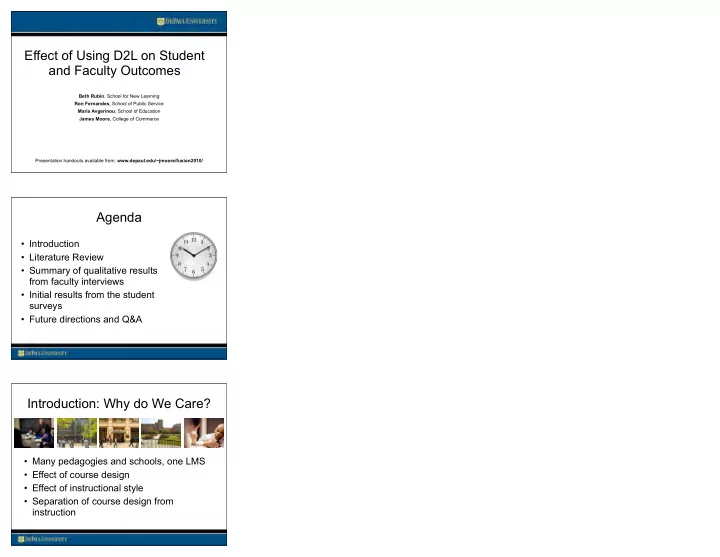
Effect of Using D2L on Student and Faculty Outcomes Beth Rubin , - - PowerPoint PPT Presentation

effect of using d2l on student and faculty outcomes
SMART_READER_LITE
LIVE PREVIEW

Effect of Using D2L on Student and Faculty Outcomes Beth Rubin , - - PowerPoint PPT Presentation

Effect of Using D2L on Student and Faculty Outcomes Beth Rubin , School for New Learning Ron Fernandes , School of Public Service Maria Avgerinou , School of Education James Moore , College of Commerce Presentation handouts available from:


slide-1
SLIDE 1

Effect of Using D2L on Student and Faculty Outcomes

Beth Rubin, School for New Learning Ron Fernandes, School of Public Service Maria Avgerinou, School of Education James Moore, College of Commerce Presentation handouts available from: www.depaul.edu/~jmoore/fusion2010/

Agenda

  • Introduction
  • Literature Review
  • Summary of qualitative results

from faculty interviews

  • Initial results from the student

surveys

  • Future directions and Q&A

Introduction: Why do We Care?

  • Many pedagogies and schools, one LMS
  • Effect of course design
  • Effect of instructional style
  • Separation of course design from

instruction

slide-2
SLIDE 2

Overall Question

What effect does the Learning Management System have on student and faculty behavior, engagement and satisfaction?

Community of Inquiry

Garrison, Anderson & Archer, 2000

Garrison, D.R., Anderson, T., & Archer, W. (2000). Critical inquiry in a text-based environment: Computer conferencing in higher education. Internet and Higher Education, 2, 87-105.

EDUCATIONAL EXPERIENCE TEACHING PRESENCE (Structure/Process) SOCIAL PRESENCE COGNITIVE PRESENCE Supporting Discourse Setting Climate Selecting Content

LMS Affordances

  • Contiguity of elements needed for work
  • Ease of feedback and communication
slide-3
SLIDE 3

D2L Features

  • Content tool for Module-based

structure vs. tool-based structure

  • Checklist tool with links
  • Deadlines and calendar
  • Automated notification of absence

(Intelligent Agent)

  • Integrated TurnItIn.com
  • “Default reading” view in Discussion
  • Durable internal links

Bb Features

  • Integrated Wimba
  • Automated email of announcement

Research Methods: Stage 1

  • Courses to be offered in two LMSs

– Initial data: mixed courses and faculty

  • COI & satisfaction survey for students

– (Swan, et al., 2008)

  • COI & satisfaction survey for faculty
  • Student and faculty posts and feedback
  • Faculty interviews
slide-4
SLIDE 4

Research Methods: Stage 2

  • Courses offered in two LMSs

– Same course; over time, same faculty

  • COI & satisfaction survey for students
  • COI & satisfaction survey for faculty, plus

tool use

Class Demonstrations

Academic Writing for Adults: LL 150

Qualitative Analysis: Faculty Interviews

  • Which tools or features in the LMS allowed

you to teach more efficiently?

  • Which tools or features in the LMS allowed

you to teach more effectively?

  • Which tools or features in the LMS hindered

your ability to teach efficiently?

  • Which tools or features in the LMS hindered

your ability to teach effectively?

slide-5
SLIDE 5

Qualitative Analysis: Faculty Interviews

  • What tools did you use in the Course

Management System to teach this course? Please evaluate your use of each of these.

5 Extensive use Extremely satisfied 4 A significant amount of use Satisfied 3 A moderate amount of use Neutral 2 A little bit of use Dissatisfied 1 No use Very Dissatisfied

Faculty Interview Results

  • Blackboard Positives

– Efficiency:

  • All materials in one location and easy to access
  • Discussion is easy to use
  • Discussion report of # of new posts
  • Announcements
  • Email
  • Familiarity of system
  • Multiple views of discussion
  • Gradebook

Faculty Interview Results

  • Blackboard Positives

– Efficiency (p. 2)

  • Early warning system
  • Reports on student activity
slide-6
SLIDE 6

Faculty Interview Results

  • Blackboard Positives

– Effectiveness:

  • Email
  • Discussion & assessment
  • Feedback in gradebook
  • Ability to link to external URLs

Faculty Interview Results

  • Blackboard Negatives:

– Efficiency:

  • Grade Center – hard to navigate and use
  • Lack of grouping/organization of different tools
  • Difficulty using asynchronous podcasts
  • Inability to have 2 elements open at same time
  • Multiple steps needed to link to external ULRs
  • Limited bandwidth and large files take a long time

and limit PowerPoints

  • Slow downloads and uploads

Faculty Interview Results

  • Blackboard Negatives:

– Efficiency (p. 2)

  • Slow downloads and uploads
  • Wimba and Chat are hard to use
  • No notification of others currently online
  • In discussion, can’t tell who is responding to whom
  • Items that are time-dated disappear (rather than

lock) when time expires

slide-7
SLIDE 7

Faculty Interview Results

  • Blackboard Negatives:

– Effectiveness:

  • Grade Center – hard to use, students don’t see

feedback

  • Discussion is cluttered

Faculty Interview Results

  • D2L Positives

– Efficiency:

  • Drop Box is easy to use
  • Reports on student activity
  • Interface is easy to use, attractive, symbols are

clear, visual, intuitive

  • Ease of adding materials, links, documents
  • Ease of structuring Contents: components and

tools fit syllabus design; organize elements together

Faculty Interview Results

  • D2L Positives

– Efficiency (p. 2):

  • Announcements
  • Discussion – easy to use, can see who is

responding to whom

  • Email tool
  • Automated email notifying students when grades

are posted; automated email when students are

  • ut of the class
  • Integration with TurnItIn
slide-8
SLIDE 8

Faculty Interview Results

  • D2L Positives

– Efficiency (p. 3):

  • Content links open in new pages, allowing

students to see several things at same time

Faculty Interview Results

  • D2LPositives

– Effectiveness:

  • Feedback easy to give and for students to access
  • Discussion responses showed who responded to

whom

  • Integrated Turn-It-In
  • Checklist for students to track progress
  • LiveRoom
  • Linking to external URLs is easy, and no cross-

platform problems (e.g. with Safari)

Faculty Interview Results

  • D2LPositives

– Effectiveness (p. 2):

  • Online presence alert
  • Alert re # ungraded projects, new posts, etc.
  • Quizzes have more options and features
  • Group tools all worked, and enabled submitting

work from the group

slide-9
SLIDE 9

Faculty Interview Results

  • D2L Negatives

– Efficiency:

  • Lack of familiarity with tools
  • Search tool is case sensitive, easy to misuse
  • There is a limit on the size of emails
  • Email puts users into “to” field, vs. “bcc”
  • Difficulty setting up groups
  • System crashed occasionally with insecure content

Faculty Interview Results

  • D2L Negatives

– Effectiveness:

  • No automatic date and time on announcements,

unless instructor clicks to add it

  • Hiding files didn’t always work
  • Sorting items by submission date didn’t always

work

Quantitative Analysis 1

Research question: Does faculty use of Learning Management System (LMS) tools affect student reactions to an online course?

slide-10
SLIDE 10

Method

  • Factor analysis of student COI data to confirm factor

loadings

  • Create separate scales of Teaching Presence (TP),

Social Presence (SP), and Cognitive Presence (CP) scores for each respondent, as well as satisfaction with class and LMS.

  • Compare COI and satisfaction of students in classes

where faculty had high tool use vs. low tool use.

Results

Use of LMS Tools N Mean Std. Deviation t df

  • Sig. (2-tailed)

LMS_Read_All Low Tool Use High Tool Use 57 39 4.32 4.62 .659 .544

  • 2.344

94 0.021 Teach_Presence Low Tool Use High Tool Use 58 39 4.0424 4.3886 0.77168 .49222

  • 2.480

95 0.015 Social_Presence Low Tool Use High Tool Use 57 39 3.8967 3.8661 .62533 .59518 .240 94 0.811 Cognitive_Presence Low Tool Use High Tool Use 57 39 3.9591 4.1838 .58421 .45731

  • 2.015

94 0.047 Satisfaction Low Tool Use High Tool Use 57 39 4.0058 4.5214 1.00887 .67014

  • 2.795

94 0.006 LMS_Eval Low Tool Use High Tool Use 57 39 4.1360 4.4231 .71194 .49055

  • 2.187

94 0.031

Quantitative Analysis

Research question: Does student satisfaction with the Learning Management System (LMS) affect their satisfaction with an

  • nline course?
slide-11
SLIDE 11

Method

  • Regress student TP, SP, and CP, and student reported

satisfaction with LMS on Student satisfaction with online course (dependent variable).

  • Control for respondent age, sex, number of prior online

courses

Results

Standardized Coefficients Beta t Sig.

1 (Constant)

  • 2.064

.041 Gender .013 .251 .803 Age

  • .131
  • 2.362

.020 Number completely online courses taken prior to this course .006 .109 .913 Teach_Pr_scale .528 7.512 .000 Soc_Pr_scale

  • .085
  • 1.307

.194 Cog_Pr_scale .332 4.268 .000 Satisfied with course management system .146 2.417 .017

Conclusions

  • Faculty use of LMS Tools matters to

student engagement and satisfaction

  • Student satisfaction with the LMS matters

to student satisfaction with the course

  • Qualitative data indicate that D2L tools are

easier to use

slide-12
SLIDE 12

Future Directions and Q&A

  • Comparison across LMSs, with same

course and faculty

  • Quasi-experimental study, convenience

sample

References

Arbaugh, J.B., Cleveland-Innes, M, Diaz, S.R, Garrison, D.R, Ice, P, Richardson, J.C, & Swan, K.P. (2008). Developing a community of inquiry instrument: Testing a measure

  • f the Community of Inquiry framework using a multi-institutional sample. The Internet

and Higher Education, 11, 133-136. Clark, R.C., & Mayer, R.E. (2008). E-Learning and the science of instruction: Proven guidelines for consumers and designers of multimedia learning (2nd Edition). San Francisco, CA: Pfeiffer/John Wiley and Sons. Garrison, D.R., Anderson, T., & Archer, W. (2000). Critical inquiry in a text-based environment: Computer conferencing in higher education. Internet and Higher Education, 2, 87-105. Lohr, L.L. (2000). Designing the instructional interface, Computers in Human Behavior, 16, 161-182. Swan, K., Richardson, J.C., Ice, P., Garrison, D.R., Cleveland-Innes, M., & Arbaugh, J.B. (2008). Validating a measurement tool of presence in online Communities of

  • Inquiry. E-mentor, 2 (24). Retrieved August 17, 2009 from http://e-mentor.edu.pl/eng/

Swan, K. & Shih, L.F. (2005). On the Nature and Development of Social Presence in Online Course Discussions. Journal of Asynchronous Learning Networks, 9 (3), 115-136.

Contact Information

  • Beth Rubin: brubin1@depaul.edu
  • Ron Fernandes: rfernan7@depaul.edu
  • Maria Avgerinou: mavgerin@depaul.edu
  • James Moore: jmoore@depaul.edu
slide-13
SLIDE 13

To Download These Documents

www.depaul.edu/~jmoore/fusion2010/