While waiting for our session to begin: 1. Remember to scan in with - - PowerPoint PPT Presentation

while waiting for our session to begin
SMART_READER_LITE
LIVE PREVIEW

While waiting for our session to begin: 1. Remember to scan in with - - PowerPoint PPT Presentation

While waiting for our session to begin: 1. Remember to scan in with your ID 2. Review your DARS (PDF version) and program flowchart 3. Write down questions you have about this semester and next 4. Make sure you have the Advising Updates Handout


slide-1
SLIDE 1

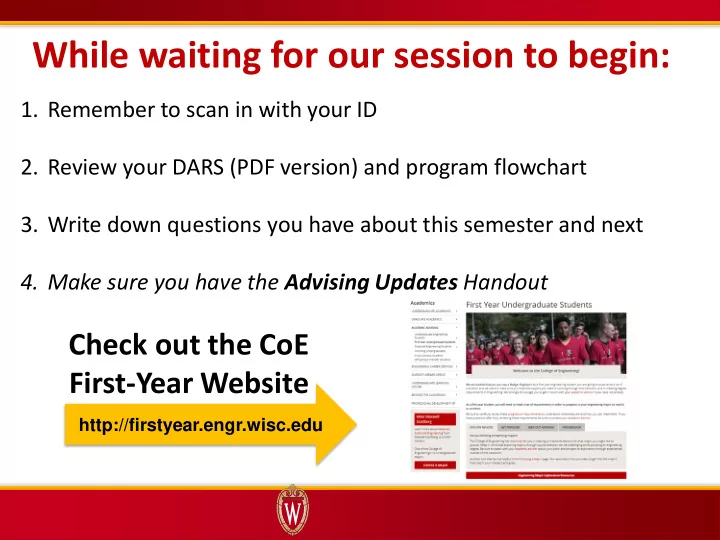
While waiting for our session to begin:

  • 1. Remember to scan in with your ID
  • 2. Review your DARS (PDF version) and program flowchart
  • 3. Write down questions you have about this semester and next
  • 4. Make sure you have the Advising Updates Handout

Check out the CoE First-Year Website

http://firstyear.engr.wisc.edu

slide-2
SLIDE 2

TODAY’S TOPICS

Worktime and Advising Your Progress Toward Progression Resources and Course Planning Declaring Your Intent

slide-3
SLIDE 3

TODAY’S TOPICS

Worktime and Advising Your Progress Toward Progression Resources and Course Planning Declaring Your Intent

slide-4
SLIDE 4

Where Are You Now?

Progression course + credit requirements complete/in-progress Apply for progression in current/intended CoE major Apply for one-semester extension to finish requirements. Apply for progression next semester (Fall 2017) No longer planning to pursue a CoE major Initiate transfer to another program Missing progression course(s) due to Math or ESL placement Unable to meet progression requirements due to dropped, repeated, or missing course(s)/credit(s)

slide-5
SLIDE 5
  • Is your DARS or ‘What If’ DARS for

the correct major?

  • Course and Credit Requirements
  • Look for OK
  • Core and Overall GPA
  • Completed coursework
  • In-progress courses
  • Repeated courses

Review Progression on DARS

TALK TO AN ADVISOR TODAY IF YOU HAVE QUESTIONS ABOUT YOUR DARS

slide-6
SLIDE 6
  • GPA is a grade average, adjusted for number of course credits
  • Core GPA Benchmarks used to determine guaranteed progression

Understanding Core GPA

Earned GPA Pts / Earned GPA Crs = Core GPA

20 pts / 8 crs = 2.5

Grade Multiplier

A AB B BC C D F 4.0 3.5 3.0 2.5 2.0 1.0 0.0

CURRENT CORE GPA Chart Your Core GPA

Completed Core Course Earned Grades Earned Credits Grade Multiplier Earned Grade Points

Chem 103 B 4 B=3 4 x 3 = 12 Math 222 C 4 C=2 4 x 2 = 8 Total Crs : 8 crs Total Grade Pts: 20 pts

Find Your Core Courses in DARS

slide-7
SLIDE 7

TIP: Repeat this activity later in the semester as you gain more information about your course performance.

Estimating Current Core Course Grades

Chart Projected Core Course Grades

Core Courses Projected Grades Projected Credits Grade Multiplier Projected Grade Pts Chem 104 B 5 B= 3.0 15 EMA 201 AB 3 AB= 3.5 10.5 ME 231 B 2 B=3 6 Math 234 B 4 B=3 12 Total Projected Crs : 14 crs Total Projected Grade Pts: 43.5 pts

  • Use the information you have now to estimate your grades
  • More Credits = Greater GPA Impact

Find In-Progress Core Courses in DARS

slide-8
SLIDE 8

Making a Core GPA Projection

(20 pts + 43.5 pts) / (8 crs + 14 crs) = 2.886 Projected Core GPA

(Earned + Projected Grade Points) / (Earned + Projected Credits) = Projected Core GPA

(Earned + Projected Grade Pts) / (Earned + Projected Crs) = Core GPA Projection

In-Progress Classes

In-Progress Core Courses Projected Grades Projected Credits Grade Multiplier Projected Grade Points Chem 104 B 5 B= 3.0 15 EMA 201 AB 3 AB= 3.5 10.5 ME 231 B 2 B=3 6 Math 234 B 4 B=3 12 Total Projected Crs : 14 crs Total Projected Grade Pts: 43.5 pts

Completed Courses

Completed Core Course Earned Grades Earned Credits Grade Multiplier Earned Grade Points

Chem 103 B 4 B=3 4 x 3 = 12 pts Math 222 C 4 C=2 4 x 2 = 8 pts Total Earned Crs : 8 crs Total Earned Grade Pts: 20 pts

slide-9
SLIDE 9

Unpacking GPA Benchmarks

Guaranteed Progression:

  • Course/credit requirements OK
  • Meets GPA Benchmarks

Considered for Progression:

  • Course/credit requirements OK
  • Does not meet GPA Benchmarks

Note: Students do not need to continue to meet these benchmarks after meeting progression

slide-10
SLIDE 10

What Does It Mean to Be “Considered”?

Reviewed by Program:

  • Grades and Grade Trends
  • Rigor of Courses
  • Personal Statement

The number of students selected to progress is based on the consideration pool and program capacity.

Selected for Progression in Program Eligible for 2nd Choice or Extension

Based on Core and Overall GPA

Transfer Out of CoE

slide-11
SLIDE 11
  • Consider Your Goals
  • Many majors can lead to the same career
  • Good options in and outside engineering
  • Use Your Resources
  • http://explore.engr.wisc.edu + Handouts in back
  • Career Exploration in CoE  Engineering Career Services
  • Cross-Campus Advising (CCAS) and Career Exploration Center (CEC)
  • Understand Requirements
  • Parallel plan in CoE?
  • Must meet GPA benchmarks for your 2nd choice/parallel plan
  • Check final grades and adjust plans if needed

(Can update major and statement until May 25)

  • Parallel plan outside CoE?
  • Check if program has admission requirements
  • Meet with advisor from that program

Establishing a Parallel Plan

slide-12
SLIDE 12

Concerned About Your Grades?

Undergraduate Learning Center Campus Academic Support Office Hours

  • Are you using your resources?

ULC Drop-In Tutoring is a great place to start

  • Does your study routine need a jumpstart?

Pick up a self-assessment in the back

slide-13
SLIDE 13

TODAY’S TOPICS

Worktime and Advising Your Progress Toward Progression Resources and Course Planning Declaring Your Intent

slide-14
SLIDE 14

TIED = Online System to Declare Intent

  • Progress in a College of Engineering (CoE) major
  • Extension Consideration if missing course(s)/credits for progression
  • Transfer to a major outside CoE

Declare Your Intent in TIED

ALL first-year students must declare intent in TIED by May 1 Make program and statement changes until May 25

slide-15
SLIDE 15

Progression in CoE Program

Interest in the program (250 words)

Write a brief personal statement that describes why you selected this program. This might include:

  • Steps you have taken to learn about this area of engineering, including career, research, or

focus areas that are of particular interest

  • Relevant experiences (e.g. coursework, extracurricular, research, or work) that have shaped

your academic and/or career goals

Extenuating circumstance/additional info (100 words)

If you have faced unusual or extenuating circumstances, please describe how these challenges have impacted your academic record.

  • Select engineering program
  • Submit personal statement (whether guaranteed or considered):
slide-16
SLIDE 16

Tips for Your Personal Statements

  • SHORT, BUT IMPORTANT statements

(250 words is about 2-3 paragraphs)

  • Priority: CONCISE, COMPLETE, and CLEAR
  • WHY do you want this program?
  • HOW will this program help you reach your goals?
  • WHAT specifically have you done to explore this program

and affirm your academic and career interests?

  • Use PLANNING WORKSHEET
  • Academic integrity: YOUR WORDS, IDEAS, INTENTIONS
slide-17
SLIDE 17

Save the Date: CoE Statement Workshops

Hosted by the UW Writing Center

Tuesday, April 18, 4PM-5PM

  • r

Thursday, April 20, 12PM-1PM Room 150, 1410 Engineering Dr Watch for sign-up details in early April

Please Note: CoE faculty and staff cannot review progression statements

slide-18
SLIDE 18
  • Due to math or ESL placement:
  • One-semester extension granted if making satisfactory progress toward

requirements

  • Due to a dropped, repeated, or missing course(s) or credit(s):
  • Academic record, grade trends, and statement(s) will be reviewed
  • One-semester extension may be granted if making satisfactory progress

Extension Consideration

Describe why you will not meet progression requirements by the end of this semester including:

  • Any unusual or extenuating circumstances
  • Steps you have taken to ensure you are making satisfactory academic progress toward

progression.

Personal Statement for Extension Consideration:

slide-19
SLIDE 19

Considering Transferring?

  • I’m SURE I want to leave CoE:
  • Indicate this in TIED and course planning form
  • Take steps to initiate transfer (see handouts in back)
  • I’m UNSURE if I want to progress or transfer
  • Utilize major exploration resources (see handouts in back)
  • Talk with an advisor(s) about academic interests and options
slide-20
SLIDE 20

TODAY’S TOPICS

Worktime and Advising Your Progress Toward Progression Resources and Course Planning Declaring Your Intent

slide-21
SLIDE 21

Exploration + Networking Opportunities

Register  explore.engr.wisc.edu

slide-22
SLIDE 22

Advising-We’re Here to Help!

If you’re…

  • Struggling with a class/academic issues
  • Considering leaving engineering
  • Uncertain about your parallel plans
  • Dealing with personal issues

See your advisor ASAP (Better yet, talk to us today!)

GOT QUESTIONS ABOUT NEXT SEMESTER? WE HAVE ANSWERS

  • Today is the best/fastest way to get advising
  • Watch for email(s) with advising updates throughout enrollment
  • NEW THIS SEMESTER Course Planning “Lab Hours” April 4 and 5, 12-2PM
slide-23
SLIDE 23

Summer Coursework

  • Check DARS and degree flowchart 

Talk with advisor if unsure about best choices

  • Many good online or on-campus options @ UW-Madison

Visit summer.wisc.edu to learn more

  • Make sure off-campus courses count: 
  • Use TIS, TED, and Course Equivalency Service (see handout)
  • Only credits, not grades, transfer for off-campus courses
  • Need C or better to earn transfer credit in CoE
  • Indicate summer coursework on planning form 

Helps advisors understand next semester’s course selections

  • Be mindful of pace 

Shorter session= Faster pace

slide-24
SLIDE 24

Deciding between majors?

  • Compare DARS and flowchart
  • Look for overlapping requirements
  • Inter-EGR 170 and ME 151 if switching majors

Be “In the Know”

  • Read the ENTIRE Advising Updates Handout
  • Watch for emails from your advisor, CoE

Progression, and CoE Advising

Plans May Change, That’s Okay

  • Enrollment is an on-going process
  • Advisors will be around over summer if you need

to discuss schedule changes

Tips for Selecting Courses

slide-25
SLIDE 25

Physics & Computer Sciences Coursework

  • In these areas, requirements are specific to each major
  • Important information on Advising Updates Handout
  • Physics/Mechanics course choice chart
  • Computer Sciences course changes
  • Unsure which to pick? Deciding among majors?

Talk with an advisor today to determine best choice

slide-26
SLIDE 26

Important Dates & Deadlines

See Advising Updates handout for other important dates

March 17 Deadline to drop a course April 7 Course plan and DARS due to advisor April 14 Last day to withdraw Considering withdrawing? Please talk with us today May 1 Must take initial action in TIED May 25 TIED closes (Deadline for program and statement changes) Late June/Early July Progression decisions sent via Wiscmail

slide-27
SLIDE 27

TODAY’S TOPICS

Worktime and Advising Your Progress Toward Progression Resources and Course Planning Declaring Your Intent

slide-28
SLIDE 28

Add your planned spring courses to your Degree Plans in Course Guide

Submit DARS with Planned Courses for Next Semester

Course planning handout has link to full instructions for adding ‘planned courses’ to DARS

slide-29
SLIDE 29

Course Planning Form and Planned Courses DARS Due: Friday, April 7th

Help Out Your Advisor!

  • Read/follow instructions
  • n planning form
  • Don’t forget your DARS
  • Write neat, be complete 
slide-30
SLIDE 30

After Enrollment…RE-RUN YOUR DARS

  • ALWAYS re-run your DARS

after enrollment

  • Check that all courses

satisfy degree requirements as planned on DARS

slide-31
SLIDE 31

Questions & Worktime

Course Plan + DARS Submit to Advisor by April 7 Quick Survey-

Drop in the red basket on your way out

DECLARE YOUR INTENT IN TIED:

TIED Opens March 27 (After Spring Break) Initial Action Deadline May 1 TIED Closes May 25

Visit Our Website: http://firstyear.engr.wisc.edu