To Do To Do Computer Graphics (Fall 2005) Computer Graphics (Fall - - PDF document

to do to do computer graphics fall 2005 computer graphics
SMART_READER_LITE
LIVE PREVIEW

To Do To Do Computer Graphics (Fall 2005) Computer Graphics (Fall - - PDF document

To Do To Do Computer Graphics (Fall 2005) Computer Graphics (Fall 2005) Work on HW 3, do well Start early on HW 4 COMS 4160, Lecture 16: Illumination and Shading 1 http://www.cs.columbia.edu/~cs4160 Discussion of midterm But


slide-1
SLIDE 1

Computer Graphics (Fall 2005) Computer Graphics (Fall 2005)

COMS 4160, Lecture 16: Illumination and Shading 1

http://www.cs.columbia.edu/~cs4160

To Do To Do

Work on HW 3, do well Start early on HW 4 Discussion of midterm

But remember HW 3, HW 4 more important

Course Outline Course Outline

3D Graphics Pipeline

Rendering

(Creating, shading images from geometry, lighting, materials)

Modeling

(Creating 3D Geometry)

Course Outline Course Outline

3D Graphics Pipeline

Rendering

(Creating, shading images from geometry, lighting, materials)

Modeling

(Creating 3D Geometry) Unit 1: Transformations

Weeks 1,2. Ass 1 due Sep 22

Unit 2: Spline Curves

Weeks 3,4. Ass 2 due Oct 7

Unit 3: OpenGL

Weeks 5-7. Ass 3 due Nov 10 Midterm on units 1-3: Oct 26

Unit 4: Lighting, Shading

Weeks 8,9. Written Ass 1 due Nov 16 Ass 4: Interactive 3D Video Game (final project) due Dec 13

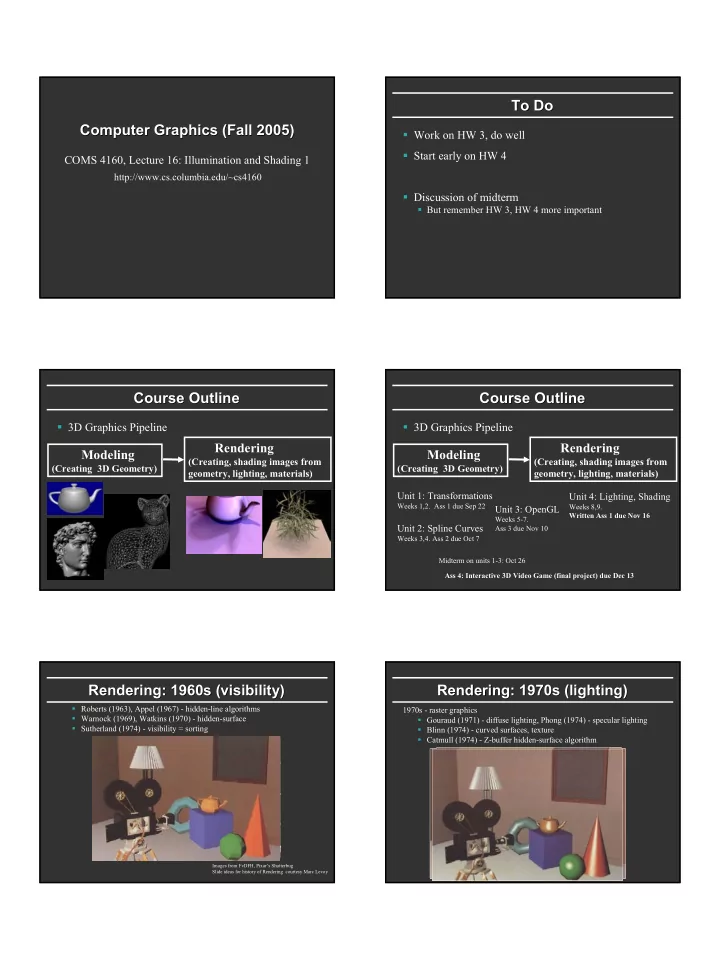
Rendering: 1960s (visibility) Rendering: 1960s (visibility)

Roberts (1963), Appel (1967) - hidden-line algorithms Warnock (1969), Watkins (1970) - hidden-surface Sutherland (1974) - visibility = sorting

Images from FvDFH, Pixar’s Shutterbug Slide ideas for history of Rendering courtesy Marc Levoy

1970s - raster graphics Gouraud (1971) - diffuse lighting, Phong (1974) - specular lighting Blinn (1974) - curved surfaces, texture Catmull (1974) - Z-buffer hidden-surface algorithm

Rendering: 1970s (lighting) Rendering: 1970s (lighting)

slide-2
SLIDE 2

Rendering (1980s, 90s: Global Illumination) Rendering (1980s, 90s: Global Illumination) early 1980s - global illumination

Whitted (1980) - ray tracing Goral, Torrance et al. (1984) radiosity Kajiya (1986) - the rendering equation

Outline Outline

Preliminaries Basic diffuse and Phong shading Gouraud, Phong interpolation, smooth shading Formal reflection equation (next lecture) Texture mapping (in one week) Global illumination (next unit)

For today’s lecture, slides and chapter 9 in textbook

Motivation Motivation

Objects not flat color, perceive shape with appearance Materials interact with lighting Compute correct shading pattern based on lighting

This is not the same as shadows (separate topic)

Some of today’s lecture review of last OpenGL lec.

Idea is to discuss illumination, shading independ. OpenGL

Today, initial hacks (1970-1980)

Next lecture: formal notation and physics

Linear Relationship of Light Linear Relationship of Light

Light energy is simply sum of all contributions Terms can be calculated separately and later added together:

multiple light sources multiple interactions (diffuse, specular, more later) multiple colors (R-G-B, or per wavelength)

=

k k

I I

General Considerations General Considerations

Surfaces are described as having a position, and a normal at every point. Other vectors used L = vector to the light source

light position minus surface point position

E = vector to the viewer (eye)

viewer position minus surface point position

(x1,y1,z1) N1 (x2,y2,z2) N2

Diffuse Diffuse Lambertian Lambertian Term Term

Rough matte (technically Lambertian) surfaces

Not shiny: matte paint, unfinished wood, paper, …

Light reflects equally in all directions Obey Lambert’s cosine law

Not exactly obeyed by real materials

I N L

N

  • L
slide-3
SLIDE 3

Meaning of negative dot products Meaning of negative dot products

If (N dot L) is negative, then the light is behind the surface, and cannot illuminate it. If (N dot E) is negative, then the viewer is looking at the underside of the surface and cannot see it’s front-face. In both cases, I is clamped to Zero.

Phong Phong Illumination Model Illumination Model

Specular or glossy materials: highlights

Polished floors, glossy paint, whiteboards For plastics highlight is color of light source (not object) For metals, highlight depends on surface color

Really, (blurred) reflections of light source

Roughness

Idea of Idea of Phong Phong Illumination Illumination

Find a simple way to create highlights that are view- dependent and happen at about the right place Not physically based Use dot product (cosine) of eye and reflection of light direction about surface normal Alternatively, dot product of half angle and normal Raise cosine lobe to some power to control sharpness

  • r roughness

Phong Phong Formula Formula

  • L

R E

( ) p I R E ∼ i ? R = 2( ) R L L N N = − + i

Alternative: Half Alternative: Half-

  • Angle (

Angle (Blinn Blinn-

  • Phong

Phong) )

In practice, both diffuse and specular components for most materials H N

( ) p I N H ∼ i

Outline Outline

Preliminaries Basic diffuse and Phong shading Gouraud, Phong interpolation, smooth shading Formal reflection equation (next lecture) Texture mapping (in one week) Global illumination (next unit)

Not in text. If interested, look at FvDFH pp 736-738

slide-4
SLIDE 4

Triangle Meshes as Approximations Triangle Meshes as Approximations

Most geometric models are large collections of triangles. Triangles have 3 vertices, each with a position, color, normal, and other parameters (such as n for Phong reflection). The triangles are an approximation to the actual surface of the object.

Coloring Between the Lines Coloring Between the Lines

We know how to calculate the light intensity given:

surface position normal viewer position light source position (or direction)

How do we shade a triangle between it’s vertices, where we aren’t given the normal?

Flat vs. Flat vs. Gouraud Gouraud Shading Shading

Flat - Determine that each face has a single normal, and color the entire face a single value, based on that normal. Gouraud – Determine the color at each vertex, using the normal at that vertex, and interpolate linearly for the pixels between the vertex locations. glShadeModel(GL_FLAT) glShadeModel(GL_SMOOTH)

Gouraud Gouraud Shading Shading – – Details 1 Details 1

Inter-vertex interpolation can be done in object space (along the face), but it is simpler to do it in image space (along the screen). 2 ways for a vertex to get its normal:

given when the vertex is defined. take all the normals from faces that share the vertex, and average them.

Gouraud Gouraud Shading Shading – – Details 2 Details 2

Scan line

1

I

2

I

3

I

1

y

2

y

3

y

s

y

a

I

b

I

1 2 2 1 1 2

( ) ( )

s s a

I y y I y y I y y − + − = −

1 3 3 1 1 3

( ) ( )

s s b

I y y I y y I y y − + − = − ( ) ( )

a b p b p a p b a

I x x I x x I x x − + − = −

p

I

Actual implementation efficient: difference equations while scan converting

Gouraud Gouraud and Errors and Errors

I1 = 0 because (N dot E) is negative. I2 = 0 because (N dot L) is negative. Any interpolation of I1 and I2 will be 0.

I1 = 0 I2 = 0 area of desired highlight

slide-5
SLIDE 5

2 2 Phongs Phongs make a Highlight make a Highlight

Besides the Phong Reflectance model (cosn), there is a Phong Shading model. Phong Shading: Instead of interpolating the intensities between vertices, interpolate the normals. The entire lighting calculation is performed for each pixel, based on the interpolated normal. (OpenGL doesn’t do this, but you can with current programmable shaders) I1 = 0 I2 = 0

Problems with Interpolated Shading Problems with Interpolated Shading

Silhouettes are still polygonal Interpolation in screen, not object space: perspective distortion Not rotation or orientation-independent How to compute vertex normals for sharply curving surfaces? But at end of day, polygons is much easier than explicitly representing curved objects like spline patches for rendering