To Do To Do Computer Graphics (Fall 2005) Computer Graphics (Fall - - PDF document

to do to do computer graphics fall 2005 computer graphics
SMART_READER_LITE
LIVE PREVIEW

To Do To Do Computer Graphics (Fall 2005) Computer Graphics (Fall - - PDF document

To Do To Do Computer Graphics (Fall 2005) Computer Graphics (Fall 2005) Start working on HW 3. Milestones due in 1 week. Can leverage many sources (Red book, excellent COMS 4160, Lecture 11: OpenGL 2 online documentation, see links


slide-1
SLIDE 1

Computer Graphics (Fall 2005) Computer Graphics (Fall 2005)

COMS 4160, Lecture 11: OpenGL 2

http://www.cs.columbia.edu/~cs4160

To Do To Do

Start working on HW 3. Milestones due in 1 week. Can leverage many sources (Red book, excellent

  • nline documentation, see links class website)

And programs shown in class (try reading, compiling, understanding source code) It is a good idea to copy (and modify) relevant segments (Very) tough to get started, but lots of fun afterwards

Methodology for Lecture Methodology for Lecture

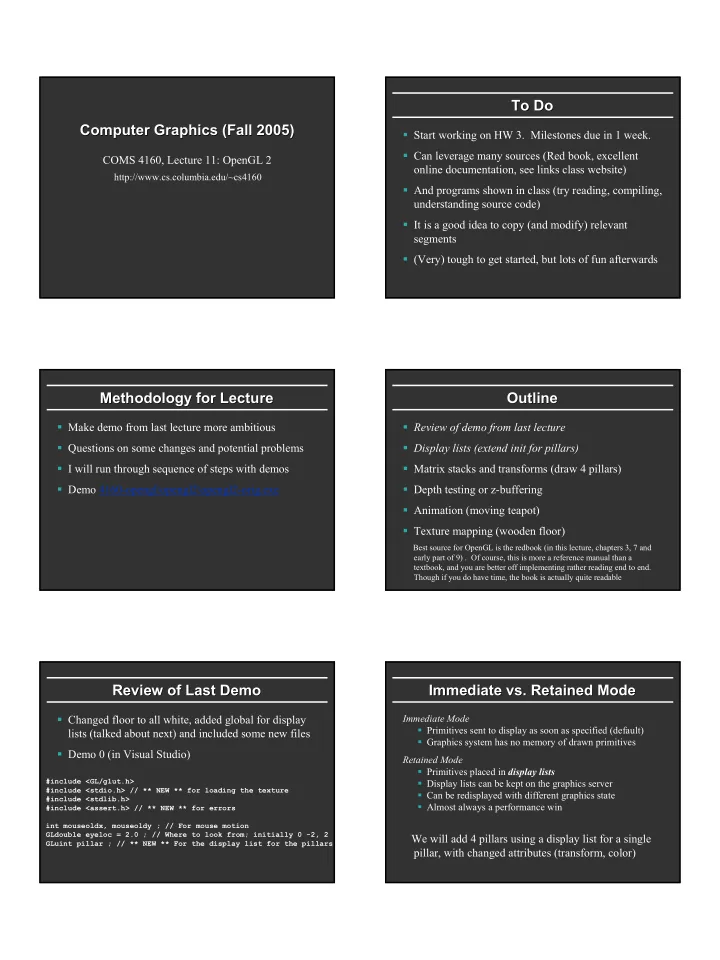
Make demo from last lecture more ambitious Questions on some changes and potential problems I will run through sequence of steps with demos Demo 4160-opengl\opengl2\opengl2-orig.exe

Outline Outline

Review of demo from last lecture Display lists (extend init for pillars) Matrix stacks and transforms (draw 4 pillars) Depth testing or z-buffering Animation (moving teapot) Texture mapping (wooden floor)

Best source for OpenGL is the redbook (in this lecture, chapters 3, 7 and early part of 9) . Of course, this is more a reference manual than a textbook, and you are better off implementing rather reading end to end. Though if you do have time, the book is actually quite readable

Review of Last Demo Review of Last Demo

Changed floor to all white, added global for display lists (talked about next) and included some new files Demo 0 (in Visual Studio)

#include <GL/glut.h> #include <stdio.h> // ** NEW ** for loading the texture #include <stdlib.h> #include <assert.h> // ** NEW ** for errors int mouseoldx, mouseoldy ; // For mouse motion GLdouble eyeloc = 2.0 ; // Where to look from; initially 0 -2, 2 GLuint pillar ; // ** NEW ** For the display list for the pillars

Immediate vs. Retained Mode Immediate vs. Retained Mode

Immediate Mode Primitives sent to display as soon as specified (default) Graphics system has no memory of drawn primitives Retained Mode Primitives placed in display lists Display lists can be kept on the graphics server Can be redisplayed with different graphics state Almost always a performance win

We will add 4 pillars using a display list for a single pillar, with changed attributes (transform, color)

slide-2
SLIDE 2

Display List Initialization (in init) Display List Initialization (in init)

// This uses gluCylinder. The glu primitives are // sometimes useful. // The GLU library is described in chapter 11. We need only // a small part of it. cyl = gluNewQuadric() ; /* This part sets up a display list for the pillars. Refer to chapter 7 for more details */ pillar = glGenLists(1) ; glNewList(pillar, GL_COMPILE) ; gluCylinder (cyl, 0.1, 0.1, .5, 10, 10) ; glEndList() ;

Outline Outline

Review of demo from last lecture Display lists (extend init for pillars) Matrix stacks and transforms (draw 4 pillars) Depth testing or z-buffering Animation (moving teapot) Texture mapping (wooden floor)

Red Book, Chapter 3

Summary OpenGL Vertex Transforms Summary OpenGL Vertex Transforms

Object coords (x y z w)t vertex Modelview matrix [Object Transforms and gluLookAt] Projection matrix [3D to 2D, usually gluPerspective] Eye coordinates (used for lighting) Perspective Divide (Dehomogenization) Clip coordinates Viewport Transform (glViewport) Normalized Device Coordinates Window Coords

Transformations Transformations

Matrix Stacks

glPushMatrix, glPopMatrix, glLoad, glMultMatrixf Useful for Hierarchically defined figures, placing pillars

Transforms

glTranslatef(x,y,z) ; glRotatef(θ,x,y,z) ; glScalef(x,y,z) Right-multiply current matrix (last is first applied)

Also gluLookAt, gluPerspective

Remember gluLookAt just matrix like any other transform, affecting modelview Must come before in code, after in action to other transfs Why not usually an issue for gluPerspective?

Complete Viewing Example Complete Viewing Example

//Projection first (order doesn’t matter) glMatrixMode( GL_PROJECTION ); glLoadIdentity(); gluPerspective( 60, 1, 1, 100 ); //Now object transformations glMatrixMode( GL_MODELVIEW ); glLoadIdentity(); gluLookAt( 10, 10, 10, 1, 2, 3, 0, 0, 1 ) ; glTranslatef( 1, 1, 1 ); glRotatef( 90, 1, 0, 0 ); DrawObject();

Drawing Pillars 1 (in display) Drawing Pillars 1 (in display)

/* Note the use of matrix stacks and push and pop */ glMatrixMode(GL_MODELVIEW) ; /* Draw first pillar by Translating */ glPushMatrix() ; glTranslatef(0.4, 0.4, 0.0) ; glColor3f(1.0, 1.0, 0.0) ; glCallList(pillar) ; glPopMatrix() ; /* Draw second pillar by Translating */ glPushMatrix() ; glTranslatef(-0.4, 0.4, 0.0) ; glColor3f(1.0, 0.0, 0.0) ; glCallList(pillar) ; glPopMatrix() ;

slide-3
SLIDE 3

Drawing Pillars 2 Drawing Pillars 2

/* Draw third pillar by Translating */ glPushMatrix() ; glTranslatef(-0.4, -0.4, 0.0) ; glColor3f(0.0, 1.0, 0.0) ; glCallList(pillar) ; glPopMatrix() ; /* Draw fourth pillar by Translating */ glPushMatrix() ; glTranslatef(0.4, -0.4, 0.0) ; glColor3f(0.0, 0.0, 1.0) ; glCallList(pillar) ; glPopMatrix() ;

Demo Demo

Demo 1 (in visual studio) Does order of drawing matter? What if I move floor after pillars in code? Is this desirable? If not, what can I do about it?

Outline Outline

Review of demo from last lecture Display lists (extend init for pillars) Matrix stacks and transforms (draw 4 pillars) Depth testing or z-buffering (state management too) Animation (moving teapot) Texture mapping (wooden floor)

State State

OpenGL is a big state machine State encapsulates control for operations like:

Lighting Shading Texture Mapping Depth testing

Boolean state settings can be turned on and off with glEnable and glDisable Anything that can be set can be queried using glGet

Turning on Depth test (Z Turning on Depth test (Z-

  • buffer)

buffer)

OpenGL use a Z-buffer for depth tests

For each pixel, store nearest Z value (to camera) so far If new fragment is closer, it replaces old z, color Simple technique to get accurate visibility (Be sure you know what fragments and pixels are)

Changes in main fn, display to Z-buffer

glutInitDisplayMode (GLUT_SINGLE | GLUT_RGB | GLUT_DEPTH); glClear (GL_COLOR_BUFFER_BIT | GL_DEPTH_BUFFER_BIT);

In init function

glEnable(GL_DEPTH_TEST) ; glDepthFunc(GL_LESS) ; // The default option

Demo Demo

Demo 2 (in visual studio) Does order of drawing matter any more? What if I change near plane to 0? Is this desirable? If not, what can I do about it?

slide-4
SLIDE 4

Outline Outline

Review of demo from last lecture Display lists (extend init for pillars) Matrix stacks and transforms (draw 4 pillars) Depth testing or z-buffering Animation (moving teapot) Texture mapping (wooden floor)

Demo Demo

Demo 3 (in visual studio) Notice how teapot cycles around And that I can pause and restart animation And do everything else (zoom etc.) while teapot moves in background

Drawing Teapot (in display) Drawing Teapot (in display)

GLdouble teapotloc = -0.5 ; // global variable set before /* ** NEW ** Put a teapot in the middle that animates */ glColor3f(0.0,1.0,1.0) ; glPushMatrix() ; /* I now transform by the teapot translation for animation */ glTranslatef(teapotloc, 0.0, 0.0) ; /* The following two transforms set up and center the teapot */ /* Remember that transforms right-multiply the stack */ glTranslatef(0.0,0.0,0.1) ; glRotatef(90.0,1.0,0.0,0.0) ; glutSolidTeapot(0.15) ; glPopMatrix() ;

Simple Animation routine Simple Animation routine

void animation(void) { teapotloc = teapotloc + 0.005 ; if (teapotloc > 0.5) teapotloc = -0.5 ; glutPostRedisplay() ; }

Keyboard callback (p to pause) Keyboard callback (p to pause)

GLint animate = 0 ; // ** NEW ** whether to animate or not void keyboard (unsigned char key, int x, int y) { switch (key) { case 27: // Escape to quit exit(0) ; break ; case 'p': // ** NEW ** to pause/restart animation animate = !animate ; if (animate) glutIdleFunc(animation) ; else glutIdleFunc(NULL) ; break ; default: break ; } }

Double Buffering Double Buffering

New primitives draw over (replace) old objects Can lead to jerky sensation Solution: double buffer. Render into back (offscreen)

  • buffer. When finished, swap buffers to display entire

image at once. Changes in main and display

glutInitDisplayMode (GLUT_DOUBLE | GLUT_RGB | GLUT_DEPTH); glutSwapBuffers() ; glFlush ();

slide-5
SLIDE 5

Outline Outline

Review of demo from last lecture Display lists (extend init for pillars) Matrix stacks and transforms (draw 4 pillars) Depth testing or z-buffering Animation (moving teapot) Texture mapping (wooden floor) Initial part of GL chapter 9, Demo 4

Texture Mapping Texture Mapping

Textures are images applied to objects Texture modifies the color assignment to a fragment

Texture color can modify the material color used in the shading model, or it can be a decal

Use glTexCoord to assign a texture coordinate to a vertex

Texture Mapping Example Texture Mapping Example

glBegin( GL_QUADS ); glTexCoord2f( 0, 0 ); glVertex3f( a, b, c ); glTexCoord2f( 1, 0 ); glVertex3f( a, b, d ); glTexCoord2f( 1, 1 ); glVertex3f( a, e, d ); glTexCoord2f( 0, 1 ); glVertex3f( a, e, c ); glEnd();

Specifying the Texture Image Specifying the Texture Image

glTexImage2D( target, level, components, width height, border, format, type, data ) target is GL_TEXTURE_2D level is (almost always) 0 components = 3 or 4 (RGB/RGBA) width/height MUST be a power of 2 border = 0 (usually) format = GL_RGB or GL_RGBA (usually) type = GL_UNSIGNED_BYTE, GL_FLOAT, etc…

More on Texture (very briefly) More on Texture (very briefly)

Optimizations for efficiency Mipmapping Filtering Texture Coordinate generation Texture Matrix Environment Mapping If very ambitious, read all of chapter 9

Setting up texture (in init) Setting up texture (in init)

/* ** New for demo 2 ** setup for textures */ /* First, read this simple ppm file in */ assert(fp = fopen("wood.ppm","rb")) ; fscanf(fp,"%*s %*d %*d %*d%*c") ; for (i = 0 ; i < 256 ; i++) for (j = 0 ; j < 256 ; j++) for (k = 0 ; k < 3 ; k++) fscanf(fp,"%c",&(woodtexture[i][j][k])) ; fclose(fp) ; /* Now, set up all the stuff for texturing, per page 368 */ glGenTextures(1, &texName) ; glBindTexture(GL_TEXTURE_2D, texName) ; glTexParameteri(GL_TEXTURE_2D, GL_TEXTURE_WRAP_S, GL_REPEAT) ; glTexParameteri(GL_TEXTURE_2D, GL_TEXTURE_WRAP_T, GL_REPEAT) ; glTexParameteri(GL_TEXTURE_2D, GL_TEXTURE_MAG_FILTER, GL_NEAREST) ; glTexParameteri(GL_TEXTURE_2D, GL_TEXTURE_MIN_FILTER, GL_NEAREST) ; glTexImage2D(GL_TEXTURE_2D,0,GL_RGB, 256, 256, 0, GL_RGB, GL_UNSIGNED_BYTE, woodtexture) ;

slide-6
SLIDE 6

Rendering with texture (in display) Rendering with texture (in display)

/* As a final step, I modify this for texture mapping * NEW * */ /* Consult chapter 9 for the explanation of the various options */ /* Note addition of texture coordinates, and the glue to add texturing */ /* Also note some effort to find the error if any */ glEnable(GL_TEXTURE_2D) ; glTexEnvf(GL_TEXTURE_ENV, GL_TEXTURE_ENV_MODE, GL_REPLACE) ; glBindTexture(GL_TEXTURE_2D, texName) ; glColor3f(1.0,1.0,1.0) ; err = glGetError() ; assert(err == GL_NO_ERROR) ; glBegin(GL_POLYGON) ; glTexCoord2f(1.0, 1.0) ; glVertex3f (0.5, 0.5, 0.0); glTexCoord2f(0.0,1.0) ; glVertex3f (-0.5, 0.5, 0.0); glTexCoord2f(0.0,0.0); glVertex3f (-0.5, -0.5, 0.0); glTexCoord2f(1.0,0.0) ; glVertex3f (0.5, -0.5, 0.0); glEnd() ; err = glGetError() ; assert(err == GL_NO_ERROR) ; glDisable(GL_TEXTURE_2D) ;