MIPS Memory lecture 16 virtual address - - PowerPoint PPT Presentation

mips memory lecture 16
SMART_READER_LITE
LIVE PREVIEW

MIPS Memory lecture 16 virtual address - - PowerPoint PPT Presentation

MIPS Memory lecture 16 virtual address physical address virtual vs. physical memory 514 - 398 - 3740 - types of physical memory - paging Wed. March 9, 2016 next three lectures cell tower


slide-1
SLIDE 1

lecture 16 virtual vs. physical memory

  • types of physical memory
  • paging
  • Wed. March 9, 2016

next three lectures MIPS Memory

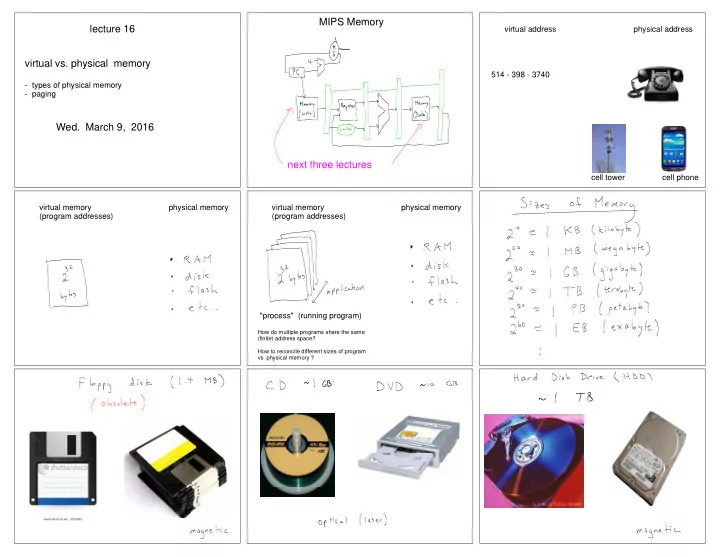
virtual address physical address 514 - 398 - 3740 cell tower cell phone virtual memory physical memory (program addresses) virtual memory physical memory (program addresses) "process" (running program)

How do multiple programs share the same (finite) address space? How to reconcile different sizes of program

  • vs. physical memory ?
slide-2
SLIDE 2

We would like to access Memory in one clock cycle. However, there is a tradeoff between the speed and size of physical memory (can't be large and fast).

Memory Hierarchy

fast and expensive (thus, small) slow and cheap (thus, large)

virtual memory physical memory size ~MB ~GB ~TB number of 1 ~10 10^6 clock cycles / access

lecture 16 virtual vs. physical memory

  • types of physical memory
  • paging
  • how to translate (map) virtual to physical ?
  • page tables
  • page fault and page swap

MIPS Memory

Paging

There is nothing significant about the square tile geometry in this sketch.

slide-3
SLIDE 3

Q: How to translate a virtual address to a physical address? Note that both the user part of Memory and (part of the) kernel part of Memory is paged. Example: suppose 1 page = 2^12 bytes How many pages? 40 / 2^12 = 2^28 pages Physical Memory RAM (e.g. 1 GB = 2^30 bytes)

  • -> 2^30 / 2^12 = 2^18 pages

HDD (e.g. 1 TB = 2^40 bytes)

  • -> 2^40 /2^12 = 2^28 pages

Virtual Memory (4 GB = 2^32 bytes)

  • -> 2^32 / 2^12 = 2^20

pages How to translate (map) a virtual address to a physical address ? A virtual address is 32 bits. These are the program addresses we have been talking about for the last few weeks. Again, take example that a page is 2^12 bytes. virtual page number page offset 31 ... 12 11 ... 0

virtual address physical address (RAM)

e.g. 1 GB = 2^30 bytes virtual page number physical page number page offset page offset 31 ... 12 11 ... 0 table lookup copy 29 ... 12 11 ... 0

virtual address physical address (HDD) e.g. 1 TB = 2^40 bytes

virtual page number physical page number page offset page offset 31 ... 12 11 ... table lookup copy 39 ... 12 11 ... 0

"Page table"

Data structure in kernel that translates (maps) a virtual page number (address) to a physical page number (address) "Valid bit" says whether page is in RAM (1) or on HDD (0).

physical page number valid bit virtual page number (VPN)

Where are the page tables ?

Page tables are in a reserved data region in the kernel part

  • f MIPS Memory. Note that they have both a virtual and a

physical address. The page table region is not partitioned into pages. Rather this region has a fixed mapping from virtual to physical memory.

Page Fault and Page Swap

  • When a MIPS program tries to access an address whose physical

page is on disk (HDD), we say that a "page fault" occurs. The page first must be brought into main memory (RAM) before the program can access that address.

  • If there is no page available in main memory, then some page first

must be moved out of main memory, and then the desired page can be moved in main memory. This is called a page swap.

  • The page table must be updated (regardless of whether a page is

swapped out). Page swaps are done by a kernel program (OS) called the page fault handler (return to this in lecture 21 -- interrupts).

Next week's lectures

  • more on page tables (we need a cache for them too !)
  • how do caches work ?

replace these virtual memory boxes by caches