
SLIDE 1
Zoom tech tips
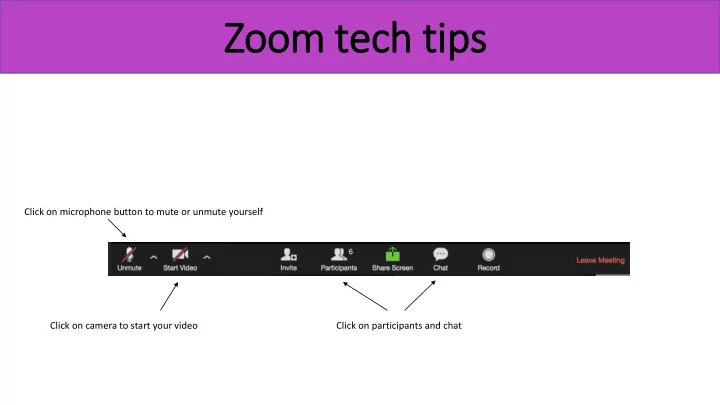
Click on microphone button to mute or unmute yourself Click on camera to start your video Click on participants and chat
Zoom tech tips Click on microphone button to mute or unmute yourself - - PowerPoint PPT Presentation
Zoom tech tips Click on microphone button to mute or unmute yourself Click on camera to start your video Click on participants and chat Rename yourself by ho hoverin ing over er you our r nam name an and cli clickin ing the the ren
Click on microphone button to mute or unmute yourself Click on camera to start your video Click on participants and chat
by ho hoverin ing over er you
r nam name an and cli clickin ing the the ren ename but button
Choose who to send your chat message to