
SLIDE 1
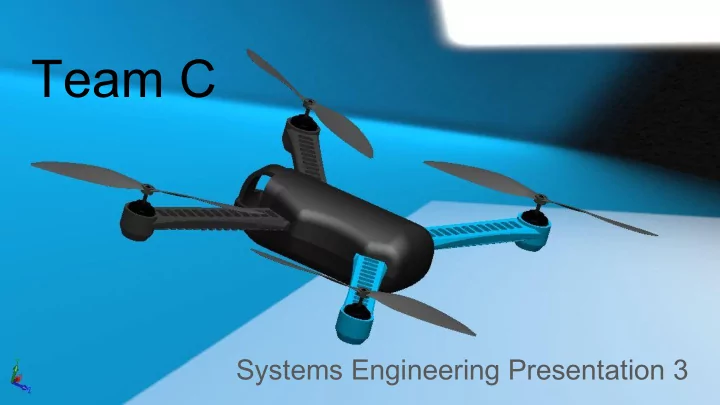
Team C Systems Engineering Presentation 3 WBS reflecting good - - PowerPoint PPT Presentation
Team C Systems Engineering Presentation 3 WBS reflecting good progress towards FVE On track for FVE deliverables AR.Drone2 platform performing well with EKF state estimation Iris+ platform hardware progressing nicely Fundamental review of
On track for FVE deliverables AR.Drone2 platform performing well with EKF state estimation Iris+ platform hardware progressing nicely Fundamental review of dock design process fruitful Growing amount of non-demo work...
○ plan to update non-demo goals for this semester during sprint 5 kickoff
Actual Movement in Real World (3m square, x2) Odometry Issue: Standard AR.Drone2 on-board odometry showed massive drift
Order-of-magnitude improvement leveraging Extended Kalman Filter + dynamics model
shown to the right
from tum_ardrone ROS package X vs Y Odometry Readings from Flight Test
Test stage 1: Accurate AR.Drone2 Odometry Location: NSH B-level hallway Equipment: Laptop, AR.Drone2; Caution tape; Target marker Test process: 1. Cordon off section of hallway 2. Place AR.Drone on ground and connect via WiFi 3. Place target area identifier (diameter 1 m) at target location (within 6m of (0,0) location) 4. Hit button for takeoff. Confirm ARDrone is stable 5. Once stable, move drone to (0,0) location decided in step 3 6. Input target coordinate in meters into interface 7. After movement is completed, mark position of drone 8. Confirm drone is partially within target area marker 9. Repeat steps 3-8 for second target location Success Conditions: 1. AR.Drone hovering partially over target area marker (diam = 1m) 2. Success on 2 of 2 trials (within 2 minutes per trial)
Test stage 2: Hardware Setup of Dock and Iris+ Drone Location: NSH B-level MRSD Lab Equipment: Dock Hardware, Iris+ hardware Test process: 1. Validate mounting of camera and SBC 2. Position Dock prototype hardware on benchtop 3. Physically mate Iris+ to dock and demonstrate physical fit a. Confirm rigidity in 5 DOF 4. Boot SBC and Pixhawk on Iris+ and: a. Run ROS LAUNCH b. Observe orientation estimation of Iris+ orientation on PC c. Observe camera feed on the PC Success Conditions: 1. Iris+ constrained within +/- 2 cm in dock (5 DOF) 2. Valid odometry data displayed and PC 3. ‘rostopic hz’ command shows > 0.1Hz on relevant topic on PC
5 4 3 2 1 1 2 3 4 5 Consequence Likelihood
Risk Extra payload on UAV throws off dynamics Risk Mitigation Position control in AR.Drone validated Risk Mitigated November 11, 2015
5 4 3 2 1 1 2 3 4 5 Consequence Likelihood
Risk UAV cannot successfully dock Risk Mitigation Run tests on cone slopes Risk Mitigated In Progress
walmart.com
Risk ID: Risk Title: Risk Owner: Date Submitted: Date Updated: 16 AR.Drone breaks during testing Rohan 11/15/2015 11/15/2015 Description: AR.Drone breaks or is damaged during a test run before the FVE Consequences: Risk Type: Risk Level: Team will not be able to complete the FVE challenge
YELLOW 9 / 25 Risk Reduction Plan Expected Outcome: Comments 1. Take out a second AR.Drone from inventory AR.Drone is available in inventory, so this will be no problem MITIGATED
Risk ID: Risk Title: Risk Owner: Date Submitted: Date Updated: 17 Dock parts do not come in on time or are ineffective Job 11/15/2015 11/15/2015 Description: During the manufacturing process, the designed or manufactured parts are not effective and need to be replaced, but there is not time. Consequences: Risk Type: Risk Level: The team will not be able to complete the FVE effectively
YELLOW 9 / 25 Risk Reduction Plan Expected Outcome: Comments 1. Order multiple dock prototype parts of different properties 2. Order parts ASAP Dock Design will be able to be completed before the FVE