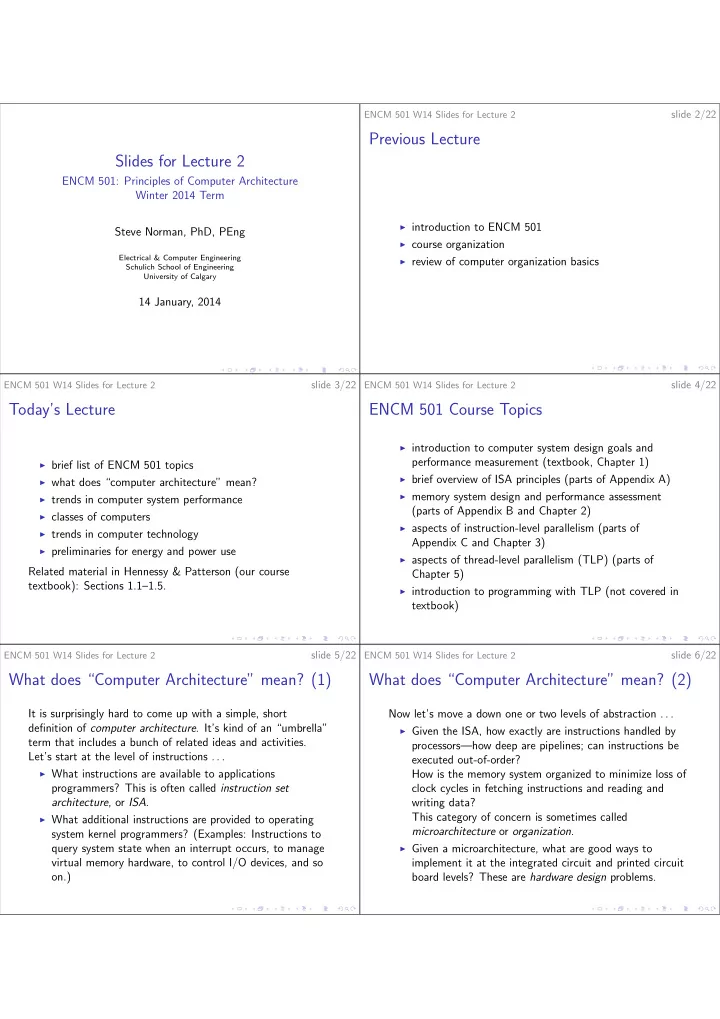
Previous Lecture Slides for Lecture 2 ENCM 501: Principles of - - PDF document

previous lecture slides for lecture 2
SMART_READER_LITE
LIVE PREVIEW

Previous Lecture Slides for Lecture 2 ENCM 501: Principles of - - PDF document

slide 2/22 ENCM 501 W14 Slides for Lecture 2 Previous Lecture Slides for Lecture 2 ENCM 501: Principles of Computer Architecture Winter 2014 Term introduction to ENCM 501 Steve Norman, PhD, PEng course organization Electrical &


slide-1
SLIDE 1

Slides for Lecture 2

ENCM 501: Principles of Computer Architecture Winter 2014 Term Steve Norman, PhD, PEng

Electrical & Computer Engineering Schulich School of Engineering University of Calgary

14 January, 2014

ENCM 501 W14 Slides for Lecture 2

slide 2/22

Previous Lecture

◮ introduction to ENCM 501 ◮ course organization ◮ review of computer organization basics

ENCM 501 W14 Slides for Lecture 2

slide 3/22

Today’s Lecture

◮ brief list of ENCM 501 topics ◮ what does “computer architecture” mean? ◮ trends in computer system performance ◮ classes of computers ◮ trends in computer technology ◮ preliminaries for energy and power use

Related material in Hennessy & Patterson (our course textbook): Sections 1.1–1.5.

ENCM 501 W14 Slides for Lecture 2

slide 4/22

ENCM 501 Course Topics

◮ introduction to computer system design goals and

performance measurement (textbook, Chapter 1)

◮ brief overview of ISA principles (parts of Appendix A) ◮ memory system design and performance assessment

(parts of Appendix B and Chapter 2)

◮ aspects of instruction-level parallelism (parts of

Appendix C and Chapter 3)

◮ aspects of thread-level parallelism (TLP) (parts of

Chapter 5)

◮ introduction to programming with TLP (not covered in

textbook)

ENCM 501 W14 Slides for Lecture 2

slide 5/22

What does “Computer Architecture” mean? (1)

It is surprisingly hard to come up with a simple, short definition of computer architecture. It’s kind of an “umbrella” term that includes a bunch of related ideas and activities. Let’s start at the level of instructions . . .

◮ What instructions are available to applications

programmers? This is often called instruction set architecture, or ISA.

◮ What additional instructions are provided to operating

system kernel programmers? (Examples: Instructions to query system state when an interrupt occurs, to manage virtual memory hardware, to control I/O devices, and so

  • n.)

ENCM 501 W14 Slides for Lecture 2

slide 6/22

What does “Computer Architecture” mean? (2)

Now let’s move a down one or two levels of abstraction . . .

◮ Given the ISA, how exactly are instructions handled by

processors—how deep are pipelines; can instructions be executed out-of-order? How is the memory system organized to minimize loss of clock cycles in fetching instructions and reading and writing data? This category of concern is sometimes called microarchitecture or organization.

◮ Given a microarchitecture, what are good ways to

implement it at the integrated circuit and printed circuit board levels? These are hardware design problems.

slide-2
SLIDE 2

ENCM 501 W14 Slides for Lecture 2

slide 7/22

It’s good to have a broad perspective on architecture

Obviously, ISA choice dictates much about microarchitecture, and microarchitecture dictates much about hardware. But the influences also work in the opposite direction, from lower to higher levels of abstraction. Cost of fabrication (a hardware issue) makes some microarchitectures attractive and others less attractive. Physical size of components may also matter. Aspects of microarchitecture matter when a new ISA is designed or an existing ISA is extended. Preference for relatively simple, clean microarchitecture might rule out some useful instructions.

ENCM 501 W14 Slides for Lecture 2

slide 8/22

Trends in computer system performance (1)

The next slide shows a plot of “benchmark” performance scores for various computers, showing the years various systems were introduced. “Performance” here means roughly 1 over the time taken to complete a collection of processor-intensive tasks. (We’ll look much more carefully at performance measurement in future lectures.) (The text on the plot will be pretty much illegible in the classroom, but we can still make a few important points by looking at it.)

ENCM 501 W14 Slides for Lecture 2

slide 9/22

1 5 9 13 18 24 51 80 117 183 280 481 649 993 1,267 1,779 3,016 4,195 6,043 6,681 7,108 11,865 14,387 19,484 21,871 24,129

1 10 100 1000 10,000 100,000 1978 1980 1982 1984 1986 1988 1990 1992 1994 1996 1998 2000 2002 2004 2006 2008 2010 2012 Performance (vs. VAX-11/780)

25%/year 52%/year 22%/year

IBM POWERstation 100, 150 MHz Digital Alphastation 4/266, 266 MHz Digital Alphastation 5/300, 300 MHz Digital Alphastation 5/500, 500 MHz AlphaServer 4000 5/600, 600 MHz 21164 Digital AlphaServer 8400 6/575, 575 MHz 21264 Professional Workstation XP1000, 667 MHz 21264A Intel VC820 motherboard, 1.0 GHz Pentium III processor IBM Power4, 1.3 GHz Intel Xeon EE 3.2 GHz AMD Athlon, 2.6 GHz Intel Core 2 Extreme 2 cores, 2.9 GHz Intel Core Duo Extreme 2 cores, 3.0 GHz Intel Core i7 Extreme 4 cores 3.2 GHz (boost to 3.5 GHz) Intel Xeon 4 cores, 3.3 GHz (boost to 3.6 GHz) Intel Xeon 6 cores, 3.3 GHz (boost to 3.6 GHz) Intel D850EMVR motherboard (3.06 GHz, Pentium 4 processor with Hyper-Threading Technology) 1.5, VAX-11/785 AMD Athlon 64, 2.8 GHz Digital 3000 AXP/500, 150 MHz HP 9000/750, 66 MHz IBM RS6000/540, 30 MHz MIPS M2000, 25 MHz MIPS M/120, 16.7 MHz Sun-4/260, 16.7 MHz VAX 8700, 22 MHz AX-11/780, 5 MHz

Image is Figure 1.1 from Hennessy J. L. and Patterson D. A., Computer Architecture: A Quantitative Approach, 5nd ed., c 2012, Elsevier, Inc. ENCM 501 W14 Slides for Lecture 2

slide 10/22

Trends in computer system performance (2)

Performance ratio, 2010 compared to 1978: about 24,000 to 1. In

  • ther words, what took about 7 hours in 1978 took about 1 second

in 2010. From 1986 to 2003, the average annual performance improvement was 52% per year. From 2003 to 2010, the average annual performance improvement was 22% per year—the pace of improvement has slowed in recent years. There have been comparable improvements in telecommunication bandwidth and data storage capacity. The result is a pattern that has been seen over and over: Computer applications go from impossible to practically unaffordable to cheap and commonplace over periods of several years.

ENCM 501 W14 Slides for Lecture 2

slide 11/22

Classes of computer (1)

In Section 1.2, Hennessy and Patterson divide computer systems into five classes. Knowing what they mean will help in following the textbook!

◮ personal mobile device (PMD): things like smartphones

and tablets.

◮ desktop: what most of us would call “desktops”, and

also laptops. This is a somewhat unusual definition, but makes sense as use cases and requirements are broadly similar.

◮ servers ◮ clusters and warehouse-scale computers: systems large

enough to support operations like Google, Amazon, etc.

◮ embedded computers: computers built-in to machines

such as appliances, cars, telecom infrastructure.

ENCM 501 W14 Slides for Lecture 2

slide 12/22

Classes of computer (2)

Also in Section 1.2, Hennessy and Patterson make some distinctions between various kinds of parallelism in hardware design. You can read that material to get a general idea about the diverse forms of parallel computation, but we won’t worry about the details until much later in the course. A good “takeaway”: If somebody tells you in a vague way that an algorithm uses parallel processing, you should ask, What kind of parallel processing?

slide-3
SLIDE 3

ENCM 501 W14 Slides for Lecture 2

slide 13/22

Trends in Technology (1)

Textbook reference: Section 1.4. Moore’s law is attributed to Gordon E. Moore, a co-founder of

  • Intel. The idea dates back at least to 1965, and probably
  • earlier. (There is a lengthy historical discussion on the

Wikipedia page for Moore’s Law.) It isn’t really a physical law; it’s more of an observation and prediction about integrated circuit (IC) technology. The general projection was that the number of transistors in a typical state-of-the-art IC chip would double every two years or so.

ENCM 501 W14 Slides for Lecture 2

slide 14/22

Moore’s law example

Transistor counts for some famous Intel processors . . . processor year # transistors clock frequency 80386 1985 275 thousand 16–25 MHz 80486 1989 1.2 million 25–100 MHz Pentium 1993 3.2–4.5 million 60–300 MHz Pentium II 1997 7.5 million 233-450 MHz (Moore’s law didn’t make an explicit forecast about clock speed, but decreasing transistor size tended to correspond to decreasing transistor switching time.) Using 1985 as a starting point, let’s estimate the transistor count for an Intel Core i7 chip in 2010.

Data source: Table 7.7 in Harris D. M. and Harris S. L., Digital Design and Computer Architecture, 2nd ed., c 2013, Elsevier, Inc. ENCM 501 W14 Slides for Lecture 2

slide 15/22

Limits to Moore’s law

Moore’s law has been reasonably accurate for much longer than might have been predicted decades ago. Your instructor is neither an IC design expert nor an IC process expert, so will refrain from giving a detailed opinion about when Moore’s law will finally fail. Feature size in the latest available Intel processors is 22 nanometers, and Intel is projecting a 5-nanometer feature size several years from now, so it seems that Moore’s law hasn’t yet run into a wall. However, even at 22 nanometers, linear transistor dimensions are now in the tens of atoms in a silicon crystal lattice, so it’s clear that the number of “shrinks” left must be limited.

ENCM 501 W14 Slides for Lecture 2

slide 16/22

Trends in Technology (2)

DRAM (dynamic RAM) is the IC technology used to build main memories for the last several decades. Moore’s law has applied to DRAM just as it has to processor chips—see the “Mbits/DRAM chip” row in Figure 1.10 in the textbook. Unfortunately, improvement of DRAM latency hasn’t nearly matched improvement of DRAM capacity, necessitating the design of complex caching systems within memory hierarchies, and limiting the performance of programs that need to access large amounts of memory. Density of nonvolatile storage—magnetic disks and Flash chips has also seen decades of exponential growth.

ENCM 501 W14 Slides for Lecture 2

slide 17/22

Bandwidth and latency

These terms are very important. Bandwidth, generally, is the peak rate at which simple tasks can be performed, e.g., arithmetic operations per second within a processor, or bytes transferred per second between a DRAM module and a processor chip. (This definition is related to but not exactly the same as the definition of bandwidth in

  • ther areas of engineering, such as signal processing.)

Latency is the time delay between the moment a task is started and the moment that task is completed.

ENCM 501 W14 Slides for Lecture 2

slide 18/22

Bandwidth and latency (2)

Relatively poor latency is a major design issue. Current DRAM latency is approximately 100 times a processor clock cycle, meaning that to get decent processor performance, the vast majority of instruction fetches, data loads and data stores must not require actual DRAM access—instead most memory accesses need to be handled by caches on the processor chip. Magnetic disk drive latency is horrible compared to speed of just about anything implemented entirely with integrated circuits. 2010 numbers . . . kind of time interval duration (ns) processor clock cycle 0.3 DRAM latency 37 disk latency 3,600,000

slide-4
SLIDE 4

ENCM 501 W14 Slides for Lecture 2

slide 19/22

Preliminaries for energy and power use (1)

Here is a model for a generic CMOS logic gate . . .

pull-up network pull-down network VDD C (load capacitance) gate output gate inputs

C is the sum of all wire capacitances and gate input capacitances driven by our generic gate.

ENCM 501 W14 Slides for Lecture 2

slide 20/22

Preliminaries for energy and power use (2)

Models for our CMOS gate trying to output 0 or 1 . . .

VDD C gate output RPU RPD VDD C gate output RPU RPD

Which circuit (left or right) is trying to generate a logic 0

  • utput, and which is trying to generate a logic 1?

ENCM 501 W14 Slides for Lecture 2

slide 21/22

Preliminaries for energy and power use (3)

VDD C gate output RPU RPD VDD C gate output RPU RPD

What are the energy flows when the gate output goes from logic 0 to logic 1? What are they when the gate output goes from logic 1 to logic 0?

ENCM 501 W14 Slides for Lecture 2

slide 22/22

Upcoming Topics

◮ how energy and power use affect computer design ◮ fabrication cost issues and computer design ◮ measuring and reporting computer performance ◮ quantitative principles of computer design

Related reading in Hennessy & Patterson: Sections 1.5, 1.6, 1.8, 1.9