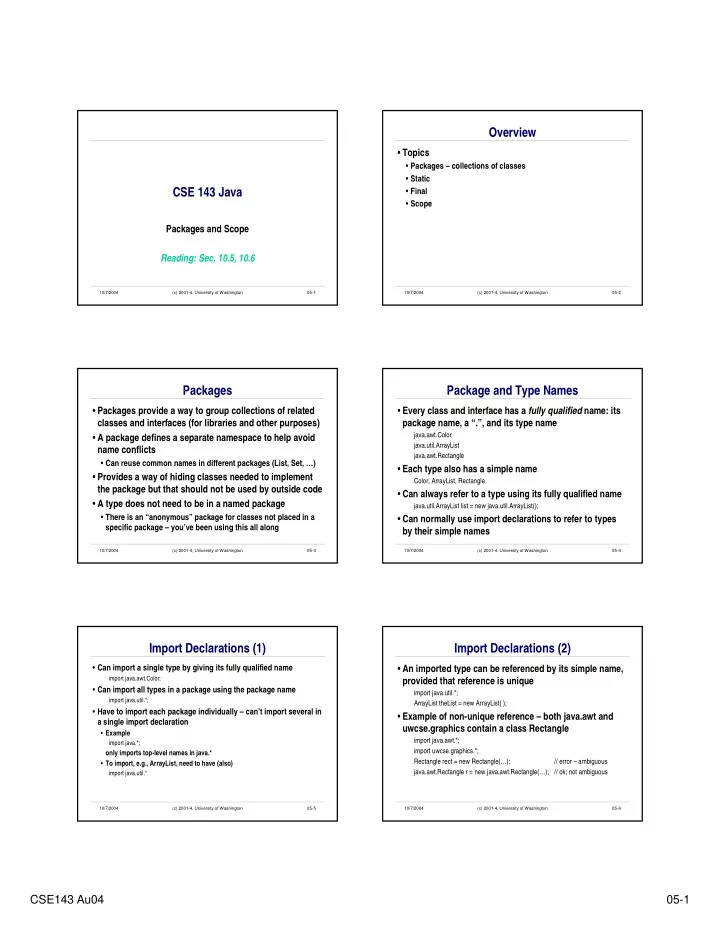
Overview Topics Packages collections of classes Static CSE 143 - - PDF document

overview
SMART_READER_LITE
LIVE PREVIEW

Overview Topics Packages collections of classes Static CSE 143 - - PDF document

Overview Topics Packages collections of classes Static CSE 143 Java Final Scope Packages and Scope Reading: Sec. 10.5, 10.6 10/7/2004 (c) 2001-4, University of Washington 05-1 10/7/2004 (c) 2001-4, University of


slide-1
SLIDE 1

CSE143 Au04 05-1

10/7/2004 (c) 2001-4, University of Washington 05-1

CSE 143 Java

Packages and Scope Reading: Sec. 10.5, 10.6

10/7/2004 (c) 2001-4, University of Washington 05-2

Overview

  • Topics
  • Packages – collections of classes
  • Static
  • Final
  • Scope

10/7/2004 (c) 2001-4, University of Washington 05-3

Packages

  • Packages provide a way to group collections of related

classes and interfaces (for libraries and other purposes)

  • A package defines a separate namespace to help avoid

name conflicts

  • Can reuse common names in different packages (List, Set, …)
  • Provides a way of hiding classes needed to implement

the package but that should not be used by outside code

  • A type does not need to be in a named package
  • There is an “anonymous” package for classes not placed in a

specific package – you’ve been using this all along

10/7/2004 (c) 2001-4, University of Washington 05-4

Package and Type Names

  • Every class and interface has a fully qualified name: its

package name, a “.”, and its type name

java.awt.Color java.util.ArrayList java.awt.Rectangle

  • Each type also has a simple name

Color, ArrayList, Rectangle

  • Can always refer to a type using its fully qualified name

java.util.ArrayList list = new java.util.ArrayList();

  • Can normally use import declarations to refer to types

by their simple names

10/7/2004 (c) 2001-4, University of Washington 05-5

Import Declarations (1)

  • Can import a single type by giving its fully qualified name

import java.awt.Color;

  • Can import all types in a package using the package name

import java.util.*;

  • Have to import each package individually – can’t import several in

a single import declaration

  • Example

import java.*;

  • nly imports top-level names in java.*
  • To import, e.g., ArrayList, need to have (also)

import java.util.*

10/7/2004 (c) 2001-4, University of Washington 05-6

Import Declarations (2)

  • An imported type can be referenced by its simple name,

provided that reference is unique

import java.util.*; ArrayList theList = new ArrayList( );

  • Example of non-unique reference – both java.awt and

uwcse.graphics contain a class Rectangle

import java.awt.*; import uwcse.graphics.*; Rectangle rect = new Rectangle(…); // error – ambiguous java.awt.Rectangle r = new java.awt.Rectangle(…); // ok; not ambiguous

slide-2
SLIDE 2

CSE143 Au04 05-2

10/7/2004 (c) 2001-4, University of Washington 05-7

Some Standard Packages

  • The standard Java libraries contain thousands of classes

grouped into dozens of packages. A few common ones:

  • java.lang – core classes; imported automatically everywhere, don’t need an

import declaration

includes Math, Integer, Double, String, Char, etc. – lots of useful things for standard types

  • java.util – collections, date/time, random number generators, etc.
  • java.io – input/output streams, files
  • java.net – network I/O, sockets, URLs
  • java.awt – original graphical user interface (GUI)
  • javax.swing – extension of awt, more sophisticated GUI

10/7/2004 (c) 2001-4, University of Washington 05-8

Java Standard Library Statistics

Version #packages # classes/interfaces 1.0 8 212 1.1 23 504 1.2 60 1781 1.3 77 2130 1.4 136 3020 1.5 ??? ????

Source: The Java Developer’s Almanac 1.4, Patrick Chan No, this will not be on the test

10/7/2004 (c) 2001-4, University of Washington 05-9

Defining Packages

  • To place a class or interface in a package, include a

package declaration in the source file before any class

  • r interface declarations

package outer.inner;

  • Many development tools require folder structure to

match package names

  • Example: assume a project is in a top-level folder named

c:\code

  • Source files for code in unnamed package should be in c:\code
  • Package run should be in c:\code\run
  • Package outer.inner should be in c:\code\outer\inner

10/7/2004 (c) 2001-4, University of Washington 05-10

Internet Domains for Unique Names

  • Java community convention: use reversed domain

names as top-level package names

package com.sun.java.awt; package edu.rice.cs.drjava;

  • Overkill for simple projects, but a good idea if code is likely to

be used by other organizations or groups

10/7/2004 (c) 2001-4, University of Washington 05-11

Static

  • Normal fields and methods are associated with

individual objects

  • Copy of each instance variable in each class instance (object)
  • Method call is associated with particular object (i.e., a

particular object receives the message and its method responds)

huskycard.deposit(1200.55);

  • But sometimes it makes sense to have a single unique

field or method associated with a class, not one per instance

10/7/2004 (c) 2001-4, University of Washington 05-12

Static Fields

  • Example: Pseudo-random number generator for objects

in a simulation

  • Want one pseudo-random sequence of numbers, not many

sequences, all of which are the same

class Fish implements SimThing { private static Random rand = new Random( ); // shared random number gen public void move( ) { int dx = rand.nextInt(7) – 4; … }

  • All instances of Fish refer to the same (unique) random

number generator associated with the class Fish itself

slide-3
SLIDE 3

CSE143 Au04 05-3

10/7/2004 (c) 2001-4, University of Washington 05-13

Constants (1)

  • Named constants are often static fields in classes
  • Single instance of the constant shared by everyone
  • Use final to indicate the field can’t change after

initialization

  • … also implies must be initialized in declaration

(not strictly true – can be initialized in other ways when the class is loaded; ask if you really want to know)

  • Example

private static final double initialSize = 20;

  • Important style point: use named constants in your

code, not anonymous “magic numbers” (Why?)

10/7/2004 (c) 2001-4, University of Washington 05-14

Constants (2)

  • Another example from java.awt

package java.awt; class Color { public static final Color red = new Color(255, 0, 0); public static final Color green = new Color(0, 255, 0); public static final Color blue = new Color(0, 0, 255); …

  • Use classname.fieldname to reference: Color.red,

Color.green

  • Convention: constant names are usually ALLCAPS
  • examples in the Java libraries notwithstanding

(Java 1.4: we now have Color.RED in addition to Color.red. Sigh)

10/7/2004 (c) 2001-4, University of Washington 05-15

Static Methods

  • Sometimes we want a method that is a singleton – one

copy associated with the class

  • Common example: main – starting point for program execution

class Start { … // start here public static void main(String[ ] args) { … } }

  • Another example: basic math functions in java.lang.Math

double sqrt2 = Math.sqrt(2.0); double x = Math.sin(theta);

10/7/2004 (c) 2001-4, University of Washington 05-16

Scope

  • An identifier may appear many times in a program
  • A defining occurrence establishes the identifier as the name of

something (a variable, class, etc.)

double x = 3.5; double y;

  • An applied occurrence is the use of an identifier that is already

defined

Assigning a new value to a name is an applied, not defining occurrence x = x * 2.0; y = x * 3.14;;

  • The scope of a definition is the region of the program text in

which applied occurrences of the identifier refer to that definition

10/7/2004 (c) 2001-4, University of Washington 05-17

Scope Example

public class BankAccount { private double balance; public BankAccount(double balance) { this.balance = balance; } public deposit(double amount) { balance = balance + amount; } public creditInterrest(double rate) { double interest = rate * balance; balance = balance + interest; }

  • Identify the defining and applied occurrences of each identifier

and the scope of each declaration

10/7/2004 (c) 2001-4, University of Washington 05-18

Visibility of Classes

  • Choices for class definitions
  • public – visible anywhere the package is visible
  • package – visible only to other code in the same package

(no keyword “package”; package visibility is the default if nothing is specified)

  • Typical implementation restriction: a Java source file

should contain only one public class or interface, and the filename must match the public class name

file Extrovert.java: public class Extrovert { … } // public class name matches file name class Introvert { … } // non-public class in the same file … // (package scope)

slide-4
SLIDE 4

CSE143 Au04 05-4

10/7/2004 (c) 2001-4, University of Washington 05-19

Visibility of Fields and Methods

  • Four possibilities
  • public – visible anywhere the class is visible
  • private – visible only in the class containing the declaration
  • protected – like package, but also visible in any class that

extends this class, even if in another package

  • package – visible in the declaring class and in all other classes

in the same package (textbook calls this “restricted” scope)

(this is the default if nothing is specified; there is no “package” keyword – no “restricted” keyword either!)

  • Corollary: if you forget to specify private, it is visible inside the

package but outside the class, even if you don’t mean it to be

Can check the generated JavaDocs to catch this

10/7/2004 (c) 2001-4, University of Washington 05-20

Guidelines for Fields

  • Instance variables should almost always be private
  • Provide get/set or other appropriate functions to give client code controlled

access if appropriate

  • Maybe use protected if the class is intended to be extended and

we don’t want to make set/get methods public

  • Consider carefully
  • Often don’t need to do if private + set/get methods is enough
  • Only common exception: named constants intended for export
  • Normally public static final – single copy associated with a class
  • Examples

Color.black Color.white Math.PI Math.E

10/7/2004 (c) 2001-4, University of Washington 05-21

Methods

  • public if part of the published interface of a class
  • Normally private otherwise
  • Protected and package visibility only after careful

consideration

  • Protected makes most sense in classes that are intended to be

extended and need to expose implementation details to extended classes, but not clients, to be usable