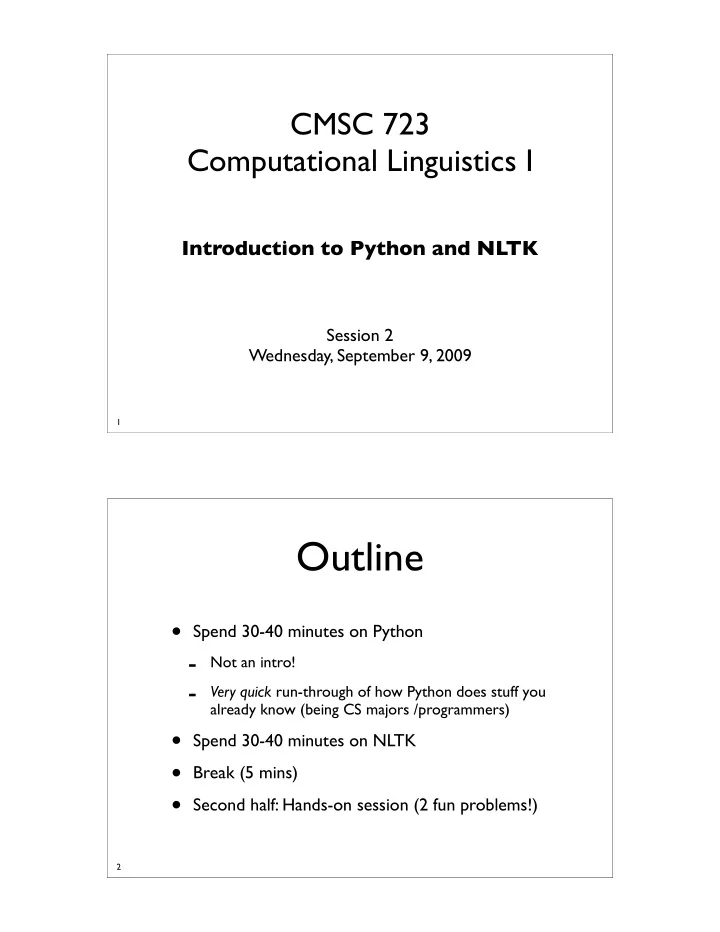
Outline Spend 30-40 minutes on Python - Not an intro! - Very - - PDF document

outline
SMART_READER_LITE
LIVE PREVIEW

Outline Spend 30-40 minutes on Python - Not an intro! - Very - - PDF document

CMSC 723 Computational Linguistics I Introduction to Python and NLTK Session 2 Wednesday, September 9, 2009 1 Outline Spend 30-40 minutes on Python - Not an intro! - Very quick run-through of how Python does stuff you already know


slide-1
SLIDE 1

CMSC 723 Computational Linguistics I

Introduction to Python and NLTK

Session 2 Wednesday, September 9, 2009

1

Outline

  • Spend 30-40 minutes on Python
  • Not an intro!
  • Very quick run-through of how Python does stuff you

already know (being CS majors /programmers)

  • Spend 30-40 minutes on NLTK
  • Break (5 mins)
  • Second half: Hands-on session (2 fun problems!)

2

slide-2
SLIDE 2

Python

3

Running Python

  • Download & install python
  • http://wiki.python.org/moin/BeginnersGuide/Download
  • Run interactive interpreter
  • Type python at command prompt
  • Run scripts
  • Type python script.py arg1 arg2 ...
  • Run scripts in interactive mode:
  • Type python -i script.py arg1 arg2 ...

4

slide-3
SLIDE 3

Why Python?

  • High-level Data Types
  • Automatic memory management
  • Intuitively Object Oriented
  • Powerful & versatile standard library
  • Native unicode support
  • Readable (even other people’s code!)
  • Easily extensible using C/C++

http://www.python.org/about/

5

The Zen of Python

  • No statement delimiters, e.g., semicolon
  • Code blocks are required to be indented
  • loops, conditional statements & functions
  • No curly braces or explicit begin/end
  • Everything is an object!
  • Can assign everything to a variable
  • Can pass everything to a function (even functions!)

http://www.python.org/doc/current/ref/indentation.html http://www.python.org/doc/current/ref/objects.html

6

slide-4
SLIDE 4

Python Datatypes

  • No explicit datatype declaration
  • An object has a fixed type, once assigned
  • Explicit conversion required
  • None (NULL object)

7

string literals comments built-in functions keywords ✞ ☎ >>> s1 = 'a string' # a string object >>> s2 = 123 # an integer object >>> s1 + s2 TypeError: cannot concatenate ’str’ and ’int’ objects >>> s1 +str(s2) # convert integer to string 'a string123' ✡ ✝ ✆

Datatypes: Lists

  • One of the most useful Python types
  • Analogous to Perl array and Java ArrayList

8

✞ ☎ >>> a = [1, 2, 3, 1, 5] # a list of 5 integers; can be anything >>> a[0] # lists are zero−indexed 1 >>> a[1:3] # the slice [a[1], a[2]] [2,3] >>> a[−1] # negative slicing − the last element of a 5 >>> 5 in a # membership test; returns built−in boolean True/False True >>> a.append(6) # list objects have methods; here’s one to append stuff >>> a [1, 2, 3, 1, 5, 6] ✡ ✝ ✆

slide-5
SLIDE 5

Datatypes: Lists

  • One of the most useful Python types
  • Analogous to Perl array and Java ArrayList

9

✞ ☎ >>> a.insert(2, 7) # insert 7 at position 3 (2+1) >>> a [1, 2, 7, 3, 1, 5, 6] >>> len(a) # how many elements in a ? 7 >>> a.extend([8, 9]) # concatenate with another list >>> a += [10] # same as a.extend([10]) >>> a [1, 2, 7, 3, 1, 5, 6, 8, 9, 10] >>> a.remove(1) # remove first occurrence of 1; raise exception if none >>> a [2, 7, 3, 1, 5, 6, 8, 9, 10] ✡ ✝ ✆

Datatypes: Lists

  • One of the most useful Python types
  • Analogous to Perl array and Java ArrayList

10

✞ ☎ >>> a [2, 7, 3, 1, 5, 6, 8, 9, 10] >>> a.sort() # sort ascending in place >>> a [1, 2, 3, 5, 6, 7, 8, 9, 10] >>> a.pop(0) # pop and return the 1st element 1 >>> a.sort(reverse=True) # sort descending >>> a [10, 9, 8, 7, 6, 5, 3, 2] >>> a[1:3] ∗ 3 # concatenate three copies of this slice [9, 8, 9, 8, 9, 8] ✡ ✝ ✆

slide-6
SLIDE 6

Datatypes: Tuples

  • Cannot be changed once created (immutable)
  • Method-less objects

11

✞ ☎ >>> t = (1, 2, 3) # parens instead of square brackets >>> t[1] # indexing works just likes lists 2 >>> t.append(4) # can’t do this ! AttributeError: ’tuple’ object has no attribute ’append’ >>> t.remove(1) # ... or this ! AttributeError: ’tuple’ object has no attribute ’remove’ >>> 3 in t # membership test still works True >>> t[:2] # so does slicing (1, 2) >>> t == tuple(list(t)) # tuples can be made into lists and vice versa True ✡ ✝ ✆

Datatypes: Dictionaries

  • Used in Assignment 1 to encode graph
  • Analogous to Perl hash and Java HashTable

12

✞ ☎ >>> d1 = {'a':1, 'b':2, 'c':3} # comma−separated key:value pairs >>> d1['b'] # look up the value for a given key 2 >>> 'f' in d1 # check key membership False >>> d2 = dict([('a', 1), ('b', 2), ('c', 3)]) # create using a list of tuples >>> d1 == d2 True >>> d1.keys() # list of all the keys ['a', 'b', 'c'] >>> d1.values() # list of all the values [1, 2, 3] ✡ ✝ ✆

slide-7
SLIDE 7

Datatypes: Dictionaries

  • Used in Assignment 1 to encode graph
  • Analogous to Perl hash and Java HashTable

13

✞ ☎ >>> d1.items() # get list of (key, value) tuples [('a',1), ('b',2), ('c',3)] >>> del d1['b'] # delete item by key >>> d1 {'a': 1, 'c': 3} >>> d1.clear() # clear everything >>> d1 {} >>> d1[[1,2,3]] = 1 # keys must be immutable; lists are out TypeError: list objects are unhashable ✡ ✝ ✆

Datatypes: Strings

  • Also immutable
  • Fundamental datatype for this class

14

✞ ☎ >>> s1 = 'my name is Nitin' # can use single quotes ... >>> s2 = "my name is Nitin" # ... or double quotes >>> s3 = "what's your name" # use double to quote single (& vice versa) >>> s3 += '?' # create new string, perform concatenation, overwrite s3 >>> s1∗2 # replicate and concatenate 'my name is Nitinmy Name is Nitin' >>> s1[5:10] # slicing works 'me is' >>> len(s1) # how many characters in string s1 ? 16 >>> str(45) # convert to string '45' ✡ ✝ ✆

slide-8
SLIDE 8

Datatypes: Strings

  • Also immutable
  • Fundamental datatype for this class

15

✞ ☎ >>> s4 = 'line1' + '\n' + 'line' + '\t' + '2' # newline and tab >>> print s4 # print the string to STDOUT; more on this later line1 line 2 >>> s5 = r'line1\nline\t2' # raw string − I want backslashes (regexps) >>> print s5 line1\nline\t2 >>> s6 = u'Pˇ stros s pˇ strosic´ ı a mal´ ymi pˇ stros´ aˇ caty' # unicode >>> s7 = ' foo-bar \n' >>> s8 = s7.strip() # strip all whitespace from both ends >>> print s8 foo−bar >>> print s8.rstrip('-bar') # Can strip any characters from either end foo ✡ ✝ ✆

Datatypes: Strings

  • Also immutable
  • Fundamental datatype for this class

16

✞ ☎ >>> s1.split() # split string at whitespace into list of words ['my', 'name', 'is', 'Nitin'] >>> 'state-of-the-art'.split('-') # can split at any character ['state', 'of', 'the', 'art'] >>> ' '.join(['state', 'of', 'the', 'art']) # join list into string 'state of the art' >>> '|'.join(['state', 'of', 'the', 'art']) # can use any character 'state|of|the|art' >>> ' '.join([1, 2, 3]) # need list of strings ! TypeError: expected string, int found ✡ ✝ ✆

slide-9
SLIDE 9

Datatypes: Sets

  • Python provides a native set datatype

17

✞ ☎ >>> a = set([1, 2, 3, 4, 4, 3, 2]) # build a set from a list >>> print a # no duplicates set([1, 2, 3, 4]) >>> b = set([]) # create empty set >>> b.add(1) # add element >>> b.add(5) >>> print a.union(b) # supports all set operations as methods set([1, 2, 3, 4, 5]) >>> print a.intersection(b) set([1]) >>> print a.difference(b) set([2, 3, 4]]) ✡ ✝ ✆

Loops and conditionals

18

for loop if-then statement while loop

✞ ☎ i = 0

  • ut = []

>>> while i <= 10:

  • ut.append(i)

i += 1 ✡ ✝ ✆ ✞ ☎

  • dd, even = [], [] # init two empty lists

>>> for i in [1, 2, 3, 4, 5]: if i % 2:

  • dd.append(i)

else: even.append(i) ✡ ✝ ✆ ✞ ☎

  • ut = []

>>> for i in [1, 2, 3, 4, 5]: # note the colon ...

  • ut.append(i+i) # ... & the indentation (usually 4 spaces)

✡ ✝ ✆

slide-10
SLIDE 10

Functions

  • Arguments and return values not typed
  • Default return value: None

19

✞ ☎ >>> def fib(n): # generate the nth fibonacci number if n == 1 or n == 2: # note indentation again return 1 else: return fib(n−1) + fib(n−2) >>> fib(4) 3 >>> fib(5) 5 ✡ ✝ ✆

Classes

  • Define your own or inherit
  • No need for interfaces or headers

20

✞ ☎ >>> class complex: # define a complex number class; note indentation # the constructor method def __init__(self, a, b): #1st argument is always instance pointer self.a = a self.b = b def __str__(self): # how to print a complex number return '%d + %di' % (self.a, self.b) def add(self, other): # add another complex number return complex(self.a + other.a, self.b + other.b) ✡ ✝ ✆

slide-11
SLIDE 11

Classes

  • Define your own or inherit
  • No need for interfaces or headers

21

✞ ☎ >>> c = complex(3,5) # create a complex number instance >>> print c 3 + 5i >>> d = complex(4,3) >>> print c.add(d) 7 + 8i ✡ ✝ ✆

Printing Stuff

  • Invaluable for debugging
  • Use format strings for more control

22

✞ ☎ >>> i = 10 >>> s = 'string' >>> f = 35123.4 >>> print i, f, s # print variables with a space between them 10 35123.4 string >>> print "i = %d, f = %f, s = %s" % (i, f, s) # format strings i = 10, f = 35123.400000, s = string ✡ ✝ ✆

slide-12
SLIDE 12

File I/O

23

✞ ☎ >>> f = open('foo.txt','r') # open foo.txt for reading >>> linelist = f.readlines() # read all lines into a list; or ... >>> for line in f: # .. iterate over each individual line print line >>> f.close() # close file >>> f = open('bar.txt','w') # open for writing; overwritten if exists >>> f.write('first line\n') >>> f.writelines(['second line\n', 'third line\n']) # write lines >>> f.write('%dth line\n' % 4) # use format strings with other types >>> f.close() >>> f = open('bar.txt','a') # append, not overwrite >>> f.write('fifth line\n') >>> f.close() ✡ ✝ ✆

Python Modules

  • Write functions and definitions once; reuse
  • Python standard library

24

✞ ☎ >>> import math # import standard math module into memory >>> math.pi 3.1415926535897931 >>> math.log10(100) 2.0 >>> from random import randint # import specific function from module >>> randint(0, 100) # generate random integer >=0 and <=100 33 ✡ ✝ ✆

slide-13
SLIDE 13

Python Modules

  • Write functions and definitions once; reuse
  • Python standard library

25

http://docs.python.org/modindex.html

✞ ☎ >>> import sys >>> type(sys.argv) # list of arguments passed; argv[0] = script name <type 'list'> >>> for line in sys.stdin: # sys.stdin is a stream just like a file print line >>> sys.stdout.write('The %s is %d\n' % ('answer',42)) # so is stdout The answer is 42 ✡ ✝ ✆

Python Modules

  • Write functions and definitions once; reuse
  • Python standard library

26

✞ ☎ >>> import re # module handing regular expressions >>> sent = 'The Olympics or the olympics ?' >>> pat = r'[oO]lympics' # better to use raw strings >>> m = re.search(pat, sent) # a ”match object” >>> print m.span(), m.group() (4,12) Olympics >>> m = re.match(pat, sent) # match vs search. >>> m == None # Why doesn't this work ? True >>> print re.findall(pat, sent) # find ALL matches ['Olympics','olympics'] >>> pat = r'([Oo])lympics') # find sub−matches as well >>> m = re.search(pat,sent); print m.group(), m.group(1) Olympics O ✡ ✝ ✆

slide-14
SLIDE 14

Python Modules

  • Write functions and definitions once; reuse
  • Python standard library

27

http://docs.python.org/lib/module-re.html

# Build a regexp to extract all occurrences of 'the' below; use re.findall >>> sent = 'Another man said;the woman was Gaia_The_Oracle' >>> pat = r'[tT]he' >>> pat = r'\b[tT]he\b' >>> pat = r'[^a-zA-Z][tT]he[^a-zA-Z]' >>> print re.findall(pat, sent) [';the ', '_The_'] # Whoops ! Don't need the context! >>> pat = r'[^a-zA-Z]([tT]he)[^a-zA-Z]' >>> print re.findall(pat, sent) ['the', 'The'] # Voila ! # Wrong! Also matches 'Another' # Still wrong! Doesn't match second 'The'

Python “Lifesavers”

28

Before Generate a list of numbers from m to n

✞ ☎ >>> out = [] >>> i = 0 >>> while i < 10:

  • ut.append(i)

i += 1 >>> print out [0, 1, 2, 3, 4, 5, 6, 7, 8, 9] ✡ ✝ ✆

slide-15
SLIDE 15

Python “Lifesavers”

28

After Generate a list of numbers from m to n

✞ ☎ >>> l = range(10) >>> print l [0, 1, 2, 3, 4, 5, 6, 7, 8, 9] ✡ ✝ ✆

Python “Lifesavers”

29

Before Create new lists from a given list

✞ ☎ >>> nums = range(1, 11) # 1..10 >>> odd, even = [], [] >>> for n in nums: if n % 2:

  • dd.append(n)

else: even.append(n) >>> print odd [1, 3, 5, 7, 9] >>> print even [2, 4, 6, 8, 10] ✡ ✝ ✆

slide-16
SLIDE 16

Python “Lifesavers”

29

After Create new lists from a given list

✞ ☎ >>> nums = range(1, 11) >>> odd = [n for n in nums if n % 2] # a ”list comprehension” >>> even = [n for n in nums if n not in odd] >>> print odd [1, 3, 5, 7, 9] >>> print even [2, 4, 6, 8, 10] ✡ ✝ ✆

Python “Lifesavers”

30

Before Read all lines from a file that start with an ‘a’ & strip newlines

✞ ☎ >>> lines = [] >>> f = open('file.txt','r') >>> for line in f: line = line.strip() if line[0] == 'a': lines.append(line) ✡ ✝ ✆

slide-17
SLIDE 17

Python “Lifesavers”

30

After Read all lines from a file that start with an ‘a’ & strip newlines

✞ ☎ >>> f = open('file.txt','r') # list comprehensions and string methods to the rescue ! >>> lines = [line.strip() for line in f if line.startswith('a')] ✡ ✝ ✆

Python “Lifesavers”

31

Before ‘Find full paths for all files in a directory that match the pattern ‘A[0-9].txt’

✞ ☎ >>> import os, re >>> files = [] >>> for f in os.listdir('/courses/cmsc723'): if re.match(r'A[0-9].txt$',f): files.append(os.path.abspath(f)) ✡ ✝ ✆

slide-18
SLIDE 18

Python “Lifesavers”

31

After ‘Find full paths for all files in a directory that match the pattern ‘A[0-9].txt’

✞ ☎ >>> import glob >>> files = glob.glob('/courses/cmsc723/A[0-9].txt') ✡ ✝ ✆

Python “Lifesavers”

32

Before ‘Get a list of bigrams, i.e., overlapping two-word sequences, given a sentence’

✞ ☎ >>> s = 'This is a sentence' >>> words = s.split() >>> bigrams = [] >>> for i in range(len(words)−1): bigrams.append(' '.join(words[i:i+2])) >>> bigrams ['This is', 'is a', 'a sentence'] ✡ ✝ ✆

slide-19
SLIDE 19

Python “Lifesavers”

32

After ‘Get a list of bigrams, i.e., overlapping two-word sequences, given a sentence’

✞ ☎ >>> s = 'This is a sentence' >>> words = s.split() >>> bigrams = zip(words,words[1:]] # Think of a regular zipper! >>> bigrams [('This', 'is'), ('is', 'a'), ('a', 'sentence')] >>> bigrams = [' '.join(t) for t in bigrams] ✡ ✝ ✆

NLTK

The Natural Language ToolKit

[ http://www.nltk.org/download ]

33

slide-20
SLIDE 20

Why NLTK ?

34

  • Fully self-contained natural language toolkit
  • About 50 corpora with real-world data

Some POS-tagged as well as parsed

  • Tools & Visualizers

Tokenizers, taggers, parsers, stemmers, classifiers

  • Semantic & lexical resources (WordNet)

Using NLTK

  • Single top-level module
  • Everything accessible after single import

35

>>> import nltk # import top−level namespace and you are done !

slide-21
SLIDE 21

NLTK Corpora

  • ~50 corpora bundled with NLTK
  • Most contain multiple files (some have sections)

36

http://www.nltk.org/data

>>> import nltk >>> from nltk.corpus import gutenberg # The Gutenberg corpus >>> gutenberg.fileids() # the texts included in this corpus ('austen-emma.txt', 'austen-persuasion.txt' . . . ) >>> gutenberg.words('austen-emma.txt') # list of words in ”Emma” ['[', 'Emma', 'by', 'Jane', 'Austen', '1816', ']', . . . ] >>> gutenberg.sents('austen-emma.txt') # list of word lists [['[', 'Emma', 'by', 'Jane', 'Austen', '1816', ']'], ['VOLUME', 'I'], . . . ]

NLTK Corpora

  • ~50 corpora bundled with NLTK
  • Most contain multiple files (some have sections)

37

http://www.nltk.org/data

>>> import nltk >>> from nltk.corpus import brown # The Brown corpus >>> brown.categories() # the brown corpus is divided into ... ['adventure', 'belles_lettres', 'editorial', . . . , 'science_fiction'] >>> brown.fileids() # multiple files make up each section ... ('ca01', 'ca02', 'ca03', 'ca04', 'ca05', . . . , 'cr09') >>> brown.words(categories='news') # list of words in section 'news' ['The', 'Fulton', 'County', 'Grand', 'Jury', 'said', . . . ] >>> brown.tagged_words(categories='news') # list of word/tag tuples [('The', 'AT'), ('Fulton', 'NP-TL'), . . . ] >>> brown.sents(categories='news') # list of word lists >>> brown.tagged_sents(categories='news') # list of word/tag tuple lists

slide-22
SLIDE 22

Counting in NLTK

  • Frequency and Conditional Frequency
  • First class objects

38

>>> import nltk >>> from nltk.corpus import brown >>> fd = nltk.FreqDist() # Instantiate a FreqDist object >>> for sent in brown.sents(categories='news'): # frequency of lengths fd.inc(len(sent)) # increment count for this length >>> print len(fd) # how many different lengths are there ? 73 >>> print fd.max() # the most frequent length 20 >>> for length, count in fd.items()[1:3]: # iteration is ordered print length, count # next 2 most common lengths 17 164 23 158 >>> print fd.hapaxes() # hapax legomena: things only said once [66, 72, 83, 84, 96, 102]

Counting in NLTK

  • Frequency and Conditional Frequency
  • First class objects

39

>>> import nltk >>> from nltk.corpus import brown >>> cfd = nltk.ConditionalFreqDist() >>> ambiguous_words = ['bank', 'duck', 'hand'] >>> for (word, tag) in brown.tagged_words(): # use all sections if word.lower() in ambigious_words: # lowercase word cfd[word].inc(tag) # count tag given word >>> for aw in ambiguous_words: print aw, cfd[aw] bank <FreqDist: 'NN': 54> duck <FreqDist: 'VB': 7, 'NN': 2> hand <FreqDist: 'NN': 410, 'VB': 7, 'NN-HL': 1>

slide-23
SLIDE 23

Remember Zipfians?

  • Introduced in first session
  • Also in ACM Crossroads article (assigned reading)

40

“Few things are very frequent, Most are infrequent” “Long Tail” “Power Law Distribution”

!"#"!$%&'%()* $"#"$+(, )"#")-(./+(/

f.r = c ⇒ f = c r

Plotting in NLTK

  • Use Matplotlib
  • Let’s verify Zipf’s law for various sections

41

>>> import nltk >>> from nltk.corpus import brown >>> import matplotlib >>> matplotlib.use('TkAgg') # use a cross−platform backend >>> from matplotlib.pyplot import plot, loglog, show >>> fd = nltk.FreqDist() # Instantiate a FreqDist object >>> for word in brown.words(categories='news'): # iterate over words fd.inc(word) # increment count for this word >>> freqs = [t[1] for t in fd.items()] >>> ranks = range(len(freqs)) >>> plot(ranks, freqs) # regular plot >>> show() >>> loglog(ranks, freqs) # log−log plot >>> show()

slide-24
SLIDE 24

Plotting in NLTK

42

Regular Log-Log

NEWS

Plotting in NLTK

43

Regular Log-Log

FICTION

slide-25
SLIDE 25

Hands-on Session

44

Problem 1

“Spin Alley”

45

Given a corpus of presidential state of the union addresses, find out how many times each president used the words below and draw histograms (without using matplotlib): (a) war (b) economy (c) change (d) bipartisan

Note: You may restrict yourself to the last 6 U.S. Presidents

slide-26
SLIDE 26

To start you off ...

46

>>> import nltk # define president names (preferably like the way are used in the filenames) # a list of the words that interest us >>> query_words = ['war', 'economy', 'change', 'bipartisan'] # State of the Union corpus and all its speeches; note naming convention >>> from nltk.corpus import state_union as su # shorter name for convenience >>> print su.fileids() # EXAMINE THE FILENAMES CLOSELY! ('1945-Truman.txt', '1946-Truman.txt', . . . , '2006-GWBush.txt') >>> presidents = ['Ford', 'Carter', 'Reagan', 'Bush', 'Clinton', 'GWBush']

Solution Stub

47

1

Locate and store the speeches for each president

2

Conditional-count by iterating over all the words

HINT: Make sure you are counting the “right form” of words

3

Plot the histograms using the counts

HINT: How does a histogram relate to a native Python datatype?

A solution, not necessarily the most efficient one.

slide-27
SLIDE 27

Time to code!

I’ll reveal a part of the solution every 5 minutes! Final solution at the end!

48

Solution

49

[ ]

1 2

# Do the counting cfd = nltk.ConditionalFreqDist() for prez, speechlist in speechdict.items(): for speech in speechlist: for word in su.words(speech): word = if word in query_words: cfd[word].inc(prez) word.lower() # Locate the speeches for each president speechdict = {} for p in presidents: speechdict[p] = x for x in su.fileids() if p in x.rstrip('.txt').split('-')

slide-28
SLIDE 28

Solution

50

3

Voila! We’re Done! Let’s run it and see what happens!

# we now have a cfd and all we need to do is to print out # the statistics for each query word >>> for word in query_words: print 'Query:', word, '\n' for president, count in cfd[word].items(): print'%7s %2d %s' % (president, count, '#'∗count)

51

slide-29
SLIDE 29

Problem 2

“Name That Bill”

52

Download the two data files from the course webpage. Each file contain congressional speeches on a specific bill from 2005-2006 (109th Congress). Provide your best estimate as to what each bill is about.

2 Note that each file in the directory is a speech

about the bill.

1 Unzip each file and examine the resulting directories

Solution Stub

53

HINT 1: What’s the simplest feature we could use to get an idea of the bill topic? HINT 2: Do all of the words in the speeches carry semantic content? What about non-words? And even some content words may just get in the way. HINT 3: You might need to use twice as big a feature from Hint 1 for the second bill.

A solution, not necessarily the best one.

slide-30
SLIDE 30

To start you off ...

54

>>> import nltk

The rest of what you need has already been covered in this lecture

# List of function/non−content words in NLTK >>> from nltk.corpus import stopwords >>> stopwords = stopwords.words('english')

Time to code!

I’ll reveal a part of the solution every 5 minutes! Final solution at the end!

55

slide-31
SLIDE 31

Solution

56

[ ]

1

[ ]

2

zip(content_words, content_words[1:]) # Figure out what words to filter stopwords = stopwords.words('english') # incl. useless content words stopwords += 'mr.', 'chairman', 'madam', 'yield', 'speaker', 'gentleman' # Iterate over the files in each dir and count bigrams fd = FreqDist() path = '/Users/nmadnani/Desktop/1' # or whatever path you have for f in glob.glob('%s/*.txt' % path): line = open(f).read().strip() words = line.split() # Figure out the useful words in the sentence content_words = # Count the bigrams content_bigrams = for cb in content_bigrams: fd.inc(cb) x for x in words if x not in stopwords and \ not re.search('[^a-zA-Z]', x)

Solution

57

3

Voila! We’re Done! Let’s run it and see what happens!

# Print out the top 10 bigrams which should tell us about the bill for w in fd.keys()[:10]: print ’ ’.join(w)

slide-32
SLIDE 32

Bill 1

58

health care, health insurance, small businesses, small business, health plans, association health, balance time, million people, number uninsured, underlying bill

Output Small Business Health Fairness Act of 2005 (HR 525)

To amend title I of the Employee Retirement Income Security Act of 1974 to improve access and choice for entrepreneurs with small businesses with respect to medical care for their employees. http://www.govtrack.us/congress/bill.xpd?bill=h109-525

Answer

Bill 2

59

real id, united states, id act, driver licenses, driver license, border security, homeland security, conference report, american people, national security

Output Answer Bill 2 REAL ID Act of 2005 (HR 418)

To establish and rapidly implement regulations for State driver's license and identification document security standards, to prevent terrorists from abusing the asylum laws of the United States, to unify terrorism-related grounds for inadmissibility and removal, and to ensure expeditious construction of the San Diego border fence http://www.govtrack.us/congress/bill.xpd?bill=h109-418.

slide-33
SLIDE 33

Questions?

60

✞ ☎ >>> import this >>> from __future__ import braces ✡ ✝ ✆

Python Easter Eggs! Try them out!

Useful Readings

61

  • Python style guide

http://www.python.org/doc/essays/styleguide.html

  • Python performance tips

http://wiki.python.org/moin/PythonSpeed/PerformanceTips

  • Mark Pilgrim’s Dive Into Python

http://diveintopython.org/toc/index.html

  • NLTK Book

http://www.nltk.org/book