Lecture 13 Lecture 13 2. B inary R epresentation Using Pointers - - PDF document

lecture 13 lecture 13
SMART_READER_LITE
LIVE PREVIEW

Lecture 13 Lecture 13 2. B inary R epresentation Using Pointers - - PDF document

1. Introduction Lecture 13 Lecture 13 2. B inary R epresentation Using Pointers with functions 3. H ardw are and S oftw are 4. H igh Level Languages Last time we saw how to use functions with 5. S tandard input and output


slide-1
SLIDE 1

1

1. Introduction 2. B inary R epresentation 3. H ardw are and S

  • ftw

are 4. H igh Level Languages 5. S tandard input and output 6. Operators, expression and statem ents 7. M aking Decisions 8. Looping 9. A rrays 10. B asics of pointers 11. S trings 12. B asics of functions 13. M

  • re about functions

14. Files 14. D ata S tructures 16. C ase study: lottery num ber generator

Lecture 13 Lecture 13

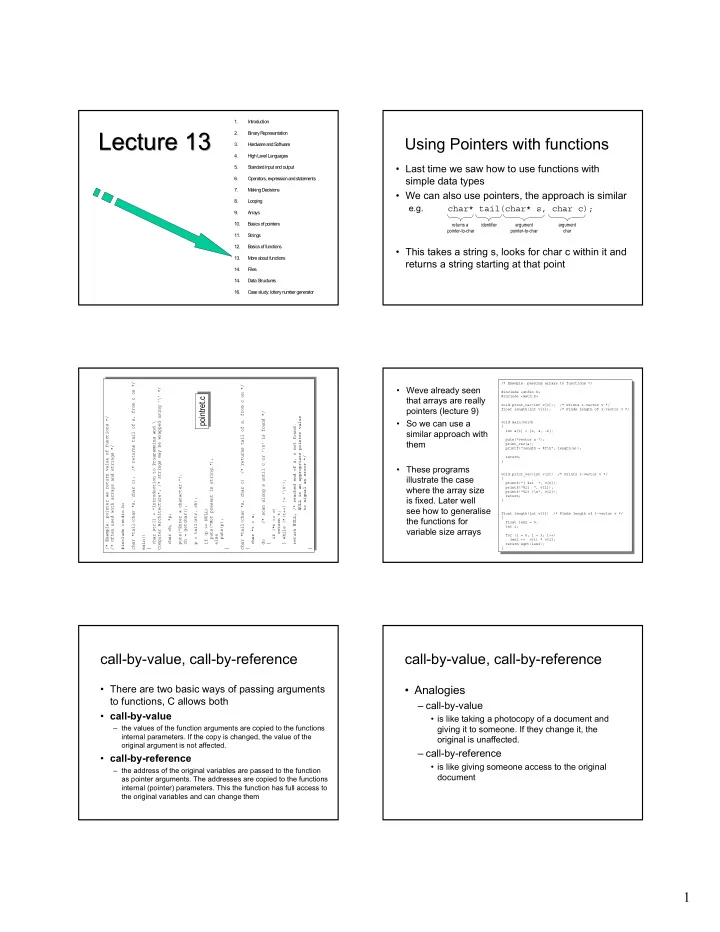
Using Pointers with functions

  • Last time we saw how to use functions with

simple data types

  • We can also use pointers, the approach is similar

e.g. char* tail(char* s, char c);

  • This takes a string s, looks for char c within it and

returns a string starting at that point

returns a pointer-to-char identifier argument pointer-to-char argument char

/* Example: pointer as return value of functions */ /* Often used with arrays and strings */ #include <stdio.h> char *tail(char *s, char c); /* returns tail of s, from c on */ main() { char str[] = "Introduction to Programming and \ Computer Architecture"; /* strings may be wrapped using '\' */ char ch, *p; puts("Enter a character:"); ch = getchar(); p = tail(str, ch); if (p == NULL) puts("Not present in string."); else puts(p); } char *tail(char *s, char c) /* returns tail of s, from c on */ { char *t = s; do /* scan along s until c or '\0' is found */ { if (*t == c) return t; } while (*(t++) != '\0'); return NULL; /* reached end of s, c not found. NULL is an appropriate pointer value to signal an error */ } /* Example: pointer as return value of functions */ /* Often used with arrays and strings */ #include <stdio.h> char *tail(char *s, char c); /* returns tail of s, from c on */ main() { char str[] = "Introduction to Programming and \ Computer Architecture"; /* strings may be wrapped using '\' */ char ch, *p; puts("Enter a character:"); ch = getchar(); p = tail(str, ch); if (p == NULL) puts("Not present in string."); else puts(p); } char *tail(char *s, char c) /* returns tail of s, from c on */ { char *t = s; do /* scan along s until c or '\0' is found */ { if (*t == c) return t; } while (*(t++) != '\0'); return NULL; /* reached end of s, c not found. NULL is an appropriate pointer value to signal an error */ }

pointret.c pointret.c

/* Example: passing arrays to functions */ #include <stdio.h> #include <math.h> void print_vec(int v[3]); /* Prints 3-vector v */ float length(int v[3]); /* Finds length of 3-vector v */ void main(void) { int a[3] = {2, 4, -6}; puts("vector a:"); print_vec(a); printf("length = %f\n", length(a)); return; } void print_vec(int v[3]) /* Prints 3-vector v */ { printf("[ %2i ", v[0]); printf("%2i ", v[1]); printf("%2i ]\n", v[2]); return; } float length(int v[3]) /* Finds length of 3-vector v */ { float len2 = 0; int i; for (i = 0; i < 3; i++) len2 += v[i] * v[i]; return sqrt(len2); } /* Example: passing arrays to functions */ #include <stdio.h> #include <math.h> void print_vec(int v[3]); /* Prints 3-vector v */ float length(int v[3]); /* Finds length of 3-vector v */ void main(void) { int a[3] = {2, 4, -6}; puts("vector a:"); print_vec(a); printf("length = %f\n", length(a)); return; } void print_vec(int v[3]) /* Prints 3-vector v */ { printf("[ %2i ", v[0]); printf("%2i ", v[1]); printf("%2i ]\n", v[2]); return; } float length(int v[3]) /* Finds length of 3-vector v */ { float len2 = 0; int i; for (i = 0; i < 3; i++) len2 += v[i] * v[i]; return sqrt(len2); }

  • Weve already seen

that arrays are really pointers (lecture 9)

  • So we can use a

similar approach with them

  • These programs

illustrate the case where the array size is fixed. Later well see how to generalise the functions for variable size arrays

call-by-value, call-by-reference

  • There are two basic ways of passing arguments

to functions, C allows both

  • call-by-value

– the values of the function arguments are copied to the functions internal parameters. If the copy is changed, the value of the

  • riginal argument is not affected.
  • call-by-reference

– the address of the original variables are passed to the function as pointer arguments. The addresses are copied to the functions internal (pointer) parameters. This the function has full access to the original variables and can change them

call-by-value, call-by-reference

  • Analogies

– call-by-value

  • is like taking a photocopy of a document and

giving it to someone. If they change it, the

  • riginal is unaffected.

– call-by-reference

  • is like giving someone access to the original

document

slide-2
SLIDE 2

2 call-by-value, call-by-reference

  • When to use which?

– For input

  • use call-by-value

– For output

  • if single value, use return value
  • if multiple values, use call-by-reference

– For input/output

  • use call-by-reference
  • However, with pointer arguments (strings, arrays)

your using call-by-reference anyway Function

input

  • utput

input/output

/* Example: function call by value and call by reference */ #include <stdio.h> void swap1(int a, int b); /* doesn't work */ void swap2(int *p1, int *p2); /* works properly */ main() { int x = 5, y = 6; printf("Initially: x = %i, y = %i\n", x, y); swap1(x, y); /* call by value */ printf("After swap1: x = %i, y = %i\n", x, y); swap2(&x, &y); /* call by reference */ printf("After swap2: x = %i, y = %i\n", x, y); } /* Call by value: the function argument is of a simple data type. Its value is copied to the corresponding function parameter. The copy may be changed, but on return the argument is

  • unaffected. Used for an "input-only" argument. */

void swap1(int a, int b) /* doesn't work */ { int temp; temp = a; /* this swaps the values of parameters a and b, */ a = b; /* but doesn't change the arguments x and y in main */ b = temp; return; } /* Call by reference: the function argument is a pointer (address of a variable). The function has full access to the "pointee", and can change its value. Used for an "input/output" or "output only" argument.*/ void swap2(int *p1, int *p2) /* works properly */ { int temp; temp = *p1; /* this swaps the values of "pointees" *p1 and *p2, */ *p1 = *p2; /* so changes x and y in main, as desired */ *p2 = temp; return; } /* Example: function call by value and call by reference */ #include <stdio.h> void swap1(int a, int b); /* doesn't work */ void swap2(int *p1, int *p2); /* works properly */ main() { int x = 5, y = 6; printf("Initially: x = %i, y = %i\n", x, y); swap1(x, y); /* call by value */ printf("After swap1: x = %i, y = %i\n", x, y); swap2(&x, &y); /* call by reference */ printf("After swap2: x = %i, y = %i\n", x, y); } /* Call by value: the function argument is of a simple data type. Its value is copied to the corresponding function parameter. The copy may be changed, but on return the argument is

  • unaffected. Used for an "input-only" argument. */

void swap1(int a, int b) /* doesn't work */ { int temp; temp = a; /* this swaps the values of parameters a and b, */ a = b; /* but doesn't change the arguments x and y in main */ b = temp; return; } /* Call by reference: the function argument is a pointer (address of a variable). The function has full access to the "pointee", and can change its value. Used for an "input/output" or "output only" argument.*/ void swap2(int *p1, int *p2) /* works properly */ { int temp; temp = *p1; /* this swaps the values of "pointees" *p1 and *p2, */ *p1 = *p2; /* so changes x and y in main, as desired */ *p2 = temp; return; }

swap.c swap.c

Scope of Variables

  • Most variables weve defined within main()
  • But they can also be defined in other

functions, inside blocks or even outside all functions i.e. global

  • Global variables

– variables declared at the start of the program,

  • utside all functions, are accessible to all functions

– Within each function you can redeclare them

  • Local Variables

– variables declared within a function or block { }, cease to exist after the block is left

Scope of Variables

  • The scope of a variable is the region of the

program where it is “visible”

– Global variables are visible throughout the program – Local variables are visible only within the block they were defined

  • If a local variable is declared with the same

identifier as a global variable, it “masks” the global one i.e. the global becomes temporarily invisible.

/* Example: global variables */ /* Like goto statements, global (external) variables may seem convenient, but experience shows they can cause many bugs. */ #include <stdio.h> void func1(void); void func2(void); int g = 523; /* global variable, visible throughout this file */ void main(void) { extern int g; /* not actually necessary, but good practice */ printf("[main]: g = %3i\n", g); g = 7; printf("[main]: g = %3i\n", g); func1(); printf("[main]: g = %3i\n", g); return; } void func1(void) { extern int g; /* not actually necessary, but good practice */ g += 100; printf("[func1]: g = %3i\n", g); func2(); printf("[func1]: g = %3i\n", g); return; } void func2(void) { extern int g; /* not actually necessary, but good practice */ g *= 2; printf("[func2]: g = %3i\n", g); return; } /* Example: global variables */ /* Like goto statements, global (external) variables may seem convenient, but experience shows they can cause many bugs. */ #include <stdio.h> void func1(void); void func2(void); int g = 523; /* global variable, visible throughout this file */ void main(void) { extern int g; /* not actually necessary, but good practice */ printf("[main]: g = %3i\n", g); g = 7; printf("[main]: g = %3i\n", g); func1(); printf("[main]: g = %3i\n", g); return; } void func1(void) { extern int g; /* not actually necessary, but good practice */ g += 100; printf("[func1]: g = %3i\n", g); func2(); printf("[func1]: g = %3i\n", g); return; } void func2(void) { extern int g; /* not actually necessary, but good practice */ g *= 2; printf("[func2]: g = %3i\n", g); return; } /* Example: local variable within a block */ #include <stdio.h> #define R 47.0 /* resistance */ void main(void) { float i; /* current */ float v = 12.0; /* voltage */ i = v/R; /* Ohm's law */ printf("Current = %7.4f A\n", i); { int i; /* A new variable, local to this block */ for (i = 10; i >= 0; i--) printf("%i ", i); putchar('\n'); } printf("Current = %7.4f A\n", i); return; } /* Example: local variable within a block */ #include <stdio.h> #define R 47.0 /* resistance */ void main(void) { float i; /* current */ float v = 12.0; /* voltage */ i = v/R; /* Ohm's law */ printf("Current = %7.4f A\n", i); { int i; /* A new variable, local to this block */ for (i = 10; i >= 0; i--) printf("%i ", i); putchar('\n'); } printf("Current = %7.4f A\n", i); return; }

global.c global.c local.c local.c

/* Example: scope of variables */ #include <stdio.h> void func1(void); void func2(void); /* The scope of a variable is the block in which it is declared. External (global) variables, declared at the start of the program

  • utside all blocks, are visible throughout the whole file. However,

they are masked by any local variable declared with the same

  • identifier. */

int a = 1; /* Global variables, visible throughout */ int b = 2; /* this file */ void main(void) { printf("[main]: a = %i, b = %i\n", a, b); func1(); func2(); printf("[main]: a = %i, b = %i\n", a, b); return; } void func1(void) { extern int a; /* The global "a" is visible here */ int b = 3; /* A new variable, local to func1 The global b is masked */ a++; printf("[func1]: a = %i, b = %i\n", a, b); return; /* local variable b is destroyed */ } void func2(void) { int a = 4; /* A new variable, local to func2 The global a is masked */ extern int b; /* The global "b" is visible here */ b++; printf("[func2]: a = %i, b = %i\n", a, b); return; /* local variable a is destroyed */ } /* Example: scope of variables */ #include <stdio.h> void func1(void); void func2(void); /* The scope of a variable is the block in which it is declared. External (global) variables, declared at the start of the program

  • utside all blocks, are visible throughout the whole file. However,

they are masked by any local variable declared with the same

  • identifier. */

int a = 1; /* Global variables, visible throughout */ int b = 2; /* this file */ void main(void) { printf("[main]: a = %i, b = %i\n", a, b); func1(); func2(); printf("[main]: a = %i, b = %i\n", a, b); return; } void func1(void) { extern int a; /* The global "a" is visible here */ int b = 3; /* A new variable, local to func1 The global b is masked */ a++; printf("[func1]: a = %i, b = %i\n", a, b); return; /* local variable b is destroyed */ } void func2(void) { int a = 4; /* A new variable, local to func2 The global a is masked */ extern int b; /* The global "b" is visible here */ b++; printf("[func2]: a = %i, b = %i\n", a, b); return; /* local variable a is destroyed */ }

scope.c scope.c

[main]: a = 1, b = 2 [func1]: a = 2, b = 3 [func2]: a = 4, b = 3 [main]: a = 2, b = 3 [main]: a = 1, b = 2 [func1]: a = 2, b = 3 [func2]: a = 4, b = 3 [main]: a = 2, b = 3

slide-3
SLIDE 3

3

Static Local Variables

  • If a local variable is

declared using the static keyword, its value is preserved when the block is left and reinstantiated when the block is re- entered

  • The opposite to this is

auto which is rarely used

/* Example: static local variables within a function */ #include <stdio.h> void add_one(void); void main(void) { int p; for (p = 0; p < 5; p++) add_one(); return; } void add_one(void) { auto int a = 0; /* the auto keyword is not actually needed */ static int b = 0; a++; b++; printf("a = %i, b = %i\n", a, b); return; } /* Example: static local variables within a function */ #include <stdio.h> void add_one(void); void main(void) { int p; for (p = 0; p < 5; p++) add_one(); return; } void add_one(void) { auto int a = 0; /* the auto keyword is not actually needed */ static int b = 0; a++; b++; printf("a = %i, b = %i\n", a, b); return; }

a = 1, b = 1 a = 1, b = 2 a = 1, b = 3 a = 1, b = 4 a = 1, b = 5 a = 1, b = 1 a = 1, b = 2 a = 1, b = 3 a = 1, b = 4 a = 1, b = 5

main() as a function

  • Main is a function too. It can accept

arguments for the operating system shell and can return a value to the shell

  • It can be declared as

main() void main(void) int main(void) int main(int argc, char* argv[])

  • Note that argv[0] is always present and contains the

name of the program so argc>=1

Returns an int to the shell (eg unix csh) Argument count N’ of arguments passed Argument vector (array of strings), the arguments from the shell

D:\a.out these are the command line arguments you can enter when you run the program The name of this program is a.out Argument #1 is these Argument #2 is are Argument #3 is the Argument #4 is command Argument #5 is line Argument #6 is arguments Argument #7 is you Argument #8 is can Argument #9 is enter Argument #10 is when Argument #11 is you Argument #12 is run Argument #13 is the Argument #14 is program D:\ D:\a.out these are the command line arguments you can enter when you run the program The name of this program is a.out Argument #1 is these Argument #2 is are Argument #3 is the Argument #4 is command Argument #5 is line Argument #6 is arguments Argument #7 is you Argument #8 is can Argument #9 is enter Argument #10 is when Argument #11 is you Argument #12 is run Argument #13 is the Argument #14 is program D:\ /* Example: main as a function */ /* Shows use of argc and argv[] and return value */ /* You can feed arguments from the operating system shell to main. At the Unix prompt, try entering: a.out 3 blind mice */ #include <stdio.h> #include <stdlib.h> int main(int argc, char *argv[]) { /* argc argument count: number of arguments given */ /* argv[] argument vector: array of argument strings */ int i; /* argv[0], the program's name, is always present */ printf("The name of this program is %s\n", argv[0]); for (i = 1; i < argc; i++) printf("Argument #%i is %s\n", i, argv[i]); /* You can return a value from main to the operating system shell. This is useful when the program is called from a shell script, to determine whether it completed properly or to return a value. */ return EXIT_SUCCESS; /* EXIT_SUCCESS and EXIT_FAILURE are defined in <stdlib.h> */ } /* Example: main as a function */ /* Shows use of argc and argv[] and return value */ /* You can feed arguments from the operating system shell to main. At the Unix prompt, try entering: a.out 3 blind mice */ #include <stdio.h> #include <stdlib.h> int main(int argc, char *argv[]) { /* argc argument count: number of arguments given */ /* argv[] argument vector: array of argument strings */ int i; /* argv[0], the program's name, is always present */ printf("The name of this program is %s\n", argv[0]); for (i = 1; i < argc; i++) printf("Argument #%i is %s\n", i, argv[i]); /* You can return a value from main to the operating system shell. This is useful when the program is called from a shell script, to determine whether it completed properly or to return a value. */ return EXIT_SUCCESS; /* EXIT_SUCCESS and EXIT_FAILURE are defined in <stdlib.h> */ }

main.c main.c

Exiting programs

  • The normal return value is zero, but it is

better to #include <stdlib.h> and return the value EXIT_SUCCESS (or EXIT_FAILURE is a problem occurs)

  • It is also possible to abort a program from

within a function using exit(EXIT_FAILURE);

  • Values returned to the shell are typically used

by shell scripts. Beyond the scope of this course

/* Example: aborting a program in an emergency, using exit */ #include <stdio.h> #include <stdlib.h> int quotient(int numer, int denom); int main(void) { int a, b, c; for (b = 5; b > -5; b--) for (a = 20; a > 0; a -= 5) { c = quotient(a, b); printf("%i/%i = %i\n", a, b, c); } return EXIT_SUCCESS; } int quotient(int numerator, int denominator) { if (denominator == 0) { puts("Error [quotient]: attempted division by zero"); exit(EXIT_FAILURE); /* value returned to the shell */ } else return numerator/denominator; } /* Example: aborting a program in an emergency, using exit */ #include <stdio.h> #include <stdlib.h> int quotient(int numer, int denom); int main(void) { int a, b, c; for (b = 5; b > -5; b--) for (a = 20; a > 0; a -= 5) { c = quotient(a, b); printf("%i/%i = %i\n", a, b, c); } return EXIT_SUCCESS; } int quotient(int numerator, int denominator) { if (denominator == 0) { puts("Error [quotient]: attempted division by zero"); exit(EXIT_FAILURE); /* value returned to the shell */ } else return numerator/denominator; }

exit.c exit.c