IC220 0010 (multiplicand) __x_1011 (multiplier) SlideSet #5: - - PowerPoint PPT Presentation

ic220
SMART_READER_LITE
LIVE PREVIEW

IC220 0010 (multiplicand) __x_1011 (multiplier) SlideSet #5: - - PowerPoint PPT Presentation

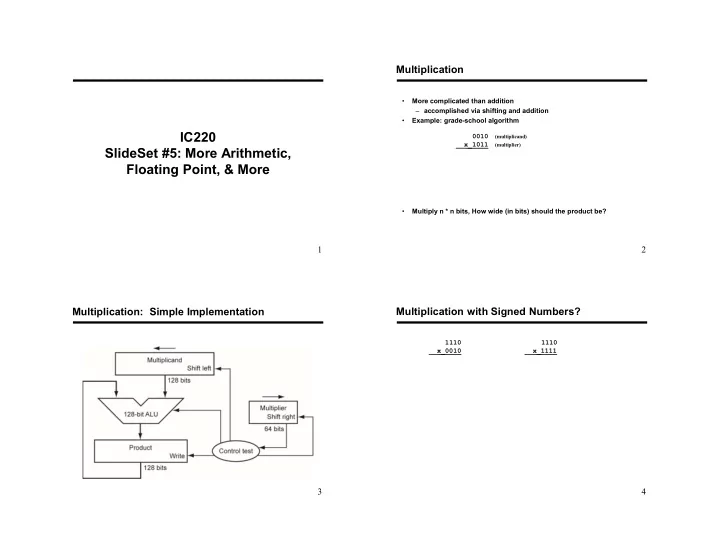
Multiplication More complicated than addition accomplished via shifting and addition Example: grade-school algorithm IC220 0010 (multiplicand) __x_1011 (multiplier) SlideSet #5: More Arithmetic, Floating Point, & More


slide-1
SLIDE 1

1

IC220 SlideSet #5: More Arithmetic, Floating Point, & More

2

  • More complicated than addition

– accomplished via shifting and addition

  • Example: grade-school algorithm

0010

(multiplicand)

__x_1011

(multiplier)

  • Multiply n * n bits, How wide (in bits) should the product be?

Multiplication

3

Multiplication: Simple Implementation

4

1110 1110 __x_0010 __x_1111

Multiplication with Signed Numbers?

slide-2
SLIDE 2

5

ARM Multiplication

  • Suppose x, y are in x0, x1
  • Compute x = y * 23
  • To get basic result (first 64 bits):

– Does not work with an immediate value – Does not set condition codes

  • To get next 64 bits of result:
  • Why is it (usually) okay to use only the lower 64 bits?

6

ARM Division

  • Implementation can actually use same shift/add hardware!

– See textbook for details

  • Instructions

sdiv x0, x1, x2 // x0 = x1 / x2 (signed) udiv x0, x1, x2 // x0 = x1 / x2 (unsigned)

  • How to compute remainder?

– e.g. inches = length % 12

7

Extra space

slide-3
SLIDE 3

9

Floating Point

  • We need a way to represent

– numbers with fractions, e.g., 3.1416 – very small numbers, e.g., .000000001 – very large numbers, e.g., 3.15576  1023

  • Representation:

– All numbers converted to binary floating point – sign, exponent, significand:

  • (–1)sign  significand  2exponent(some power)

– IEEE standard defines two common sizes:

  • float (32 bits)
  • double (64 bits)

10

IEEE754 Standard

31 30 29 28 . . . 21 20 19 18 17 . . . 9 8 7 6 5 4 3 2 1

S Exponent (11 Bits) Significand (20 bits)

31 30 29 28 27 26 25 24 23 22 21 20 . . . 9 8 7 6 5 4 3 2 1

S Exponent (8 Bits) Significand (23 bits)

Single Precision (float): 8 bit exponent, 23 bit significand Double Precision (double): 11 bit exponent, 52 bit significand

More Significand (32 more bits)

1 2 3 4 5 6 7 8 9 . . . 17 18 19 20 21 . . . 28 29 30 31

11

ARM Floating Point Instructions

  • Separate set of registers provides 32 ‘doubles’:

– D0, D1, …., D31

  • ‘float’ values stored in same physical registers, but only use

half of each register – S0, S1, … , S31 – S0 actually is the ‘lower half’ of D0, etc.

  • Arithmetic

FADD D0, D1, D2 FSUB D0, D1, D2 FMUL D0, D1, D2 FDIV D0, D1, D2

  • r with ‘float’

FADD S0, S1, S2

  • Do we need to look for “upper half” of results after FMUL?

12

Floating point and memory

  • Suppose X0 points to base of an array of doubles
  • D0 = array[2]
  • array[3] = D1

Can also do loads / stores with S0, S1, …. registers But how many bytes needed for float?

  • LDUR / STUR choose right opcode based on first register
  • Note that *integer* registers used for indexing
  • We will always use ‘double’ vice ‘float’ (to keep it simple)
slide-4
SLIDE 4

13

Example: print product, sum of two doubles

Bl helperGetDouble // result in D0 stur d0, [sp, #8] bl helperGetDouble // result in D0 stur d0, [sp, #16] // Reload values where I want them ldur d2, [sp, #8] ldur d3, [sp, #16] // Print product fmul d0, d2, d3 bl helperPrintDouble // prints value in d0 // Reload values, print sum ldur d2, [sp, #8] ldur d3, [sp, #16] fadd d0, d2, d3 bl helperPrintDouble // prints value in d0

14

Stored Program Concept

  • 1. Instructions represented in binary,

just like data

  • 2. Instructions and data stored in

memory Implications:

  • Programs can operate on programs

– e.g., compilers, linkers, …

  • Binary compatibility allows compiled

programs to work on different computers

– Standardized ISAs

15

  • ARM philosophy – small number of fast, simple operations

– Name: – Others: ARM, Alpha, RISC-V, SPARC

  • Design alternative:

– Name: – provide more powerful operations – goal is to reduce number of instructions executed – Example VAX: minimize code size, make assembly language easy instructions from 1 to 54 bytes long! – Others: x86, Motorola 68000 – Danger?

  • Virtually all new instruction sets since 1982 have been

Alternative Architectures

16

A dominant architecture: x86

  • See your textbook for a more detailed description
  • Complexity:

– Instructions from 1 to 15 bytes long – one operand must act as both a source and destination – one operand can come from memory – complex addressing modes e.g., “base or scaled index with 8 or 32 bit displacement”

  • Saving grace:

– Hardware: the most frequently used instructions are… – Software: compilers avoid the portions of the architecture… “what the x86 lacks in style it rectifies with market size, making it beautiful from the right perspective” (pg 162)