SLIDE 1
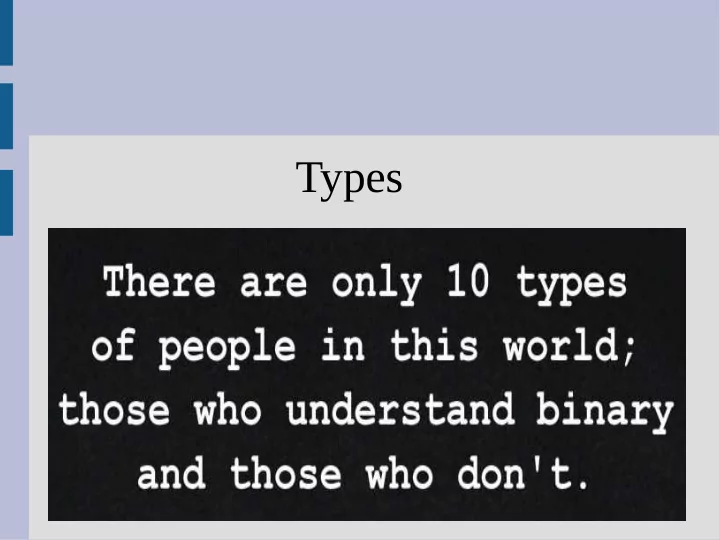
Types
SLIDE 2
Variables
We (hopefully) know that if you say: You ask the computer for a variable called x Each variable actually has an associated type describing what information it holds (i.e. what can you put in the box, how big is it, etc.)
SLIDE 3
Fundamental Types
bool - true or false char - (character) A letter or number int - (integer) Whole numbers long - (long integers) Larger whole numbers float - Decimal numbers double - Larger decimal numbers See: intVSlong.cpp
SLIDE 4 int vs long?
int - Whole numbers in the approximate range:
- 2.14 billion to 2.14 billions (109)
long - Whole numbers in the approximate range:
- 9.22 quintillion to 9.22 quintillion (1018)
Using int is standard (unless you really need more space, for example scientific computing)
SLIDE 5
float vs double?
SLIDE 6
float vs double?
float is now pretty much obsolete. double takes twice as much space in the computer and 1) has wider range and 2) is more precise
Bottom line: use double (unless for a joke)
SLIDE 7 float and double
Both stored in scientific notation double x = 2858291; Computer's perspective: x = 2.858291e6
x = 2.858291 * 106
SLIDE 8
Welcome to binary
Decimal: Binary: 1/2 = 0.5 0.1 1/3 = 0.3333333 0.010101010101 1/10 = 0.1 0.0001100110011 double is often just an approximation!
SLIDE 9
Numerical analysis
Field of study for (reducing) computer error See: subtractionError.cpp Can happen frequently when solving system of linear equations
SLIDE 10
bool
bool - either true or false You have the common math comparisons: > (greater than), e.g. 7 > 2.5 is true == (equals), e.g. 5 == 4 is false <= (less than or eq), e.g. 1 <= 1 is true Note: double equals ( == ) asks a question, a single equals ( = ) changes values
SLIDE 11
bool
You can use integers to represent bool also. false = 0 true = anything else (1 is what is stored) (You probably won't need to do this)
SLIDE 12
int or double?
If you are counting something (money), use int If you are dealing with abstract concepts (physics), use double
int doesn't make “rounding” mistakes
SLIDE 13
Double trouble!
(See: doubleTrouble.cpp)
SLIDE 14
Double trouble!
When comparing doubles, you should use check to see if relative error is small: fabs((x-y)/x) < 10E-10 (double has about 16 digits of accuracy so you could go to 10E-15 if you want) For comparing Strings, use: (0 if same) string1.compare(string2)
SLIDE 15
Primitive type hierarchy
bool < int < long < float < double If multiple primitive types are mixed together in a statement, it will convert to the largest type present Otherwise it will not convert type
SLIDE 16
Primitive type hierarchy
int x; double y; x+y int x; int y; x/y Converted to double Not converted (still int)
SLIDE 17 Integer division
See: simpleDivision.cpp Can be fixed by making one a double: 1/2.0
static_cast<double>(1)/2
SLIDE 18
Constants
You can also make a “constant” by adding const before the type This will only let you set the value once const double myPI = 3.14; myPI = 7.23; // unhappy computer!
SLIDE 19
Functions
Functions allow you to reuse pieces of code (either your own or someone else's) Every function has a return type, specifically the type of object returned sqrt(2) returns a double, as the number will probably have a fractional part The “2” is an argument to the sqrt function
SLIDE 20
Functions
Functions can return void, to imply they return nothing (you should not use this in an assignment operation) The return type is found right before the functions name/identifier. int main() { ... means main returns an int type, which is why we always write return 0 and not return 'a' (there is no char main())
SLIDE 21
Functions
A wide range of math functions are inside <cmath> (get it by #include <cmath>; at top) We can use these functions to compute Snell's Law for refraction angle (See: math.cpp)