IC220 SlideSet #4: Procedures & Chapter 2 Finale (Sections - - PowerPoint PPT Presentation

ic220 slideset 4 procedures chapter 2 finale sections 2 8
SMART_READER_LITE
LIVE PREVIEW

IC220 SlideSet #4: Procedures & Chapter 2 Finale (Sections - - PowerPoint PPT Presentation

Addressing in Conditional Branches Read Section 2.10 of text! You should understand the basics of PC-relative addressing IC220 SlideSet #4: Procedures & Chapter 2 Finale (Sections 2.8) Stack Example Procedure Example


slide-1
SLIDE 1

IC220 SlideSet #4: Procedures & Chapter 2 Finale (Sections 2.8)

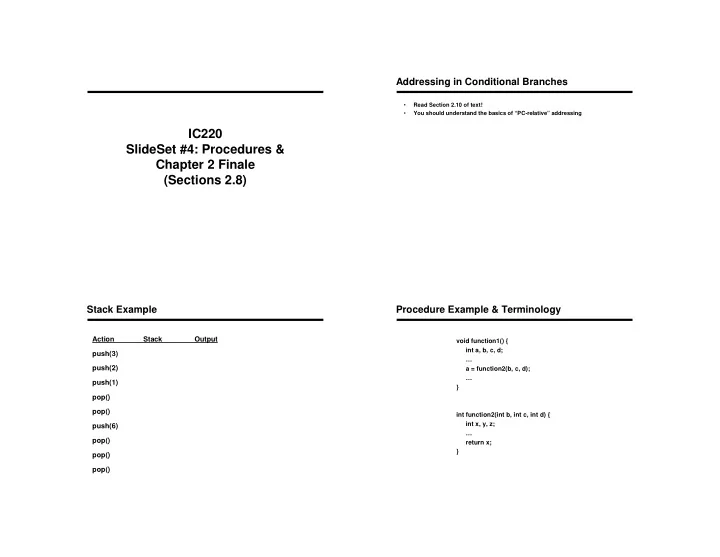
  • Read Section 2.10 of text!
  • You should understand the basics of “PC-relative” addressing

Addressing in Conditional Branches Stack Example

Action Stack Output push(3) push(2) push(1) pop() pop() push(6) pop() pop() pop()

Procedure Example & Terminology

void function1() { int a, b, c, d; … a = function2(b, c, d); … } int function2(int b, int c, int d) { int x, y, z; … return x; }

slide-2
SLIDE 2

Big Picture – Steps for Executing a Procedure

1. Place parameters where the callee procedure can access them

  • 2. Transfer control to the callee procedure
  • 3. (Maybe) Acquire the storage resources needed for the callee procedure
  • 4. Callee performs the desired task
  • 5. Place the result somewhere that the “caller” procedure can access it
  • 6. Return control to the point of origin (in caller)

Step #1: Placement of Parameters

  • Assigned Registers: _____, _____, _____, & _____
  • If more than four are needed?
  • Parameters are not “saved” across procedure call

Step #2: Transfer Control to the Procedure

  • jal –

– Jumps to the procedure address AND links to return address

  • Link saved in register _____

– What exactly is saved? – Why do we need this?

Allows procedure to be called at __________ points in code, _________ times, each having a _________ return address Step #3: Acquire storage resources needed by callee

  • Suppose callee wants to use registers $s1, s2, and $s3

– But caller still expects them to have same value after the call – Solution: Use stack to

  • Saving Registers $s1, $s2, $s3

addi _____,_____, ____# sw $s1, ___($sp) # sw $s2, ___($sp) # sw $s3, ___($sp) #

slide-3
SLIDE 3

Step #3 Storage Continued

Contents of register Contents of register Contents of register

Step #4: Callee Execution

  • Use parameters from _________________ and _________________

(setup by caller)

  • Temporary storage locations to use for computation:
  • 1. Temporary registers ($t0-$t9)
  • 2. Argument registers ($a0-$a3)

if…

  • 3. Other registers

but…

  • 4. What if still need more?

Step #5: Place result where caller can get it

  • Placement of Result

– Must place result in appropriate register(s)

  • If 32-bit value:
  • If 64-bit value:
  • Often accomplished by using the $zero register

– If result is in $t0 already then add ______, ______, $zero

Step #6: Return control to caller – Part A

Contents of register Contents of register Contents of register

  • Part I – Restore appropriate registers before returning from the procedure

– lw $s3, 0($sp) # restore register $s0 for caller – lw $s2, 4($sp) # restore register $t0 for caller – lw $s1, 8($sp) # restore register $t1 for caller – add $sp, $sp, ______ # adjust stack to delete 3 items

slide-4
SLIDE 4

Step #6: Return control to caller – Part B

  • Part II – Return to proper location in the program at the end of the

procedure – Jump to stored address of next instruction after procedure call

jr ________

Recap – Steps for Executing a Procedure

1. Place parameters where the callee procedure can access them

  • 2. Transfer control to the callee procedure
  • 3. (Maybe) Acquire the storage resources needed for the callee procedure
  • 4. Callee performs the desired task
  • 5. Place the result somewhere that the “caller” procedure can access it
  • 6. Return control to the point of origin (in caller)

Example – putting it all together

  • Write assembly for the following procedure

int dog (int n) { n = n + 7; return n; }

  • Call this function to compute dog(5):

EX: 2-31 to 2-33

return address ( function call ) frame pointer stack pointer global pointer reserved for OS temporary registers ( functions) saved registers (main program) temporary registers ( functions) arguments passed to function (or system call) returned values from functions ($v0 used to set value for system call) assembler temporary constant value 0

Usage

Yes

31 $ra

Yes

30 $fp

Yes

29 $sp

Yes

28 $gp

N/A

26-27 $k0 - $k1

No

24-25 $t8 - $t9

Yes

16-23 $s0 - $s7

No

8-15 $t0 - $t7

No

4-7 $a0 - $a3

No

2-3 $v0 - $v1

N/A

1 $at

N/A

$zero

Preserved on Call Reg# Name

Register Conventions

  • Register Convention – for “Preserved on Call” registers (like $s0):
  • 1. If used, the callee must store and return values for these registers
  • 2. If not used, not saved
slide-5
SLIDE 5

Nested Procedures

  • What if the callee wants to call another procedure – any problems?
  • Solution?
  • This also applies to recursive procedures

Nested Procedures

  • “Activation record” – part of stack holding procedures saved values and local

variables

  • $fp – points to first word of activation record for procedure

Example – putting it all together (again)

  • Write assembly for the following procedure

int cloak (int n) { if (n < 1) return 1; else return (n * dagger(n-1)); }

  • Call this function to compute cloak(6):

Example – putting it all together

cloak: addi $sp, $sp, -8 sw $ra, 4($sp) sw $a0, 0($sp) slti $t0, $a0, 1 beq $t0, zero, L1 addi $v0, $zero, 1 addi $sp, $sp, 8 jr $ra L1: addi $a0, $a0, -1 jal dagger lw $a0, 0($sp) mul $v0, $a0, $v0 # pretend lw $ra, 4($sp) addi $sp, $sp, 8 jr $ra int cloak (int n) { if (n < 1) return 1; else return (n * dagger(n-1)); }

slide-6
SLIDE 6

What does that function do?

int cloak (int n) { if (n < 1) return 1; else return (n * dagger(n-1)); }

MIPS Addressing Summary MIPS Memory Organization

  • MIPS philosophy – small number of fast, simple operations

– Name: – Others: ARM, Alpha, SPARC

  • Design alternative:

– Name: – provide more powerful operations – goal is to reduce number of instructions executed – Example VAX: minimize code size, make assembly language easy instructions from 1 to 54 bytes long! – Others: 80x86, Motorola 68000 – Danger?

  • Virtually all new instruction sets since 1982 have been

Alternative Architectures

slide-7
SLIDE 7

The Intel x86 ISA

  • Evolution with backward compatibility

– 8080 (1974): 8-bit microprocessor

  • Accumulator, plus 3 index-register pairs

– 8086 (1978): 16-bit extension to 8080

  • Complex instruction set (CISC)

– 8087 (1980): floating-point coprocessor

  • Adds FP instructions and register stack

– 80286 (1982): 24-bit addresses, MMU

  • Segmented memory mapping and protection

– 80386 (1985): 32-bit extension (now IA-32)

  • Additional addressing modes and operations
  • Paged memory mapping as well as segments

The Intel x86 ISA

  • Further evolution…

– i486 (1989): pipelined, on-chip caches and FPU

  • Compatible competitors: AMD, Cyrix, …

– Pentium (1993): superscalar, 64-bit datapath

  • Later versions added MMX (Multi-Media eXtension) instructions
  • The infamous FDIV bug

– Pentium Pro (1995), Pentium II (1997)

  • New microarchitecture (see Colwell, The Pentium Chronicles)

– Pentium III (1999)

  • Added SSE (Streaming SIMD Extensions) and associated

registers

– Pentium 4 (2001)

  • New microarchitecture
  • Added SSE2 instructions

The Intel x86 ISA

  • And further…

– AMD64 (2003): extended architecture to 64 bits – EM64T – Extended Memory 64 Technology (2004)

  • AMD64 adopted by Intel (with refinements)
  • Added SSE3 instructions

– Intel Core (2006)

  • Added SSE4 instructions, virtual machine support

– AMD64 (announced 2007): SSE5 instructions

  • Intel declined to follow, instead…

– Advanced Vector Extension (announced 2008)

  • Longer SSE registers, more instructions
  • If Intel didn’t extend with compatibility, its competitors would!

– Technical elegance market success

A dominant architecture: 80x86

  • See your textbook for a more detailed description
  • Complexity:

– Instructions from 1 to 17 bytes long – one operand must act as both a source and destination – one operand can come from memory – complex addressing modes e.g., “base or scaled index with 8 or 32 bit displacement”

  • Saving grace:

– Hardware: the most frequently used instructions are… – Software: compilers avoid the portions of the architecture… “what the 80x86 lacks in style is made up in quantity, making it beautiful from the right perspective”

slide-8
SLIDE 8

Chapter Goals

1.Teach a subset of MIPS assembly language 2.Introduce the stored program concept 3.Explain how MIPS instructions are represented in machine language 4.Illustrate basic instruction set design principles

Summary – Chapter Goals

  • (1) Teach a subset of MIPS assembly language

– Show how high level language constructs are expressed in assembly

  • Demonstrated selection (if, if/else) and repetition (for,

while) structures

  • MIPS instruction types
  • Various MIPS instructions & pseudo-instructions
  • Register conventions
  • Addressing memory and stack operations

MIPS

MIPS operands Name Example Comments $s0-$s7, $t0-$t9, $zero, Fast locations for data. In MIPS, data must be in registers to perform 32 registers $a0-$a3, $v0-$v1, $gp,

  • arithmetic. MIPS register $zero always equals 0. Register $at is

$fp, $sp, $ra, $at reserved for the assembler to handle large constants. Memory[0], Accessed only by data transfer instructions. MIPS uses byte addresses, so 2

30 memory Memory[4], ...,

sequential words differ by 4. Memory holds data structures, such as arrays, words Memory[4294967292] and spilled registers, such as those saved on procedure calls. MIPS assembly language Category Instruction Example Meaning Comments add add $s1, $s2, $s3 $s1 = $s2 + $s3 Three operands; data in registers Arithmetic subtract sub $s1, $s2, $s3 $s1 = $s2 - $s3 Three operands; data in registers add immediate addi $s1, $s2, 100 $s1 = $s2 + 100 Used to add constants load word lw $s1, 100($s2) $s1 = Memory[$s2 + 100] Word from memory to register store word sw $s1, 100($s2) Memory[$s2 + 100] = $s1 Word from register to memory Data transfer load byte lb $s1, 100($s2) $s1 = Memory[$s2 + 100] Byte from memory to register store byte sb $s1, 100($s2) Memory[$s2 + 100] = $s1 Byte from register to memory load upper immediate lui $s1, 100 $s1 = 100 * 2

16

Loads constant in upper 16 bits branch on equal beq $s1, $s2, 25 if ($s1 == $s2) go to PC + 4 + 100 Equal test; PC-relative branch Conditional branch on not equal bne $s1, $s2, 25 if ($s1 != $s2) go to PC + 4 + 100 Not equal test; PC-relative branch set on less than slt $s1, $s2, $s3 if ($s2 < $s3) $s1 = 1; else $s1 = 0 Compare less than; for beq, bne set less than immediate slti $s1, $s2, 100 if ($s2 < 100) $s1 = 1; else $s1 = 0 Compare less than constant jump j 2500 go to 10000 Jump to target address Uncondi- jump register jr $ra go to $ra For switch, procedure return tional jump jump and link jal 2500 $ra = PC + 4; go to 10000 For procedure call

Summary – Chapter Goals

(2) Stored Program Concept

  • Instructions are composed of bits / bytes / words
  • Programs are stored in memory

— to be read or written just like data

  • Fetch & Execute Cycle

– Instructions are fetched and put into a special register – Bits in the register "control" the subsequent actions – Fetch the “next” instruction and continue

Processor Memory memory for data, programs, compilers, editors, etc.
slide-9
SLIDE 9

Summary – Chapter Goals

  • (3) Explain how MIPS instructions are represented

in machine language – Instruction format and fields – Differences between assembly language and machine language – Representation of instructions in binary

  • p

rs rt rd shamt funct

  • p

rs rt 16 bit address

  • p

26 bit address R I J

Summary – Chapter Goals

  • (4) Illustrate basic instruction set design principles

1.

– Instructions similar size, register field in same place in each instruction format

2.

– Only 32 registers rather than many more

3.

– Providing for larger addresses and constants in instructions while keeping all instructions the same length

4.

– Immediate addressing for constant operands