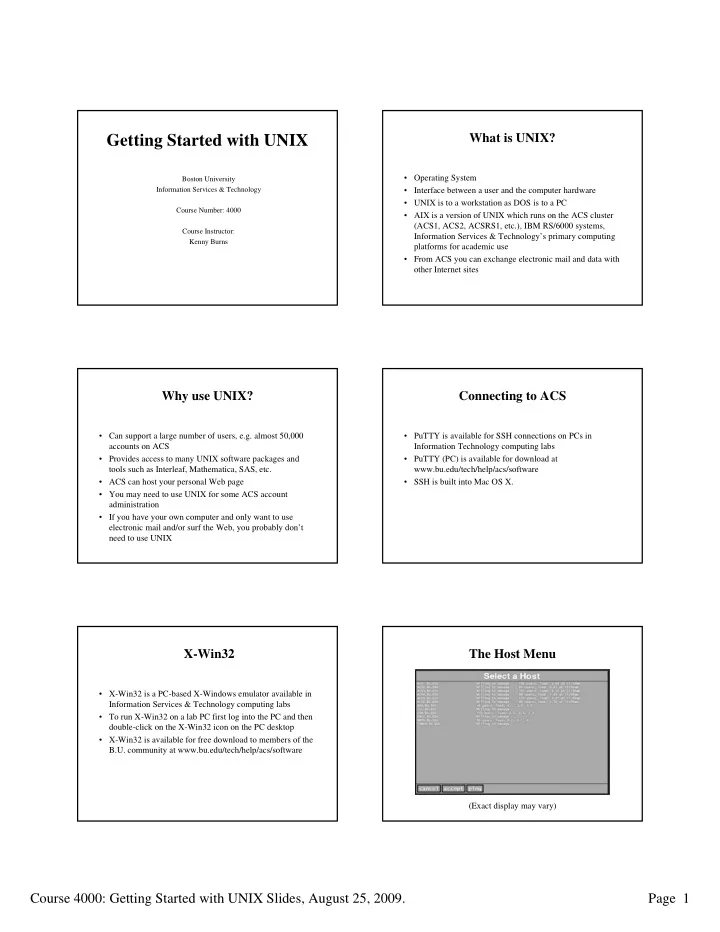
Getting Started with UNIX What is UNIX? Getting Started with UNIX - - PDF document

getting started with unix
SMART_READER_LITE
LIVE PREVIEW

Getting Started with UNIX What is UNIX? Getting Started with UNIX - - PDF document

What is UNIX? Getting Started with UNIX What is UNIX? Getting Started with UNIX Operating System Operating System Boston University Boston University Information Services & Technology Information Services & Technology


slide-1
SLIDE 1

Course 4000: Getting Started with UNIX Slides, August 25, 2009. Page 1

Getting Started with UNIX Getting Started with UNIX

Boston University Boston University Information Services & Technology Information Services & Technology Course Number: 4000 Course Number: 4000 Course Instructor: Course Instructor: Kenny Burns Kenny Burns

What is UNIX? What is UNIX?

  • Operating System

Operating System

  • Interface between a user and the computer hardware

Interface between a user and the computer hardware

  • UNIX is to a workstation as DOS is to a PC

UNIX is to a workstation as DOS is to a PC

  • AIX is a version of UNIX which runs on the ACS cluster

AIX is a version of UNIX which runs on the ACS cluster (ACS1, ACS2, ACSRS1, etc.), IBM RS/6000 systems, (ACS1, ACS2, ACSRS1, etc.), IBM RS/6000 systems, Information Services & Technology Information Services & Technology’ ’s primary computing s primary computing platforms for academic use platforms for academic use

  • From ACS you can exchange electronic mail and data with

From ACS you can exchange electronic mail and data with

  • ther Internet sites
  • ther Internet sites

Why use UNIX? Why use UNIX?

  • Can support a large number of users, e.g. almost 50,000

Can support a large number of users, e.g. almost 50,000 accounts on ACS accounts on ACS

  • Provides access to many UNIX software packages and

Provides access to many UNIX software packages and tools such as Interleaf, tools such as Interleaf, Mathematica Mathematica, SAS, etc. , SAS, etc.

  • ACS can host your personal Web page

ACS can host your personal Web page

  • You may need to use UNIX for some ACS account

You may need to use UNIX for some ACS account administration administration

  • If you have your own computer and only want to use

If you have your own computer and only want to use electronic mail and/or surf the Web, you probably don electronic mail and/or surf the Web, you probably don’ ’t t need to use UNIX need to use UNIX

Connecting to ACS Connecting to ACS

  • PuTTY

PuTTY is available for SSH connections on PCs in is available for SSH connections on PCs in Information Technology computing labs Information Technology computing labs

  • PuTTY

PuTTY (PC) is available for download at (PC) is available for download at www.bu.edu/tech/help/acs/software www.bu.edu/tech/help/acs/software

  • SSH is built into Mac OS X.

SSH is built into Mac OS X.

X X-

  • Win32

Win32

  • X

X-

  • Win32 is a PC

Win32 is a PC-

  • based X

based X-

  • Windows emulator available in

Windows emulator available in Information Services & Technology computing labs Information Services & Technology computing labs

  • To run X

To run X-

  • Win32 on a lab PC first log into the PC and then

Win32 on a lab PC first log into the PC and then double double-

  • click on the

click on the X X-

  • Win32

Win32 icon on the PC desktop icon on the PC desktop

  • X

X-

  • Win32 is available for free download to members of the

Win32 is available for free download to members of the B.U. community at B.U. community at www.bu.edu/t www.bu.edu/tech/help/acs/software ech/help/acs/software

The Host Menu The Host Menu

(Exact display may vary)

slide-2
SLIDE 2

Course 4000: Getting Started with UNIX Slides, August 25, 2009. Page 2

Entering the Username and Password Entering the Username and Password

(Note: The password will not be echoed to the screen)

The Kerberos Password The Kerberos Password

  • The primary safeguard for your account

The primary safeguard for your account

  • Case sensitive

Case sensitive

  • Must be ten to fifteen characters in length

Must be ten to fifteen characters in length

  • Must contain at least two changes in case

Must contain at least two changes in case

  • Must contain at least one digit or punctuation character

Must contain at least one digit or punctuation character

  • Cannot be a name or a word which appears in the

Cannot be a name or a word which appears in the dictionary dictionary

  • You should not share your password with anyone

You should not share your password with anyone

The X The X-

  • Windows Environment

Windows Environment

Console Window Icon Manager Work Window MOTD Window

Message of the Day (MOTD) Message of the Day (MOTD)

  • Message of the Day text

Message of the Day text

  • Notification of last login

Notification of last login

  • Setting terminal type

Setting terminal type

Welcome to the ACS cluster: * ACS - an IBM RS/6000 F50 running 32-bit AIX 5.2.0 * ACS1 - an IBM RS/6000 F50 running 32-bit AIX 5.2.0 * ACS2 - an IBM RS/6000 F50 running 32-bit AIX 5.2.0 * ACS3 - an IBM RS/6000 43P running 32-bit AIX 4.3.3 * ACS4 - an IBM RS/6000 615 running 64-bit AIX 5.2.0 * ACS5 - an IBM RS/6000 43P running 32-bit AIX 4.3.3 * ACS6 - an IBM RS/6000 43P running 32-bit AIX 4.3.3 Type "clustat" to see the status of the ACS machines. Use of this machine is governed by the Boston University Conditions of Use and Policy on Computing Ethics; see www.bu.edu/computing/ethics or type "ethics" for details. See www.bu.edu/cc for an introduction to the ACS cluster as well as detailed information on many services and applications. Problems or questions? Send mail to "help".

  • ----------------------------- System News -------------------------------

1 unsuccessful login attempt since last login. Last unsuccessful login: Wed Aug 12 17:04:27 2009 on /dev/pts/65 from ACSRS1.BU.EDU Last login: Fri Aug 21 17:00:41 2009 on /dev/pts/24 from ACSRS3.BU.EDU TERM = (vt100) acs[tuta0]%

Reading System Messages ( Reading System Messages (msgs msgs) )

  • Public messages regarding system matters, e.g. new

Public messages regarding system matters, e.g. new software, system downtime, etc. software, system downtime, etc.

  • Not to be confused with reading your personal e

Not to be confused with reading your personal e-

  • mail

mail

  • y

y Read message Read message

  • n

n Skip (flush) message Skip (flush) message

  • q

q Postpone reading messages Postpone reading messages

  • Messages longer than one screen are processed through the

Messages longer than one screen are processed through the more more program. Press

  • program. Press space

space to see the next screen or type to see the next screen or type q q to quit to quit

Logging out of UNIX Logging out of UNIX

  • Type

Type logout logout or

  • r exit

exit or

  • r Ctrl

Ctrl-

  • d

d

  • Control sequences are typed by holding down the

Control sequences are typed by holding down the Ctrl Ctrl key key and pressing the second key and pressing the second key

  • In an X

In an X-

  • Windows connection, you must log out from the

Windows connection, you must log out from the Console window in the upper left corner of your display Console window in the upper left corner of your display

  • Failure to properly log off the system may result in your

Failure to properly log off the system may result in your account being compromised! account being compromised!

  • Remember to log off a computing lab PC after exiting the

Remember to log off a computing lab PC after exiting the X X-

  • Win32 program

Win32 program

slide-3
SLIDE 3

Course 4000: Getting Started with UNIX Slides, August 25, 2009. Page 3

Special UNIX Control Characters Special UNIX Control Characters

  • Ctrl

Ctrl-

  • s

s Interrupt (pause) output to the screen Interrupt (pause) output to the screen

  • Ctrl

Ctrl-

  • q

q Resume output to the screen Resume output to the screen

  • Ctrl

Ctrl-

  • u

u Delete text to the beginning of the line Delete text to the beginning of the line

  • Ctrl

Ctrl-

  • c

c Interrupt or cancel a command Interrupt or cancel a command

  • Ctrl

Ctrl-

  • l

l Refresh the screen Refresh the screen

The UNIX File System The UNIX File System

/ (root) / (root) bin bin usr usr u2 u2 grad grad staff staff fac fac fred fred mary mary myfile myfile Other Other homework homework project project john business john business mary mary paper paper

/u2/grad /u2/grad /u2/grad/fred /u2/grad/fred (Home Directory) (Home Directory) /u2/grad/fred/Other/john /u2/grad/fred/Other/john /u2 /u2

Absolute and Relative Path Names Absolute and Relative Path Names

  • Absolute Path Name

Absolute Path Name

  • Always begins with a

Always begins with a “ “/ /” ”

  • Fully and uniquely describes a point in the file system

Fully and uniquely describes a point in the file system

  • Relative Path Name

Relative Path Name

  • Never begins with a

Never begins with a “ “/ /” ”

  • Describes a point in the file system relative to the

Describes a point in the file system relative to the current working directory current working directory

Directory Navigation Directory Navigation

  • pwd

pwd Display the name of the current Display the name of the current working directory working directory

  • cd

cd directory directory Change the current working directory Change the current working directory

  • cd

cd .. .. Change the current working directory Change the current working directory to the parent of the current directory to the parent of the current directory

  • cd

cd Change the current working directory Change the current working directory to the home directory to the home directory

  • mkdir

mkdir directory directory Create a new directory Create a new directory

  • rmdir

rmdir directory directory Remove an empty directory Remove an empty directory

Examining Directory Contents Examining Directory Contents

  • ls

ls List contents of the current working directory List contents of the current working directory

  • ls

ls – –a a List all contents, including hidden List all contents, including hidden “ “dot dot” ” files files

  • ls

ls – –l l List contents in long format List contents in long format

  • ls

ls – –F F List contents, marking special files: List contents, marking special files:

  • A trailing

A trailing “ “/ /” ” indicates a directory indicates a directory

  • A trailing

A trailing “ “* *” ” indicates an executable file indicates an executable file

  • These markers are not part of the filename!

These markers are not part of the filename!

  • Flags can be combined, e.g.

Flags can be combined, e.g. ls ls -

  • alF

alF

File Permissions File Permissions

r r Read permission Read permission w w Write (modify) permission Write (modify) permission x x Execute permission Execute permission

  • Permission Denied

Permission Denied

  • r w x r

r w x r -

  • x

x -

  • -
  • -
  • File Type User Group Other

File Type User Group Other

slide-4
SLIDE 4

Course 4000: Getting Started with UNIX Slides, August 25, 2009. Page 4

Changing File Permissions Changing File Permissions

Use the Use the chmod chmod command to change UNIX file permissions: command to change UNIX file permissions:

  • u

u Change permissions for the owner Change permissions for the owner

  • g

g Change permissions for the group Change permissions for the group

  • o
  • Change permissions for other

Change permissions for other

  • +

+ Add a permission Add a permission

  • -
  • Remove a permission

Remove a permission

  • r

r Read permission Read permission

  • w

w Write permission Write permission

  • x

x Execute permission Execute permission

Using the Using the chmod chmod Command Command

Examples of using the Examples of using the chmod chmod command: command:

  • chmod

chmod o

  • rx

rx filename filename (Remove read/execute permission for other) (Remove read/execute permission for other)

  • chmod

chmod u+rwx,go+rx u+rwx,go+rx filename filename (Add all for user, read/execute for group & other) (Add all for user, read/execute for group & other) (Note: no space after the comma!) (Note: no space after the comma!)

  • chmod

chmod o+rx .

  • +rx .

(Add read/execute for other on current directory) (Add read/execute for other on current directory)

Viewing Text (ASCII) Files Viewing Text (ASCII) Files

  • less

less filename filename View a text file, one page at a time View a text file, one page at a time

  • more

more filename filename Functions similar to Functions similar to less less command command

  • Space

Space Advance one screen Advance one screen

  • Return

Return Advance one line Advance one line

  • b

b Go back one screen Go back one screen

  • q

q Quit Quit

Lab Exercise One Lab Exercise One

  • Logging into ACS

Logging into ACS

  • Using the File System

Using the File System

  • Changing File Permissions

Changing File Permissions

  • Viewing Text Files

Viewing Text Files

Lab Exercise One Instructions Lab Exercise One Instructions

Connect to a machine in the ACS cluster. Type your tutorial Connect to a machine in the ACS cluster. Type your tutorial login name at the login name at the “ “login: login:” ” prompt: prompt: login: login: tuta

tuta# #

(substitute the number on the front of your (substitute the number on the front of your computer for #; don computer for #; don’ ’t leave a space before the #) t leave a space before the #)

password: password: PASSWORD

PASSWORD

Manipulating Files Manipulating Files

  • cp

cp original

  • riginal-
  • file new

file new-

  • file

file Make a copy of an existing file Make a copy of an existing file

  • mv

mv original

  • riginal-
  • file new

file new-

  • file

file Move or rename an existing file Move or rename an existing file

  • On ACS,

On ACS, mv mv has been aliased to has been aliased to mv mv -

  • i

i

  • rm

rm filename filename Remove (delete) a file Remove (delete) a file

  • rm

rm – –i i filename filename Interactive removal of a file Interactive removal of a file

  • On ACS,

On ACS, rm rm has been aliased to has been aliased to rm rm -

  • i

i

  • rm

rm – –r r directory directory Remove a directory and all of Remove a directory and all of its contents its contents

slide-5
SLIDE 5

Course 4000: Getting Started with UNIX Slides, August 25, 2009. Page 5

Some More Special Characters Some More Special Characters

  • TAB

TAB Fills in remaining characters after significant Fills in remaining characters after significant characters have been typed characters have been typed

 Cycle up through previous commands Cycle up through previous commands

 Cycle down (after using the up arrow) Cycle down (after using the up arrow)

  • ~

~ References a home directory References a home directory

  • *

* Wildcard Wildcard – – matches zero or more characters matches zero or more characters

  • |

| Pipe Pipe – – direct output to another application direct output to another application

“ ” ” Treat filenames in quotes literally Treat filenames in quotes literally

Printing Files Printing Files

  • lpr

lpr filename filename Prints a file on the default printer Prints a file on the default printer

  • lpr

lpr – –P Pprinter printer filename filename Prints a file on a different printer Prints a file on a different printer

  • After submitting a print job, visit

After submitting a print job, visit www.bu.edu/myprint www.bu.edu/myprint to to release the print job. release the print job.

  • To view a list of available printers visit

To view a list of available printers visit www.bu.edu/tech/help/myprint www.bu.edu/tech/help/myprint

Quotas Quotas

  • Resources are limited and are shared by many people

Resources are limited and are shared by many people

  • quota

quota Displays disk quota and usage Displays disk quota and usage

  • Quota usage may also be monitored on the Web at

Quota usage may also be monitored on the Web at www.bu.edu/computing/myacs www.bu.edu/computing/myacs

  • Mail quota usage is monitored via

Mail quota usage is monitored via MyACS MyACS page page

  • Printer sheets may be monitored at

Printer sheets may be monitored at www.bu.edu/myprint www.bu.edu/myprint

Emacs Emacs – – A Text Editor A Text Editor

  • Used to manipulate text in plain (ASCII) files

Used to manipulate text in plain (ASCII) files

  • You will lose your work if you start

You will lose your work if you start Emacs Emacs without without specifying a filename and don specifying a filename and don’ ’t explicitly save your work t explicitly save your work to a named file. To avoid this, always specify a filename to a named file. To avoid this, always specify a filename to edit when starting to edit when starting Emacs Emacs. . At the command prompt type: At the command prompt type: emacs emacs filename filename

The Control and Meta Keys in The Control and Meta Keys in Emacs Emacs

  • Used in conjunction with other keys to enter commands

Used in conjunction with other keys to enter commands

  • On most keyboards, the Meta key is the

On most keyboards, the Meta key is the Escape (ESC) Escape (ESC) key key

  • C

C-

  • x

x means hold down the means hold down the Ctrl Ctrl key and press key and press x x

  • M

M-

  • x

x means press and release the means press and release the ESC ESC key, then press key, then press x x

Moving the Cursor in Moving the Cursor in Emacs Emacs

  • C

C-

  • b

b or

  • r 

 Backward Backward

  • C

C-

  • f

f or

  • r 

 Forward Forward

  • C

C-

  • p

p or

  • r 

 Previous line Previous line

  • C

C-

  • n

n or

  • r 

 Next line Next line

  • C

C-

  • a

a Beginning of the current line Beginning of the current line

  • C

C-

  • e

e End of the current line End of the current line

  • C

C-

  • v

v Next screen Next screen

  • M

M-

  • v

v Previous screen Previous screen

  • M

M-

  • <

< Top of file Top of file

  • M

M-

  • >

> Bottom of file Bottom of file

slide-6
SLIDE 6

Course 4000: Getting Started with UNIX Slides, August 25, 2009. Page 6

Using Using Emacs Emacs to Edit Text to Edit Text

  • Inserting Text

Inserting Text Position cursor and type Position cursor and type

  • Deleting Text

Deleting Text Terminal backspace key Terminal backspace key

  • C

C-

  • k

k Delete to end of line Delete to end of line

  • C

C-

  • x u

x u or

  • r C

C-

  • _

_ Undo changes Undo changes

  • C

C-

  • g

g Cancel a command Cancel a command

Saving Changes to a File in Saving Changes to a File in Emacs Emacs

  • C

C-

  • x C

x C-

  • s

s Save and continue editing Save and continue editing

  • Due to conflicts with the system

Due to conflicts with the system’ ’s interpretation of s interpretation of C C-

  • s

s as as “ “hold screen, hold screen,” ” on some terminals

  • n some terminals C

C-

  • s

s has been remapped has been remapped to to C C-

  • \

\, so the , so the “ “save and continue save and continue” ” command on such command on such terminals becomes terminals becomes C C-

  • x C

x C-

  • \

\

Exiting Exiting Emacs Emacs

  • C

C-

  • x C

x C-

  • c

c Save and exit Save and exit Emacs Emacs

  • If changes have been made to the file since the last save,

If changes have been made to the file since the last save, you will be asked if you want to save these changes. you will be asked if you want to save these changes.

  • A notable exception: If you started

A notable exception: If you started Emacs Emacs without without specifying a filename and haven specifying a filename and haven’ ’t saved your work to a t saved your work to a named file, you will not be asked if you want to save named file, you will not be asked if you want to save changes and you will lose your work. To avoid this, changes and you will lose your work. To avoid this, always specify a filename when starting always specify a filename when starting Emacs Emacs

Help with Help with Emacs Emacs

  • Emacs

Emacs command list function: command list function: C C-

  • x p

x p

  • Free handout:

Free handout: “ “Getting Started with Getting Started with Emacs Emacs” ”

  • Online manual page:

Online manual page: man man emacs emacs

  • Emacs

Emacs reference manuals and books reference manuals and books

Manual Pages Manual Pages

  • man

man command command Read manual page about command Read manual page about command

  • apropos

apropos topic topic List commands associated with topic List commands associated with topic

Help Information on the Web Help Information on the Web

  • General ACS help is available on the Web at:

General ACS help is available on the Web at: www.bu.edu/ www.bu.edu/tech/help/acs tech/help/acs

  • Copies of many handouts are available at:

Copies of many handouts are available at: www.bu.edu www.bu.edu/t /tech/help/handouts ech/help/handouts

slide-7
SLIDE 7

Course 4000: Getting Started with UNIX Slides, August 25, 2009. Page 7

Getting Help in Person Getting Help in Person

  • IT Help Center

IT Help Center 533 Commonwealth Avenue 533 Commonwealth Avenue 617/353 617/353-

  • HELP (4357)

HELP (4357)

  • IT Help Center @

IT Help Center @ Mugar Mugar Library Library Mugar Mugar Library, First Floor Library, First Floor

Getting Help Through E Getting Help Through E-

  • mail

mail

  • For UNIX help, send mail to

For UNIX help, send mail to help help on most machines, e.g.

  • n most machines, e.g.

help@acs.bu.edu help@acs.bu.edu for ACS support for ACS support

  • For PC and Mac help, send mail to

For PC and Mac help, send mail to ithelp@bu.edu ithelp@bu.edu

Departmental Consultants Departmental Consultants

  • Department of Mathematics

Department of Mathematics Timothy Kohl Timothy Kohl -

  • MCS 235; 617/353

MCS 235; 617/353-

  • 8203;

8203; tkohl@bu.edu tkohl@bu.edu

  • Sargent

Sargent College College Barbara Barbara Passoff Passoff – – SAR 543; 617/353 SAR 543; 617/353-

  • 0818;

0818; bpassoff@bu.edu bpassoff@bu.edu

Reference Books Reference Books

  • Learning the UNIX Operating System

Learning the UNIX Operating System (174 pages, O (174 pages, O’ ’Reilly & Associates, Inc.) Reilly & Associates, Inc.)

  • UNIX in a Nutshell

UNIX in a Nutshell (906 pages, O (906 pages, O’ ’Reilly & Associates, Inc.) Reilly & Associates, Inc.)

  • GNU

GNU Emacs Emacs Manual Manual by Richard M. Stallman by Richard M. Stallman (644 pages, Free Software Foundation) (644 pages, Free Software Foundation)

  • Learning GNU

Learning GNU Emacs Emacs (534 pages, O (534 pages, O’ ’Reilly & Associates, Inc.) Reilly & Associates, Inc.)

Lab Exercise Two Lab Exercise Two

  • Manipulating Files

Manipulating Files

  • Displaying Quotas

Displaying Quotas

  • Using

Using Emacs Emacs

  • Using Online Help Functions

Using Online Help Functions Please remember to log off and complete your evaluation Please remember to log off and complete your evaluation

Thank you! Thank you!

Getting Started with UNIX Getting Started with UNIX

Boston University Boston University Information Services & Technology Information Services & Technology Course Number: 4000 Course Number: 4000 Course Instructor: Course Instructor: Kenny Kenny Burns Burns