CS171: Visualization Trees & Networks Hanspeter Pfister - - PowerPoint PPT Presentation

cs171 visualization
SMART_READER_LITE
LIVE PREVIEW

CS171: Visualization Trees & Networks Hanspeter Pfister - - PowerPoint PPT Presentation

CS171: Visualization Trees & Networks Hanspeter Pfister pfister@seas.harvard.edu xkcd This Week HW 6 due today PII due Monday, April 8 No lab tomorrow morning! Special D3 Lab, Friday, 4-5 pm, Science Center E with


slide-1
SLIDE 1

CS171: Visualization

Trees & Networks

Hanspeter Pfister pfister@seas.harvard.edu

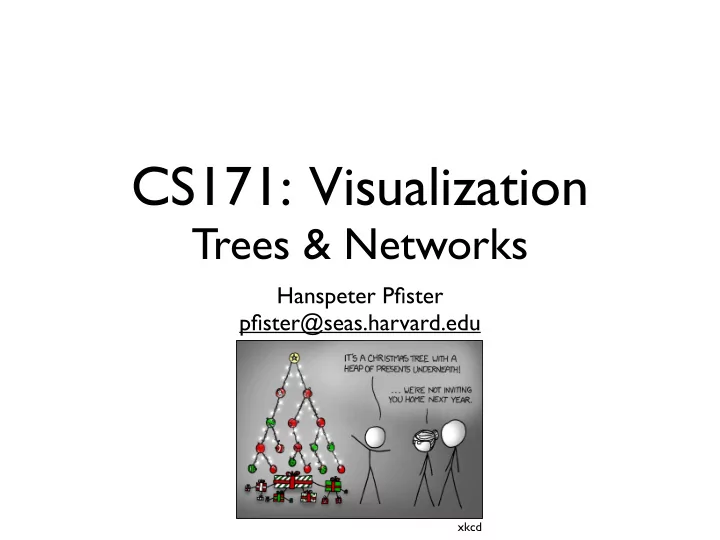
xkcd
slide-2
SLIDE 2

This Week

  • HW 6 due today
  • PII due Monday, April 8
  • No lab tomorrow morning!
  • Special D3 Lab, Friday, 4-5 pm, Science Center E

with Sergiy Nesterko (Stat 221)

slide-3
SLIDE 3

Moritz Stefaner Well-Formed Eigenfactor

slide-4
SLIDE 4

CS171 : Trees and Networks

Frank van Ham IBM Research fvanham@us.ibm.com

slide-5
SLIDE 5

Social Networks

Mauro Pichiliani

slide-6
SLIDE 6
slide-7
SLIDE 7
slide-8
SLIDE 8
slide-9
SLIDE 9

Jerome Cukier, D3 Writeup About the Map

Interactive Subway Map

slide-10
SLIDE 10

Kailie Parrish

slide-11
SLIDE 11

Kailie Parrish

slide-12
SLIDE 12

Kailie Parrish

slide-13
SLIDE 13

[Godel, Escher, Bach. Hofstadter 1979]

slide-14
SLIDE 14
slide-15
SLIDE 15
slide-16
SLIDE 16

Bonkers World

Org Charts

slide-17
SLIDE 17

In this lecture

  • Definitions
  • Visualizing trees

– Indented – Node link – Enclosure – Layered

  • Visualizing graphs

– Node link – Matrix – Network summarizations

  • Recap
slide-18
SLIDE 18

Trees

slide-19
SLIDE 19

Graphs

  • A graph G consists of a collection of vertices (or nodes) V

and a set of edges E, consisting of vertex pairs.

  • An edge exy = (x,y) connects two vertices x and y.
  • For example V={1,2,3,4}, E={(1,2),(1,3),(2,3),(3,4),(4,1)}

1 2 3 4 1 2 3 4 1 2 3 4

Definitions

slide-20
SLIDE 20

A bunch of definitions

A directed graph An undirected graph 0.1 5 0.3 Weighted Unconnected A cycle Node degrees 2 2 3 2 1 A connected acyclic graph, a.k.a. a tree An acyclic graph Node depths 1 1 2 2 2 A rooted tree

  • r hierarchy

root parent child leaf Definitions

slide-21
SLIDE 21

Drawing rooted trees

  • Recursion makes it elegant and fast to draw

trees

  • Possible approaches

– Indentation – Node link – Enclosure – Layering

Drawing trees

slide-22
SLIDE 22

Indentation

+Fast and simple to implement +Could be text only (or HTML)

  • Lots of scrolling for big trees
  • Easy to lose context

function draw(node:Node, depth:int) { println(<depth spaces> + nodelabel); for each child c do draw(c,depth+1) } draw(root,0);

Drawing trees - indentation

slide-23
SLIDE 23
slide-24
SLIDE 24

Word Trees

slide-25
SLIDE 25

Node link diagrams

  • Naïve recursive approach

Drawing trees – node link

slide-26
SLIDE 26

Reingold-Tilford type algorithms

  • Criteria:

– Nodes layered by depth in tree – No edge crossings – Similar subtrees drawn in similar ways – Compact representation

  • Approach:

– Bottom up recursive approach – For each parent make sure every subtree is drawn – Pack subtrees as closely as possible – Center parent over subtrees

Drawing trees – node link

slide-27
SLIDE 27

Reingold-Tilford

Subtrees already drawn with RT algorithm

Drawing trees – node link

slide-28
SLIDE 28

Compare right and left contours and compress

Drawing trees – node link

slide-29
SLIDE 29

Center parent over subtrees and update contours

Drawing trees – node link

slide-30
SLIDE 30

d3

slide-31
SLIDE 31

Node link diagram problems

  • Number of nodes per level still grows exponentially
  • Solutions

– Layout in hyperbolic space (which grows exponentially as well!) – Distortion viewers – Filtering

Walrus (hyperbolic space)

Drawing trees – node link

DOITree (filtering) Fisheye distortion

slide-32
SLIDE 32

Enclosure

  • Indicate parent – child relationship by

visually enclosing children within parent

=

A C D E A B B C D E

Drawing trees – enclosure

slide-33
SLIDE 33

Treemaps

  • Assume each leaf node has an associated size (i.e. files
  • n disk, or salaries in a orgchart)
  • Size of parent node is the sum of its children.

A:10 C:3 D:3 B:7 E:1 F:3 G:1 H:2 A B C D E F G H

Drawing trees – enclosure

slide-34
SLIDE 34
slide-35
SLIDE 35

Example: disk browsing

http://w3.win.tue.nl/nl/onderzoek/onderzoek_informatica/visualization/sequoiaview/

Drawing trees – enclosure

slide-36
SLIDE 36
slide-37
SLIDE 37

Treemap problems

  • Recursive slice-and-dice subdivision pattern leads to long and thin

rectangles.

  • Impossible to interact with internal nodes

Drawing trees – enclosure

slide-38
SLIDE 38

Layering

  • Similar to node link layouts without edges
  • Depth on one axis
  • Recursive layout on the other

Drawing trees – layering

slide-39
SLIDE 39

d3

slide-40
SLIDE 40
slide-41
SLIDE 41

Networks

slide-42
SLIDE 42

Graph Layouts

  • Node link layouts

–Layered / Sugiyama –Force directed –Other

  • Matrix layouts
  • Attribute based layouts

Drawing graphs

slide-43
SLIDE 43

Sugiyama type layouts

  • Great for graphs that have an intrinsic ordering
  • ‘Depth’ in graph mapped to one axis

UNIX ancestry

Drawing graphs – node link

slide-44
SLIDE 44

Sugiyama process step 1

  • Create layering of graph

– From domain specific knowledge – Longest path from root – Algorithmically determine best layering (NP-Hard)

  • Dummy nodes for long edges

1 2 5 9 6 7 3 4 8 11 10

Drawing graphs – node link

slide-45
SLIDE 45

Sugiyama process step 2

  • Layer by layer crossing minimization (NP)
  • Number of heuristics available

1 2 5 9 6 7 3 4 8 11 10

Drawing graphs – node link

slide-46
SLIDE 46

Sugiyama process step 3

  • Final assignment of x-coordinates
  • Routing of edges

1 2 5 9 6 7 3 4 8 11 10

Drawing graphs – node link

slide-47
SLIDE 47

dot - [Gansner et al., A Technique for Drawing Directed Graphs, IEEE Trans on SW Eng., 1993]

slide-48
SLIDE 48

Sugiyama

+ Nice, readable top down flow + Relatively fast (depending on heuristic used for crossing minimization)

  • Not really suitable for graphs that don’t have

an intrinsic top down structure

  • Hard to implement (use free graphviz lib

instead, http://www.graphviz.org)

Drawing graphs – node link

slide-49
SLIDE 49

Force directed layouts

  • No intrinsic layering, now what?
  • Physics model, edges = springs, nodes =

repulsive magnets

Drawing graphs – node link

slide-50
SLIDE 50
slide-51
SLIDE 51
slide-52
SLIDE 52
slide-53
SLIDE 53

Generates nice looking layouts

Highschool dating network

slide-54
SLIDE 54

Force model

  • Many variations, but usually physical

analogy:

  • Repulsion : fR(d) = CR * m1*m2/d2 (gravity)

– m1, m2 are node masses

  • Attraction : fA(d) = CA * (d – L) (spring law)

– L is the rest length of the spring

  • Total force on a node x with position x’

– ∑ y ` neighbors(x) : fA(||x’-y’||) * (x’-y’) + ∑ y ` V : -fR(||x’-y’||) * (x’-y’)

Drawing graphs – node link

slide-55
SLIDE 55

Computing actual node positions

  • Start from random layout
  • Loop:

– For every node pair compute repulsive force – For every edge compute attractive force – Accumulate forces per node – Update node position in direction of accumulated force

  • Stop when layout is ‘good enough’

Drawing graphs – node link

slide-56
SLIDE 56

Force directed layouts

+ Very flexible, pleasing layouts on many types

  • f graphs

+ Can add custom forces + Relatively easy to implement

  • Repulsion loop is O(n2)

per iteration

  • Prone to local minima

Drawing graphs – node link

slide-57
SLIDE 57
slide-58
SLIDE 58
slide-59
SLIDE 59

Other node link layouts

  • Orthogonal

– Great for UML diagrams – Algorithmically complex

  • Circular layouts

– Emphasizes ring topologies – Used in social network diagrams

  • Nested layouts

– Recursively apply layout algorithms – Great for graphs with hierarchical structure

Drawing graphs – node link

slide-60
SLIDE 60
slide-61
SLIDE 61
slide-62
SLIDE 62
slide-63
SLIDE 63

The World Wide Web

slide-64
SLIDE 64
slide-65
SLIDE 65

Node link layouts

+ Understandable visual mapping + Can show overall structure, clusters, paths + Flexible, many variations

  • All but the most trivial

algorithms are > O(N2)

  • Not good for dense graphs
  • No unique layout

Drawing graphs – node link

slide-66
SLIDE 66

Hierarchical Edge Bundles

Michael Bostock

slide-67
SLIDE 67

Moritz Stefaner Well-Formed Eigenfactor

slide-68
SLIDE 68
slide-69
SLIDE 69

BBC News

slide-70
SLIDE 70

Matrix layouts

  • Instead of node link diagram, use adjacency

matrix representation

A C B D E A B C D E A B C D E

Drawing graphs – matrices

slide-71
SLIDE 71

Spotting patterns in matrices

Image taken from : N. Henry and J.-D. Fekete MatrixExplorer: a Dual-Representation System to Explore Social Networks

Drawing graphs – matrices

slide-72
SLIDE 72

Michael Bostock

slide-73
SLIDE 73

Attribute-Driven Layout

  • Use data attributes to aggregate data
  • E.g., based on node values

Wattenberg, 2006

slide-74
SLIDE 74

PivotGraph

Roll-up graphs based on attribute values

Wattenberg, 2006 Department Location

slide-75
SLIDE 75

Hive Plots

Michael Bostock Martin Krzywinski

slide-76
SLIDE 76
slide-77
SLIDE 77

Matrix of Hive Plots

Martin Krzywinski

slide-78
SLIDE 78

Phrase Nets

slide-79
SLIDE 79
slide-80
SLIDE 80

Recap

  • Graph definitions
  • Trees

– Indentation (simple, effective for small trees) – Node link and layered drawing (looks good but needs exponential space) – Enclosure/treemaps (great for size related tasks but suffer in structure related tasks)

  • Graphs

– Node link (familiar, but problematic for dense graphs) – Adjacency matrices (abstract, hard to follow paths) – Summarizations (not always possible)

  • No ultimate solution…