SLIDE 1 I-1
CLIPS
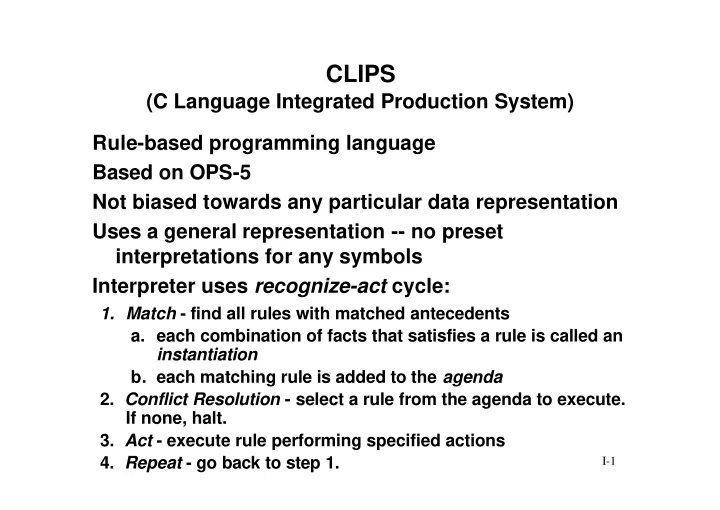
(C Language Integrated Production System) Rule-based programming language Based on OPS-5 Not biased towards any particular data representation Uses a general representation -- no preset interpretations for any symbols Interpreter uses recognize-act cycle:
- 1. Match - find all rules with matched antecedents
- a. each combination of facts that satisfies a rule is called an
instantiation
- b. each matching rule is added to the agenda
- 2. Conflict Resolution - select a rule from the agenda to execute.
If none, halt.
- 3. Act - execute rule performing specified actions
- 4. Repeat - go back to step 1.
SLIDE 2
I-2
A Production System Cycle
Working Memory (Facts) Knowledge-Base (Rules) Pattern Matching Conflict Resolution Fire rule User’s program
1. 2. 3.
assert/ retract/ modify facts change rules
Agenda
select rule
SLIDE 3 I-3
CLIPS Data Base
- consists of one or more fields enclosed by
parentheses (x y z) (> 3 1) (pen color red)
- represents a piece of information
- used to represent the current state of the problem
- is declarative knowledge
Consists of a list of facts Each fact:
SLIDE 4 I-4
CLIPS Data Base (cont.)
- First field in a fact should express a relationship
- Initial state of a problem (or the problem domain)
is defined by a deffacts
- New facts are added by assert
- Re-asserted facts are ignored-Refraction
- Old facts are removed by retract
Notes:
SLIDE 5 I-5
Fields of a Fact
- A sequence of alphabetic, numeric, underscores,
- r dash symbols
foo foo-bar foo_bar foo-12
- Note that CLIPS is case sensitive
foo is not the same as FOO or Foo Words
SLIDE 6 I-6
Fields of a Fact (cont.)
- A collection of characters within double quotation
marks
- Strings and words are not equivalent
“cat” is not the same as cat
- Are stored in a single precision, floating point
representation 237 237.0 2.37E+2 are all the same! Strings Numbers
SLIDE 7
I-7
Example Facts
(foo 1286 “this is field 3”) (this is a fact with 7 fields) (“This is a facts with 1 field - a string”) (animal-is walrus) (animal-is duck) (animals-are duck horse cow) (said duck “quack”) (address 1000 main st) (address 1000 “main st”) (address “1000 main st”)
SLIDE 8
I-8
Use the first field to describe relationship between subsequent fields: Use object-attribute-value and attribute-value formats:
Facts
(<relation> <field-1> <field-2> …) (person l-name smith f-name john ssn 123457689 dept engineering)
SLIDE 9
I-9
Asserting and Retracting Facts
Actions: clips> The data base: f-0 f-1 f-2 (reset) clips> (initial-fact) (assert (plays ivan tennis)) clips> (plays ivan tennis) (assert (plays martina tennis)) clips> (plays martina tennis)
SLIDE 10
I-10
Asserting and Retracting Facts
Actions: clips> The data base: f-0 f-1 f-2 (reset) clips> (assert (plays ivan tennis)) clips> (assert (plays martina tennis)) clips> (initial-fact) (plays martina tennis) (retract 1) clips> (assert (plays martina tennis)) clips> No Change!
SLIDE 11
I-11
Linking Facts through Common Fields
(person ssn 123456789 l-name smith f-name john dept engineering) (personal ssn 123456789 age 31 height 71 weight 175 sex male m-status single) (financial ssn 123456789 salary 45000 title senior-engineer) Sometimes it is advantageous to create multiple facts logically linked together by a common field:
SLIDE 12 I-12
Why Link Facts through Common Fields?
IF
- rder waits for a specific machine and
the machine is idle THEN assign order to machine and change status of order to assigned and change status of machine to busy (machine id m-1 status idle cur-order none) (machine id m-2 status idle cur-order none) … (machine id m-10 status idle cur-order none) (order id o-1 status waiting requires m-1) ... (order id o-9 status waiting requires m-8) Now envision rules:
SLIDE 13 I-13
Control of Fact Base
used to define a group of facts acting as initial data (knowledge) for a problem (deffacts <deffacts-name> “optional comment” ( <fact-1> ) ( <fact-2> ) ... ( <fact-n> ) ) used to load file containing knowledge base into
- memory. It does not execute the deffacts
statement(s) (load “myfile-name”) Deffacts Load
SLIDE 14
I-14
Control of Fact Base (cont.)
takes all facts contained in the deffacts statements and enters them into the fact base (reset) removes specified deffacts statement from memory (undeffacts <deffacts-name>) Note that CLIPS provides a special deffacts statement: (deffacts initial-fact (initial-fact) ) Reset Undeffacts
SLIDE 15
I-15
How Do These Work
Load places information from a file into memory storage Reset takes information in memory storage and creates material needed for program Undeffacts removes information from memory storage file memory storage program (load “file”) file facts rules
SLIDE 16
I-16
How Do These Work (cont.)
Load places information from a file into memory storage Reset takes information in memory storage and creates material needed for program Undeffacts removes information from memory storage file memory storage program (load “file”) file facts rules (reset) facts
SLIDE 17
I-17
How Do These Work (cont.)
Load places information from a file into memory storage Reset takes information in memory storage and creates material needed for program Undeffacts removes information from memory storage file memory storage program (load “file”) file facts rules (reset) facts (undeffacts “X”)
SLIDE 18
I-18
How Do These Work (cont.)
Load places information from a file into memory storage Reset takes out information in memory storage Undeffacts removes information from memory storage file memory storage program (load “file”) file facts rules (reset) facts (undeffacts “X”) (reset)
SLIDE 19
I-19
Example
Assume the following is in the file “mfile”: (deffacts initial-machine-configs (machine id m-1 status idle) (machine id m-2 status idle) (machine id m-3 status idle) We now enter the following commands: clips> (load “mfile”) clips> (reset) clips> (facts) What’s in memory? f-0 (initial-fact) f-1 (machine id m-1 status idle) f-2 (machine id m-2 status idle) f-3 (machine id m-3 status idle)
SLIDE 20
I-20
Example (cont.)
Now we enter: clips> (undeffacts initial-machine-configs) clips> (facts) What’s in memory? f-0 (initial-fact) f-1 (machine id m-1 status idle) f-2 (machine id m-2 status idle) f-3 (machine id m-3 status idle) What about now entering: clips> (reset) clips> (facts) What’s in memory? f-0 (initial-fact) f-1 f-2 f-3
SLIDE 21
I-21
Other Useful Commands
causes display of changes in <item> which can be activations, facts, rules, all, etc. turns off display of specified <item> sends all displayed output also to specified file stops output to file closes specified file (watch <item>) (unwatch <item>) (dribble <file>) (dribble-off) (close <file>)
SLIDE 22
I-22
Logging a Session
c: clips clips> (dribble-on “lfile”) . . . various commands of the session . . . clips> (dribble-off) clips> (close “lfile”) clips> (exit) c:
SLIDE 23
I-23
Consist of: Comments are specified with a semicolon Instantiated rule: Conflict set:
Rules
left-hand side (LHS) or conditions Right-hand side (RHS) or actions (test x 5 r 9) ; this is a comment LHS of rules is matched by facts in the fact base all instantiations multiple instantiations can exist for one rule!
SLIDE 24
I-24
Conflict resolution strategy picks the rule to execute Rule firing: Refraction:
Rules (cont.)
execution of the RHS of a rule part of conflict resolution insures that a rules fires only once for the same set of facts
SLIDE 25
I-25
Rule Format
(defrule <rule-name> “optional documentation string or comment” (<condition-1>) (<condition-2>) . . . (<condition-n>) => (<action-1>) (<action-2>) . . . (<action-m>) )
SLIDE 26 I-26
LHS Conditions
- LHS conditions are matched to fact base to
determine if rule is eligible to fire
- being eligible does not guarantee a rule will fire
- conditions look like facts but:
fact’s fields must all be literal condition’s fields can be:
- literal
- wild cards
- variables
SLIDE 27 I-27
RHS Actions
- Typical RHS actions include:
- Not practical to retract facts by referring to their
index number assert create new facts retract delete existing facts printout display information instead, refer to them using a conditional variable -- word prefaced by a ? (defrule rule-1 ?init <- (initial-fact) => (retract ?init) )