XML A W3C standard to complement HTML Origins: Structured text SGML - - PDF document

xml
SMART_READER_LITE
LIVE PREVIEW

XML A W3C standard to complement HTML Origins: Structured text SGML - - PDF document

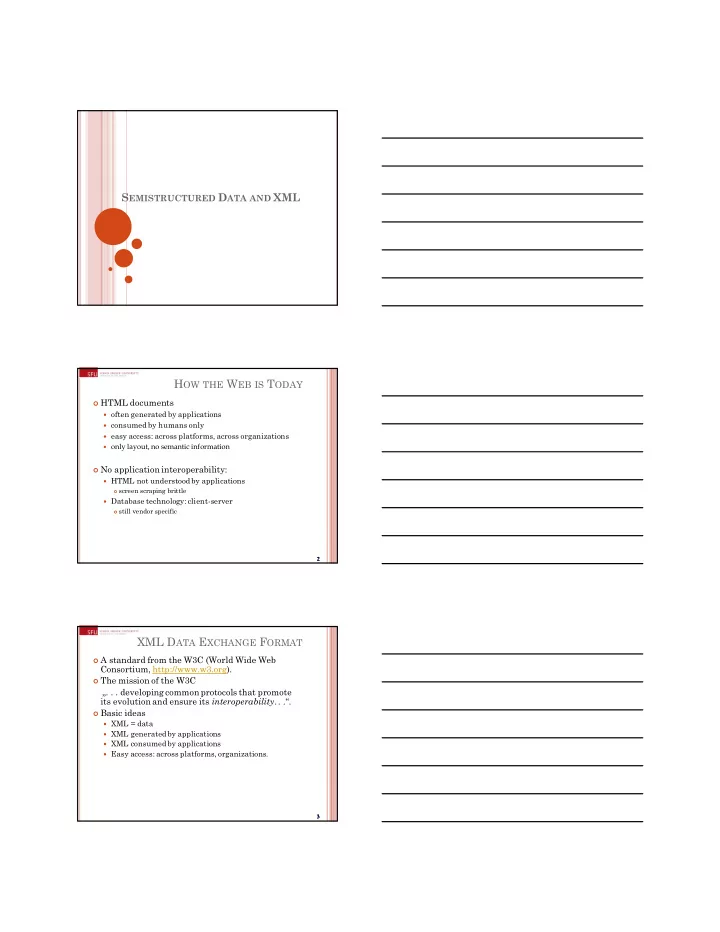
S EMISTRUCTURED D ATA AND XML H OW THE W EB IS T ODAY HTML documents often generated by applications consumed by humans only easy access: across platforms, across organizations only layout, no semantic information No


slide-1
SLIDE 1

SEMISTRUCTURED DATA AND XML

2

HOW THE WEB IS TODAY

 HTML documents  often generated by applications  consumed by humans only  easy access: across platforms, across organizations  only layout, no semantic information  No application interoperability:  HTML not understood by applications

 screen scraping brittle

 Database technology: client-server

 still vendor specific

3 3 3 3

XML DATA EXCHANGE FORMAT

 A standard from the W3C (World Wide Web

Consortium, http://www.w3.org).

 The mission of the W3C

„. . . developing common protocols that promote its evolution and ensure its interoperability.. .“.

 Basic ideas  XML = data  XML generated by applications  XML consumed by applications  Easy access: across platforms, organizations.

slide-2
SLIDE 2

4

PARADIGM SHIFT ON THE WEB

 For web search engines:  From documents (HTML) to data (XML)  From document management to document

understanding (e.g., question answering)

 From information retrieval to data management  For database systems:  From relational (structured) model to semistructured

data

 From data processing to data /query translation  From storage to transport

5

THE SEMISTRUCTURED DATA MODEL

&o1 &o12 &o24 &o29 &o43 &96 &243 &206 &25 “Serge” “Abiteboul” 1997 “Victor” “Vianu” 122 133 paper book paper references references references author title year http author author author title publisher author author title page firstname lastname firstname lastname first last Bib

Object Exchange Model (OEM) complex object atomic object

6 6 6 6

THE SEMISTRUCTURED DATA MODEL

 Data is self-describing, i.e. the data description is

integrated with the data itself rather than in a separate schema.

 Database is a collection of nodes and arcs

(directed graph).

 Leaf nodes represent data of some atomic type

(atomic objects, such as numbers or strings).

 Interior nodes represent complex objects consisting

  • f components (child nodes), connected by arcs to

this node.

 Arcs are directed and connect two nodes.

slide-3
SLIDE 3

7

THE SEMISTRUCTURED DATA MODEL

 Arc labels indicates the relationship between the

two corresponding nodes.

 The root node is the only interior node without in-

arcs, representing the entire database.

 All database objects are children of the root node.  Every node must be reachable from the root.  A general graph structure is possible, i.e. the

graph need not be a tree structure.

8

SYNTAX FOR SEMISTRUCTURED DATA

Bib: &o1 { paper: &o12 { … }, book: &o24 { … }, paper: &o29 { author: &o52 “Abiteboul”, author: &o96 { firstname: &243 “Victor”, lastname: &o206 “Vianu”}, title: &o93 “Regular path queries with constraints”, references: &o12, references: &o24, pages: &o25 { first: &o64 122, last: &o92 133} } }

Observe: Nested tuples, set-values, oids!

9 9 9 9

SYNTAX FOR SEMISTRUCTURED DATA

May omit oids: { paper: { author: “Abiteboul”, author: { firstname: “Victor”, lastname: “Vianu”}, title: “Regular path queries …”, page: { first: 122, last: 133 } } }

slide-4
SLIDE 4

10 10 10 10

  • VS. RELATIONAL MODEL

 Missing attributes  Additional attributes  Multiple attribute values (set-valued attributes)  Objects as attribute values  No global schema

 only the first characteristics supported by relational

model, all others are not

11 11 11 11

  • VS. RELATIONAL MODEL

 Semistructured data

 Self-describing,  Irregular data,  No a-prioristructure.

 Relational DB  Separate schema,

 Regular data,  A-prioristructure.

XML

slide-5
SLIDE 5

13 13 13 13

IMPORTANT XML STANDARDS

 XSL/XSLT: presentation and transformation

standards

 RDF: resource description framework (meta-info

such as ratings, categorizations, etc.)

 Xpath/Xpointer/Xlink: standard for linking to

documents and elementswithin

 Namespaces: for resolving name clashes  DOM: Document Object Model for manipulating

XML documents

 SAX: Simple API for XML parsing  XQuery: query language

14 14 14 14

XML

 A W3C standard to complement HTML  Origins: Structured text SGML  Large-scale electronic publishing  Data exchange on the web  Motivation:  HTML describes presentation  XML describes content  http://www.w3.org/TR/2000/REC-xml-20001006 (version 2,

10/2000)

SGML XML HTML4.0  

15 15 15 15

FROM HTML TO XML HTML describes the presentation

slide-6
SLIDE 6

16 16 16 16

HTML

<h1> Bibliography </h1> <p> <i> Foundationsof Databases </i> Abiteboul, Hull, Vianu <br> Addison Wesley, 1995 <p> <i> Data on the Web </i> Abiteboul, Buneman, Suciu <br> Morgan Kaufmann, 1999

HTML describes the presentation

17 17 17 17

XML

<bibliography> <book> <title> Foundations… </title> <author> Abiteboul </author> <author> Hull </author> <author> Vianu </author> <publisher> Addison Wesley </publisher> <year> 1995 </year> </book> … </bibliography>

XML describes the content

18 18 18 18

WHY ARE WE DB’ERS INTERESTED?

 It’s data. That’s us.  Database issues:  How are we going to model XML? (graphs).  How are we going to query XML? (XQuery)  How are we going to store XML (in a relational

database? object-oriented? native?)

 How are we going to process XML efficiently? (many

interesting research questions!)

slide-7
SLIDE 7

19 19 19 19

ELEMENTS

 Tags

book, title, author, …

 start tag: <book>, end tag: </book>  defined by user / programmer (different from HTML!)  Elements

<book>…<book>,<author>…</author>

 An element consists of a matching start and end tag

and the enclosed content.

 Elements can be nested, i.e. content of one element

can consist of sequence of other elements.

20 20 20 20

ATTRIBUTES

 Attributes can be associated with any element.  Provide additional information about elements.  Attributes can have only one value.  Example

<book price = “55” currency = “USD”> <title> Foundations of Databases </title> <author> Abiteboul </author> … <year> 1995 </year> </book>

 Attributes can also be used to connect elements.

21 21 21 21

NON-TREE-LIKE XML

 So far: only tree-like XML documents,

i.e. each element is nested within at most one

  • ther element.

 Attributes can also be used to create non-tree

XML documents.

 Attributes with a domain of ID serve as primary

keys of elements.

 Attributes with a domain of IDREF serve as

foreign keys referencing the ID of another element.

slide-8
SLIDE 8

22 22 22 22

NON-TREE-LIKE XML

Example of a non-tree structure

<persons> <person personid=“o555”> <name> Jane </name> </person> <person personid=“o456”> <name> Mary </name> <children refs=“o123 o555”</children > </person> <person personid=“o123”mother=“o456”> <name>John</name> </person> </persons>

23 23 23 23

NAMESPACES

An XML document can involve tags that come for multiple sources.

One and the same tag can appear in more than

  • ne source.

<table> <tr> <td>Apples</td> <td>Bananas</td> </tr> </table> <table> <name>African Coffee Table</name> <width>80</width> <length>120</length> </table>

24 24 24 24

NAMESPACES

Name conflicts can be resolved by prefixing tag names according to their source.

<h:table> <h:tr> <h:td>Apples</h:td> <h:td>Bananas</h:td></h:tr> </h:table> <f:table> <f:name>African Coffee Table</f:name> <f:width>80</f:width> <f:length>120</f:length> </f:table>

When using prefixes in XML, a namespace for the prefix must be defined.

The namespace must be referenced (via an URI) in the start tag of an enclosing element .

slide-9
SLIDE 9

25 25 25 25

WELL-FORMED XML

 A well-formed XML document satisfies the

following conditions:

 Begins with a declaration that it is XML.  Has a single root element that encloses the whole

document.

 Consists of properly nested elements, i.e. start and end

tag of an element are within the same enclosing element.

 standalone =“yes” states that document has no

DTD.

 In this mode, you can invent your own tags, like in

semistructured data model.

26 26 26 26

WELL-FORMED XML

<?XML version=“1.0” standalone =“yes” ?> <bibliography> <book> <title> Foundations… </title> <author>Abiteboul</author> <author>Hull </author> <author>Vianu </author> <publisher> Addison Wesley </publisher> <year> 1995 </year> </book> <book> <title> … </title> . . . </book> … </bibliography>

27 27 27 27

WELL-FORMED XML

 HTML browsers will display documents with

errors (like missing end tags).

 The W3C XML specification states that a

program should stop processing an XML document if it finds an error.

 The main reason is that XML is being consumed

by programs rather than by humans (as HTML).

 W3C providesa validator that checks whether an

XML document is well-formed.

slide-10
SLIDE 10

28 28 28 28

VALID XML

 The validator can also check whether an XML

document is valid, i.e. conforms to a Document Type Definition (DTD).

 A DTD specifies the allowable tags and how they

can be nested.

 XML with a DTD is no longer semistructured

(self-describing).

 However, a DTD is less rigid than the schema of a

relational DB. E.g., a DTD allows missing and multiple attributes / elements.

DTD

30 30 30 30

DOCUMENT TYPE DEFINITIONS

 Document Type Definition (DTD): set of rules

(grammar)specifying elements, attributes and all

  • ther aspects of XML documents.

 For each element, specify name and content type.  Content type can, e.g., be 

#PCDATA (character string),

  • ther elements,

regular expression made of the above content types * = zero or more occurrences ? = zero or one occurrence + = one or more occurrences , = sequence of elements.

slide-11
SLIDE 11

31 31 31 31

DOCUMENT TYPE DESCRIPTORS

 Sort of like a schema but not really.  Inherited from SGML DTD standard  BNF grammar establishing constraints on element

structure and content

 Definitions of entities <!ELEMENT Book (title, author*) > <!ELEMENT title #PCDATA> <!ELEMENT author (name, address,age?)> <!ATTLIST Book id ID #REQUIRED> <!ATTLIST Book pub IDREF #IMPLIED>

32 32 32 32

EXAMPLE DTD: PRODUCT CATALOG

<!DOCTYPE CATALOG [ <!ELEMENT CATALOG (PRODUCT+)> <!ELEMENT PRODUCT (SPECIFICATIONS+,OPTIONS?,PRICE+,NOTES?)> <!ATTLIST PRODUCT NAME CDATA #IMPLIED CATEGORY (HandTool|Table|Shop-Professional) "HandTool" PARTNUM CDATA #IMPLIED PLANT (Pittsburgh|Milwaukee|Chicago) "Chicago" INVENTORY (InStock|Backordered|Discontinued) "InStock"> <!ELEMENT SPECIFICATIONS (#PCDATA)> <!ATTLIST SPECIFICATIONS WEIGHT CDATA #IMPLIED POWER CDATA #IMPLIED> <!ELEMENT OPTIONS (#PCDATA)> <!ATTLIST OPTIONS FINISH (Metal|Polished|Matte) "Matte" ADAPTER (Included|Optional|NotApplicable) "Included" CASE (HardShell|Soft|NotApplicable) "HardShell"> <!ELEMENT PRICE (#PCDATA)> <!ATTLIST PRICE MSRP CDATA #IMPLIED WHOLESALE CDATA #IMPLIED STREET CDATA #IMPLIED SHIPPING CDATA #IMPLIED> <!ELEMENT NOTES (#PCDATA)> ]>

33 33 33 33

SHORTCOMINGS OF DTDS

Useful for documents, but not so good for data:

 Element name and type are associated globally  No support for structural re-use  Object-oriented-like structures aren’t supported  No support for data types  Can’t do data validation  Can have a single key item (ID), but:  No supportfor multi-attribute keys  No supportfor foreign keys (references to other keys)  No constraints on IDREFs (reference only a Section)

slide-12
SLIDE 12

XML SCHEMA

35 35 35 35

XML SCHEMA

 The successor of DTDs to specify a schema for

XML documents.

 A W3C standard.  Includes and extends functionality of DTDs.  In particular, XML Schemas support data types.

This makes it easier to validate the correctness of data and to work with data from a database.

 XML Schemas are written in XML. You don't have

to learn a new language and can use your XML parser to parse your Schema files.

36 36 36 36

EXAMPLE XML SCHEMA

<schema version=“1.0” xmlns=“http://www.w3.org/1999/XMLSchema”> <element name=“author” type=“string” /> <element name=“date” type = “date” /> <element name=“abstract”> <type> … </type> </element> <element name=“paper”> <type> <attribute name=“keywords” type=“string”/> <element ref=“author” minOccurs=“0” maxOccurs=“*” /> <element ref=“date” /> <element ref=“abstract” minOccurs=“0” maxOccurs=“1” /> <element ref=“body” /> </type> </element> </schema>

slide-13
SLIDE 13

37 37 37 37

SIMPLE ELEMENTS

 Simple elements contain only text.  They can have one of the built-in datatypes:

xs:string, xs:decimal, xs:integer, xs:boolean xs:date, xs:time.

 Example

<xs:element name="lastname“ type="xs:string"/> <xs:element name="age" type="xs:integer"/> <xs:element name="dateborn"type="xs:date"/>

38 38 38 38

SIMPLE ELEMENTS

 Restrictions allow you to further constrain the

content of simple elements.

<xs:element name="age"> <xs:simpleType> <xs:restriction base="xs:integer"> <xs:minInclusive value="0"/> <xs:maxInclusive value="120"/> </xs:restriction> </xs:simpleType> </xs:element>

39 39 39 39

ATTRIBUTES

 Attributes can be specified using the attribute

element: <xs:attribute name="xxx" type="yyy"/>

 Attribute elements are nested within the element

  • f the element with which they are associated.

 By default, attributes are optional.  To make an attribute mandatory, use

<xs:attribute name="lang“ type="xs:string“use="required"/>

 Attributes can have the same built-in datatypes

as simple elements.

slide-14
SLIDE 14

40 40 40 40

COMPLEX ELEMENTS

 Complex elements can contain other elements and can

have attributes.

 Nested elements need to occur in the order specified.  The number of repetitions of elements are controlled by

the attributes minOccurs and maxOccurs. The default is one repetition.

 A complex element with an attribute:

<xs:element name="product"> <xs:complexType> <xs:attribute name="prodid"type="xs:positiveInteger"/> </xs:complexType> </xs:element>

41 41 41 41

COMPLEX ELEMENTS

 A complex element containing a sequence of

nested (simple) elements:

<xs:element name="employee"> <xs:complexType> <xs:sequence> <xs:element name="firstname"type="xs:string"/> <xs:element name="lastname" type="xs:string"/> </xs:sequence> </xs:complexType> </xs:element>

42 42 42 42

COMPLEX ELEMENTS

 If you name the complex element, other elements

can reference and include it:

<xs:complexTypename="persontype"> <xs:sequence> <xs:element name="firstname"type="xs:string"/> <xs:element name="lastname" type="xs:string"/> </xs:sequence> </xs:complexType> <xs:element name="person"type="persontype"/>

slide-15
SLIDE 15

43 43 43 43

EXAMPLE XML SCHEMA

<schema version=“1.0” xmlns=“http://www.w3.org/1999/XMLSchema”> <element name=“author” type=“string” /> <element name=“date” type = “date” /> <element name=“abstract”> <type> … </type> </element> <element name=“paper”> <type> <attribute name=“keywords” type=“string”/> <element ref=“author” minOccurs=“0” maxOccurs=“*” /> <element ref=“date” /> <element ref=“abstract” minOccurs=“0” maxOccurs=“1” /> <element ref=“body” /> </type> </element> </schema>

44 44 44 44

XML VS. SEMISTRUCTURED DATA

 Both described best by a graph.  Both are schema-less, self-describing

(XML without DTD / XML schema).

 XML is ordered, semistructured data is not.  XML can mix text and elements:

<talk> Making Java easier to type and easier to type <speaker> Phil Wadler </speaker> </talk>

 XML has lots of other stuff: attributes, entities,

processing instructions, comments.

XML-PATH = XPATH

slide-16
SLIDE 16

46 46 46 46

QUERY LANGUAGES FOR XML

 XPath is a simple query language based on

describing similar paths in XML documents.

 XQuery extends XPath in a style similar to SQL,

introducing iterations, subqueries, etc.

 XPath and XQuery expressions are applied to an

XML document and return a sequence of qualifying items.

 Items can be primitive values or nodes (elements,

attributes, documents).

 The items returned do not need to be of the same

type.

47 47 47 47

XPATH

 A path expression returns the sequence of all

qualifying items that are reachable from the input item following the specified path.

 A path expression is a sequence consisting of tags

  • r attributes and special characters such as

slashes (“/”).

 Absolute path expressions are applied to some

XML document and returns all elements that are reachable from the document’s root element following the specified path.

 Relative path expressions are applied to an

arbitrary node.

48 48 48 48

XPATH

<?XMLversion=“1.0” standalone=“yes” ?> <bibliography> <book bookID = “b100“> <title> Foundations…</title> <author> Abiteboul</author> <author> Hull </author> <author> Vianu </author> <publisher>AddisonWesley </publisher> <year> 1995</year> </book> … </bibliography>  Applied to the above document, the XPath expression

/bibliography/book/author returns the sequence

<author> Abiteboul</author> <author> Hull </author> <author> Vianu </author> . . .

slide-17
SLIDE 17

49 49 49 49

ATTRIBUTES

 If we do not want to return the qualifying elements, but the value

  • ne of their attributes, we end the path expression with @attribute.

<?XML version=“1.0” standalone =“yes” ?> <bibliography> <book bookID = “b100“> <title> Foundations… </title> <author> Abiteboul </author> <author> Hull </author> <author> Vianu </author> <publisher> Addison Wesley </publisher> <year> 1995 </year> </book> the XPath expression /bibliography/book/@bookID returns the sequence “b100“ . . .

50 50 50 50

WILDCARDS

 We can use wildcards instead of actual tags and

attributes: * means any tag, and @* means any attribute.

 Examples

/bibliography/*/author returns the sequence <author> Abiteboul </author>

<author> Hull </author>. /bibliography//author/@* returns the sequence “IBM“ “a739“.

51 51 51 51

PATH EXPRESSIONS

Examples:

 Bib.paper  Bib.book.publisher  Bib.paper.author.lastname

Given an OEM instance, the value of a path expression p is a set of objects

slide-18
SLIDE 18

52 52 52 52

PATH EXPRESSIONS

Examples: DB =

&o1 &o12 &o24 &o29 &o43 &o70 &o71 &96 &243 &206 &25 “Serge” “Abiteboul” 1997 “Victor” “Vianu” 122 133 paper book paper references references references authortitle year http author author author titlepublisher author author title page firstname lastname firstname lastname first last Bib &o44 &o45 &o46 &o47 &o48 &o49 &o50 &o51 &o52

Bib.paper={&o12,&o29} Bib.book.publisher={&o51} Bib.paper.author.lastname={&o71,&206}

XML-QUERY = XQUERY

54 54 54 54

XQUERY

Summary:

 FOR-LET-WHERE-ORDERBY-RETURN = FLWOR

FOR/LET Clauses WHERE Clause ORDERBY/RETURN Clause List of tuples List of tuples Instance of Xquery data model

slide-19
SLIDE 19

55 55 55 55

XQUERY

 FLWOR expressionsare similar to SQL select . .

from . . . where . . . queries.

 XQuery allows zero, one or more for and let

clauses.

 The where clause is optional.  There is one optional order-by clause.  Finally, there is exactly one return clause.  XQuery is case-sensitive.  XQuery (and XPath) is a W3C standard.

56 56 56 56

XQUERY CLAUSES

 for $x in expr  Defines node variable $x.  The expression expr evaluates to a sequence of items.  The variable $x is assigned to each item, in turn, and

the body of the for clause is executed once for each assignment.

 let $x := expr  Defines collection variable $x.  The expression expr evaluates to a sequence of items.  The variable is bound to the entire sequence of items.  Useful for common subexpressions and for

aggregations.

57 57 57 57

XQUERY CLAUSES

 where condition  The condition is a boolean expression.  The clause is applied to some item.  If and only if the condition evaluates to true, the

following return clause is executed for that item.

 return expression  The result of a FLWOR clause is a sequence of items.  Expression defines the result format for the current

(qualifying) item.

 The sequence of items produced by expression is

appended to the sequence of items produced so far.

slide-20
SLIDE 20

58 58 58 58

INTERPRETATION AS XQUERY

 XQuery expressions can be used wherever an

XML expression of any kind is permitted.

 Any text string is acceptable as content of a tag or

value of an attribute.

 If a string contains an XQuery expression that

should be evaluated, this substring must be surrounded by curly brackets {}.

 Example

for $b in doc("bib.xml")/bibliography/book return <result id = {$b/@bookID}>{$b/title}</result>

59 59 59 59

FOR V.S. LET

 Find all books

FOR $x IN document("bib.xml")/bib/book RETURN <result> $x </result>

Returns:

<result> <book>...</book></result> <result> <book>...</book></result> <result> <book>...</book></result> ...

LET $x IN document("bib.xml")/bib/book RETURN <result> $x </result>

Returns:

<result> <book>...</book> <book>...</book> <book>...</book> ... </result>

60 60 60 60

XQUERY

Find all book titles published after 1995: FOR $x IN document("bib.xml")/bib/book WHERE $x/year > 1995 RETURN $x/title Result: <title> abc </title> <title> def </title> <title> ghi </title>

slide-21
SLIDE 21

61 61 61 61

ORDERING THE QUERY RESULT

 The order-by clause allows you to order the

results of an XQuery expression.

  • rder-by list of expressions

 The sort order is based on the value of the first

  • expression. Ties are broken based on the value of

the second (if necessary third etc.) expression.

 By default, the order is ascending.  A descending sort order can be specified using

descending.

62 62 62 62

ELIMINATION OF DUPLICATES

 The built-in function distinct-values eliminates

duplicates from a sequence of result items.

 In principle, it applies only to primitive (atomic)

types.

 It can also be applied to elements, but then it will

remove their tags, replacing them by quotes “”.

 Example

If return $b/title produces <title> aaa </title> <title> bbb </title> <title> aaa </title> then distinct-values (return $b/title) produces “aaa” “bbb”.

63 63 63 63

XQUERY

For each author of a book by Morgan Kaufmann, list all books she published:

FOR $a IN distinct(document("bib.xml") /bib/book[publisher=“Morgan Kaufmann”]/author) RETURN <result> $a, FOR $t IN /bib/book[author=$a]/title RETURN $t </result>

distinct = a function that eliminates duplicates

Result:

<result> <author>Jones</author> <title> abc </title> <title> def </title> </result> <result> <author> Smith </author> <title> ghi </title> </result>

slide-22
SLIDE 22

64 64 64 64

JOINS

 We can join two or more documents, by using one

variable for each of the documents .

 We let a variable range over the elementsof the

corresponding document, within a for-clause.

 Need to be careful when comparingelements for

equality, since their equality is by element identity, not by element content.

 Typically, we want to compare the element

content.

 The built-in function data(E) returns the content

  • f an element E.

65 65 65 65

XQUERY

Find books whose price is larger than average:

LET $a=avg(document("bib.xml")/bib/book/price) FOR $b in document("bib.xml")/bib/book WHERE $b/price > $a RETURN $b

66 66 66 66

SORTING IN XQUERY

<publisher_list> FOR $p IN distinct(document("bib.xml")//publisher)

ORDERBY $p

RETURN <publisher> <name> $p/text() </name> , FOR $b IN document("bib.xml")//book[publisher = $p]

ORDERBY$b/price DESCENDING

RETURN <book> $b/title , $b/price </book> </publisher> </publisher_list>

slide-23
SLIDE 23

67 67 67 67

IF-THEN-ELSE

FOR $h IN //holding

ORDERBY$h/title

RETURN <holding> $h/title, IF $h/@type = "Journal" THEN $h/editor ELSE $h/author </holding>

68 68 68 68

EXISTENTIAL QUANTIFIERS

FOR $b IN //book WHERE SOME $p IN $b//para SATISFIES contains($p, "sailing") AND contains($p, "windsurfing") RETURN $b/title

69 69 69 69

QUANTIFICATION

 XQuery supports the existential and the universal

quantifier.

 Universal quantifier

every $v in expression1 satisfies expression 2

 Existential quantifier

some $v in expression1 satisfies expression 2

 Expression1 evaluates to a sequence of items,

expression 2 is a boolean expression.

slide-24
SLIDE 24

70 70 70 70

AGGREGATION

 XQuery provides built-in functions for the

standard aggregations such as SUM, MIN, COUNT and AVG.

 They can be applied to any XQuery expression, i.e.

to any sequence of items.

 Example

avg(doc("bib.xml")/bibliography/book/price) count(doc("bib.xml")/bibliography/book/price)

Computes the average book price and the number of books, resp.

71 71 71 71

XQUERY EXAMPLES

 Find books whose price is larger than the average

price.

 Uses aggregate operator (avg), applied to the result of

a path expression.

let $a:=avg(doc("bib.xml")/bibliography/book/price) for $b in doc("bib.xml")/bibliography/book where $b/price > $a return $b

72 72 72 72

XQUERY EXAMPLES

 Find title of books with a paragraph containing the

terms “sailing” and “windsurfing”.

 Uses existential quantifier (some) and string

matching (contains). for $b in doc("bib.xml")//book where some $p in $b//para satisfies contains($p, "sailing") and contains($p, "windsurfing") return $b/title