Transforming XML Documents Transforming XML Documents How the XSLT - - PowerPoint PPT Presentation

transforming xml documents transforming xml documents
SMART_READER_LITE
LIVE PREVIEW

Transforming XML Documents Transforming XML Documents How the XSLT - - PowerPoint PPT Presentation

Objectives Objectives How XML documents may be rendered in An Introduction to XML and Web Technologies An Introduction to XML and Web Technologies browsers Transforming XML Documents Transforming XML Documents How the XSLT language


slide-1
SLIDE 1

1

An Introduction to XML and Web Technologies An Introduction to XML and Web Technologies

Transforming XML Documents Transforming XML Documents with XSLT with XSLT

Anders Møller & Michael I. Schwartzbach  2006 Addison-Wesley

2

An Introduction to XML and Web Technologies

Objectives Objectives

How XML documents may be rendered in browsers How the XSLT language transforms XML documents How XPath is used in XSLT

3

An Introduction to XML and Web Technologies

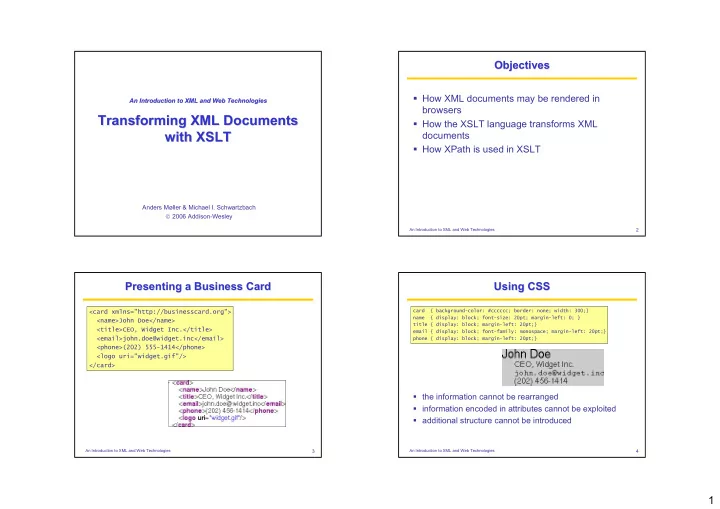
Presenting a Business Card Presenting a Business Card

<card xmlns="http://businesscard.org"> <name>John Doe</name> <title>CEO, Widget Inc.</title> <email>john.doe@widget.inc</email> <phone>(202) 555-1414</phone> <logo uri="widget.gif"/> </card>

4

An Introduction to XML and Web Technologies

Using CSS Using CSS

card { background-color: #cccccc; border: none; width: 300;} name { display: block; font-size: 20pt; margin-left: 0; } title { display: block; margin-left: 20pt;} email { display: block; font-family: monospace; margin-left: 20pt;} phone { display: block; margin-left: 20pt;}

the information cannot be rearranged information encoded in attributes cannot be exploited additional structure cannot be introduced

slide-2
SLIDE 2

2

5

An Introduction to XML and Web Technologies

Using XSLT Using XSLT

<?xml-styleshe <?xml-stylesheet et type="text/ type="text/xsl" href="bus xsl" href="businesscard.xsl" inesscard.xsl"?> ?> <card xmlns="http://businesscard.org"> <name>John Doe</name> <title>CEO, Widget Inc.</title> <email>john.doe@widget.inc</email> <phone>(202) 555-1414</phone> <logo uri="widget.gif"/> </card>

6

An Introduction to XML and Web Technologies

XSLT for Business Cards (1/2) XSLT for Business Cards (1/2)

<xs <xsl: l:sty style lesh sheet eet ve vers rsion ion=" ="2. 2.0" 0" xml xmlns ns:x :xsl= sl="ht "http tp:// ://ww www. w.w3. w3.org

  • rg/1

/1999 999/X /XSL SL/Tr /Trans ansfo form" rm" xml xmlns ns:b :b="h ="http ttp:/ ://bu /busi sine nessc sscard ard.o .org" rg" xml xmlns ns=" ="htt http:/ p://w /www. ww.w3 w3.o .org/ rg/199 1999/ 9/xht xhtml ml"> "> <xsl:t <xsl:tem empl plate ate ma matc tch=" h="b: b:ca card" rd"> <html> <head> <title><xs <xsl: l:val value ue-o

  • of s

f sele elect ct="b ="b:n :nam ame/t e/text ext() ()"/> "/></title> </head> <body bgcolor="#ffffff"> <table border="3"> <tr> <td> <xsl xsl:a :appl pply- y-te templ mplate ates sel s selec ect= t="b: "b:nam name" e"/> /><br/> <xsl xsl:a :appl pply- y-te templ mplate ates sel s selec ect= t="b: "b:tit title le"/> "/><p/> <tt><xsl: <xsl:ap appl ply-t y-temp empla lates tes s select ect="b ="b:e :emai mail" l"/> /></ </tt><br/>

7

An Introduction to XML and Web Technologies

XSLT for Business Cards (2/2) XSLT for Business Cards (2/2)

<xsl xsl:i :if t f test="b: "b:pho phone ne"> "> Phone: <xsl <xsl:ap :apply ply-t

  • temp

empla late tes s s sele elect ct="b ="b:p :pho hone" ne"/> /><br/> </xs /xsl: l:if> if> </td> <td> <xsl xsl:i :if t f test="b: "b:log logo"

  • ">

<img src="{b:logo {b:logo/@ /@uri uri}"/> </xs /xsl: l:if> if> </td> </tr> </table> </body> </html> </xsl: </xsl:te temp mplat late> e> <xsl:t <xsl:tem empl plate ate ma matc tch=" h="b: b:na name| me|b:t b:tit itle| le|b: b:em email ail|b: |b:ph phone

  • ne">

"> <xsl xsl:v :val alue- ue-of se

  • f selec

lect= t="t "text ext()" ()"/> /> </xsl: sl:te temp mplat late> e> </x </xsl sl:st :styl yles eshee heet> t>

8

An Introduction to XML and Web Technologies

<xsl:stylesheet xmlns:xsl="http://www.w3.org/1999/XSL/Transform" version="2.0"> ... </xsl:stylesheet>

An XSLT stylesheet contains template rules The processor finds the most specific rule for the document root It then executes the template body

XSLT Stylesheets XSLT Stylesheets
slide-3
SLIDE 3

3

9

An Introduction to XML and Web Technologies

Use of XPath in XSLT Use of XPath in XSLT

Specifying patterns for template rules Selecting nodes for processing Computing boolean conditions Generating text contents for the output document

10

An Introduction to XML and Web Technologies

The XSLT Context The XSLT Context

A context item (a node in the source tree or an atomic value) A context position and size A set of variable bindings (mapping variable names to values) A function library (including those from XPath) A set of namespace declarations

11

An Introduction to XML and Web Technologies

The Initial Context The Initial Context

The context item is the document root The context position and size both have value 1 The set of variable bindings contains only global parameters The function library is the default one The namespace declarations are those defined in the root element of the stylesheet

12

An Introduction to XML and Web Technologies

<xsl:template match="..."> ... </xsl:template>

Find the template rules that match the contex node Select the most specific one Evaluate the body (a sequence constructor)

Template Rules Template Rules

slide-4
SLIDE 4

4

13

An Introduction to XML and Web Technologies

Patterns and Matching Patterns and Matching

A pattern is a restricted XPath expression

  • it is a union of path expressions
  • each path expression contains a number of steps

separated by / or //

  • each step may only use the child or attribute axis

A pattern matches a node if

  • starting from some node in the tree:
  • the given node is contained in the resulting sequence

rcp:recipe/rcp:ingredient//rcp:preparation

14

An Introduction to XML and Web Technologies

Names, Modes, Priorities Names, Modes, Priorities

Templates may have other attributes name: used to call templates like function mode: used to restrict the candidate templates priority: used to determine specificity

15

An Introduction to XML and Web Technologies

Sequence Constructors Sequence Constructors

Element and attribute constructors Text constructors Copying nodes Recursive application Repetitions Conditionals Template invocation Variables and parameters Built-in template rules Grouping Sorting Numbering

16

An Introduction to XML and Web Technologies

Literal Constructors Literal Constructors

<xsl:stylesheet version="2.0" xmlns:xsl="http://www.w3.org/1999/XSL/Transform" xmlns="http://www.w3.org/1999/xhtml"> <xsl:template match="/"> <html> <head> <title>Hello World</title> </head> <body bgcolor="green"> <b>Hello World</b> </body> </html> </xsl:template> </xsl:stylesheet>

slide-5
SLIDE 5

5

17

An Introduction to XML and Web Technologies

Explicit Constructors Explicit Constructors

<xsl:stylesheet version="2.0" xmlns:xsl="http://www.w3.org/1999/XSL/Transform" xmlns="http://www.w3.org/1999/xhtml"> <xsl:template match="/"> <xsl:element element name="html"> <xsl:element element name="head"> <xsl:element element name="title"> Hello World </xsl:element element> </xsl:element element> <xsl:element element name="body"> <xsl:attribute attribute name="bgcolor" select="'green'"/> <xsl:element element name="b"> Hello World </xsl:element element> </xsl:element element> </xsl:element element> </xsl:template> </xsl:stylesheet> 18

An Introduction to XML and Web Technologies

Computed Attributes Values (1/2) Computed Attributes Values (1/2)

<xsl:stylesheet version="2.0" xmlns:xsl="http://www.w3.org/1999/XSL/Transform" xmlns="http://www.w3.org/1999/xhtml"> <xsl:template match="/"> <xsl:element name="html"> <xsl:element name="head"> <xsl:element name="title"> Hello World </xsl:element> </xsl:element> <xsl:element name="body"> <xsl:attribute name="bgcolor" select="//@bgcolor //@bgcolor"/> <xsl:element name="b"> Hello World </xsl:element> </xsl:element> </xsl:element> </xsl:template> </xsl:stylesheet> 19

An Introduction to XML and Web Technologies

Computed Attribute Values (2/2) Computed Attribute Values (2/2)

<xsl:stylesheet version="2.0" xmlns:xsl="http://www.w3.org/1999/XSL/Transform" xmlns="http://www.w3.org/1999/xhtml"> <xsl:template match="/"> <html> <head> <title>Hello World</title> </head> <body bgcolor="{//@bg {//@bgcolor} color}"> <b>Hello World</b> </body> </html> </xsl:template> </xsl:stylesheet>

20

An Introduction to XML and Web Technologies

Text Constructors Text Constructors

Literal text becomes character data in the output Whitespace control requires a constructor:

<xsl:text>2+2 = </xsl:text><xsl:value-of select="2+2"/>

The (atomized) value of an XPath expression:

<xsl:value-of select=".//@unit"/>

slide-6
SLIDE 6

6

21

An Introduction to XML and Web Technologies

The copy-of element creates deep copies The copy element creates shallow copies Give top-most HTML lists square bullets:

<xsl:template match="ol|ul"> <xsl:copy> <xsl:attribute name="style" select="'list-style-type: square;'"/> <xsl:copy-of select="*"/> </xsl:copy> </xsl:template>

Copying Nodes Copying Nodes

22

An Introduction to XML and Web Technologies

Recursive Application Recursive Application

The apply-templates element

  • finds some nodes using the select attribute
  • applies the entire stylesheet to those nodes
  • concatenates the resulting sequences

The default select value is child::node()

23

An Introduction to XML and Web Technologies

Student Data Student Data

<students> <student id="100026"> <name">Joe Average</name> <age>21</age> <major>Biology</major> <results> <result course="Math 101" grade="C-"/> <result course="Biology 101" grade="C+"/> <result course="Statistics 101" grade="D"/> </results> </student> <student id="100078"> <name>Jack Doe</name> <age>18</age> <major>Physics</major> <major>XML Science</major> <results> <result course="Math 101" grade="A"/> <result course="XML 101" grade="A-"/> <result course="Physics 101" grade="B+"/> <result course="XML 102" grade="A"/> </results> </student> </students>

24

An Introduction to XML and Web Technologies

Generating Students Summaries Generating Students Summaries

<xsl:stylesheet version="2.0" xmlns:xsl="http://www.w3.org/1999/XSL/Transform"> <xsl:template match="students"> <summary> <xsl:apply- apply-tem template ates select="student"/> </summary> </xsl:template> <xsl:template match="student"> <grades> <xsl:attribute name="id" select="@id"/> <xsl:apply- apply-tem template ates select=".//@grade"/> </grades> </xsl:template> <xsl:template match="@grade"> <grade> <xsl:value-of select="."/> </grade> </xsl:template> </xsl:stylesheet>

slide-7
SLIDE 7

7

25

An Introduction to XML and Web Technologies

The Output The Output

<summary> <grades id="100026"> <grade>C-</grade> <grade>C+</grade> <grade>D</grade> </grades> <grades id="100078"> <grade>A</grade> <grade>A-</grade> <grade>B+</grade> <grade>A</grade> </grades> </summary>

26

An Introduction to XML and Web Technologies

An Identity Transformation An Identity Transformation

<xsl:stylesheet version="2.0" xmlns:xsl="http://www.w3.org/1999/XSL/Transform"> <xsl:template match="/|@*|node()"> <xsl:copy> <xsl:apply-templates select="@*|node()"/> </xsl:copy> </xsl:template> </xsl:stylesheet>

27

An Introduction to XML and Web Technologies

Using Modes (1/2) Using Modes (1/2)

<xsl:stylesheet version="2.0" xmlns:xsl="http://www.w3.org/1999/XSL/Transform"> <xsl:template match="students"> <summary> <xsl:apply-templates mode mode="names" select="student"/> <xsl:apply-templates mode mode="grades" select="student"/> </summary> </xsl:template> <xsl:template mode mode="names" match="student"> <name> <xsl:attribute name="id" select="@id"/> <xsl:value-of select="name"/> </name> </xsl:template>

28

An Introduction to XML and Web Technologies

Using Modes (2/2) Using Modes (2/2)

<xsl:template mode mode="grades" match="student"> <grades> <xsl:attribute name="id" select="@id"/> <xsl:apply-templates select=".//@grade"/> </grades> </xsl:template> <xsl:template match="@grade"> <grade> <xsl:value-of select="."/> </grade> </xsl:template> </xsl:stylesheet>

slide-8
SLIDE 8

8

29

An Introduction to XML and Web Technologies

The Output The Output

<summary> <name id="100026">Joe Average</name> <name id="100078">Jack Doe</name> <grades id="100026"> <grade>C-</grade> <grade>C+</grade> <grade>D</grade> </grades> <grades id="100078"> <grade>A</grade> <grade>A-</grade> <grade>B+</grade> <grade>A</grade> </grades> </summary>

30

An Introduction to XML and Web Technologies

Repetitions Repetitions

<xsl:stylesheet version="2.0" xmlns:xsl="http://www.w3.org/1999/XSL/Transform"> <xsl:template match="students"> <summary> <xsl:apply-templates select="student"/> </summary> </xsl:template> <xsl:template match="student"> <grades> <xsl:attribute name="id" select="@id"/> <xsl:for-each for-each select=".//@grade"> <grade> <xsl:value-of select="."/> </grade> </xsl:for-each for-each> </grades> </xsl:template> </xsl:stylesheet> 31

An Introduction to XML and Web Technologies

Conditionals ( Conditionals (if if if if) )

<xsl:stylesheet version="2.0" xmlns:xsl="http://www.w3.org/1999/XSL/Transform"> <xsl:template match="students"> <summary> <xsl:apply-templates select="student"/> </summary> </xsl:template> <xsl:template match="student"> <grades> <xsl:attribute name="id" select="@id"/> <xsl:for-each select=".//@grade"> <xsl:if if test=". ne 'F'"> <grade><xsl:value-of select="."/></grade> </xsl:if if> </xsl:for-each> </grades> </xsl:template> </xsl:stylesheet> 32

An Introduction to XML and Web Technologies

Conditionals ( Conditionals (choose choose choose choose) )

<xsl:stylesheet version="2.0" xmlns:xsl="http://www.w3.org/1999/XSL/Transform"> xmlns:b="http://businesscard.org" <xsl:template match="b:card"> <contact> <xsl:choose choose> <xsl:when when test="b:email"> <xsl:value-of select="b:email"/> </xsl:when when> <xsl:when when test="b:phone"> <xsl:value-of select="b:phone"/> </xsl:when when> <xsl:otherwise

  • therwise>

No information available </xsl:otherwise

  • therwise>

</xsl:choose choose> </contact> </xsl:template> </xsl:stylesheet>

slide-9
SLIDE 9

9

33

An Introduction to XML and Web Technologies

Template Invocation (1/2) Template Invocation (1/2)

<xsl:stylesheet version="2.0" xmlns:xsl="http://www.w3.org/1999/XSL/Transform"> <xsl:template match="students"> <summary> <xsl:apply-templates select="student"/> </summary> </xsl:template> <xsl:template match="student"> <grades> <xsl:attribute name="id" select="@id"/> <xsl:for-each select=".//@grade"> <xsl:call-template call-template name="listgrade"/> </xsl:for-each> </grades> </xsl:template>

34

An Introduction to XML and Web Technologies

Template Invocation (2/2) Template Invocation (2/2)

<xsl:template name name="listgrade"> <grade> <xsl:value-of select="."/> </grade> </xsl:template> </xsl:stylesheet>

35

An Introduction to XML and Web Technologies <xsl:template match="/"> <xsl:call-template name="fib"> <xsl:with-p with-para aram name="n" select="10"/> </xsl:call-template> </xsl:template> </xsl:stylesheet>

Variables and Parameters Variables and Parameters

<xsl:stylesheet version="2.0" xmlns:xsl="http://www.w3.org/1999/XSL/Transform"> <xsl:template name="fib"> <xsl:param param name="n"/> <xsl:choose> <xsl:when test="$n le 1"> <xsl:value-of select="1"/> </xsl:when> <xsl:otherwise> <xsl:variabl variable name="f1"> <xsl:call-template name="fib"> <xsl:with-pa with-para ram name="n" select="$n -1"/> </xsl:call-template> </xsl:variab variable> <xsl:variabl variable name="f2"> <xsl:call-template name="fib"> <xsl:with-pa with-para ram name="n" select="$n -2"/> </xsl:call-template> </xsl:variab variable> <xsl:value-of select="$f1+$f $f1+$f2"/> </xsl:otherwise> </xsl:choose> </xsl:template>

36

An Introduction to XML and Web Technologies

Built Built-

  • In Template Rules

In Template Rules

What happens if no template matches a node? XSLT applies a default template rule

  • text is copied to the output
  • nodes apply the stylesheet recursively to the children
slide-10
SLIDE 10

10

37

An Introduction to XML and Web Technologies

Grouping Grouping

<xsl:stylesheet version="2.0" xmlns:rcp="http://www.brics.dk/ixwt/recipes" xmlns:xsl="http://www.w3.org/1999/XSL/Transform"> <xsl:template match="rcp:collection"> <uses> <xsl:for-each-group for-each-group select="//rcp:ingredient" group-by="@name"> <use name="{curre current-grouping-ke nt-grouping-key()}" count="{count(current-grou current-group() p())}"/> </xsl:for-each-group for-each-group> </uses> </xsl:template> </xsl:stylesheet>

38

An Introduction to XML and Web Technologies

The Output The Output

<uses> <use name="beef cube steak" count="1"/> <use name="onion, sliced into thin rings" count="1"/> <use name="green bell pepper, sliced in rings" count="1"/> <use name="Italian seasoned bread crumbs" count="1"/> <use name="grated Parmesan cheese" count="1"/> <use name="olive oil" count="2"/> <use name="spaghetti sauce" count="1"/> <use name="shredded mozzarella cheese" count="1"/> <use name="angel hair pasta" count="1"/> <use name="minced garlic" count="3"/> ... </uses>

39

An Introduction to XML and Web Technologies

Sorting Sorting

<xsl:stylesheet version="2.0" xmlns:xsl="http://www.w3.org/1999/XSL/Transform"> <xsl:template match="students"> <enrolled> <xsl:apply-templates select="student"> <xsl:so sort rt select="age" data-type="number"

  • rder="descending"/>

<xsl:so sort rt select="name"/> </xsl:apply-templates> </enrolled> </xsl:template> <xsl:template match="student"> <student name="{name}" age="{age}"/> </xsl:template> </xsl:stylesheet>

40

An Introduction to XML and Web Technologies

Numbering Numbering

<xsl:stylesheet version="2.0" xmlns:rcp="http://www.brics.dk/ixwt/recipes" xmlns:xsl="http://www.w3.org/1999/XSL/Transform"> <xsl:template match="rcp:ingredient"> <rcp:ingredient> <xsl:attribute name="level"> <xsl:number number level="multiple" count="rcp:ingredient"/> </xsl:attribute> <xsl:apply-templates select="@*|*"/> </rcp:ingredient> </xsl:template> <xsl:template match="@*"> <xsl:copy/> </xsl:template> <xsl:template match="*"> <xsl:copy><xsl:apply-templates/></xsl:copy> </xsl:template> </xsl:stylesheet>

slide-11
SLIDE 11

11

41

An Introduction to XML and Web Technologies

Functions Functions

<xsl:stylesheet version="2.0" xmlns:xsl="http://www.w3.org/1999/XSL/Transform" xmlns:local="http://www.w3.org/2004/07/xquery-local-functions"> <xsl:funct function ion name="local:fi fib"> <xsl:param param name="n"/> <xsl:value-of select="if ($n le 1) then 1 else local:fib fib($n -1)+local:fib fib($n -2)"/> </xsl:func functio tion> <xsl:template match="/"> <xsl:value-of select="local:fib fib(10)"/> </xsl:template> </xsl:stylesheet>

42

An Introduction to XML and Web Technologies

Multiple Input Documents Multiple Input Documents

<xsl:stylesheet version="2.0" xmlns:rcp="http://www.brics.dk/ixwt/recipes" xmlns:xsl="http://www.w3.org/1999/XSL/Transform"> <xsl:template match="rcp:collection"> <rcp:collection> <rcp:title>Selected Recipes</rcp:title> <xsl:apply-templates select="rcp:recipe"/> </rcp:collection> </xsl:template> <xsl:template match="rcp:recipe"> <xsl:variable name="t" select="rcp:title/text()"/> <xsl:if test="not(doc doc('dislikes.xml')// rcp:recipe[rcp:title eq $t])"> <xsl:copy-of select="."/> </xsl:if> </xsl:template> </xsl:stylesheet>

43

An Introduction to XML and Web Technologies

Multiple Output Documents (1/2) Multiple Output Documents (1/2)

<xsl:stylesheet version="2.0" xmlns="http://www.w3.org/1999/xhtml" xmlns:xsl="http://www.w3.org/1999/XSL/Transform"> <xsl:template match="students"> <xsl:result-document result-document href="names.html"> <html> <head><title>Students</title></head> <body> <xsl:apply-templates select="student" mode="name"/> </body> </html> </xsl:result-document result-document> <xsl:result-document result-document href="grades.html"> <html> <head><title>Grades</title></head> <body> <xsl:apply-templates select="student" mode="grade"/> </body> </html> </xsl:result-document result-document> </xsl:template> 44

An Introduction to XML and Web Technologies

Multiple Output Documents (2/2) Multiple Output Documents (2/2)

<xsl:template match="student" mode="name"> <a href="grades.html#{@id}"><xsl:value-of select="name"/></a> <br/> </xsl:template> <xsl:template match="student" mode="grade"> <a name="{@id}"/> <xsl:value-of select="name"/> <ul> <xsl:apply-templates select="results/result"/> </ul> </xsl:template> <xsl:template match="result"> <li> <xsl:value-of select="@course"/>: <xsl:text> </xsl:text> <xsl:value-of select="@grade"/> </li> </xsl:template> </xsl:stylesheet>

slide-12
SLIDE 12

12

45

An Introduction to XML and Web Technologies

The First Output The First Output

<html> <head><title>Students</title></head> <body> <a href="grades.html#100026">Joe Average</a> <br/> <a href="grades.html#100078">Jack Doe</a> <br/> </body> </html>

46

An Introduction to XML and Web Technologies

The Second Output The Second Output

<head> <title>Grades</title></head> <body> <a name="100026"/>Joe Average <ul> <li>Math 101: C-</li> <li>Biology 101: C+</li> <li>Statistics 101: D</li> </ul> <a name="100078"/>Jack Doe <ul> <li>Math 101: A</li> <li>XML 101: A-</li> <li>Physics 101: B+</li> <li>XML 102: A</li> </ul> </body> </html>

47

An Introduction to XML and Web Technologies <xsl:stylesheet version="2.0" xmlns:xsl="http://www.w3.org/1999/XSL/Transform"> <xsl:template match="howabout"> <answer> I don't like <xsl:value-of select="text()"/> </answer> </xsl:template> </xsl:stylesheet> <xsl:stylesheet version="2.0" xmlns:xsl="http://www.w3.org/1999/XSL/Transform"> <xsl:include include href="negative.xsl"/> <xsl:template match="*"> <answer> I'm crazy for <xsl:value-of select="text()"/> </answer> </xsl:template> </xsl:stylesheet>

Including a Stylesheet Including a Stylesheet

<howabout>Zuppa Inglese</howabout> <answer>I don't like Zuppa Inglese</answer> 48

An Introduction to XML and Web Technologies <xsl:stylesheet version="2.0" xmlns:xsl="http://www.w3.org/1999/XSL/Transform"> <xsl:template match="howabout"> <answer> I don't like <xsl:value-of select="text()"/> </answer> </xsl:template> </xsl:stylesheet> <xsl:stylesheet version="2.0" xmlns:xsl="http://www.w3.org/1999/XSL/Transform"> <xsl:import import href="negative.xsl"/> <xsl:template match="*"> <answer> I'm crazy for <xsl:value-of select="text()"/> </answer> </xsl:template> </xsl:stylesheet>

Importing a Stylesheet Importing a Stylesheet

<howabout>Zuppa Inglese</howabout> <answer>I'm crazy for Zuppa Inglese</answer>

slide-13
SLIDE 13

13

49

An Introduction to XML and Web Technologies

Multilingual Business Cards Multilingual Business Cards

<translate language="Danish"> <card>kort</card> <name>navn</name> <title>titel</title> <email>email</email> <phone>telefon</phone> <logo>logo</logo> </translate> <translate language="French"> <card>carte</card> <name>nom</name> <title>titre</title> <email>courriel</email> <phone>telephone</phone> <logo>logo</logo> </translate>

50

An Introduction to XML and Web Technologies

Generating Stylesheets (1/2) Generating Stylesheets (1/2)

<xsl:stylesheet version="2.0" xmlns:xsl="http://www.w3.org/1999/XSL/Transform" xmlns:b="http://businesscard.org" xmlns:myxsl="foo"> <xsl:namespace-alias stylesheet-prefix="myxsl" result-prefix="xsl"/> <xsl:template match="translate"> <myxsl:stylesheet version="2.0"> <xsl:namespace name="" select="concat('http://businesscard.org/',@language)"/> <myxsl:template match="b:card"> <myxsl:element name="{card}"> <myxsl:apply-templates/> </myxsl:element> </myxsl:template> <myxsl:template match="b:name"> <myxsl:element name="{name}"> <myxsl:value-of select="."/> </myxsl:element> </myxsl:template>

51

An Introduction to XML and Web Technologies

Generating Stylesheets (2/2) Generating Stylesheets (2/2)

<myxsl:template match="b:title"> <myxsl:element name="{title}"> <myxsl:value-of select="."/> </myxsl:element> </myxsl:template> <myxsl:template match="b:email"> <myxsl:element name="{email}"> <myxsl:value-of select="."/> </myxsl:element> </myxsl:template> <myxsl:template match="b:phone"> <myxsl:element name="{phone}"> <myxsl:value-of select="."/> </myxsl:element> </myxsl:template> <myxsl:template match="b:logo"> <myxsl:element name="{logo}"> <myxsl:attribute name="uri" select="@uri"/> </myxsl:element> </myxsl:template> </myxsl:stylesheet> </xsl:template> </xsl:stylesheet>

52

An Introduction to XML and Web Technologies

Generated Stylesheet (1/2) Generated Stylesheet (1/2)

<xsl:stylesheet version="2.0" xmlns:xsl="http://www.w3.org/1999/XSL/Transform" xmlns:b="http://businesscard.org" xmlns="http://businesscard.org/French"> <xsl:template match="b:card"> <xsl:element name="carte"> <xsl:apply-templates/> </xsl:element> </xsl:template> <xsl:template match="b:name"> <xsl:element name="nom"> <xsl:value-of select="."/> </xsl:element> </xsl:template> <xsl:template match="b:title"> <xsl:element name="titre"> <xsl:value-of select="."/> </xsl:element> </xsl:template>

slide-14
SLIDE 14

14

53

An Introduction to XML and Web Technologies

Generated Stylesheet (2/2) Generated Stylesheet (2/2)

<xsl:template match="b:email"> <xsl:element name="courriel"> <xsl:value-of select="."/> </xsl:element> </xsl:template> <xsl:template match="b:phone"> <xsl:element name="telephone"> <xsl:value-of select="."/> </xsl:element> </xsl:template> <xsl:template match="b:logo"> <xsl:element name="logo"> <xsl:attribute name="uri" select="@uri"/> </xsl:element> </xsl:template> </xsl:stylesheet> 54

An Introduction to XML and Web Technologies

Business Card Translation Business Card Translation

<card xmlns="http://businesscard.org"> <name>John Doe</name> <title>CEO, Widget Inc.</title> <email>john.doe@widget.inc</email> <phone>(202) 555-1414</phone> <logo uri="widget.gif"/> </card> <carte xmlns="http://businesscard.org/French"> <nom>John Doe</nom> <titre>CEO, Widget Inc.</titre> <courriel>john.doe@widget.inc</courriel> <telephone>(202) 555-1414</telephone> <logo uri="widget.gif"/> </carte>

55

An Introduction to XML and Web Technologies

XSLT 1.0 Restrictions XSLT 1.0 Restrictions

Most browsers only support XSLT 1.0 Can only use XPath 1.0 Missing features

  • for-each-group
  • sequence
  • function
  • result-document

No sequence values, only result tree fragments

56

An Introduction to XML and Web Technologies

Red, Blue, and Sorted Red, Blue, and Sorted

Transform this list of number to be:

  • sorted
  • alternatingly red and blue

<integerlist> <int>15</int> <int>12</int> <int>17</int> <int>25</int> <int>18</int> <int>17</int> <int>23</int> </integerlist>

slide-15
SLIDE 15

15

57

An Introduction to XML and Web Technologies

XSLT 2.0 Solution (1/2) XSLT 2.0 Solution (1/2)

<xsl:template match="integerlist"> <html> <head> <title>Integers</title> </head> <body> <xsl:variable name="sorted"> <xsl:for-each select="int"> <xsl:sort select="." data-type="number"/> <xsl:copy-of select="."/> </xsl:for-each> </xsl:variable> <xsl:apply-templates select="$sorted"/> </body> </html> </xsl:template>

58

An Introduction to XML and Web Technologies

XSLT 2.0 Solution (2/2) XSLT 2.0 Solution (2/2)

<xsl:template match="int"> <li> <font> <xsl:attribute name="color" select="if (position() mod 2 = 0) then 'blue' else 'red'"/> <xsl:value-of select="text()"/> </font> </li> </xsl:template>

59

An Introduction to XML and Web Technologies

XSLT 1.0 Solution (1/3) XSLT 1.0 Solution (1/3)

<xsl:stylesheet version="1.0" xmlns:xsl="http://www.w3.org/1999/XSL/Transform"> <xsl:template match="integerlist"> <xsl:copy> <xsl:apply-templates> <xsl:sort select="." data-type="number"/> </xsl:apply-templates> </xsl:copy> </xsl:template> <xsl:template match="int"> <xsl:copy-of select="."/> </xsl:template> </xsl:stylesheet>

60

An Introduction to XML and Web Technologies

XSLT 1.0 Solution (2/3) XSLT 1.0 Solution (2/3)

<xsl:stylesheet version="1.0" xmlns="http://www.w3.org/1999/xhtml" xmlns:xsl="http://www.w3.org/1999/XSL/Transform"> <xsl:template match="integerlist"> <html> <head> <title>Integers</title> </head> <body> <xsl:apply-templates/> </body> </html> </xsl:template>

slide-16
SLIDE 16

16

61

An Introduction to XML and Web Technologies

XSLT 1.0 Solution (3/3) XSLT 1.0 Solution (3/3)

<xsl:template match="int[position() mod 2 = 0]"> <li> <font color="blue"> <xsl:value-of select="text()"/> </font> </li> </xsl:template> <xsl:template match="int[position() mod 2 = 1]"> <li> <font color="red"> <xsl:value-of select="text()"/> </font> </li> </xsl:template> </xsl:stylesheet>

62

An Introduction to XML and Web Technologies

XSLT for Recipes (1/6) XSLT for Recipes (1/6)

<xsl:stylesheet version="2.0" xmlns="http://www.w3.org/1999/xhtml" xmlns:rcp="http://www.brics.dk/ixwt/recipes" xmlns:xsl="http://www.w3.org/1999/XSL/Transform"> <xsl:template match="rcp:collection"> <html> <head> <title><xsl:value-of select="rcp:description"/></title> <link href="style.css" rel="stylesheet" type="text/css"/> </head> <body> <table border="1"> <xsl:apply-templates select="rcp:recipe"/> </table> </body> </html> </xsl:template> 63

An Introduction to XML and Web Technologies

XSLT for Recipes (2/6) XSLT for Recipes (2/6)

<xsl:template match="rcp:recipe"> <tr> <td> <h1><xsl:value-of select="rcp:title"/></h1> <i><xsl:value-of select="rcp:date"/></i> <ul><xsl:apply-templates select="rcp:ingredient"/></ul> <xsl:apply-templates select="rcp:preparation"/> <xsl:apply-templates select="rcp:comment"/> <xsl:apply-templates select="rcp:nutrition"/> </td> </tr> </xsl:template> 64

An Introduction to XML and Web Technologies

XSLT for Recipes (3/6) XSLT for Recipes (3/6)

<xsl:template match="rcp:ingredient"> <xsl:choose> <xsl:when test="@amount"> <li> <xsl:if test="@amount!='*'"> <xsl:value-of select="@amount"/> <xsl:text> </xsl:text> <xsl:if test="@unit"> <xsl:value-of select="@unit"/> <xsl:if test="number(@amount)>number(1)"> <xsl:text>s</xsl:text> </xsl:if> <xsl:text> of </xsl:text> </xsl:if> </xsl:if> <xsl:text> </xsl:text> <xsl:value-of select="@name"/> </li> </xsl:when>

slide-17
SLIDE 17

17

65

An Introduction to XML and Web Technologies

XSLT for Recipes (4/6) XSLT for Recipes (4/6)

<xsl:otherwise> <li><xsl:value-of select="@name"/></li> <ul><xsl:apply-templates select="rcp:ingredient"/></ul> <xsl:apply-templates select="rcp:preparation"/> </xsl:otherwise> </xsl:choose> </xsl:template> 66

An Introduction to XML and Web Technologies

XSLT for Recipes (5/6) XSLT for Recipes (5/6)

<xsl:template match="rcp:preparation"> <ol><xsl:apply-templates select="rcp:step"/></ol> </xsl:template> <xsl:template match="rcp:step"> <li><xsl:value-of select="text()|node()"/></li> </xsl:template> <xsl:template match="rcp:comment"> <ul> <li type="square"><xsl:value-of select="text()|node()"/></li> </ul> </xsl:template> 67

An Introduction to XML and Web Technologies

XSLT for Recipes (6/6) XSLT for Recipes (6/6)

<xsl:template match="rcp:nutrition"> <table border="2"> <tr> <th>Calories</th><th>Fat</th><th>Carbohydrates</th><th>Protein</th> <xsl:if test="@alcohol"> <th>Alcohol</th> </xsl:if> </tr> <tr> <td align="right"><xsl:value-of select="@calories"/></td> <td align="right"><xsl:value-of select="@fat"/></td> <td align="right"><xsl:value-of select="@carbohydrates"/></td> <td align="right"><xsl:value-of select="@protein"/></td> <xsl:if test="@alcohol"> <td align="right"><xsl:value-of select="@alcohol"/></td> </xsl:if> </tr> </table> </xsl:template> </xsl:stylesheet> 68

An Introduction to XML and Web Technologies

The Output The Output

slide-18
SLIDE 18

18

69

An Introduction to XML and Web Technologies

A Different View A Different View

<xsl:stylesheet version="2.0" xmlns:rcp="http://www.brics.dk/ixwt/recipes" xmlns:xsl="http://www.w3.org/1999/XSL/Transform"> <xsl:template match="rcp:collection"> <nutrition> <xsl:apply-templates select="rcp:recipe"/> </nutrition> </xsl:template> <xsl:template match="rcp:recipe"> <dish name="{rcp:title/text()}" calories="{rcp:nutrition/@calories}" fat="{rcp:nutrition/@fat}" carbohydrates="{rcp:nutrition/@carbohydrates}" protein="{rcp:nutrition/@protein}" alcohol="{if (rcp:nutrition/@alcohol) then rcp:nutrition/@alcohol else '0%'}"/> </xsl:template> </xsl:stylesheet> 70

An Introduction to XML and Web Technologies

The Output The Output

<nutrition> <dish name="Beef Parmesan with Garlic Angel Hair Pasta" calories="1167" fat="23%" carbohydrates="45%" protein="32%" alcohol="0%"/> <dish name="Ricotta Pie" calories="349" fat="18%" carbohydrates="64%" protein="18%" alcohol="0%"/> <dish name="Linguine Pescadoro" calories="532" fat="12%" carbohydrates="59%" protein="29%" alcohol="0%"/> <dish name="Zuppa Inglese" calories="612" fat="49%" carbohydrates="45%" protein="4%" alcohol="2%"/> <dish name="Cailles en Sarcophages" calories="8892" fat="33%" carbohydrates="28%" protein="39%" alcohol="0%"/> </nutrition> 71

An Introduction to XML and Web Technologies

A Further Stylesheet A Further Stylesheet

<xsl:stylesheet version="2.0" xmlns="http://www.w3.org/1999/xhtml" xmlns:xsl="http://www.w3.org/1999/XSL/Transform"> <xsl:template match="nutrition"> <html> <head> <title>Nutrition Table</title> </head> <body> <table border="1"> <tr> <th>Dish</th> <th>Calories</th> <th>Fat</th> <th>Carbohydrates</th> <th>Protein</th> </tr> <xsl:apply-templates select="dish"/> </table> </body> </html> </xsl:template> <xsl:template match="dish"> <tr> <td><xsl:value-of select="@name"/></td> <td align="right"><xsl:value-of select="@calories"/></td> <td align="right"><xsl:value-of select="@fat"/></td> <td align="right"><xsl:value-of select="@carbohydrates"/></td> <td align="right"><xsl:value-of select="@protein"/></td> </tr> </xsl:template> </xsl:stylesheet>

72

An Introduction to XML and Web Technologies

The Final Output The Final Output

slide-19
SLIDE 19

19

73

An Introduction to XML and Web Technologies

XSL XSL-

  • FO

FO

XSLT was originally design to target XSL-FO XSL-FO (Formatting Objects) in an XML language for describing physical layout of texts Widely used in the graphics industry Not supported by any browsers yet

74

An Introduction to XML and Web Technologies

XSL XSL-

  • FO for Business Cards

FO for Business Cards

<xsl:stylesheet version="2.0" xmlns:xsl="http://www.w3.org/1999/XSL/Transform" xmlns:b="http://businesscard.org" xmlns:fo="http://www.w3.org/1999/XSL/Format"> <xsl:template match="b:card"> <fo:root> <fo:layout-master-set> <fo:simple-page-master master-name="simple" page-height="5.5cm" page-width="8.6cm" margin-top="0.4cm" margin-bottom="0.4cm" margin-left="0.4cm" margin-right="0.4cm"> <fo:region-body/> </fo:simple-page-master> </fo:layout-master-set> <fo:page-sequence master-reference="simple"> <fo:flow flow-name="xsl-region-body"> <fo:table> <fo:table-column column-width="5cm"/> <fo:table-column column-width="0.3cm"/> <fo:table-column column-width="2.5cm"/> <fo:table-body> <fo:table-row> <fo:table-cell> <fo:block font-size="18pt" font-family="sans-serif" line-height="20pt" background-color="#A0D0FF" padding-top="3pt"> <xsl:value-of select="b:name"/> </fo:block> </fo:table-cell> <fo:table-cell/> <fo:table-cell> <xsl:if test="b:logo"> <fo:block> <fo:external-graphic src="url({b:logo/@uri})" content-width="2.5cm"/> </fo:block> </xsl:if> </fo:table-cell> </fo:table-row> </fo:table-body> </fo:table> </fo:flow> </fo:page-sequence> </fo:root> </xsl:template> </xsl:stylesheet>

75

An Introduction to XML and Web Technologies

Essential Online Resources Essential Online Resources

http://www.w3.org/TR/xslt20/ http://saxon.sourceforge.net/ http://www.w3.org/TR/xsl/ http://xml.apache.org/fop/