How does does it it look? look? How <?xml version= <?xml - - PDF document

how does does it it look look how
SMART_READER_LITE
LIVE PREVIEW

How does does it it look? look? How <?xml version= <?xml - - PDF document

1 Document Instances and Grammars 1 Document Instances and Grammars 2.1 XML and XML documents 2.1 XML and XML documents Fundamentals of hierarchical document Fundamentals of hierarchical document XML XML - - Extensible Markup Language,


slide-1
SLIDE 1

XPT 2006 XML Instances and Grammars 1

1 Document Instances and Grammars 1 Document Instances and Grammars

Fundamentals of hierarchical document Fundamentals of hierarchical document structures, or structures, or Computer Scientist Computer Scientist’ ’s view of XML s view of XML

1.1 XML and XML documents 1.1 XML and XML documents 1.2 Basics of document grammars 1.2 Basics of document grammars 1.3 Basics of XML 1.3 Basics of XML DTDs DTDs 1.4 XML Namespaces 1.4 XML Namespaces

XPT 2006 XML Instances and Grammars 2

2.1 XML and XML documents 2.1 XML and XML documents

  • XML

XML -

  • Extensible Markup Language,

Extensible Markup Language, W3C Recommendation, February 1998 W3C Recommendation, February 1998

– – not an official standard, but a stable industry standard not an official standard, but a stable industry standard – – 2 2nd

nd Ed 10/2000, 3

Ed 10/2000, 3rd

rd Ed 2/2004

Ed 2/2004

» » editorial revisions, editorial revisions, not not new versions of XML 1.0 new versions of XML 1.0

  • a simplified subset of SGML, Standard

a simplified subset of SGML, Standard Generalized Markup Language, ISO 8879:1987 Generalized Markup Language, ISO 8879:1987

– – what is said later about what is said later about valid valid XML documents applies XML documents applies to SGML documents, too to SGML documents, too

XPT 2006 XML Instances and Grammars 3

What is XML? What is XML?

  • Extensible

Extensible Markup Language Markup Language is is not not a markup a markup language! language!

– – does not fix a tag set nor its semantics does not fix a tag set nor its semantics (like markup languages like HTML do) (like markup languages like HTML do)

  • XML documents have

XML documents have no inherent no inherent (processing or (processing or presentation) presentation) semantics semantics

– – Implementing those semantics is the topic of this Implementing those semantics is the topic of this course! course!

XPT 2006 XML Instances and Grammars 4

What is XML (2)? What is XML (2)?

  • XML

XML is is

– – a way to use markup to represent information a way to use markup to represent information – – a a metalanguage metalanguage

» » supports definition of specific markup languages through XML supports definition of specific markup languages through XML DTDs DTDs (Document Type Definitions) or Schemas (Document Type Definitions) or Schemas » » E.g. XHTML a reformulation of HTML using XML E.g. XHTML a reformulation of HTML using XML

  • Often

Often “ “XML XML” ” ≈ ≈ XML + XML technology XML + XML technology

– – that is, processing models and languages we that is, processing models and languages we’ ’re re studying (and many others ...) studying (and many others ...)

XPT 2006 XML Instances and Grammars 5

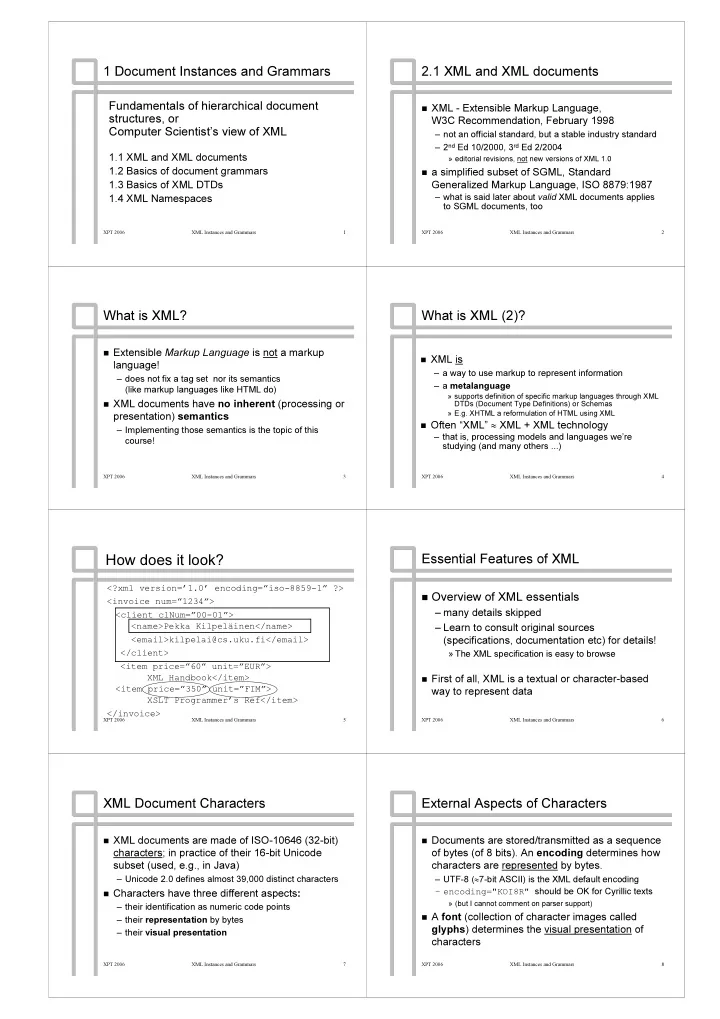
How How does does it it look? look?

<?xml version= <?xml version=’ ’1.0 1.0’ ’ encoding= encoding=” ”iso iso-

  • 8859

8859-

  • 1

1” ” ?> ?> < <invoice invoice num= num=” ”1234 1234” ”> > < <client client clNum= clNum=” ”00 00-

  • 01

01” ”> > < <name>Pekka name>Pekka Kilpel Kilpelä äinen</ inen</name name> > < <email>kilpelai@cs.uku.fi email>kilpelai@cs.uku.fi</ </email email> > </ </client client> > < <item item price= price=” ”60 60” ” unit= unit=” ”EUR EUR” ”> > XML XML Handbook Handbook</ </item item> > < <item item price= price=” ”350 350” ” unit= unit=” ”FIM FIM” ”> > XSLT XSLT Programmer Programmer’ ’s s Ref Ref</ </item item> > </ </invoice invoice> >

XPT 2006 XML Instances and Grammars 6

Essential Features of XML Essential Features of XML

  • Overview of XML essentials

Overview of XML essentials

– – many details skipped many details skipped – – Learn to consult original sources Learn to consult original sources (specifications, documentation etc) for details! (specifications, documentation etc) for details!

» » The XML specification is easy to browse The XML specification is easy to browse

  • First of all, XML is a textual or character

First of all, XML is a textual or character-

  • based

based way to represent data way to represent data

XPT 2006 XML Instances and Grammars 7

XML Document Characters XML Document Characters

  • XML documents are made of ISO

XML documents are made of ISO-

  • 10646 (32

10646 (32-

  • bit)

bit) characters characters; in practice of their 16 ; in practice of their 16-

  • bit Unicode

bit Unicode subset (used, e.g., in Java) subset (used, e.g., in Java)

– – Unicode 2.0 defines almost 39,000 distinct characters Unicode 2.0 defines almost 39,000 distinct characters

  • Characters have three different aspects

Characters have three different aspects: :

– – their identification as numeric code points their identification as numeric code points – – their their representation representation by bytes by bytes – – their their visual presentation visual presentation

XPT 2006 XML Instances and Grammars 8

External Aspects of Characters External Aspects of Characters

  • Documents are stored/transmitted as a sequence

Documents are stored/transmitted as a sequence

  • f bytes (of 8 bits). An
  • f bytes (of 8 bits). An encoding

encoding determines how determines how characters are characters are represented represented by bytes. by bytes.

– – UTF UTF-

  • 8 (

8 (≈ ≈7 7-

  • bit ASCII) is the XML default encoding

bit ASCII) is the XML default encoding – – encoding="KOI8R" encoding="KOI8R" should be OK for Cyrillic texts should be OK for Cyrillic texts

» » (but I cannot comment on parser support) (but I cannot comment on parser support)

  • A

A font font (collection of character images called (collection of character images called glyphs glyphs) determines the ) determines the visual presentation visual presentation of

  • f

characters characters

slide-2
SLIDE 2

XPT 2006 XML Instances and Grammars 9

XML Encoding of Structure 1 XML Encoding of Structure 1

  • XML is, essentially, a textual encoding scheme of

XML is, essentially, a textual encoding scheme of labelled labelled, , ordered

  • rdered and

and attributed attributed trees trees: :

– – internal nodes are internal nodes are elements elements labelled by type names labelled by type names – – leaves are leaves are text nodes text nodes labelled by string values, or labelled by string values, or empty element nodes empty element nodes – – the left the left-

  • to

to-

  • right order of children of a node matters

right order of children of a node matters – – element nodes may carry element nodes may carry attributes attributes (= name (= name-

  • string

string-

  • value pairs)

value pairs)

  • This view is shared by several XML techniques

This view is shared by several XML techniques (DOM, (DOM, XPath XPath, XSLT, , XSLT, XQuery XQuery, ...) , ...)

XPT 2006 XML Instances and Grammars 10

XML Encoding of Structure 2 XML Encoding of Structure 2

  • XML encoding of a tree

XML encoding of a tree

– – corresponds to a pre corresponds to a pre-

  • order walk
  • rder walk

– – start of an element node with type name A start of an element node with type name A denoted by a denoted by a start tag start tag <A>, and its end <A>, and its end denoted by denoted by end tag end tag </A> </A> – – possible attributes written within the start tag: possible attributes written within the start tag: <A attr <A attr1

1=

=“ “value value1

1”

” … … attr attrn

n=

=“ “value valuen

n”

”> >

» » names must be unique: names must be unique: attr attrk

k≠

≠ attr attrh

h when k

when k ≠ ≠ h h

– – text nodes written as their string value text nodes written as their string value

XPT 2006 XML Instances and Grammars 11

XML Encoding of Structure: Example XML Encoding of Structure: Example

<S> <S>

S S E E

<W> <W> <W> <W> </W> </W> <E A= <E A=‘ ‘1 1’ ’> > </E> </E> Hello Hello world! world!

W W Hello Hello W W world! world!

</W> </W> </S> </S>

A=1 A=1

XPT 2006 XML Instances and Grammars 12

XML: Logical Document Structure XML: Logical Document Structure

  • Elements

Elements

– – indicated by matching (case indicated by matching (case-

  • sensitive!) tags

sensitive!) tags

< <ElementTypeName ElementTypeName> > … … </ </ElementTypeName ElementTypeName> >

– – can contain text and/or can contain text and/or subelements subelements – – can be can be empty empty: :

< <elem elem-

  • type></

type></elem elem-

  • type>

type>

  • r
  • r

< <elem elem-

  • type/>

type/> (e.g.

(e.g. <

<br br/> /> in XHTML)

in XHTML) – – unique root element unique root element − −> > document a single tree document a single tree

XPT 2006 XML Instances and Grammars 13

Logical document structure (2) Logical document structure (2)

  • Attributes

Attributes

– – name name-

  • value pairs attached to elements

value pairs attached to elements – – in start in start-

  • tag after the element type name

tag after the element type name

<div class="preface" date='990126'> <div class="preface" date='990126'> … …

– – forms forms " "... ..." " and and ' '... ...' ' are are interchangeable interchangeable

  • Also:

Also:

– – <! <!--

  • - comments

comments outside other markup

  • utside other markup --
  • ->

> – – <?note this would be passed to the <?note this would be passed to the application as a application as a processing instruction processing instruction named named ‘ ‘note note’ ’?> ?>

XPT 2006 XML Instances and Grammars 14

CDATA Sections CDATA Sections

“CDATA Sections CDATA Sections” ” to include XML markup to include XML markup characters as textual content characters as textual content

<![CDATA[ <![CDATA[ Here we can easily include markup Here we can easily include markup characters and, for example, code characters and, for example, code fragments: fragments: <example>if (Count < 5 && Count > 0) <example>if (Count < 5 && Count > 0) </example> </example> ]]> ]]>

XPT 2006 XML Instances and Grammars 15

Two levels of correctness (1) Two levels of correctness (1)

  • Well

Well-

  • formed

formed documents documents – – roughly: follows the syntax of XML, roughly: follows the syntax of XML, markup correct (elements properly nested, tag markup correct (elements properly nested, tag names match, attributes of an element have names match, attributes of an element have unique names, ...) unique names, ...) – – violation is a fatal error violation is a fatal error

  • Valid

Valid documents documents – – (in addition to being well (in addition to being well-

  • formed)

formed)

  • bey an associated grammar (DTD/Schema)
  • bey an associated grammar (DTD/Schema)

XPT 2006 XML Instances and Grammars 16

XML docs and valid XML docs XML docs and valid XML docs

XML XML documents documents = = well well-

  • formed

formed XML XML documents documents DTD DTD-

  • valid

valid documents documents Schema Schema-

  • valid

valid documents documents

slide-3
SLIDE 3

XPT 2006 XML Instances and Grammars 17

An XML Processor (Parser) An XML Processor (Parser)

  • Reads XML documents and reports their contents

Reads XML documents and reports their contents to an application to an application

– – relieves the application from details of markup relieves the application from details of markup – – XML Recommendation specifies: XML Recommendation specifies: – – recognition of characters as markup or data; what recognition of characters as markup or data; what information to pass to applications; information to pass to applications; how to check the correctness of documents; how to check the correctness of documents; – – validation based on comparing document against its validation based on comparing document against its grammar grammar Next: Basics of document grammars Next: Basics of document grammars

XPT 2006 XML Instances and Grammars 18

1.2 Basics of document grammars 1.2 Basics of document grammars

  • DTDs

DTDs are variations of are variations of context context-

  • free grammars

free grammars ( (CFGs CFGs), which are widely used to syntax ), which are widely used to syntax specification (programming languages, XML, specification (programming languages, XML, … …) ) and to parser/compiler generation (e.g. and to parser/compiler generation (e.g. YACC/GNU Bison) YACC/GNU Bison)

– – No knowledge of them is necessary, but connections No knowledge of them is necessary, but connections with with CFGs CFGs may be informative for those that know about may be informative for those that know about them them

XPT 2006 XML Instances and Grammars 19

DTD/CFG DTD/CFG Correspondence Correspondence

DTD DTD

  • XML

XML document document element element type type element element type type declaration declaration #PCDATA #PCDATA CFG CFG

  • parse

parse/ /syntax syntax tree tree nonterminal nonterminal production production terminal terminal

XPT 2006 XML Instances and Grammars 20

Example: Three Authors of a Ref Example: Three Authors of a Ref

Ref Ref Author Author Author Author Author Author Title Title

. . . . . .

PublData PublData Aho Aho Hopcroft Hopcroft Ullman Ullman The Design and Analysis ... The Design and Analysis ...

Ref Ref − −> > Author* Title Author* Title PublData PublData ∈ ∈ P, P, Author Author Author Title Author Author Author Title PublData PublData ∈ ∈ L( L(Author* Title Author* Title PublData PublData) )

XPT 2006 XML Instances and Grammars 21

Extended Productions Extended Productions

  • Notice the

Notice the regular expressions regular expressions in in productions productions

– – to describe (potentially infinite) sequences to describe (potentially infinite) sequences

  • That is, we are using

That is, we are using extended extended CFGs CFGs

– – content models (of a DTD) correspond to content models (of a DTD) correspond to regular expressions (in an ECFG production) regular expressions (in an ECFG production)

XPT 2006 XML Instances and Grammars 22

1.3 Basics of XML 1.3 Basics of XML DTDs DTDs

  • A

A Document Type Declaration Document Type Declaration provides a provides a grammar ( grammar (document type definition document type definition, , DTD DTD) for a ) for a class of documents [Defined in XML class of documents [Defined in XML Rec Rec] ]

  • Syntax (in the

Syntax (in the prolog prolog of a document instance):

  • f a document instance):

<! <!DOCTYPE DOCTYPE rootElemType rootElemType SYSTEM SYSTEM " "ex.dtd ex.dtd" " <! <!--

  • - "

"external subset external subset" in file " in file ex.dtd ex.dtd --

  • ->

> [ <! [ <!--

  • - "

"internal subset internal subset" may come here " may come here --

  • ->

> ]> ]>

  • DTD is the union of the external and internal

DTD is the union of the external and internal subset subset

XPT 2006 XML Instances and Grammars 23

Markup Declarations Markup Declarations

  • DTD consists of

DTD consists of markup declarations markup declarations

– – element type declarations element type declarations

» » similar to productions of similar to productions of ECFGs ECFGs

– – attribute attribute-

  • list declarations

list declarations

» » for declared element types for declared element types

– – entity declarations entity declarations (see later) (see later) – – notation declarations notation declarations

» » to pass information about external (binary) objects to pass information about external (binary) objects to the application to the application

XPT 2006 XML Instances and Grammars 24

How How do do Declarations Declarations Look Look Like Like? ?

<!ELEMENT <!ELEMENT invoice invoice ( (client client, , item item+)> +)> <!ATTLIST <!ATTLIST invoice invoice num num NMTOKEN #REQUIRED> NMTOKEN #REQUIRED> <!ELEMENT <!ELEMENT client client ( (name name, , email email?)> ?)> <!ATTLIST <!ATTLIST client client num num NMTOKEN #REQUIRED> NMTOKEN #REQUIRED> <!ELEMENT <!ELEMENT name name (#PCDATA)> (#PCDATA)> <!ELEMENT <!ELEMENT email email (#PCDATA)> (#PCDATA)> <!ELEMENT <!ELEMENT item item (#PCDATA)> (#PCDATA)> <!ATTLIST <!ATTLIST item item price price NMTOKEN #REQUIRED NMTOKEN #REQUIRED unit unit (FIM | EUR) (FIM | EUR) ” ”EUR EUR” ” > >

slide-4
SLIDE 4

XPT 2006 XML Instances and Grammars 25

Element Type Declarations Element Type Declarations

  • General form:

General form: <!ELEMENT <!ELEMENT elementTypeName elementTypeName ( (E E)> )> where where E E is a is a content model content model

≈ ≈ regular expression of element names

regular expression of element names

  • Content model operators:

Content model operators: E | F : choice E | F : choice E E, , F: concatenation F: concatenation E? : optional E? : optional E* : zero or more E* : zero or more E+ : one or more E+ : one or more (E) : grouping (E) : grouping

  • Must group

Must group: : (A,B)|C or A,(B|C), but A,B|C forbidden (A,B)|C or A,(B|C), but A,B|C forbidden

XPT 2006 XML Instances and Grammars 26

Attribute Attribute-

  • List Declarations

List Declarations

  • Can declare attributes for elements:

Can declare attributes for elements:

– – Name, data type and possible default value Name, data type and possible default value

  • Example:

Example:

<!ATTLIST FIG <!ATTLIST FIG id id ID ID #IMPLIED #IMPLIED descr descr CDATA #REQUIRED CDATA #REQUIRED class (a | b | c) class (a | b | c) "a"> "a">

  • Semantics mainly up to the application

Semantics mainly up to the application

– – processor checks that processor checks that ID ID attributes are unique and that attributes are unique and that targets of targets of IDREF IDREF attributes exist attributes exist

XPT 2006 XML Instances and Grammars 27

Mixed, Empty and Arbitrary Content Mixed, Empty and Arbitrary Content

  • Mixed content

Mixed content: :

<!ELEMENT P <!ELEMENT P (#PCDATA | I | IMG)*> (#PCDATA | I | IMG)*>

– – may contain text ( may contain text (#PCDATA #PCDATA) and elements ) and elements

  • Empty content

Empty content: :

<!ELEMENT IMG <!ELEMENT IMG EMPTY EMPTY> >

  • Unrestricted content:

Unrestricted content: <!ELEMENT HTML

<!ELEMENT HTML ANY ANY> >

(= (= <!ELEMENT HTML

<!ELEMENT HTML (#PCDATA | (#PCDATA | choice choice-

  • of
  • f-
  • all

all-

  • declared

declared-

  • element

element-

  • types

types)*> )*>)

)

XPT 2006 XML Instances and Grammars 28

Entities (1) Entities (1)

  • Named storage units or fragments of XML

Named storage units or fragments of XML documents ( documents (~ ~ macros in some languages) macros in some languages)

  • Multiple uses:

Multiple uses:

– – character entities character entities: :

» » & &lt lt; ; &#60; &#60; and and &#x3C; &#x3C; all expand to all expand to ‘ ‘< <‘ ‘ (treated as data, not as start (treated as data, not as start-

  • of
  • f-
  • markup)

markup) » » other

  • ther predefined entities

predefined entities: : &amp; & &amp; &gt gt; & ; &apos apos; &quote; ; &quote; expand to expand to &, >, ' &, >, ' and and " "

– – general entities general entities are shorthand notations: are shorthand notations: <!ENTITY UKU <!ENTITY UKU "University of Kuopio"> "University of Kuopio">

XPT 2006 XML Instances and Grammars 29

Entities (2) Entities (2)

  • physical storage units comprising a document

physical storage units comprising a document

– – parsed entities parsed entities

<!ENTITY chap1 SYSTEM "http://myweb/ch1"> <!ENTITY chap1 SYSTEM "http://myweb/ch1">

– – document entity document entity is the starting point of processing is the starting point of processing – – entities and elements must nest properly: entities and elements must nest properly:

<!DOCTYPE doc [ <!DOCTYPE doc [ <!ENTITY chap1 <!ENTITY chap1 ( (… … as above as above … …) ) > ] > ] <doc> <doc> &chap1; &chap1; </doc> </doc> <sec num="1"> <sec num="1"> … … </sec> </sec> <sec num="2"> <sec num="2"> … … </sec> </sec>

XPT 2006 XML Instances and Grammars 30

Unparsed Entities and Parameter Entities Unparsed Entities and Parameter Entities

  • Unparsed entities

Unparsed entities allow XML documents refer to allow XML documents refer to external binary objects like graphics files external binary objects like graphics files

– – XML processor handles only text XML processor handles only text – – I've rarely used these I've rarely used these

  • Parameter entities

Parameter entities are used in are used in DTDs DTDs

– – useful for modularizing declarations useful for modularizing declarations

  • We skip these

We skip these

XPT 2006 XML Instances and Grammars 31

1.4 XML Namespaces 1.4 XML Namespaces

  • Documents often comprise parts processed by

Documents often comprise parts processed by different applications (and/or defined by different different applications (and/or defined by different grammars) grammars)

– – for example, in XSLT scripts: for example, in XSLT scripts:

< <xsl:template xsl:template match="doc/title"> match="doc/title"> <H1> <H1> < <xsl:apply xsl:apply-

  • templates />

templates /> </H1> </H1> </ </xsl:template xsl:template> >

– – How to manage multiple sets of names? How to manage multiple sets of names?

HTML HTML elements elements XSLT XSLT elements elements/ / instructions instructions

XPT 2006 XML Instances and Grammars 32

XML Namespaces (2/5) XML Namespaces (2/5)

  • Solution: XML Namespaces, W3C Rec. 14/1/1999

Solution: XML Namespaces, W3C Rec. 14/1/1999 for separating possibly overlapping for separating possibly overlapping “ “vocabularies vocabularies” ” (sets of element type and attribute names) within a (sets of element type and attribute names) within a single document single document

  • by introducing (arbitrary) local name

by introducing (arbitrary) local name prefixes prefixes, and , and binding them to (fixed) globally unique binding them to (fixed) globally unique URIs URIs – – For example, the local prefix For example, the local prefix “ “xsl xsl: :” ” conventionally used in XSLT scripts conventionally used in XSLT scripts

slide-5
SLIDE 5

XPT 2006 XML Instances and Grammars 33

XML Namespaces briefly (3/5) XML Namespaces briefly (3/5)

  • Namespace identified by a URI (through the

Namespace identified by a URI (through the associated local associated local prexif prexif) )

e.g. e.g. http://www.w3.org/ http://www.w3.org/1999/XSL/Transform

1999/XSL/Transform for XSLT

for XSLT

– – conventional but not required to use URLs conventional but not required to use URLs – – the identifying URI has to be unique, but it does not the identifying URI has to be unique, but it does not have to be an existing address have to be an existing address

  • Association inherited to sub

Association inherited to sub-

  • elements

elements

– – see the next example (of an XSLT script) see the next example (of an XSLT script)

XPT 2006 XML Instances and Grammars 34

XML Namespaces (4/5) XML Namespaces (4/5)

< <xsl:stylesheet xsl:stylesheet version= version="1.0" "1.0" xmlns:xsl xmlns:xsl="http://www.w3.org/1999/XSL/Transform" ="http://www.w3.org/1999/XSL/Transform" xmlns="http xmlns="http://www.w3.org/TR/xhtml1/ ://www.w3.org/TR/xhtml1/strict strict"> "> <! <!--

  • - XHTML is the

XHTML is the ’ ’default default namespace namespace’ ’ --

  • ->

> < <xsl:template xsl:template match="doc/title"> match="doc/title"> <H1> <H1> < <xsl:apply xsl:apply-

  • templates />

templates /> </H1> </H1> </ </xsl:template xsl:template> > </ </xsl:stylesheet xsl:stylesheet> >

XPT 2006 XML Instances and Grammars 35

XML Namespaces briefly (5/5) XML Namespaces briefly (5/5)

  • Mechanism built on top of basic XML

Mechanism built on top of basic XML

– – overloads attribute syntax (

  • verloads attribute syntax (xmlns

xmlns: :) to introduce ) to introduce namespaces namespaces – – does not affect validation does not affect validation

» » namespace attributes have to be declared for DTD namespace attributes have to be declared for DTD-

  • validity

validity » » all element type names have to be declared (with their all element type names have to be declared (with their initial prefixes!) initial prefixes!)

– – > Other schema languages (XML Schema, Relax NG) > Other schema languages (XML Schema, Relax NG) better for validating documents with Namespaces better for validating documents with Namespaces