Visualization Visualization Height Fields and Contours Height - - PDF document

visualization visualization
SMART_READER_LITE
LIVE PREVIEW

Visualization Visualization Height Fields and Contours Height - - PDF document

Visualization Visualization Height Fields and Contours Height Fields and Contours Scalar Fields Scalar Fields Volume Rendering Volume Rendering Vector Fields Vector Fields Tensor Fields and other high-D data Tensor Fields and other high-D


slide-1
SLIDE 1

1 Height Fields and Contours Scalar Fields Volume Rendering Vector Fields Tensor Fields and other high-D data [Angel Ch. 12] Height Fields and Contours Scalar Fields Volume Rendering Vector Fields Tensor Fields and other high-D data [Angel Ch. 12]

Visualization Visualization

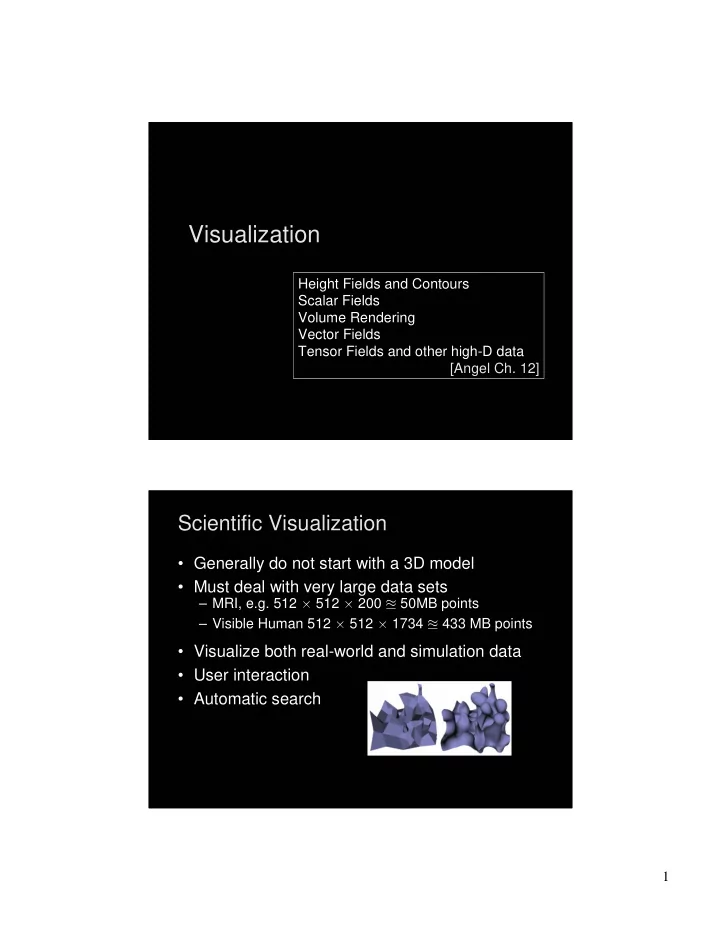
Scientific Visualization Scientific Visualization

  • Generally do not start with a 3D model
  • Must deal with very large data sets

– MRI, e.g. 512 512 200 50MB points – Visible Human 512 512 1734 433 MB points

  • Visualize both real-world and simulation data
  • User interaction
  • Automatic search
slide-2
SLIDE 2

2

Types of Data Types of Data

  • Scalar fields (3D volume of scalars)

– E.g., x-ray densities (MRI, CT scan)

  • Vector fields (3D volume of vectors)

– E.g., velocities in a wind tunnel

  • Tensor fields (3D volume of tensors [matrices])

– E.g., stresses in a mechanical part [Angel 12.7]

  • Static or through time

Example: Turbulent convection Example: Turbulent convection

  • Penetrative turbulent convection in a

compressible ideal gas (PTCC)

  • http://www.vets.ucar.edu/vg/PTCC/index.shtml

plot of enstrophy (vorticity squared)

slide-3
SLIDE 3

3

Example: Turbulent convection Example: Turbulent convection Example: Turbulent convection Example: Turbulent convection

How do we visualize volume data like this?

slide-4
SLIDE 4

4

Height Field Height Field

  • Visualizing an explicit function
  • Adding contour curves

z = f(x,y) g(x,y) = c

Meshes Meshes

  • Function is sampled (given) at xi, yi, 0 i, j n
  • Assume equally spaced
  • Generate quadrilateral or triangular mesh
  • [Asst 1]
slide-5
SLIDE 5

5

Contour Curves Contour Curves

  • Recall: implicit curve f(x,y) = 0
  • f(x,y) < 0 inside, f(x,y) > 0 outside
  • Here: contour curve at f(x,y) = c
  • Sample at regular intervals for x,y
  • How can we draw the curve?

Marching Squares Marching Squares

  • Sample function f at every grid point xi, yj
  • For every point fi j = f(xi, yj) either fi j c or fi j > c
  • Distinguish those cases for each corner x

– White: fi j c – Black: fi j > c

  • Now consider cases for curve
  • Assume “smooth”
  • Ignore fi j = 0
slide-6
SLIDE 6

6

Interpolating Intersections Interpolating Intersections

  • Approximate intersection

– Midpoint between xi, xi+1 and yj, yj+1 – Better: interpolate

  • If fi j = a is closer to c than b = fi+1 j then

intersection is closer to (xi, yj):

  • Analogous calculation

for y direction

fi j = a < c c < b = fi+1 j xi xi+1 x

Cases for Vertex Labels Cases for Vertex Labels

16 cases for vertex labels 4 unique mod. symmetries

slide-7
SLIDE 7

7

Ambiguities of Labelings Ambiguities of Labelings

Ambiguous labels Different resulting contours Resolution by subdivision (where possible)

Marching Squares Examples Marching Squares Examples

  • Ovals of Cassini, 50 50 grid

Midpoint Interpolation Contour plot of Honolulu data

slide-8
SLIDE 8

8

Outline Outline

  • Height Fields and Contours
  • Scalar Fields
  • Volume Rendering
  • Vector Fields
  • Tensor Fields and other high-D data

Scalar Fields Scalar Fields

  • Volumetric data sets
  • Example: tissue density
  • Assume again regularly sampled
  • Represent as voxels
slide-9
SLIDE 9

9

Isosurfaces Isosurfaces

  • f(x,y,z) represents volumetric data set
  • Two rendering methods

– Isosurface rendering – Direct volume rendering (use all values [next])

  • Isosurface given by f(x,y,z) = c
  • Recall implicit surface g(x, y, z):

– g(x, y, z) < 0 inside – g(x, y, z) = 0 surface – g(x, y, z) > 0 outside

  • Generalize right-hand side from 0 to c

Marching Cubes Marching Cubes

  • Display technique for isosurfaces
  • 3D version of marching squares
  • 14 cube labelings (after elimination symmetries)
slide-10
SLIDE 10

10

Marching Cube Tessellations Marching Cube Tessellations

  • Generalize marching squares, just more cases
  • Interpolate as in 2D
  • Ambiguities similar to 2D

Marching Cubes Demo Marching Cubes Demo

slide-11
SLIDE 11

11

Volume Rendering Volume Rendering

  • Sometimes isosurfaces are unnatural
  • Use all voxels and transparency (-values)

Ray-traced isosurface Volume rendering

Surface vs. Volume Rendering Surface vs. Volume Rendering

  • 3D model of surfaces
  • Convert to triangles
  • Draw primitives
  • Lose or disguise data
  • Good for opaque objects
  • Scalar field in 3D
  • Convert to RGBA values
  • Render volume “directly”
  • See data as given
  • Good for complex objects
slide-12
SLIDE 12

12

Sample Applications Sample Applications

  • Medical

– Computed Tomography (CT) – Magnetic Resonance Imaging (MRI) – Ultrasound

  • Engineering and Science

– Computational Fluid Dynamic (CFD) – Aerodynamic simulations – Meteorology – Astrophysics

Volume Rendering Pipeline Volume Rendering Pipeline

  • Transfer function: from data set to colors and
  • pacities

– Example: 256 256 64 2 = 4 MB – Example: use colormap (8 bit color, 8 bit opacity)

Data sets Rendering Sample Volume Transfer function Image

slide-13
SLIDE 13

13

Transfer Functions Transfer Functions

  • Transform scalar data values to RGBA values
  • Apply to every voxel in volume
  • Highly application dependent
  • Start from data histogram
  • Opacity for emphasis

Transfer Function Example Transfer Function Example

Mantle Convection

Scientific Computing and Imaging (SCI) University of Utah

slide-14
SLIDE 14

14

Types of Volume Rendering Types of Volume Rendering

  • Three volume rendering techniques

– Volume ray casting – Splatting – 3D texture mapping

  • Ray Casting

– Integrate color and opacity along ray

Ray Casting – Accumulating Opacity Ray Casting – Accumulating Opacity

  • = 1.0 is opaque
  • Composite multiple layers

according to opacity

slide-15
SLIDE 15

15

Real-Time Ray Tracer (Utah) Real-Time Ray Tracer (Utah)

Splatting Splatting

  • Wonderfully simple
  • Working back-to-front (or front-to-back), draw a “splat”

for each chunk of data

  • Easy to implement, but not as accurate as ray casting
  • Works reasonably for non-uniform data

closeup of a splat

slide-16
SLIDE 16

16

Splatting Splatting

  • Alternative to ray tracing
  • Assign shape to each voxel (e.g., Gaussian)
  • Project onto image plane (splat)
  • Draw voxels back-to-front
  • Composite (-blend)

3D Textures 3D Textures

  • Alternative to ray tracing, splatting
  • Build a 3D texture (including opacity)
  • Draw a stack of polygons, back-to-front
  • Efficient if supported in graphics hardware
  • Few polygons, much texture memory

3D RGBA texture Draw back to front Viewpoint

slide-17
SLIDE 17

17

Example: 3D Textures Example: 3D Textures

Emil Praun’01

Example: 3D Textures Example: 3D Textures

Emil Praun’01

slide-18
SLIDE 18

18

Other Techniques—CSG is Easy Other Techniques—CSG is Easy

  • The transfer function can be used to mask a volume or merge volumes
  • You are still confined to the grid, of course

head

  • r

and not Outline Outline

  • Height Fields and Contours
  • Scalar Fields
  • Volume Rendering
  • Vector Fields
  • Tensor Fields and other high-D data
slide-19
SLIDE 19

19

Vector Fields Vector Fields

  • Visualize vector at each (x,y,z) point

– Example: velocity field – Example: hair

  • Hedgehogs

– Use 3D directed line segments (sample field) – Orientation and magnitude determined by vector

  • Animation

– Use for still image – Particle systems

Blood flow in human carotid artery

Using Glyphs and Streaks Using Glyphs and Streaks

Glyphs for air flow University of Utah

slide-20
SLIDE 20

20

More Flow Examples More Flow Examples

Banks and Interrante

Example: Jet Shockwave Example: Jet Shockwave

  • P. Sutton

University of Utah

http://www.sci.utah.edu/

slide-21
SLIDE 21

21

Visualization in 3D environments Visualization in 3D environments

CAVE, Brown

Lines can also be used to show shape Lines can also be used to show shape

Draw lines in directions of principal curvature

Victoria Interrante

slide-22
SLIDE 22

22

Interaction: Data Probe Interaction: Data Probe

SCI, Utah

Outline Outline

  • Height Fields and Contours
  • Scalar Fields
  • Volume Rendering
  • Vector Fields
  • Tensor Fields and other high-D data
slide-23
SLIDE 23

23

High- Dimensional Data High- Dimensional Data

  • How do we display

data that is very high dimensional?

  • One idea is to draw

inspiration from art

David Laidlaw, Brown

slide-24
SLIDE 24

24

slide-25
SLIDE 25

25

Summary Summary

  • Height Fields and Contours
  • Scalar Fields

– Isosurfaces – Marching cubes

  • Volume Rendering

– Volume ray tracing – Splatting – 3D Textures

  • Vector Fields

– Hedgehogs – Animated and interactive visualization

  • Tensor Fields and other High-Dimensional Data

– NPR and other art-motivated techniques

slide-26
SLIDE 26

26

Top Visualization Research Issues

  • Error and Uncertainty Visual Representation
  • Perceptual Issues
  • Quantify Effectiveness
  • Time Dependent Visualization
  • Pipeline Complexity
  • Think About the Science
  • Interesting Feature Detection
  • Leverage both Hardware and Software Methods
  • Multi-field Visualization

From Chris Johnson, Utah