Virtualization is the Operating System of the Cloud Ren W. Schmidt - - PowerPoint PPT Presentation

virtualization is the operating system of the cloud
SMART_READER_LITE
LIVE PREVIEW

Virtualization is the Operating System of the Cloud Ren W. Schmidt - - PowerPoint PPT Presentation

Virtualization is the Operating System of the Cloud Ren W. Schmidt Principal Engineer VMware, Inc. Cloud 1 Agenda Virtualization Primer Cloud Computing Defined VMware vCloud Initiative Cloud Application Architecture


slide-1
SLIDE 1 1

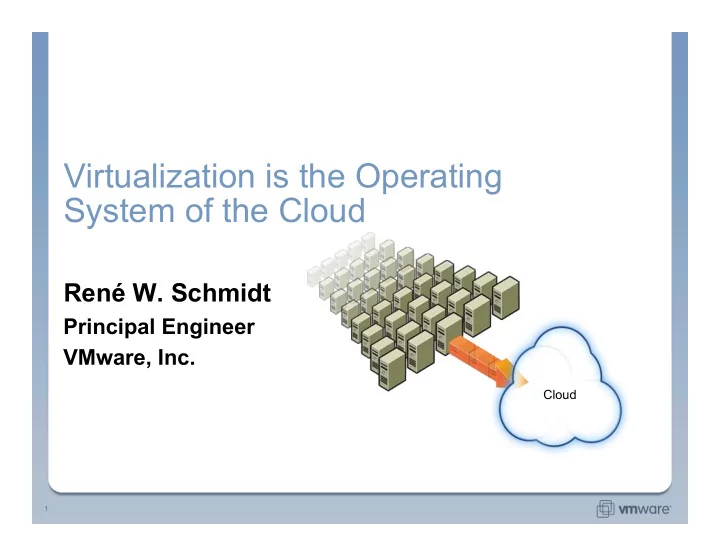
Virtualization is the Operating System of the Cloud

René W. Schmidt

Principal Engineer VMware, Inc.

Cloud
slide-2
SLIDE 2 2

Agenda

  • Virtualization Primer
  • Cloud Computing Defined
  • VMware vCloud Initiative
  • Cloud Application Architecture
  • Conclusions
slide-3
SLIDE 3 3

What this is really about...

  • Requirements of today’s software:
  • Massive Scale
  • Always On
  • Flexible / SOA
  • Fast development cycles
  • Thus:
  • Complex to deploy
  • Complex to manage
  • Complex to update
  • Complex to test
  • Complex to size
  • Driving two major areas of innovation:
  • Application Architecture (e.g., Web 2.0 frameworks)
  • Deployment Infrastructure (e.g., Cloud infrastructure)
Cloud
slide-4
SLIDE 4 4 Hardware Application Operating System

With Virtualization Without Virtualization

What is Virtualization?

Virtualization presents a complete x86 platform to the virtual machine Allows multiple application stacks to run in isolation within VMs
  • n the same physical machine
Uniform virtual hardware layer – independent of underlying physical

hardware

slide-5
SLIDE 5 5

Virtual Machine as a Container

  • Provisioning is similar to

copying a file

  • Standard data management

techniques are used for server management

  • Server cloning/copying
  • Remote mirroring
  • Virtual Appliances
  • Distributing software in VMs
  • Entire server – OS, apps, data,

devices, and state – is now simply a file

  • Enabled by uniform virtual

hardware and state encapsulation

slide-6
SLIDE 6 6

Virtual Infrastructure

  • Transforms discrete physical infrastructure into a flexible

pool of resources

  • Legacy friendly
  • Application-level services
Virtual Infrastructure VM Win Exchange Win DB Win IIS Linux Apache VM VM VM High Availability Distributed Resource Scheduling Resource Pool Resource Pool Backup
slide-7
SLIDE 7 7

Virtual Machine as a Compute Engine

  • A VM is an encapsulation of compute capacity
  • CPU / Memory / Storage / Networking / Software
  • A VM can be created programmatically
  • Can be instantiated in a cluster
  • Transparently be migrated depending on load and capacity
  • Next evolution in core OS abstractions
  • Thread / Process / Virtual Machine
  • Enables new software architectures
  • Create self-scaling distributed applications
slide-8
SLIDE 8 8

Virtualization Status

  • Has fundamentally changed the economics in

datacenter operations

  • Hardware Management:
  • Higher server utilization
  • Easier to maintain physical infrastructure
  • Software Management:
  • Pre-built templates that can be provisioned in seconds
  • Ability to create new VMs in seconds for test and development
  • Backup, Security, Disaster Recovery, Monitoring built in at the

virtualization layer

slide-9
SLIDE 9 9

How Do We Define The Cloud?

Cloud Computing according to VMware

  • Lightweight entry/exit service acquisition model
  • Consumption based pricing
  • Accessible over standard internet protocols
  • Scalable and elastic
  • Improved economics due to shared

infrastructure and elasticity

Cloud computing comes into focus only when you think about… a way to increase capacity or add capabilities on the fly without investing in new infrastructure, training new personnel, or licensing new software. Cloud computing encompasses any subscription-based or pay-per-use service that, in real time… extends IT's existing capabilities.

“ “

slide-10
SLIDE 10 10

Different Types Of Cloud Computing

Two Main Deployment Environments Public – Accessible
  • ver the internet for
general consumption Private – Behind corporate firewall for use by limited, pre-determined audience

APPLICATION AND INFORMATION

Sometimes referred to as Software-as-a- Service, a wide ranging services delivered via varied business models normally available as public offering.
slide-11
SLIDE 11 11

Different Types Of Cloud Computing

Two Main Deployment Environments Public – Accessible
  • ver the internet for
general consumption Private – Behind corporate firewall for use by limited, pre-determined audience

DEVELOPMENT

Sometimes referred to as Platform- as-a-Service, application development platforms enable application authoring and runtime environment.
slide-12
SLIDE 12 12

Different Types Of Cloud Computing

Two Main Deployment Environments Public – Accessible
  • ver the internet for
general consumption Private – Behind corporate firewall for use by limited, pre-determined audience

INFRASTRUCTURE

Sometimes referred to as elastic compute clouds or Infrastructure- as-a-Service, virtual hardware made available for varied uses.
slide-13
SLIDE 13 13

Map Of Cloud Computing

Traditional New Model Infrastructure Development Application Remote Local Remote Local Remote Local On-Premise Datacenter Hosting Colocation C, C++ J2EE, .Net Managed Application Hosting Oracle, SAP, Exchange, … Software-as-a-Service Elastic Compute Clouds Python, RoR, Hadoop Platform-as-a-Service Virtual Appliances Web services, loosely coupled apps Web 2.0 utility computing Remote Local Remote Local Remote Local
slide-14
SLIDE 14 14

Key Industry Trends

  • Business cycle times shortening and
driving needs for highly elastic infrastructure
  • Traditional Hosting Service
Providers and Compute Clouds becoming more similar
  • Intelligence moving from hardware
into software
  • Cheap server revolution!!
  • Operating Systems “thinning down”
thus enabling better transportability
  • More diversity in Operating
System use
  • Applications becoming
disaggregated, distributed set of services
  • Growing proliferation of consumer
Web 2.0 consumer apps on cloud platforms
  • Fault tolerance built into the
application or virtual hardware layer

Cloud Platforms Application Architectures

slide-15
SLIDE 15 15

Challenges Of Cloud Computing

  • Need for New, Highly Efficient

and Flexible Computing Infrastructure

  • Must be highly performent
  • Must be highly scalable
  • Need new more course grained units of
management and actions
  • Needs to be elastic
  • Application Compatibility
  • Need application model optimized for cloud
  • Need to leverage existing skills and code base
  • Will not be 100% immediate transfer to cloud, need bridge
  • Need better containers that allow for true application level
  • perations
  • Applications “sticky” to location
slide-16
SLIDE 16 16

Challenges Of Cloud Computing

  • Lack of standardization creates

complexity and switching costs

  • Each compute cloud vendor has different
application model
  • Proprietary, vertically integrated stacks limiting
choice, increasing switching costs
  • Multi-tenancy
  • Need to find the balance between the security of dedicated
infrastructure with economics of shared infrastructure
  • Service level agreements need to move to richer
application level semantics
slide-17
SLIDE 17 17 Virtual Datacenter OS Abstraction Aggregation Allocation Broad Application Support Enterprises

VMware vCloud Initiative

vCloud Service Partner Ecosystem
slide-18
SLIDE 18 18

VMware vCloud

Acme Corporation Internal Compute Cloud Acme Corporation 2nd Site Cloud
slide-19
SLIDE 19 19

VMware VCloud

vCloud

Acme Corporation 2nd Site Cloud
slide-20
SLIDE 20 20 vApp

vCloud Components

  • Virtual Datacenter OS:
  • A software platform that seamlessly aggregates on-premise computing assets into pools of capacity
and federates federates with third party cloud infrastructure to deliver capacity on demand
  • vApp:
  • A software solution that is optimized for VDC-OS. Can seamlessly move between on-premise and
  • ff-premise
  • vCloud API:
  • Provides access to the services provided by the VDC-OS
On-premise Infrastructure vCloud API Virtual Datacenter OS (VDC-OS) Off-premise Cloud Off-premise Cloud
slide-21
SLIDE 21 21

Virtual Datacenter OS (VDC-OS)

Off-premise Cloud vCenter On-premise Infrastructure SaaS Linux Grid Windows J2EE .Net Virtual Datacenter OS Application vServices Scalability Infrastructure vServices Security Availability vNetwork vStorage vCompute Cloud vServices ……. Web 2.0
slide-22
SLIDE 22 22

Consequences of a VDC-OS for application developers

  • Independence of deployment environment
  • Uniform hardware, One or many VMs, Any OS
  • Simplified Management
  • A VM always comes with a support system
  • Scalability and Availability
  • Ability to codify distributed application configurations and availability
  • Testing and Automation
  • Easily instantiate many copies of complex software
  • Save snapshots for later debugging
  • Cloud Enablement
  • Seamless move between on-premise and off-premise
slide-23
SLIDE 23 23

vApps – Applications for VDC-OS

  • Comprised of one or more

virtual machines

  • Packaged as OVF –

Open Virtualization Format

  • Policy Driven
  • Integrates with underlying

deployment infrastructure services

Application VMs DB2 CRM Firewall Policy:
  • 1. Product: eCommerce
  • 2. Topology
  • 3. Resources Req: CPU, Mem,
Disk,Bandwidth
  • 4. Backup : 12AM PST
  • 5. Only port 80 is used
  • 6. VRM: Encrypt w/ SHA-1
  • 7. Decommission in 2 month
Websphere
slide-24
SLIDE 24 24

It started with Virtual Appliances

  • VMware created the category of

virtual appliances 3 years ago

  • Prepackaged, pre-configured VM(s)
with just enough OS – jeOS
  • 850+ Appliances on Virtual

Appliance Marketplace

slide-25
SLIDE 25 25

Open Virtualization Format (OVF)

  • A standard for packaging and distribution of VMs
  • A package format that provides a complete description of a

single VM or complex multi-VM environments

  • Optimized for distribution
  • Infrastructure to securely and robustly install, configure, and run Virtual

Appliances

  • Developed by DMTF working group
  • Preliminary version 1.0 just published (September 2008)
slide-26
SLIDE 26 26

The OVF Specification

  • A Packaging Format
  • How to bundle files and do digital signing
  • OVF Envelope
  • An XML descriptor that describes the software in an OVF package
  • Organized as an envelope with an extensible set of sections
  • Core Sections
  • 10 core sections for describing virtual hardware, EULA, Product information,
etc.
  • OVF Environment
  • An XML document available to the software inside a virtual machine which
enables it to adapt to the deployment environment
  • Extensible
  • Policy-meta data
slide-27
SLIDE 27 27

OVF Package

OVF Descriptor OS App OS App db.vmdk web.vmdk <XML> myapp.ovf SHA1 x.509 myapp.mf myapp.cert <Envelope> ... <VirtualSystem> </VirtualSystem> </Envelope> Virtual Hardware EULA Product Information Resources Deployment Configuration Availability Policy Firewall Policy
slide-28
SLIDE 28 28

vApp Workflow

  • Building a vApp
  • Deploying a vApp
  • Instantiating on a cloud provider
slide-29
SLIDE 29 29

Building a vApp

OVF Builder Build Profile Application Packages OVF Package comprising of 1
  • r more VM(s)
Update repository vServices "Glue Code“ Repository (RPMs, .msi) ... Monitoring Agent Backup Agent Availabiliity Agent Policies Input (optional) Output ... Base Image Repository (OVF Packages, ISOs) Linux JeOS Ruby Stack SQL DB OS ISO
slide-30
SLIDE 30 30

VMware Studio

  • Provide rich authoring environment for vApps
  • Build Virtual Machines that are
  • Highly customized
  • Easy to deploy, Require minimal setup
  • With rich meta-data and/or
  • Embedded in-guest “glue” code for runtime interaction with VI
  • Location independent

Enable on-going maintenance

  • Build VMs that are capable of self-maintenance
  • Integrate into automated build systems
slide-31
SLIDE 31 31

Deploying vApp: Select Source

Appliance can be stored on web server
slide-32
SLIDE 32 32

Deploying vApp: VA Marketplace

Click on link to select
slide-33
SLIDE 33 33

Deploying vApp: Product Information

Validate before download
slide-34
SLIDE 34 34

Deploying vApp: Download

slide-35
SLIDE 35 35

vCenter Inventory

vApp object represents multi-tier SugarCRM application Power Operations Starts multi-tier service Application meta-data
slide-36
SLIDE 36 36 CRM-DB CRM AppServer

Putting it all together

OS OVF Descriptor (XML) Policy VDC-OS Application vService OVF Package Virtual Disk Glue OS Glue Virtual Disk Vendor, Product, CRM App information Virtual Hardware Requirements Examples : Backup, Upgrade, Monitoring, Firewall, Load Balancers Infrastructure vServices: Storage, Networking Policy Application vService Application vServices Policy vApp On-premise Infrastructure Off-premise Cloud Off-premise Cloud
slide-37
SLIDE 37 37

Summary

  • The requirements for our software is changing
  • Uptime, scale, flexibility, short cycle-time
  • New business models are emerging
  • Virtualization is fundamental to cloud computing
  • A virtual machine is both a portable container and a compute engine for
distributed applications
  • Embraces legacy, current, and future application work loads
  • Standards and eco-system
  • Cloud Computing is a cost-effective deployment platform
  • Lightweight entry/exit service acquisition model
  • Consumption based pricing
  • Accessible over standard internet protocols
  • To Learn more: Visit us in our booth and on the Web