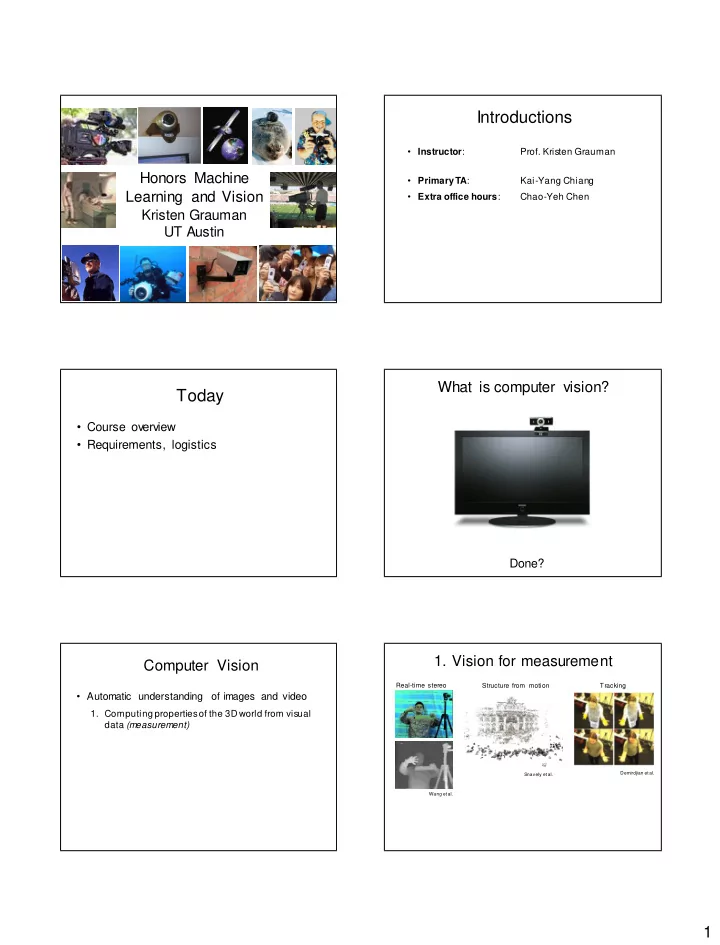
Today Course overview Requirements, logistics Done? 1. Vision for - - PDF document

today
SMART_READER_LITE
LIVE PREVIEW

Today Course overview Requirements, logistics Done? 1. Vision for - - PDF document

Introductions Instructor : Prof. Kristen Grauman Honors Machine Primary TA : Kai-Yang Chiang Learning and Vision Extra office hours : Chao-Yeh Chen Kristen Grauman UT Austin What is computer vision? Today Course overview


slide-1
SLIDE 1

1

Honors Machine Learning and Vision

Kristen Grauman UT Austin

Introductions

  • Instructor:
  • Prof. Kristen Grauman
  • Primary TA:

Kai-Yang Chiang

  • Extra office hours:

Chao-Yeh Chen

Today

  • Course overview
  • Requirements, logistics

What is computer vision?

Done?

Computer Vision

  • Automatic understanding of images and video
  • 1. Computing properties of the 3D world from visual

data (measurement)

  • 1. Vision for measurement

Real-time stereo Structure from motion

NASA Mars Rover

Tracking

Demirdjian et al. Snavely et al. Wang et al.

slide-2
SLIDE 2

2

Computer Vision

  • Automatic understanding of images and video
  • 1. Computing properties of the 3D world from visual

data (measurement)

  • 2. Algorithms and representations to allow a machine

to recognize objects, people, scenes, and

  • activities. (perception and interpretation)

sky water Ferris wheel amusement park Cedar Point 12 E tree tree tree carousel deck people waiting in line ride ride ride umbrellas pedestrians maxair bench tree Lake Erie people sitting on ride

Objects Activities Scenes Locations Text / w riting Faces Gestures Motions Emotions…

T he Wicked T wister

  • 2. Vision for perception, interpretation

Computer Vision

  • Automatic understanding of images and video
  • 1. Computing properties of the 3D world from visual

data (measurement)

  • 2. Algorithms and representations to allow a machine

to recognize objects, people, scenes, and

  • activities. (perception and interpretation)
  • 3. Algorithms to mine, search, and interact with visual

data (search and organization)

  • 3. Visual search, organization

Image or video archives Query Relevant content

Computer Vision

  • Automatic understanding of images and video
  • 1. Computing properties of the 3D world from visual

data (measurement)

  • 2. Algorithms and representations to allow a machine

to recognize objects, people, scenes, and

  • activities. (perception and interpretation)
  • 3. Algorithms to mine, search, and interact with visual

data (search and organization)

Course focus

Related disciplines

Cognitive science Algorithms Image processing Artificial intelligence Graphics Machine learning

Computer vision

slide-3
SLIDE 3

3

Vision and graphics

Model Images

Vision Graphics

Inverse problems: analysis and synthesis.

  • L. G. Roberts, Machine Perception
  • f Three Dim

ensional Solids, Ph.D. thesis, MIT Department of Electrical Engineering, 1963.

Visual data in 1963

Personal photo albums Surveillance and security Movies, news, sports Medical and scientific images Slide credit; L. Lazebnik

Visual data in 2015 Why vision?

  • As image sources multiply, so do applications

– Relieve humans of boring, easy tasks – Enhance human abilities – Advance human-computer interaction, visualization – Perception for robotics / autonomous agents – Organize and give access to visual content

Faces and digital cameras

Setting camera focus via face detection Camera waits for everyone to smile to take a photo [Canon]

Linking to info with a mobile device

kooaba Situated search Yeh et al., MIT MSR Lincoln Google Goggles

slide-4
SLIDE 4

4

Video-based interfaces

Human joystick, NewsBreaker Live Assistive technology systems Camera Mouse, Boston College Microsoft Kinect

What else?

Vision for medical & neuroimages

Image guided surgery MIT AI Vision Group fMRI data Golland et al.

Special visual effects

The Matrix What Dreams May Come Mocap for Pirates of the Carribean, Industrial Light and Magic Source: S. Seitz

Safety & security

Navigation, driver safety Monitoring pool

(Poseidon)

Surveillance Pedestrian detection MERL, Viola et al.

Obstacles?

slide-5
SLIDE 5

5

What the computer gets Why is vision difficult?

  • Ill-posed problem: real w orld much more

complex than w hat w e can measure in images – 3D  2D

  • Impossible to literally “invert” image formation

process

Challenges: many nuisance parameters

Illumination Object pose Clutter Viewpoint Intra-class appearance Occlusions

Challenges: intra-class variation

slide credit: Fei-Fei, Fergus & T

  • rralba

Challenges: importance of context

Credit: Antonio Torralba and Rob Fergus

Challenges: importance of context

Credit: Antonio Torralba and Rob Fergus

slide-6
SLIDE 6

6

Challenges: importance of context

slide credit: Fei-Fei, Fergus & T

  • rralba

Challenges: complexity

  • Millions of pixels in an image
  • 30,000 human recognizable object categories
  • 30+ degrees of freedom in the pose of articulated
  • bjects (humans)
  • Billions of images online
  • 144K hours of new video on YouTube daily
  • About half of the cerebral cortex in primates is

devoted to processing visual information [Felleman and van Essen 1991]

Progress charted by datasets

COIL Roberts 1963 1996 1963 … INRIA Pedestrian s UIUC Cars MIT

  • CMU Faces

2000

Progress charted by datasets

1996 1963 … Caltech-256 Caltech-101 MSRC 21 Objects 2000 2005

Progress charted by datasets

1996 1963 … Faces in the Wild 80M T iny Images Birds-200 PASCAL VOC ImageNet 2000 2005 2007 2008 2013

Progress charted by datasets

1996 1963 …

slide-7
SLIDE 7

7

Expanding horizons: large-scale recognition Expanding horizons: captioning

https://pdollar.wordpress.com/2015/01/21/image-captioning/

Expanding horizons: vision for autonomous vehicles

KITTI dataset – Andreas Geiger et al.

Expanding horizons: interactive visual search

WhittleSearch – Adriana Kovashka et al.

Expanding horizons: first-person vision

Activities of Daily Living – Hamed Pirsiavash et al.

Brainstorm

Pick an application or task among any of those w e’ve described so far.

  • 1. What functionality should the system have?
  • 2. Intuitively, w hat are the technical sub-problems

that must be solved?

slide-8
SLIDE 8

8

Goals of this course

  • Upper division honors undergrad course
  • Introduction to primary topics

– Special focus on machine learning methods – Distinct from 378 3D Reconstruction, but some pieces of overlap

  • Hands-on experience w ith algorithms
  • View s of vision as a research area

Topics overview

  • Features & filters
  • Grouping & fitting
  • Multiple view s
  • Recognition

Features and filters

Transforming and describing images; textures, colors, edges

Grouping & fitting

[fig from Shi et al]

Clustering, segmentation, fitting; w hat parts belong together?

Multiple views

Hartley and Zisserman Lowe

Matching, invariant features, stereo vision, instance recognition

Fei-Fei Li

Recognition and learning

Recognizing categories (objects, scenes, activities, attributes…), learning techniques

slide-9
SLIDE 9

9

Textbooks

  • Recommended book:

– Computer Vision: Algorithms and Applications – By Rick Szeliski – http://szeliski.org/Book/

Requirements / Grading

  • Problem sets (50%)
  • Midterm exam (15%)
  • Final exam (25%)
  • Class participation, including attendance (10%)
  • Check grades on Canvas

– A quote from a prior student evaluation: “To be honest, I think w ithout going to class, the course w ould be very hard. “

Assignments

  • Some short answ er concept questions
  • Programming problem

– Implementation – Explanation, results

  • Code in Matlab – available on CS Unix

machines (see course page)

  • Most of these assignments take significant time

to do. We recommend starting early.

Matlab

  • Built-in toolboxes for low -

level image processing, visualization

  • Compact programs
  • Intuitive interactive

debugging

  • Widely used in

engineering

Assignment 0

  • A0: Matlab w armup + basic image manipulation
  • Out today, due Fri Sept 4
  • Verify CS account and Matlab access
  • Look at the tutorial online

Digital images

Images as matrices

slide-10
SLIDE 10

10

im[176][201] has value 164 im[194][203] has value 37 width 520 j=1 500 height i=1

Intensity : [0,255]

Digital images

R G B

Color images, RGB color space

Preview of assignments

Seam carving

Preview of assignments

Grouping for segmentation

Preview of assignments

Image mosaics / stitching

Image from Fei-Fei Li

Preview of assignments

Matching and recognition

slide-11
SLIDE 11

11

Preview of assignments

Object detection

Image courtesy of James Hays

Collaboration policy

All responses and code must be w ritten individually unless otherw ise specified. Students submitting answ ers or code found to be identical or substantially similar (due to inappropriate collaboration) risk failing the course.

Assignment deadlines

  • Due about every tw o w eeks

– tentative deadlines posted online but could slightly shift depending on lecture pace

  • Assignments in by 11:59 PM on due date

– Submit on Canvas, following submission instructions given in assignment. – Deadlines are firm. We’ll use timestamp.

Miscellaneous

  • Slides, announcements via class w ebsite
  • No laptops, phones, etc. open in class please.
  • Use our office hours!

Coming up

  • Now: check out Matlab tutorial online
  • A0 due Fri Sept 4
  • Textbook reading posted for next week