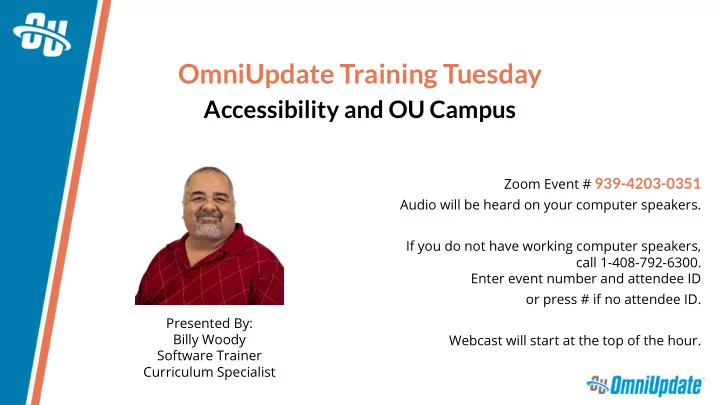
SLIDE 1 OmniUpdate Training Tuesday
Accessibility and OU Campus
Zoom Event # 939-4203-0351 Audio will be heard on your computer speakers. If you do not have working computer speakers, call 1-408-792-6300. Enter event number and attendee ID
- r press # if no attendee ID.
Webcast will start at the top of the hour. Presented By: Billy Woody Software Trainer Curriculum Specialist
SLIDE 2
AGENDA
§ What is Accessibility for websites? § Who needs accessible sites? § Setting up Accessibility in OU Campus Setup menu § Making sitewide exceptions to rules § Responsiveness and Bandwidth Issues § Page Checks and common errors § Using OU Insights for Accessibility Time permitting: § Using custom CSS to identify accessibility errors on a page
SLIDE 3 What is Accessibility
Accessibility is the process of making your website accessible and usable to as many people as possible regardless of the roadblocks
- r impairments they may face.
SLIDE 4 Why Make Your Site Accessible?
Maintaining accessibility is a lot of work at times, why do it?
- It’s the law - Maybe
- Standards and Guidelines are found in Section 508
Rehabilitation act
- Normally applies only to federal websites
- Schools are required to follow the guidelines if the state they
are in receives funds through the Assistive Technology Act Grants
- Reach more people and perspective students
SLIDE 5 What Roadblocks?
There are several potential roadblocks or issues that can arise when trying to make use of a website, those include:
- Being Disabled, persons who are Blind, Deaf, have Mobility or
Cognitive issues, Epilepsy, etc.
- People accessing your site from Multiple devices such as
mobile phones, tablets, watches.
- Limited bandwidths, users with slow internet connections.
- Languages, is your site easily translated into multiple
languages?
SLIDE 6
Accessibility Guidelines
Accessibility guidelines are maintained by two organizations: Ø Web Accessibility Initiative (WAI) Ø World Wide Web Consortium (W3C) Together they publish the: Web Content Accessibility Guidelines (WCAG) https://www.w3.org/WAI/standards-guidelines/wcag/
SLIDE 7 Principles of Accessibility
From WCAG
The guidelines are based on these four guiding principals of Accessibility
- Perceivable
- Operable
- Understandable
- Robust
SLIDE 8 Principles of Accessibility
From WCAG
The foundations required for anyone to access and use the Web.
The user interface must be presented in a manner that the user can perceive. Meaning, the user must be able to understand the message or information being presented by using at least one of their senses.
- Introduction to Understanding WCAG 2.1
SLIDE 9 Principles of Accessibility
From WCAG
The foundations required for anyone to access and use the Web.
The components and parts of the interface including navigation, must be
Meaning, the user must be able to operate the website and not require an interaction that the visitor cannot do. There must be an alternative to navigate if the user cannot do it in other ways.
- Introduction to Understanding WCAG 2.1
SLIDE 10 Principles of Accessibility
From WCAG
The foundations required for anyone to access and use the Web.
Information and the operation of user interface must be understandable. Meaning, The information and operation must be understandable, it cannot be beyond ones understanding. In simple terms, keep it simple. Do not
- vercomplicate the menu structure or navigation system.
- Introduction to Understanding WCAG 2.1
SLIDE 11 Principles of Accessibility
From WCAG
The foundations required for anyone to access and use the Web.
Content must be robust enough that it can be interpreted reliably by a wide variety of user agents, including assistive technologies. Meaning, users must be able to access the content as technologies advance. As technology changes and offers more opportunities for accessibility, your site should eventually migrate towards using those tools.
- Introduction to Understanding WCAG 2.1
SLIDE 12
Responsiveness
Full Width
SLIDE 13
Responsiveness
Tablet Portrait
SLIDE 14
Responsiveness
Tablet Landscape
SLIDE 15
Responsiveness
Mobile Device
SLIDE 16
Limited Bandwidth
Image Sizes Full Size 9 MB
SLIDE 17
Limited Bandwidth
Image Sizes Half Size 4 MB
SLIDE 18
Limited Bandwidth
Image Sizes Quarter Size 2 MB
SLIDE 19
Limited Bandwidth
Image Sizes Tenth Size 159 KB
SLIDE 20
Let’s Take a look
SLIDE 21
NEXT TRAINING TUESDAY
Next month’s Training Tuesday will be held on Tuesday, October 27th We’ll be covering the topic of Advanced Snippet Options. Be sure to visit the OCN or Support Site for further details! http://ocn.omniupdate.com http://support.omniupdate.com
SLIDE 22