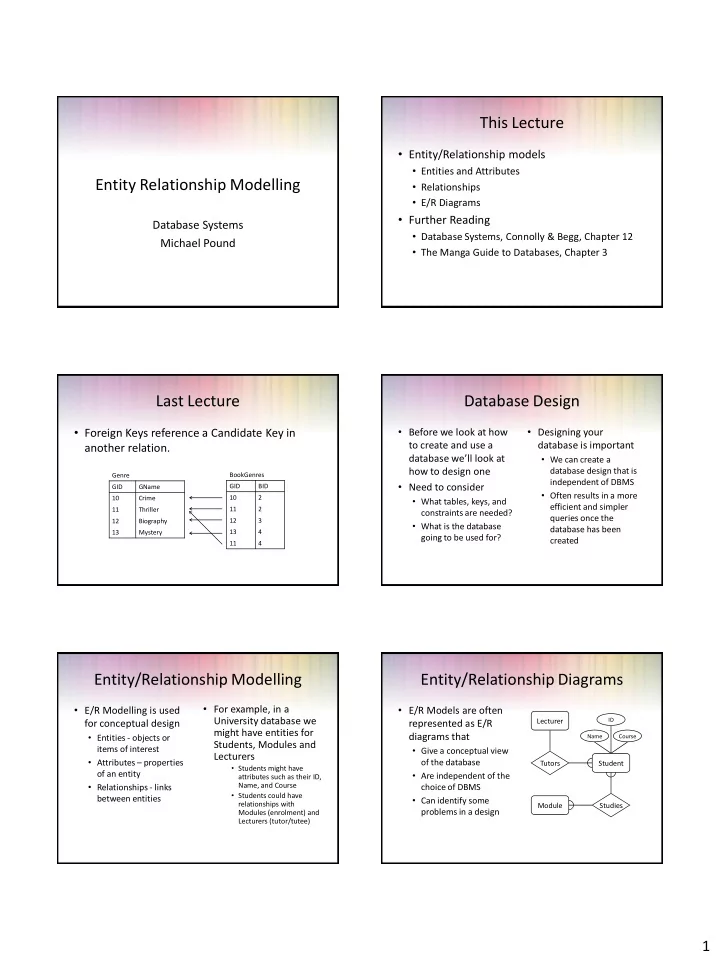
This Lecture Entity/Relationship models Entities and Attributes - - PDF document

this lecture
SMART_READER_LITE
LIVE PREVIEW

This Lecture Entity/Relationship models Entities and Attributes - - PDF document

This Lecture Entity/Relationship models Entities and Attributes Entity Relationship Modelling Relationships E/R Diagrams Further Reading Database Systems Database Systems, Connolly & Begg, Chapter 12 Michael Pound


slide-1
SLIDE 1

1

Entity Relationship Modelling

Database Systems Michael Pound

This Lecture

  • Entity/Relationship models
  • Entities and Attributes
  • Relationships
  • E/R Diagrams
  • Further Reading
  • Database Systems, Connolly & Begg, Chapter 12
  • The Manga Guide to Databases, Chapter 3

Last Lecture

  • Foreign Keys reference a Candidate Key in

another relation.

BookGenres GID BID 10 2 11 2 12 3 13 4 11 4 Genre GID GName 10 Crime 11 Thriller 12 Biography 13 Mystery

Database Design

  • Before we look at how

to create and use a database we’ll look at how to design one

  • Need to consider
  • What tables, keys, and

constraints are needed?

  • What is the database

going to be used for?

  • Designing your

database is important

  • We can create a

database design that is independent of DBMS

  • Often results in a more

efficient and simpler queries once the database has been created

Entity/Relationship Modelling

  • E/R Modelling is used

for conceptual design

  • Entities - objects or

items of interest

  • Attributes – properties
  • f an entity
  • Relationships - links

between entities

  • For example, in a

University database we might have entities for Students, Modules and Lecturers

  • Students might have

attributes such as their ID, Name, and Course

  • Students could have

relationships with Modules (enrolment) and Lecturers (tutor/tutee)

Entity/Relationship Diagrams

  • E/R Models are often

represented as E/R diagrams that

  • Give a conceptual view
  • f the database
  • Are independent of the

choice of DBMS

  • Can identify some

problems in a design

Student Lecturer Module Tutors Studies

ID Course Name

slide-2
SLIDE 2

2

Diagram Conventions

  • There are various

notations for representing E/R diagrams

  • These specify the shape
  • f the various

components, and the notation used to represent relationships

  • For this introductory

module, we will use simplified diagrams

Student Lecturer Module Tutors Studies

ID Course Name

Entities

  • Entities represent
  • bjects or things of

interest

  • Physical things like

students, lecturers, employees, products

  • More abstract things like

modules, orders, courses, projects

  • Entities have
  • A general type or class,

such as Lecturer or Module

  • Instances of that

particular type. E.g. Boriana Koleva, Steve Bagley are instances of Lecturer

  • Attributes (such as

name, email address)

Diagramming Entities

  • In E/R Diagrams, we will

represent Entities as boxes with rounded corners

  • The box is labelled with

the name of the class of

  • bjects represented by

that entity

Student Lecturer Module Tutors Studies

ID Course Name

Attributes

  • Attributes are facts,

aspects, properties, or details about an entity

  • Students have IDs,

names, courses, addresses, …

  • Modules have codes,

titles, credit weights, levels, …

  • Attributes have
  • A name
  • An associated entity
  • Domains of possible

values

  • For each instance of the

associated entity, a value from the attributes domain

Diagramming Attributes

  • In an E/R Diagram

attributes are drawn as

  • vals
  • Each attribute is linked

to its entity by a line

  • The name of the

attribute is written in the oval

Student Lecturer Module Tutors Studies

ID Course Name

Relationships

  • Relationships are an

association between two or more entities

  • Each Student takes

several Modules

  • Each Module is taught by

a Lecturer

  • Each Employee works for

a single Department

  • Relationships have
  • A name
  • A set of entities that

participate in them

  • A degree - the number
  • f entities that

participate (most have degree 2)

  • A cardinality ratio
slide-3
SLIDE 3

3

Cardinality Ratios

  • Each entity in a

relationship can participate in zero, one,

  • r more than one

instances of that relationship

  • We won’t be dealing with
  • ptional (zero instances)
  • f relationships
  • This leads to 3 types of

relationship...

  • One to one (1:1)
  • Each lecturer has a unique
  • ffice
  • One to many (1:M)
  • A lecturer may tutor many

students, but each student has just one tutor

  • Many to many (M:M)
  • Each student takes several

modules, and each module is taken by several students

Entity/Relationship Diagrams

  • Relationships are shown

as links between two entities

  • The name is given in a

diamond box

  • The ends of the link

show cardinality

Student Lecturer Module Tutors Studies

ID Course Name

Many One

Making E/R Models

  • To make an E/R model

you need to identify

  • Entities
  • Attributes
  • Relationships
  • Cardinality ratios
  • We obtain these from a

problem description

  • General guidelines
  • Since entities are things
  • r objects they are often

nouns in the description

  • Attributes are facts or

properties, and so are

  • ften nouns also
  • Verbs often describe

relationships between entities

Example

A university consists of a number of departments. Each department offers several courses. A number of modules make up each course. Students enrol in a particular course and take modules towards the completion of that course. Each module is taught by a lecturer from the appropriate department, and each lecturer tutors a group of students

Example - Entities

A university consists of a number of departments. Each department offers several courses. A number of modules make up each course. Students enrol in a particular course and take modules towards the completion of that course. Each module is taught by a lecturer from the appropriate department, and each lecturer tutors a group of students

  • Entities – Department, Course, Module, Student,

Lecturer

Example - Relationships

A university consists of a number of departments. Each department offers several courses. A number of modules make up each course. Students enrol in a particular course and take modules towards the completion of that course. Each module is taught by a lecturer from the appropriate department, and each lecturer tutors a group of students

  • Relationships – Offers, Make Up, Enrol, Taught By,

From The, Tutors

  • Entities – Department, Course, Module, Student,

Lecturer

slide-4
SLIDE 4

4

Example – E/R Diagram

The completed diagram. All that remains is to remove M:M relationships

Student Course Module Department Lecturer

Offers Includes Enrols Takes Taught By Employs Tutors

Removing M:M Relationships

  • Many to many relationships are difficult to represent in a database:

Module MID MName DBS Database Systems PRG Programming IAI AI VIS Computer Vision Student SID SName SMod 1001 Jack Smith DBS 1001 Jack Smith PRG 1001 Jack Smith IAI 1002 Anne Jones PRG 1002 Anne Jones IAI 1002 Anne Jones VIS Student SID SName SMods 1001 Jack Smith DBS, PRG, IAI 1002 Anne Jones PRG, IAI, VIS

Removing M:M Relationships

  • Many to many

relationships are difficult to represent in a database

  • We can split a many to

many relationship into two one to many relationships

  • An additional entity is

created to represent the M:M relationship

Student Module

Takes

Enrolment Student Module

In Has

Entities and Attributes

  • Sometimes it is hard to

tell if something should be an entity or an attribute

  • They both represent
  • bjects or facts about

the world

  • They are both often

represented by nouns in descriptions

  • General guidelines
  • Entities can have

attributes but attributes have no smaller parts

  • Entities can have

relationships between them, but an attribute belongs to a single entity

Example

We want to represent information about products in a database. Each product has a description, a price and a supplier. Suppliers have addresses, phone numbers, and names. Each address is made up of a street address, a city, and a postcode.

Example - Entities/Attributes

  • Entities or attributes:
  • product
  • description
  • price
  • supplier
  • address
  • phone number
  • name
  • street address
  • city
  • postcode
  • Products, suppliers, and

addresses all have smaller parts so we make them entities

  • The others have no

smaller parts and belong to a single entity

slide-5
SLIDE 5

5

Example - E/R Diagram

Product Supplier Address

Street address City Postcode Name Phone number Price Description

Example - Relationships

  • Each product has a

supplier

  • Each product has a single

supplier but there is nothing to stop a supplier supplying many products

  • A many to one

relationship

  • Each supplier has an

address

  • A supplier has a single

address

  • It does not seem

sensible for two different suppliers to have the same address

  • A one to one

relationship

Example - E/R Diagram

Product Supplier Address

Street address City Postcode Name Phone number Price Description Has An Has A

One to One Relationships

  • Some relationships

between entities, A and B, might be redundant if

  • It is a 1:1 relationship

between A and B

  • Every A is related to a B

and every B is related to an A

  • Example - the supplier-

address relationship

  • Is one to one
  • Every supplier has an

address

  • We don’t need

addresses that are not related to a supplier

Redundant Relationships

  • We can merge the two

entities that take part in a redundant relationship together

  • They become a single

entity

  • The new entity has all

the attributes of the old

  • ne

A B

a c z y b x

AB

z y x a c b

Example - E/R Diagram

Product Supplier

Street address City Postcode Name Phone number Price Description Has A

slide-6
SLIDE 6

6

Making E/R Diagrams

  • From a description of

the requirements identify the

  • Entities
  • Attributes
  • Relationships
  • Cardinality ratios of the

relationships

  • Draw the E/R diagram

and then

  • Look at one to one

relationships as they might be redundant

  • Look at many to many

relationships as they will

  • ften need to be split

into two one to many links, using an intermediate entity

Debugging Designs

  • With a bit of practice

E/R diagrams can be used to plan queries

  • You can look at the

diagram and figure out how to find useful information

  • If you can’t find the

information you need, you may need to change the design

Enrolment Student Module

In Has

How can you find a list of students who are enrolled in Database systems?

Debugging Designs

  • 1. Find the instance of Module

with the title ‘Database Systems’

  • 2. Find instances of the

Enrolment entity with the same Code as the result of (1)

  • 3. For each instance of Enrolment

in the result of (2) find the corresponding student

Enrolment Student Module

In Has

ID Code Title Name ID Code

This Lecture in Exams and Coursework

“A database will be made to store information about patients in a hospital. On arrival, each patient’s personal details (name, address, and telephone number) are recorded where possible, and they are given an admission number. They are then assigned to a particular ward (Accident and Emergency, Cardiology, Oncology, etc.). In each ward there are a number of doctors and nurses. A patient will be treated by one doctor and several nurses over the course

  • f their stay, and each doctor and nurse may be involved

with several patients at any given time.”

This Lecture in Exams and Coursework

Identify the entities, attributes, relationships, and cardinality ratios from the description. Draw an entity-relationship diagram showing the items you identified. Many-to-many relationships are hard to represent in database tables. Explain the nature of these problems, and describe how they may be overcome.

Next Lecture

  • SQL
  • The SQL language
  • SQL, the relational model, and E/R diagrams
  • CREATE TABLE
  • Columns
  • Primary Keys
  • Foreign Keys
  • Further Reading
  • Database Systems, Connolly & Begg, Chapter 7.3
  • The Manga Guide to Databases, Chapter 4