Previous lecture: Array of objects Methods that handle a variable - - PowerPoint PPT Presentation

previous lecture
SMART_READER_LITE
LIVE PREVIEW

Previous lecture: Array of objects Methods that handle a variable - - PowerPoint PPT Presentation

Previous lecture: Array of objects Methods that handle a variable number of arguments Using a class in another T odays lecture: Why use OOP? Attributes ( private , public ) for properties and methods Inheritance:


slide-1
SLIDE 1
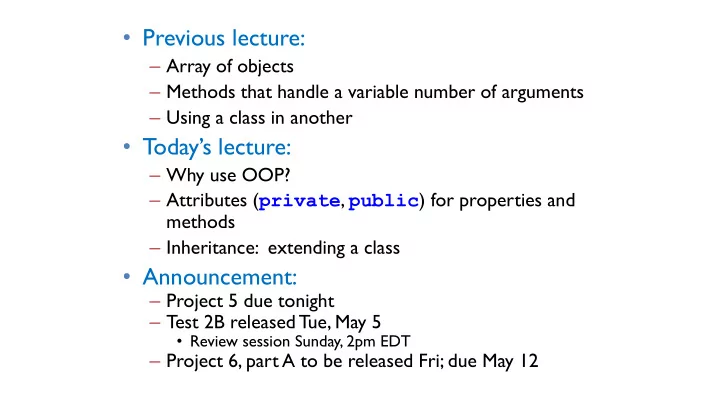
  • Previous lecture:

– Array of objects – Methods that handle a variable number of arguments – Using a class in another

  • T
  • day’s lecture:

– Why use OOP? – Attributes (private, public) for properties and methods – Inheritance: extending a class

  • Announcement:

– Project 5 due tonight – Test 2B released Tue, May 5

  • Review session Sunday, 2pm EDT

– Project 6, part A to be released Fri; due May 12

slide-2
SLIDE 2

OOP ideas

  • Aggregate variables/methods into an abstraction (a class) that

makes their relationship to one another explicit

  • Object properties (data) need not be passed to instance

methods—only the object handle (reference) is passed. Useful for large data sets!

slide-3
SLIDE 3

OOP ideas

  • Aggregate variables/methods into an abstraction (a class) that

makes their relationship to one another explicit

  • Object properties (data) need not be passed to instance

methods—only the object handle (reference) is passed. Useful for large data sets!

  • Objects (instances of a class) are self-governing (protect and manage

themselves)

– Hide details from clients while exposing the services they need – Don’t allow clients to invalidate data and break those services

slide-4
SLIDE 4

Engineering software ≠ software engineering

Engineering software

  • Solve a technical problem or provide

insight into data

  • Be confident that answers are correct

– clear, documented code; testing

  • Used mostly by yourself or your team

Software engineering

  • Build large, reliable systems that
  • perate continuously
  • Used mostly by other people
  • Make components easy to (re)use

correctly, hard to use incorrectly The design of code becomes at least as important as its output Best of both worlds: a well-engineered engineering application

slide-5
SLIDE 5

Restricting access to properties and methods

  • Hide implementation details from “outside parties” who do not need

to know how things work—depend on behavior, not representation

  • E.g., we decide that users of Interval class cannot directly change left

and right once the object has been created. Force users to use the provided methods—scale(), shift(), etc.—to cause changes in the

  • bject data
  • Protect data from unanticipated user action—keep properties self-

consistent

  • Information hiding is very important in large projects

– Helps avoid brittle code

slide-6
SLIDE 6

classdef Interval < handle properties left right end methods function scale(self, f) . . . end function Inter = overlap(self, other) . . . end . . . end end

% Interval experiments for k=1:5 fprintf('Trial %d\n', k) a= Interval(3, 3+rand*5); b= Interval(6, 6+rand*3); disp(a) disp(b) c= a.overlap(b); if ~isempty(c) fprintf('Overlap is ') disp(c) else disp('No overlap') end pause end

Server Example client code

slide-7
SLIDE 7

left right scale() … shift() … Interval A client class access access access Data that the client does not need to access should be protected: private Provide a set of methods for public access.

A server class

  • verlap() …

:

The “client-server model”

Interval() …

slide-8
SLIDE 8

Preserving relationships between properties

classdef Interval < handle properties left = 0; right = 0; % Invariant: right >= left end methods function Inter = Interval(lt, rt) if nargin == 2 Inter.left= lt; Inter.right= rt; end end . . . end end

Don’t neglect the default constructor (if any); either pick a sensible default state,

  • r make it so that

nothing works.

slide-9
SLIDE 9

Constructor can be written to do error checking!

classdef Interval < handle properties left = 0; right = 0; % Invariant: right >= left end methods function Inter = Interval(lt, rt) if nargin == 2 if lt <= rt Inter.left= lt; Inter.right= rt; else error('Error at instantiation: left>right') end end end . . . end end

Should force users (clients) to use code provided in the class to create an Interval

  • r to change its

property values once the Interval has been created. E.g., if users cannot directly set the properties left and right, then they cannot accidentally “mess up” an Interval.

slide-10
SLIDE 10

Attributes for properties and methods

  • public

– Client has access – Default

  • private

– Client cannot access

classdef Interval < handle % An Interval has a left end and a right end properties (Access=private) left right end methods function Inter = Interval(lt, rt) % Constructor: construct an Interval obj Inter.left= lt; Inter.right= rt; end function scale(self, f) % Scale the interval by a factor f w= self.right - self.left; self.right= self.left + w*f; end : end end

% Client code r= Interval(4,6); r.scale(5); % OK r= Interval(4,14); % OK r.right=14; % error disp(r.right) % error

slide-11
SLIDE 11

Public “getter” method

  • Provides client the

ability to get a property value

classdef Interval < handle % An Interval has a left end and a right end properties (Access=private) left right end methods function Inter = Interval(lt, rt) Inter.left= lt; Inter.right= rt; end function lt = getLeft(self) % lt is the interval’s left end lt= self.left; end function rt = getRight(self) % rt is the interval’s right end rt= self.right; end : end end

% Client code r= Interval(4,6); disp(r.left) % error disp(r.getLeft()) % OK

slide-12
SLIDE 12

Public “setter” method

  • Provides client the ability

to set a property value

  • Don’t do it unless really

necessary! If you implement public setters, include error checking (not shown here).

classdef Interval < handle % An Interval has a left end and a right end properties (Access=private) left right end methods function Inter = Interval(lt, rt) Inter.left= lt; Inter.right= rt; end function setLeft(self, lt) % the interval’s left end gets lt self.left= lt; end function setRight(self, rt) % the interval’s right end gets rt self.right= rt; end : end end

% Client code r= Interval(4,6); r.right= 9; % error r.setRight(9) % OK

slide-13
SLIDE 13

Prefer to use available methods, even when within same class

classdef Interval < handle properties (Access=private) left; right end methods function Inter = Interval(lt, rt) … end function lt = getLeft(self) lt = self.left; end function rt = getRight(self) rt = self.right; end function w = getWidth(self) w= self.getRight() – self.getLeft() ; end … end end classdef Interval < handle properties (Access=private) left; width end methods function Inter = Interval(lt, rt) … end function lt = getLeft(self) lt = self.left; end function rt = getRight(self) rt = self.getLeft() + self.getWidth(); end function w = getWidth(self) w= self.width ; end … end end

New Interval implementation

slide-14
SLIDE 14

Getters and setters: what have we achieved?

  • Getters let us change properties without changing interface
  • Setters (or lack thereof) let us control how properties can change

– Read-only – Methods that keep them “in sync” (e.g. shift(), scale(), …) – Error checking on attempts to write

  • Both allow interactions to be “intercepted”

– Track how many times they are changed? – Break points when debugging

slide-15
SLIDE 15

Quiz: access control

classdef Square < handle properties (Access=private) s = 1 % side length end methods (Access=public) function obj = Square(side) if nargin == 1

  • bj.s = side;

end end function a = area(self) a = self.s*self.s; end end end shape = Square(2); a1= shape.area(); a2= shape.s*shape.s; shape.s= 1; 3 4 1 2

Which of these lines are legal?

A: None B: 1 C: 1 & 2 D: 1-3 E: All

slide-16
SLIDE 16

OOP ideas → Great for managing large projects

  • Aggregate variables/methods into an abstraction (a class) that makes

their relationship to one another explicit

  • Object properties (data) need not be passed to instance methods—
  • nly the object handle (reference) is passed. Important for large data

sets!

  • Objects (instances of a class) are self-governing (protect and manage

themselves)

– Hide details from clients while exposing the services they need – Don’t allow clients to invalidate data and break those services

  • Maximize code reuse
slide-17
SLIDE 17

classdef Die < handle properties (Access=private) sides=6; top end methods function D = Die(…) … function roll(…) … function disp(…) … function s = getSides(…) … function t = getTop(…) … end methods (Access=private) function setTop(…) … end end

A fair die is…

What about a trick die?

slide-18
SLIDE 18

classdef Die < handle properties (Access=private) sides=6; top end methods function D = Die(…) … function roll(…) … function disp(…) … function s = getSides(…) … function t = getTop(…) … end methods (Access=private) function setTop(…) … end end

classdef TrickDie < handle properties (Access=private) sides=6; top favoredFace weight=1; end methods function D = TrickDie(…) … function roll(…) … function disp(…) … function s = getSides(…) … function t = getTop(…) … function f = getFavoredFace(…) … function w = getWeight(…) … end methods (Access=private) function setTop(…) end end

Separate classes—each has its own members

slide-19
SLIDE 19

classdef Die < handle properties (Access=private) sides=6; top end methods function D = Die(…) … function roll(…) … function disp(…) … function s = getSides(…) … function t = getTop(…) … end methods (Access=private) function setTop(…) … end end

classdef TrickDie < handle properties (Access=private) sides=6; top favoredFace weight=1; end methods function D = TrickDie(…) … function roll(…) … function disp(…) … function s = getSides(…) … function t = getTop(…) … function f = getFavoredFace(…) … function w = getWeight(…) … end methods (Access=private) function setTop(…) end end

Separate classes—each has its own members

slide-20
SLIDE 20

classdef Die < handle properties (Access=private) sides=6; top end methods function D = Die(…) … function roll(…) … function disp(…) … function s = getSides(…) … function t = getTop(…) … end methods (Access=private) function setTop(…) … end end

classdef TrickDie < handle “Inherit” the components

  • f class Die

properties (Access=private) favoredFace weight=1; end methods function D = TrickDie(…) … function f =getFavoredFace(…) … function w = getWeight(…) … end end

Can we get all the functionality of Die in TrickDie without re- writing all the Die code in class TrickDie?

slide-21
SLIDE 21

classdef Die < handle properties (Access=private) sides=6; top end methods function D = Die(…) … function roll(…) … function disp(…) … function s = getSides(…) … function t = getTop(…) … end methods (Access=protected) function setTop(…) … end end

classdef TrickDie < Die properties (Access=private) favoredFace weight=1; end methods

function D = TrickDie(…) … function f=getFavoredFace(…)… function w = getWeight(…) …

end end

Yes! Make TrickDie a subclass of Die

slide-22
SLIDE 22

Inheritance

Inheritance relationships are shown in a class diagram, with the arrow pointing to the parent class An is-a relationship: the child is a more specific version of the parent. Eg., a trick die is a die. Multiple inheritance: can have multiple (direct) parents  e.g., Matlab Single inheritance: can have one (direct) parent only  e.g., Java

Die TrickDie handle AbstractDie TrickDie FairDie handle

If relationship is “has a” or “can do”, prefer composition to inheritance

slide-23
SLIDE 23

Inheritance vocabulary

  • Allows programmer to derive a class from an existing one
  • Existing class is called the parent class, or superclass
  • Derived class is called the child class or subclass
  • The child class inherits the (public and protected) members defined for the parent class
  • Inherited trait can be accessed as though it was locally defined
slide-24
SLIDE 24

Which components get “inherited”?

  • public components get inherited
  • private components exist in
  • bject of child class, but cannot

be directly accessed in child class  we say they are not inherited

  • Note the difference between

inheritance and existence!

167.32

sides top Die() setTop() getSides() getTop() roll() 6 2 disp() favoredFace 6 weight 6 TrickDie() getWeight() getFavoredFace() roll() disp()

A Die

slide-25
SLIDE 25

Which components get “inherited”?

  • public components get inherited
  • private components exist in
  • bject of child class, but cannot

be directly accessed in child class  we say they are not inherited

  • Note the difference between

inheritance and existence!

167.324

sides top Die() setTop() getSides() getTop() roll() 6 2 disp() favoredFace 6 weight 6 TrickDie() getWeight() getFavoredFace() roll() disp()

A TrickDie

slide-26
SLIDE 26

protected attribute

  • Attributes dictate which members get inherited
  • private

– Not inherited, can be accessed by local class only

  • public

– Inherited, can be accessed by all classes

  • protected

– Inherited, can be accessed by subclasses

  • Access: access as though defined locally
  • All members from a superclass exist in the subclass, but the

private ones cannot be accessed directly—can be accessed through inherited (public or protected) methods

slide-27
SLIDE 27

>> d = Die(6); >> td = TrickDie(2, 10, 6); >> %… more code in Command Window …

  • d.setTop(3) and td.setTop(3) both

work

  • Neither d.setTop(3) nor td.setTop(3)

works

  • d.setTop(3) works but td.setTop(3)

doesn’t C B A

classdef Die < handle properties (Access=private) sides=6; top end methods function D = Die(…) … function roll(…) … function disp(…) … function s = getSides(…) … function t = getTop(…) … end methods (Access=protected) function setTop(…) … end end

slide-28
SLIDE 28

Overriding methods

  • Subclass can override definition of inherited method
  • New method in subclass has the same name (but has different method body)
  • Which method gets used??

The object that is used to invoke a method determines which version is used

  • Since a TrickDie object is calling method roll, the TrickDie’s version of

roll is executed

  • In other words, the method most specific to the type (class) of the object is

used

slide-29
SLIDE 29

(Cell) Array of objects

  • A cell array can reference objects of different classes

A{1}= Die(); A{2}= TrickDie(2,10); % OK

  • A simple array can reference objects of only one single class

B(1)= Die(); B(2)= TrickDie(2,10); % ERROR

slide-30
SLIDE 30

OOP in computing culture