PAUP* Lab Note: Parts of this computer lab exercise wer written by - - PDF document

paup lab
SMART_READER_LITE
LIVE PREVIEW

PAUP* Lab Note: Parts of this computer lab exercise wer written by - - PDF document

PAUP* Lab Note: Parts of this computer lab exercise wer written by Paul O. Lewis. Paul has graciously allowed Mark Holder to use and modify the lab for the Summer Institute in Statistical Genetics. Thanks, Paul! This computer lab you will


slide-1
SLIDE 1

PAUP* Lab

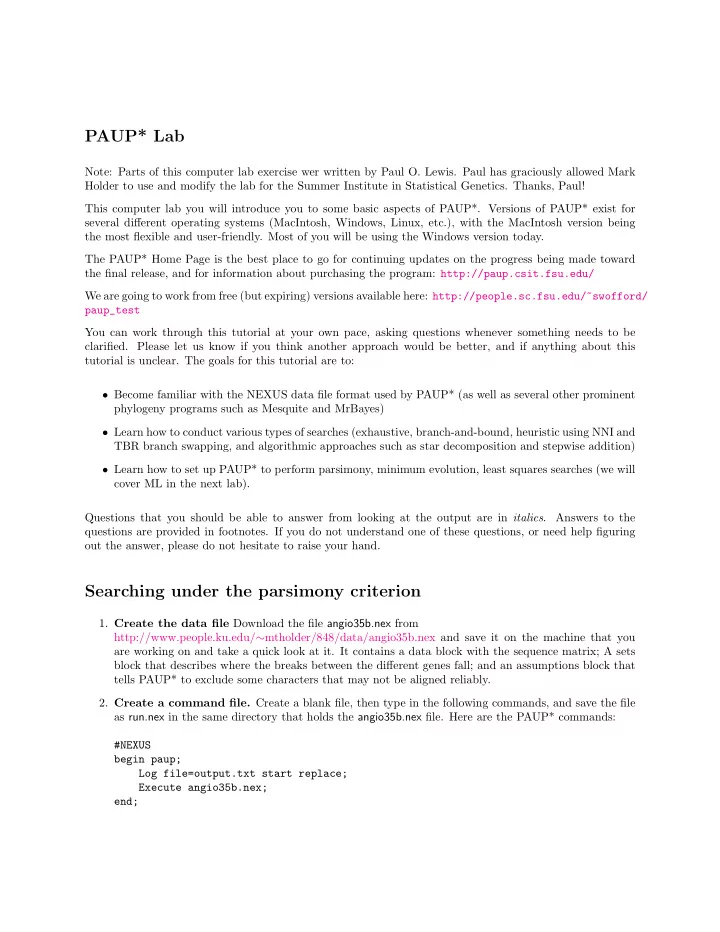
Note: Parts of this computer lab exercise wer written by Paul O. Lewis. Paul has graciously allowed Mark Holder to use and modify the lab for the Summer Institute in Statistical Genetics. Thanks, Paul! This computer lab you will introduce you to some basic aspects of PAUP*. Versions of PAUP* exist for several different operating systems (MacIntosh, Windows, Linux, etc.), with the MacIntosh version being the most flexible and user-friendly. Most of you will be using the Windows version today. The PAUP* Home Page is the best place to go for continuing updates on the progress being made toward the final release, and for information about purchasing the program: http://paup.csit.fsu.edu/ We are going to work from free (but expiring) versions available here: http://people.sc.fsu.edu/~swofford/ paup_test You can work through this tutorial at your own pace, asking questions whenever something needs to be

  • clarified. Please let us know if you think another approach would be better, and if anything about this

tutorial is unclear. The goals for this tutorial are to:

  • Become familiar with the NEXUS data file format used by PAUP* (as well as several other prominent

phylogeny programs such as Mesquite and MrBayes)

  • Learn how to conduct various types of searches (exhaustive, branch-and-bound, heuristic using NNI and

TBR branch swapping, and algorithmic approaches such as star decomposition and stepwise addition)

  • Learn how to set up PAUP* to perform parsimony, minimum evolution, least squares searches (we will

cover ML in the next lab). Questions that you should be able to answer from looking at the output are in italics. Answers to the questions are provided in footnotes. If you do not understand one of these questions, or need help figuring

  • ut the answer, please do not hesitate to raise your hand.

Searching under the parsimony criterion

  • 1. Create the data file Download the file angio35b.nex from

http://www.people.ku.edu/∼mtholder/848/data/angio35b.nex and save it on the machine that you are working on and take a quick look at it. It contains a data block with the sequence matrix; A sets block that describes where the breaks between the different genes fall; and an assumptions block that tells PAUP* to exclude some characters that may not be aligned reliably.

  • 2. Create a command file. Create a blank file, then type in the following commands, and save the file

as run.nex in the same directory that holds the angio35b.nex file. Here are the PAUP* commands: #NEXUS begin paup; Log file=output.txt start replace; Execute angio35b.nex; end;

slide-2
SLIDE 2
  • 3. Execute run.nex, which will in turn execute angio35b.nex. There at least two advantages to

creating little NEXUS files like run.nex. For now, the only advantage is that executing run.nex auto- matically starts a log file so that you will have a record of what you did. Later, when you get in the habit of putting commands in paup blocks, you will appreciate the separation of the data from the commands that initiate analyses (I have many times opened a data file, forgetting about the embedded paup block that then starts a long search, overwrites my previous log file, and otherwise creates havoc). Note that because we used the replace keyword in the log command, the file output.txt will be

  • verwritten without warning if it exists. This is a bit dangerous, so you may want to refrain from using

the replace keyword so that PAUP* asks before overwriting files.

  • 4. Delete all taxa except the first five. The command delete 6 - . will cause PAUP* to ignore all

taxa except Ephedrasinica, Gnetum gnemJS, WelwitschiaJS, Ginkgo biloba, and Pinus ellCH. Type that command into the command line of PAUP*. Note the . is part of the command – it stands for ‘the last member in the list’ (in this context it is ‘the last taxon in the data matrix’.

  • 5. Perform an exhaustive search using parsimony. Use the alltrees command for this. This

should go fast because you now have only 5 taxa.

  • How many separate tree topologies did PAUP* examine? 1
  • What is the parsimony treelength of the best tree? The worst tree? 2
  • How many steps separate the best tree from the next best? 3
  • 6. Perform an heuristic search using NNI branch swapping. Before you start, use the describe

command to show you the tree obtained from the exhaustive enumeration. Draw this tree on a piece

  • f paper and then draw the 4 possible NNI rearrangements

Find all NNI rearrangements of the best tree. Note that because we performed an exhaustive enumeration, we now know which tree is the globally most parsimonious tree. We are thus guaranteed to never find a better tree were we to start an heuristic search with this tree. Let’s do an experiment: perform an NNI heuristic search, starting with the best tree, and have PAUP* save all the trees it encounters in this search. In the end, PAUP* will have in memory 5 trees: the starting tree and the 4 trees corresponding to all possible NNI rearrangements of that starting tree: hsearch start=1 swap=nni nbest=15

  • start = 1 starts the search from the tree currently in memory (i.e., the best tree resulting from

your exhaustive search using the parsimony criterion)

  • swap = nni causes the Nearest-Neighbor Interchange (NNI) method to be used for branch swap-

ping

  • nbest = 15 saves the 15 best trees found during the search. Thus, were PAUP* to examine every

possible tree, we would end up saving all of them in memory. The reason this command is needed is that PAUP* ordinarily does not save trees that are worse than the best one it has seen thus

  • far. Here, we are interested in seeing the trees that are examined during the course of the search,

even if they are not as good as the starting tree. Show all 5 trees in memory. Use the describe all command to plot the 5 trees currently in

  • memory. The reason we are using the describe command rather than the showtrees command is

115 topologies 21110 was the best score, and 1247 was the worst 313 steps – this is hard to see in the versions of PAUP posted on June/2011.

slide-3
SLIDE 3

because we want PAUP* to show us the numbers it has assigned to the internal nodes, something that showtrees doesn’t do.

  • Which tree was the original tree? 4
  • Which trees correspond to NNI rearrangments of which internal edges on the original tree? 5
  • 7. Find the most parsimonious tree for all 35 taxa.

Restore all taxa using the restore all command (this will wipe out the 5 trees you currently have stored in memory, but that is ok), then conduct a heuristic search having the following characteristics:

  • The starting trees are each generated by the stepwise addition method, using random addition of

sequences

  • Swap using NNI branch swapping
  • Reset the nbest option to all because we want to be saving just the best trees, not suboptimal

trees (yes, this option is a little confusing).

  • Set the random number seed to 5555 (this determines the sequence of pseudorandom numbers

used for the random additions; ordinarily you would not need to set the random number seed, but we will do this here to ensure that we all get the same results)

  • Do 500 replicate searches; each replicate represents an independent search starting from a different

random-addition tree Here is the full command implementing this search: hsearch start=stepwise addseq=random swap=nni nbest=all rseed=5555 nreps=500

  • How many tree islands were found? 6
  • How long did the search take? 7
  • How many rearrangements were tried? 8
  • 8. Conduct a second search with SPR swapping. Be sure to reset the random number seed to 5555.

You should be able to figure out how to do this using the output from hsearch ? command. Note that to save typing you can call up previously entered commands using the little buttons on the right

  • f the command line edit control (or using the arrow up key).
  • How many tree islands were found? 9
  • What are the scores of the trees in each island? 10
  • How long did the search take? 11
  • How many rearrangements were tried? 12
  • 9. Now conduct a third search with TBR swapping.

4It should be the first one – the tree with score 1110. 5It is hard to describe in the footnote – but ask me if you have questions about this 670 islands in old versions of PAUP. 58 islands on the version of PAUP posted June/2011 71.08 seconds on my laptop 8147,531 rearrangements in old versions of PAUP. 155,616 rearrangments on the version of PAUP posted June/2011 94 islands in old versions of PAUP. 3 islands on the version of PAUP posted June/2011 10two at 5689, one at 5693 and one at 5697 (the version of PAUP posted June/2011 does not find the tree with score 5693

for this seed)

118 seconds on my laptop 125,023,936 rearrangements in old versions of PAUP. 3,960,984 rearrangements on the version of PAUP posted June/2011

slide-4
SLIDE 4
  • How many tree islands were found? 13
  • What are the scores of the trees in each island? 14
  • How long did the search take? 15
  • How many rearrangements were tried? 16
  • How many trees are currently in memory (use the treeinfo command)? 17
  • Has PAUP* saved trees from all islands discovered during this search? (Hint: compare “Number
  • f trees retained” to the sum of the “Size” column in the Tree-island profile.) Do you know why

PAUP* saved the number of trees that it did? 18 Wondering about that warning ”Multiple hits on islands of unsaved trees may in fact represent different islands”? When PAUP* encounters a new island, it will find all trees composing that particular island in the process of branch swapping. Thus, if (in a new search) it encounters any trees already stored in memory, it knows that it has hit an island that it found previously. Note that it would be pointless to continue on this tack, because it will only find all the trees

  • n that island again. For trees retained in memory, PAUP* can keep track of which island they

belong to (remember that it is possible for trees with the same parsimony score to be in different tree islands!). But for trees that are not retained in memory, PAUP* only knows that it has encountered an island of trees having score X; it has no way of finding out how many islands are actually represented amongst the trees having score X. If you want any of these commands to happen whenever you execute this file, then you can simply add the commands that you typed into the PAUP block of run.nex, add a semicolon after the command, and save the file.

134 islands in old versions of PAUP. 3 islands on the version of PAUP posted June/2011 14two at 5689, two at 5693 and one at 5697 (the version of PAUP posted June/2011 does not find the tree with score 5693

for this seed)

159 seconds on my laptop 1614,790,674 rearrangements in old versions of PAUP. 10,698,858 rearrangements on the version of PAUP posted June/2011 17two 18No, it only save the trees from the best islands

slide-5
SLIDE 5

Some of the distance methods in PAUP* and FastME

The goal of this part of the lab exercise is to show you how to conduct distance-based analyses in PAUP* and FastME.

Basic distance analyses in PAUP*

  • 1. We will use the same angio35b.nex file that we used for the parsimony part of the lab.
  • 2. Use a text editor to create a new file. Save it as rund.nex in the same directory as the angiob.nex file.

This new file will be a NEXUS file that contains the PAUP block with the commands for PAUP. Here are the commands: #NEXUS begin paup; execute angio35b.nex; dset dist=abs; delete 5-.; exclude missambig; showdist; end; This file will tell PAUP* to:

  • use the absolute number of nucleotide differences between taxa as the distance measure (dset

dist=abs);

  • delete all taxa except the first four (delete 5-.);
  • exclude all sites that have missing or ambiguous data (exclude missambig); and
  • show the distance matrix (showdist)

Save the rund.nex file. Then execute it PAUP*, and examine the output.

  • 3. Calculate p-distances and JC distances To see the distances as a proportion of sites that differ

for the sequences just change the distance measure from abs to p and re-execute rund.nex. Examine the resulting data matrix, change the distance correction in rund.nex from p to jc to tell PAUP to use the Jukes-Cantor distance (this is the simplest model for correcting distances – Jeff will discuss the models tomorrow, but for this exercise it is only necessary to know that this is the name of a model used to correct the observed distances for multiple hits). Re-execute the file.

  • How do the JC distances compare with the p-distances? Does the ordering of distances change? 19
  • You have seen two distance measures that PAUP* can calculate, but how could you get a list of

all the distance measures it can compute? 20

19The ordering does not change, but the JC distances are larger (and the larger p-distances are corrected more when you use

the model-based correction).

20dset ?

slide-6
SLIDE 6
  • 4. Execute the dset ? command to see all of the distance settings that are available in PAUP. If you are

confused by an option, you can check it out by downloading the PAUP manual from: http://paup.csit.fsu.edu/Cmd ref v2.pdf (or by asking me about an option).

  • 5. Estimate edge lengths using weighted least squares Next, perform a search using weighted

least squares (weighted usually implies that the power is 2 in the denominator of the sum-of-squares formula). Add the following line to your run.nex file, just below the execute angiob35.nex; line: set criterion=distance ; This command tells PAUP* to use the distance optimality criterion specified by the objective option

  • f the dset command during the search. If you were to leave this out, PAUP* would use the default
  • ptimality criterion (parsimony). Now issue the command dset ? in PAUP* to get a listing of the

current values of all distance settings.

  • What is the current setting for the power option? If your answer is not 2, then add this line to

your paup block, below the execute command: dset power=2;

  • What is the current setting for the objective option? If your answer is not lsfit, then add this

line to your paup block, also below the execute command: dset objective=lsfit; Finally, add the following two lines to the end of your paup block to perform the search and show the resulting best tree, including the estimated branch lengths: alltrees; describe 1 / brlens;

  • 6. Save and re-execute the file.
  • 7. Look for the line that begins “Weighted sum-of-squares =”. This is the least-squares score for the tree.

In its output, PAUP* also gives you the score that would have been used were we using the minimum evolution criterion. Can you find it? Ask for help if you need to; PAUP* does not make this obvious. Write the value down for comparison with the value you will obtain in the next section.

  • 8. Searching under the minimum evolution criterion. Before moving on to the next exercise, repeat

the above search using the minimum evolution (or ME) criterion. To do this, you will need to add the

  • bjective=ME option to your dset command (be sure to remove the previous dset objective=lsfit

if you had to put it in) and re-execute rund.nex. Is the result what you expected based on your answer to the last question in the previous section? 21

Felsenstein zone example from lecture (optional)

You can download the file that I showed the “birds-eye view” of during lecture from: http://www.people.ku.edu/ mtholder/848/data/fzone sim.nex It is an example of a “Felsenstein-zone” tree in which the taxa with long branches are not sister to each

  • ther.
  • 1. Use PAUP* to find the least-squares tree for this data set using the p-distances.
  • 21Hopefully. (Note: it is ok if the results differ slightly in the 5th. decimal place.)
slide-7
SLIDE 7
  • 2. Is the tree the true tree, or the “long-branch attraction” tree preferred? 22
  • 3. The data was simulated using the Jukes-Cantor model. Tell PAUP* to use the JC distance correction

and do another search.

  • 4. Is the tree the true tree, or the “long-branch attraction” tree preferred? 23

Compare NJ with a comparable heuristic search (optional)

In this exercise, you will conduct a Neighbor-joining (NJ) analysis using JC distances and compare this with an heuristic search using the minimum evolution criterion. The goal of this section is to demonstrate that it is possible for heuristic searching to find a better tree than NJ, even using (almost) the same optimality criterion.

  • 1. Please quit PAUP* and start it again. The reason for this will be made clear later, but mainly the

purpose is to return all settings to their default values.

  • 2. Put the commands below in a paup block in a new file. Note that we are again using the angio35b.nex

file: execute angio35b.nex; dset distance=jc objective=me; nj; dscores 1; hsearch start=1; dscores 1;

  • 3. What is the minimum evolution score for the NJ tree? (scroll down from the beginning of the PAUP*
  • utput looking for the phrase ”ME-score” right after point where the NJ tree is displayed)
  • 4. What is the minimum evolution score for the tree found by heuristic search starting with the NJ tree?
  • 5. What is wrong? Why is the minimum evolution score of the heuristic search worse than that of the

starting tree? (Hint: take a look at the ”Heuristic search settings” section of the output.)

  • 6. Once you have figured out what is going on (ask me for help if you are stumped), fix your paup block

and re-execute the file.

  • 7. In your reanalysis, you should find that the heuristic search starting with the NJ tree found a better

tree according to minimum evolution than NJ. Neighbor-joining is very popular, but you should be wary of NJ trees involving large numbers of taxa. This analysis involved 35 taxa; for problem of this size or larger, it is almost certain that NJ will not find the best tree.

  • 8. How much do the trees differ from each other? To figure out, we’ll need to get PAUP* to save the nj

tree so that when we do the search we do not lose the NJ tree. Change your command file to say:

22the “long-branch attraction” tree 23the true tree

slide-8
SLIDE 8

execute angio35b.nex; set Criterion = dist; dset distance=jc objective=me; nj; dscores 1; savetree file = nj.tre ; hsearch start=1; dscores 1; gettrees file = nj.tre mode = 7; treedist ; Here is the explanation:

  • The savetree command writes the tree to a file (in the newick representation).
  • The gettrees command reads the nj tree back into memor.
  • The mode=7 option to the gettrees command means “read the trees from the file, but do not

throw away the trees that are currently in memory

  • After gettrees mode=7 command, you’ll have the ME tree and the NJ tree in memory.
  • The TreeDist command calculates tree-to-tree distances. The default is the symmetric-difference

– the number of edges in tree #1 that are not in tree #2 plus the number of edges in tree #2 that are not in tree #1. It would be 0 if the trees were identical.

Balanced minimum evolution search in FastME

FastME is a program written by Desper and Gascuel. You can download it from http://www.atgc-montpellier.fr/fastme/ Among other analyses (such as BIONJ, an algorithm that is similar to NJ, but does a better job with highly divergent sequences), FastME implements fast NNI searching under the balanced minimum evolution

  • criterion. NJ is a quick and dirty search under this criterion, and FastME can do branch swapping to find

even better trees. The program produces trees very quickly, and this is best demonstrated on large datasets.

  • 1. Download 567Tx2153C.nex from

http://www.people.ku.edu/∼mtholder/848/data/567Tx2153C.nex to get a large (567 taxon, 2153 character) data file.

  • 2. FastME does not analyze sequences directly. Instead we have to give it a distance matrix. We will use

PAUP* to create the input distance matrix.

  • 3. Execute the 567Tx2153C.nex file in PAUP*.
  • 4. Tell PAUP* to use the JC distance
  • 5. Export the data file in a format that FastME can read using the command:

savedist format = phylip triangle = both diagonal file=dists.txt

  • 6. While you have PAUP open, do a NJ search, score the tree using minimum evolution, ordinary (un-

weighted) least squares, and weighted least squares.

slide-9
SLIDE 9
  • 7. Conduct a search under the weighted least squares criterion using the command:

HSearch NoMulTrees; Score this tree under minimum evolution, ordinary (unweighted) least squares, and weighted least squares and note the amount of time the search took.

  • 8. Now we will run FastME on the distance matrix. Open a command terminal and change the working

directory of the terminal to the directory where you saved the dists.txt file. To invoke FastME, you simply type its name. On Mac, the command is FastME MacOS (I must admit that I’ve never run it on Windows).

  • 9. The program should prompt you for the name of the input file. At this point enter dists.txt and hit
  • return. You should see a menu of options that let you choose what criterion to optimize and which

algorithm to use. Conduct a Balanced Generalized Minimum Evolution search using the balanced NNI

  • search. The program exits when it is finished (and it won’t take long).
  • 10. It should produce two output files: dists.txt stat.txt and dists.txt tree.txt. Open both in a text editor.
  • 11. To get the tree into PAUP* we will have to change the tree file into a NEXUS file. Fortunately all you

have to do to accomplish this is add: #NEXUS begin trees; tree fastme = [&U] to the file before the parenthetical notation, and end; to the end of the file.

  • 12. Execute the 567Tx2153C.nex file and set the distance back to the JC corrected distance.
  • 13. Use the GetTrees command to do get the FastME trees into memory in PAUP*.

Score this tree under minimum evolution, ordinary (unweighted) least squares, and weighted least squares and note the amount of time the search took.

  • 14. How did the tree from FastME compare to the trees that you obtained by searching in PAUP? (recall

that balanced minimum evolution is not the same as minimum evolution or least-squares, so it is not too surprising if you get different trees).