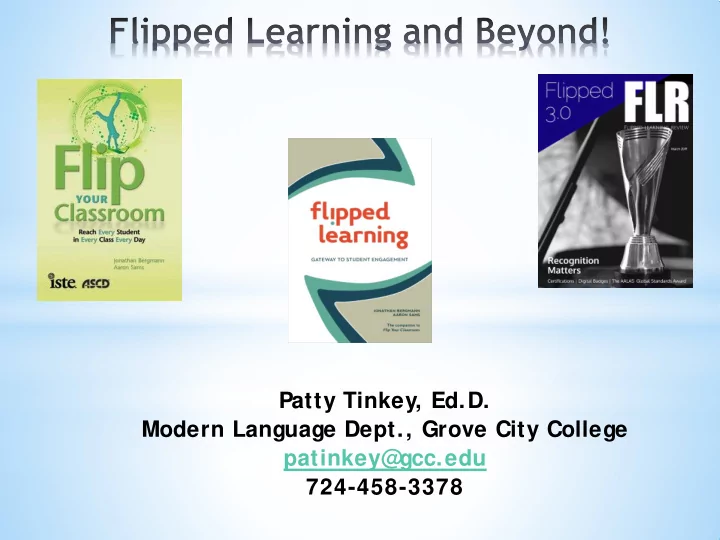
SLIDE 1
Patty Tinkey, Ed.D. Modern Language Dept., Grove City College patinkey@ gcc.edu 724-458-3378
SLIDE 2 Flipped Learning and Beyond Pre-Workshop Instructions Go to Web Poster Wizard http:/ / poster.4t eachers.org/ (These links will take you directly to the videos and websites that will be discussed.)
croll to the bottom of the page to the box that says Search for Posters and Worksheets
- Click on the dropdown box that says Poster ID and find
Worksheet ID
- Type in 179512 to the right
- Hit Search
- Click on the blue numbers under ID
OR Go to IUP S pring Methodology Conf on Foreign Language Teaching http:/ / www.chss.iup.edu/ spanish/ methodsconf/
- Click Handouts > Worksheet
SLIDE 3
- What is Flipped Learning?
- Are you doing it?
- How often do you do it?
Think – Pair - S hare
* What is Flipped Learning?
SLIDE 4
- In Flipped Learning, the direct instruction or lecture is
delivered outside of the traditional class time, typically via a video students view on their own.
- Class time is then used for activities, discussions, and
conversations based on what students have learned.
* What is Flipped Learning?
SLIDE 5
- In a Flipped Learning setting, the teacher makes
lessons available to students to be accessed whenever and wherever it is convenient for the student.
- Flipped learning can work in any subj ect area; it
began with the S TEM subj ects in 2008 - founders of Flipped Learning: Jon Bergmann and Aaron S ams.
* What is Flipped Learning?
SLIDE 6
How did I get to the path of Flipped Learning?
SLIDE 7 * Why did I “flip” my classroom?
- At-risk/ struggling language learners in
Elementary S panish that continually struggled
tudents’ request to have more class time for conversational practice and using the higher
- rder thinking skills
- Reduction of foreign
language anxiety by developing a community of learners.
SLIDE 8 Kinesthetic / Tactile Auditory Visual
Classroom Activities
SLIDE 9 * What does the research say?
- In “ flipped learning,” the teacher moves the
lower levels - understanding and remembering -
- utside of the class where students work on
mastering the concepts; in class, the teacher and students can focus on the upper levels of the taxonomy – applying, analyzing, evaluating, creating (Marshall & DeCapua, 2013).
Bloom’s Taxonomy
SLIDE 10 Fulton, Kathleen P . (2014). Time for Learning: Top 10 Reasons Why Flipping t he Classroom Can Change Educat ion. Corwin: Newbury Park, CA.
- Flipped Learning at Clintondale High S
chool, near Detroit, Michigan -
- A 2014 survey from the Flipped Learning Network found
that 78%
- f teachers said they’ d flipped a lesson, and
96%
- f those that tried it said they’ d recommend it.
SLIDE 11
* The ATRACT Model of “Flipped Learning”
Best practices for beginning a flipped classroom in the humanities (Coley, Hantla, & Cobb, 2013).
1) Autonomous learning is empowered learning. 2) Technical issues happen. 3) Resistance. 4) Align videos with classroom time. 5) Consistent structure. 6) Time (high school students view about 3 videos per
week.) Recommended video length: < 15 minutes , preferably 10-12 minutes maximum. It is better to make two short videos than one longer one.
SLIDE 12
* ATRACT (S)
7) Seek out others - “ flipping” buddies at your
school or another school, tech people, flipped learning groups
SLIDE 13 It’s your turn!
Flipped Spanish classroom (example of Cornell notes) https://www.ffla.us/Resources/Documents/2014%20Presenter%20Docs/Flipped%20 Spanish%20Classroom%20(2).pdf
Grammar:
- -Personal a
- -Stress & Accents
- -Telling Time
Proj ect Instructions
SLIDE 14 * Planning the Flipped Classroom
- Attend flipped learning webinars or workshops
- Flipped Learning Global Initiative
http:/ / flglobal.org
- Flipped Learning Network http:/ / flippedlearning.org
- Watch tutorials at S
- phia https:/ / www.sophia.org/ home-
teacher and read blogs such as Flipping My S
panish Classroom http:/ / spanishflippedclass.blogspot.com/
- Join Facebook groups on Flipped Learning
- Develop Flipped Learning support team & obj ectives
- Plan what you will flip – which class and which unit(s)
- Make video after watching Y
- uTube tutorial.
- S
elect a platform to post the links to the videos
SLIDE 15 * Elementary Spanish: SPAN 101 and 102
Outside the class, students:
- Watch the video about the grammar concept
- Textbook’s online grammar presentations
by Profesor Gómez.
- Videos from trusted Internet sites.
- Videos that I record.
- Read the one or two page corresponding lesson in
textbook.
- Complete the notes (guided notes or Cornell notes)
and online and/ or print homework.
SLIDE 16 * Elementary Spanish: SPAN 101 and 102
Inside the class, students:
- Participate in interactive mini-review of video
lesson with examples – PowerPoint/ document camera.
- Tools that use real time questioning and instant
result aggregation and visualization, which allows teachers to gauge the whole class’ current level of understanding
- Kahoot
- S
- crative
- Poll Everyone
- Review answers to the worksheet homework.
- Engage in independent and collaborative
activities, boardwork, conversations, and discussions.
SLIDE 17 * Student Survey Results
S urvey:
- -Administered at the end of the
semester before final exam Opening explanation at top of survey: This semester I “ flipped” the classroom because students said they wanted to have more class time for conversational practice.
- -Watching the grammar presentation and taking notes
- utside of class is called a “Flipped” classroom.
- -Listening to the professor lecture about the grammar
topic while students take notes in class is called the “Traditional” classroom.
SLIDE 18
* Student Survey Results
Question 1: Do you feel like the “Flipped” Classroom helped you to learn the material:
Much better Better The same Worse Much worse than than as than than traditional traditional traditional traditional traditional
29% 33% 13% 24% 1% 62% 25%
SLIDE 19
Question 2: Do you pause or go back over parts or all of the video while you completed the Apuntes (guided notes)?
Never Rarely Sometimes Often Always 11% 6% 18% 27% 38% 65%
* Student Survey Results
SLIDE 20
Question 3: When asked the open-response item: “ What could I do for you to help support you more in the “ Flipped” Classroom? ” those students that did not like the “ flipped classroom” expressed that they wanted more in-class review time of the grammar concept.
* Student Survey Results
SLIDE 21 Question 4: When asked the open-response item: “ What is the most helpful part of the “Flipped” Classroom? ” , students said: * class conversational time, * ability to learn and work outside of class at
* extra time to master and practice S panish in and out of class.
* Student Survey Results
SLIDE 22 Creating and storing videos
- Record a video or narrate a PowerPoint and upload
it to Y
- uTube (must be allowed by your school)
- Check with your IT dept to see if they have already
paid for a license to Camtasia or Voice Thread.
- Authorstream
- Edmodo
- Kaltura
- Knovio (monthly fee)
- Moodle
- S
creencastify
- Vimeo (monthly fee)
- Wikispaces
SLIDE 23 * Benefits of Flipped Learning
- At-risk/ struggling language learners – could re-watch
the video as many times as needed.
- More class time for conversational practice and
application of the target language.
- Development of sense of community which in turn
reduced foreign language anxiety.
- More one-on-one contact with students.
- S
tudents not bored and disengaged in class.
tudents taking ownership for learning.
- Absent students not missing the in-class direct
instruction.
tudents able to work ahead.
SLIDE 24 Videos describing rubrics and assigned proj ects
- S
- lved problem of students not dealing well with
prose description in print handout
- Didn’ t need to use class time to explain assignments
- S
amples of former student proj ects included in the video
ignificant decrease in student questions about these assignments
Additional implementation of Flipped Learning
SLIDE 25 * What were the challenges?
- Finding time to create the videos, guided notes, and
additional activities: S
The work in “ flipping” a classroom is front- loaded; therefore, except for doing some tweaking and updating the work is done for next year.
SLIDE 26 * What were the challenges?
- Realizing that I hadn’ t made a video for a grammar
concept that I wanted students to learn: S
If I didn’ t have time to make a video, I taught the concept the traditional way – in class.
SLIDE 27 * What were the challenges?
- The pre-made video did not have all the content that
I wanted. S
I viewed the textbook presentations and/ or online video and created guided notes that corresponded to the video, but I added additional information that I knew would be essential to students being able to understand the grammar concept.
SLIDE 28 * What were the challenges?
- Conquering the temptation to “ reteach” the grammar
concept during class time: S
I abandoned using the chalkboard for reviewing because I found myself going back to old habits and “ reteaching” the lesson. I either created PowerPoints which briefly highlighted the key points of the grammar concept and/ or used the document camera to proj ect examples for the students to demonstrate their understanding.
SLIDE 29 * FAQ
tart small with a unit and use already made videos available online mixed with those you make.
- How do I get students to watch videos and complete
notes?
- Check for completeness of notes at start of class, or
have students that didn’ t view video do so during class.
- What about students without internet access?
- Have students use school computers.
- Make DVD or put narrated PowerPoint on US
B flash drive for students.
- Create a computer station in class.
SLIDE 30 Questions?
- Resources: see Flipped Learning Resources handout
- Links to Flipped Learning Resources used in this
presentation are available at Web Poster Wizard http:/ / poster.4teachers.org/ worksheet/ view.php? id=179512