Overview Overview 1) Introduction 2) Setting up the Environment - - PowerPoint PPT Presentation

overview overview
SMART_READER_LITE
LIVE PREVIEW

Overview Overview 1) Introduction 2) Setting up the Environment - - PowerPoint PPT Presentation

Overview Overview 1) Introduction 2) Setting up the Environment 3) Java to JavaScript 4) JavaScript to Java Phil Denis 5) Java to Plug-ins Anju Tai 6) Conclusion 7) Question & Answer Setting Up the Environment Setting Up the


slide-1
SLIDE 1

Phil Denis Anju Tai

Overview Overview

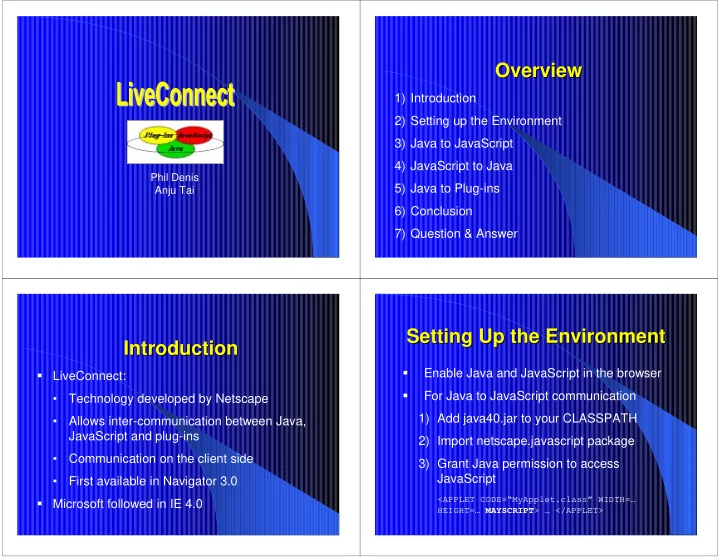
1) Introduction 2) Setting up the Environment 3) Java to JavaScript 4) JavaScript to Java 5) Java to Plug-ins 6) Conclusion 7) Question & Answer

Introduction Introduction

  • LiveConnect:
  • Technology developed by Netscape
  • Allows inter-communication between Java,

JavaScript and plug-ins

  • Communication on the client side
  • First available in Navigator 3.0
  • Microsoft followed in IE 4.0

Setting Up the Environment Setting Up the Environment

  • Enable Java and JavaScript in the browser
  • For Java to JavaScript communication

1) Add java40.jar to your CLASSPATH 2) Import netscape.javascript package 3) Grant Java permission to access JavaScript

<APPLET CODE=“MyApplet.class” WIDTH=… HEIGHT=… MAYSCRIPT> … </APPLET>

slide-2
SLIDE 2

Setting Up the Environment Setting Up the Environment

  • For JavaScript to Java communication
  • Methods called by JavaScript are public
  • For Java Communication with plug-ins

1) Add java40.jar to your CLASSPATH 2) Java plug-ins are compiled with the Plugin class 3) Java code may need to declare objects of class Plugin

Java to JavaScript Java to JavaScript

1) netscape.javascript package 2) Accessing JavaScript Functionality

netscape netscape. .javascript javascript Package Package

2 classes: JSObject and JSException JSObject acts as a wrapper for JavaScript

  • bjects

Commonly used JSObject methods include getWindow(), getMember(), setMember(), call() and eval() JSException used to throw exceptions when JavaScript errors occur

Accessing JavaScript Accessing JavaScript

Create reference to JavaScript window

JSObject window = JSObject.getWindow(this);

Reference JavaScript objects and properties

JSObject doc = (JSObject) window.getMember(“document”);

Set object properties

doc.setMember(“bgColor”, “blue”);

Call JavaScript functions

window.eval(“alert(\”An alert message.\”);”);

slide-3
SLIDE 3

JavaScript to Java JavaScript to Java

1) Directly Call Java Methods 2) Control Java Applets 3) Control Java plug-ins

Calling Java Methods Calling Java Methods

  • Java methods can be called directly in JavaScript

code:

Var today = new java.util.Date(); System.out.println(today);

  • Any public method or instance variable can be

accessed

  • Greatly expands the library of Javascript code

available

Controlling Java Applets Controlling Java Applets

  • Applet methods and variables can be accessed

in Javascript code

<APPLET CODE=“MyApplet.class” NAME=“MyApplet” WIDTH=100 HEIGHT=100>

To access the applet in JavaScript:

document.MyApplet.<method name>

  • Applets can be started, stopped, restarted by

JavaScript

  • The applet can perform complex operations on

JavaScript’s behalf

Controlling Java Plug Controlling Java Plug-

  • ins

ins

  • Plug-ins written in Java can be controlled by

JavaScript

<EMBED SRC=myAvi.avi NAME=MyEmbed WIDTH=100 HEIGHT=100>

  • In JavaScript, the document can be accessed by:

document.MyEmbed.<method or variable name>

slide-4
SLIDE 4

Java to Plug Java to Plug-

  • ins

ins

Plug-in must have a LiveConnect API that

Java can use E.g. LiveAudio plug-in has public play() and stop() methods

Referencing plug-ins

Soundplayer plugin = (SoundPlayer) doc.getMember(“LiveAudioPluginName”); plugin.play();

Conclusion Conclusion

  • LiveConnect allows web developers to create

powerful, integrated web applications

  • Opens up security concerns on the host

computer

  • Compatibility issues with Internet Explorer and
  • ther versions of Netscape Navigator