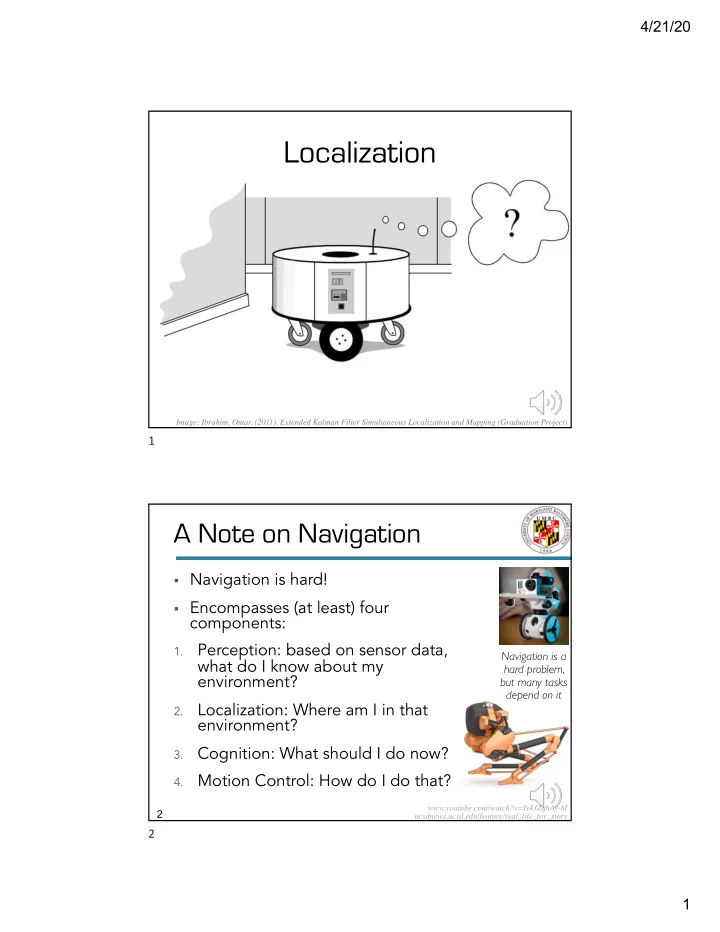
Localization where am I? Image: Ibrahim, Omar. (2011). Extended - - PDF document

localization
SMART_READER_LITE
LIVE PREVIEW

Localization where am I? Image: Ibrahim, Omar. (2011). Extended - - PDF document

4/21/20 Localization where am I? Image: Ibrahim, Omar. (2011). Extended Kalman Filter Simultaneous Localization and Mapping (Graduation Project) 1 A Note on Navigation 2 Navigation is hard! Encompasses (at least) four components:


slide-1
SLIDE 1

4/21/20 1

Localization

where am I?

Image: Ibrahim, Omar. (2011). Extended Kalman Filter Simultaneous Localization and Mapping (Graduation Project)

1

2 2

§ Navigation is hard! § Encompasses (at least) four

components:

1.

Perception: based on sensor data, what do I know about my environment?

2.

Localization: Where am I in that environment?

3.

Cognition: What should I do now?

4.

Motion Control: How do I do that?

A Note on Navigation

www.youtube.com/watch?v=Is4JZqhAy-M ucsdnews.ucsd.edu/feature/real_life_toy_story

Navigation is a hard problem, but many tasks depend on it

2

slide-2
SLIDE 2

4/21/20 2

4 4

§ Ma

Mapping: creating a map of an environment

§ Lo

Localization: sensor and odometry data are used to figure out where robot is in a map

§ Needs some kind of info about environment

§ Typically a map of some kind

§ Physical, semantic, topological

§ Doesn’t care about source of information

§ Could be given a map beforehand § Or constructing the map as you go

§ Localization often includes mapping as a step

Localization ≠ Mapping

4

5 5

§ To localize or not to localize

§ When is hard-coding better?

§ Belief representation

§ How do I represent the

environment and my state?

§ Map representation

§ What does a map contain?

§ And more…

§ Probabilistic map-based localization § Autonomous map building

Localization + Map Building

Image: Ibrahim, Omar. (2011). Extended Kalman Filter Simultaneous Localization and Mapping (Graduation Project)

?

5

slide-3
SLIDE 3

4/21/20 3

7 7

§ Knowing absolute position (e.g. GPS) isn’t enough

Lat 40.7127, Long -74.0059 ≠

§ Localization in human-scale

§ “Give or take 5 meters” – in a building? On the street?

§ Many sources of uncertainty

§ Sensor noise, sensor aliasing, effector noise, odometric

position estimation, …

§ Aliasing (coming soon)

Challenges of Localization

7

8 8

§ Sensors give “noisy” (uncertain, imperfect)

readings

§ Source of sensor noise

may be environmental

§ Surfaces, illumination,

background noise…

§ Glass walls 😖

§ Or the nature of the sensor

§ Interference between ultrasonic sensors § Cameras in high dynamic range lighting (like outside)

§ Or may just be because sensors are imperfect

Sensor Noise

vivarailings.com/portfolio_page/aluminum-glass-railing-suny/

8

slide-4
SLIDE 4

4/21/20 4

9 9

§ Sensor noise

drastically reduces useful readings

§ Solutions:

§ Improve sensors § Change assumptions

§ “So, if we have

glass walls, we’ll see readings like…”

§ Use multiple readings § Employ temporal and/or multi-sensor fusion

Challenge 1: Sensor Noise

www.photoreview.com.au/tips/shooting/how-to-control-image-noise

“Is my environment made of dots?”

9

10 10

§ Di

Different positions give the sa same sensor readings

§ Robots: non-uniqueness of sensors readings is

normal

§ What does that mean?

§ To people, unique places look unique

§ We’re really good at picking up on differences § We have really good sensors

§ To robots, different places often look the same

§ There is a many-to-one mapping from environmental

state to robot’s perceptual inputs

Challenge 2: Sensor Aliasing

10

slide-5
SLIDE 5

4/21/20 5

11 11

§ Different places give the same readings § Information from sensors often not enough to

identify position from a single reading

§ Solution: localization usually based on a series of

readings

§ Enough information is recovered by the robot over time

Sensor Aliasing (2)

?

11

12 12

Sensor Aliasing (3)

?

§ These look

different.

§ These look the

same.

§ Wall in front, wall

  • n the right,
  • pening on left.

12

slide-6
SLIDE 6

4/21/20 6

13 13

§ Odometry: wheel sensors only

§ E.g., go 5 cm, turn 10 degrees – where are you?

§ Dead reckoning: also use heading sensors

§ Add a compass or gyroscope

§ Position update is partly based on

proprioceptive sensors

§ Sensing movement: wheel encoders + heading sensors § Integrate that into model of environment to get the

position

§ Pros: Straightforward, easy § Cons: Errors are integrated à accumulative

Odometry, Dead Reckoning

13

14 14

§ Causes:

§ Inexact actuation + noise in sensors: Probably not

exactly 5 cm

§ Environment: Duct tape is slippery!

§ This error is cumulative over time, but reduced

with additional sensors (not eliminated)

§ Errors exist on a spectrum:

Effector (Actuator) Noise

Deterministic (systematic): “This servo always turns 2% too far” Non-deterministic (random): “Sometimes this servo goes too far or not far enough”

14

slide-7
SLIDE 7

4/21/20 7

15 15

§ Deterministic errors can be eliminated with

calibration

§ Random errors can be described by error models

§ Will always lead to uncertain position estimate

§ More major sources of error:

§ Limited resolution during integration (time increments,

measurement resolution …)

§ Misalignment of the wheels (deterministic) § Unequal wheel diameter (deterministic) § Variation in the contact point of the wheel § Unequal floor contact (slipping, not planar …)

Odometry: dealing with errors

15

16 16

§ Ra

Range ge error

  • r: Integrated path length (distance) of

movement is wrong

§ How far has robot moved in heading direction?

§ Tu

Turn error: similar to range error, but for turns

§ What’s robot’s θ from starting position? § Accumulated error over multiple turns

§ Dr

Drift error: difference in wheels à error in angular

  • rientation

§ Right wheel turns 90˚, left turns 89.8˚. What happens?

Some movement errors

16

slide-8
SLIDE 8

4/21/20 8

17 17

§ Over long periods of time, turn and drift errors

fa far outweigh range errors.

§ As θ grows linearly, change in location grows

nonlinearly

§ Why? § Imagine moving forward a distance d on a

straight line along axis x.

§ As Δθ (angular error) grows, error in y will have

a component of d sin Δθ.

Error Severity

17

18 18

Odometry & Diff. Drive*

§ Discrete sampling rate Δt § Δsr, Δsl: right wheel, left wheel distance travelled § Changes in pose: Δx, Δy, Δθ § Distance between wheels (wheel base): b

⎥ ⎥ ⎥ ⎦ ⎤ ⎢ ⎢ ⎢ ⎣ ⎡ θ = y x p ʹ p = p+ Δx Δy Δθ ⎡ ⎣ ⎢ ⎢ ⎢ ⎤ ⎦ ⎥ ⎥ ⎥

* 2 wheels, shared axis, each can be rotated forward or back

18

slide-9
SLIDE 9

4/21/20 9

19 19

Odometry & Diff. Drive

§ Derivations

§ Δt = Sampling rate § Δsr, Δsl = right/left

wheel travel

§ b = Wheel base

(distance between wheels)

ʹ p = p+ Δx Δy Δθ ⎡ ⎣ ⎢ ⎢ ⎢ ⎤ ⎦ ⎥ ⎥ ⎥

∆𝑡 = ⁄ Δ𝑡& + Δ𝑡( 2 ∆𝑦 = ∆𝑡 cos ⁄ 𝜄 + ∆𝜄 2 ∆𝑧 = ∆𝑡 sin ⁄ 𝜄 + ∆𝜄 2 ∆θ = ⁄ Δ𝑡& − Δ𝑡( 𝑐 These are given here. These can be derived, but try to make mechanical/ intuitive sense of them.

19

20 20

§ Kinematics

Odometry & Diff. Drive

This is the matrix for finding p’. Don’t worry about it too much.

20

slide-10
SLIDE 10

4/21/20 10

21 21

§ How

How to

  • mod
  • del

l error

  • r: Represent uncertainty of

location over time

§ Using a covariance matrix of position estimate – how do

these parameters vary with respect to each other?

§ We can assumpe:

§ Left and right wheel errors are independent § d ∝ Δsr, Δsl : Variance of wheel errors are proportional

to distance traveled

§ An initial matrix Σp is known

§ So we can get a covariance matrix that describes

how error varies as a function of terms.

§ The derivation of this matrix is in the text – for now,

make sure you have the general idea.

Odometry & Diff. Drive

21

23 23

Odometry:

Growth of Pose Uncertainty for Straight Line Movement § Intuitively: how do errors grow as the robot

moves around?

§ Think of the circles

(error) as where the robot might be

§ Errors grow slower

in x (direction of travel) than in y

§ So, robot is

more likely to be

  • ff to the side than

ahead or behind

  • f where you

expect

23

slide-11
SLIDE 11

4/21/20 11

24 24

Error Severity

You think you’re going this way…

§ Errors grow slower in x (direction of travel) than y

24

25 25

§ Errors grow slower in x (direction of travel) than y

Error Severity

But you’re actually going this way slightly.

25

slide-12
SLIDE 12

4/21/20 12

26 26

Error Severity

So even if angular error doesn’t grow… Expected vs. actual

§ Errors grow slower in x (direction of travel) than y

26

27 27

§ Errors grow slower in x (direction of travel) than y

Error Severity

So even if angular error doesn’t grow… Expected vs. actual

27

slide-13
SLIDE 13

4/21/20 13

28 28

§ Errors grow slower in x (direction of travel) than y

Error Severity

It’s going more off course sideways than front-to-back. Expected vs. actual

28

29 29

§ Errors grow slower in x (direction of travel) than y

Error Severity

Drift errors end up being greater then range errors. Expected vs. actual

29

slide-14
SLIDE 14

4/21/20 14

30 30

§ Errors grow slower in x (direction of travel) than y

Error Severity

How far off is expected from actual in x and y? Expected vs. actual

30

31 31

§ Errors grow slower in x (direction of travel) than y

Error Severity

You can see drift is increasing much faster. Expected vs. actual

31

slide-15
SLIDE 15

4/21/20 15

32 32

§ As Δθ (angular error) grows, error in y will have

a component of d sin Δθ.

§ You can do the same thing with a curved line.

Error Severity

This is where our ovals come from.

32

33 33

Odometry:

Growth of Pose uncertainty for Movement on a Circle

§ Now imagine moving in a curve § Errors don’t stay

perpendicular to direction of movement

33

slide-16
SLIDE 16

4/21/20 16

34 34

§ The unidirectional square path experiment

Calibration of Errors

34

35 35

§ Bi-directional square path experiment

Calibration of Errors

35

slide-17
SLIDE 17

4/21/20 17

36 36

§ Look at actual

path traversed: what errors

  • ccur?

§ That is, where in

the x, y space do we not see the expected location?

§ Deterministic and

non-deterministic errors

Calibration of Errors

36

37 37

To Localize, Or Not To…?

Do you need to know where you are in the map? Or can you create software that does the task without that? Well, it depends!

§ How to navigate between A and B

§ Navigation without hitting obstacles § Detection of goal location

37

slide-18
SLIDE 18

4/21/20 18

38 38

§ What is localization?

§ Figuring out location wrt. a model of the world

§ Purely proprioceptive approaches:

§ Odometry: belief about motion only

§ Wheel encoders, mostly

§ Dead reckoning: belief about motion + heading sensors

Localization Summary (1)

?

38

39 39

§ What is sensor aliasing?

§ Different locations giving the same sensor readings

§ What is behavior-based navigation?

§ Navigating without localizing

Localization Summary (2)

39

slide-19
SLIDE 19

4/21/20 19

40 40

§ An alternative to localization § When you see <input>, do <action>.

§ Given these inputs, behave this way.

§ When is this a good choice?

ü Fast to implement ü Robust against error accumulation ü Effective in unchanging environment

X Does not scale to new environments X Behaviors must be designed and debugged X Sensor changes change behavior

Behavior based navigation

40

41 41

Behavior Based Navigation

41

slide-20
SLIDE 20

4/21/20 20

42 42

Model Based Navigation

42