Lecture 8: Internetworking, Naming CSE 123: Computer Networks - - PDF document

lecture 8 internetworking naming
SMART_READER_LITE
LIVE PREVIEW

Lecture 8: Internetworking, Naming CSE 123: Computer Networks - - PDF document

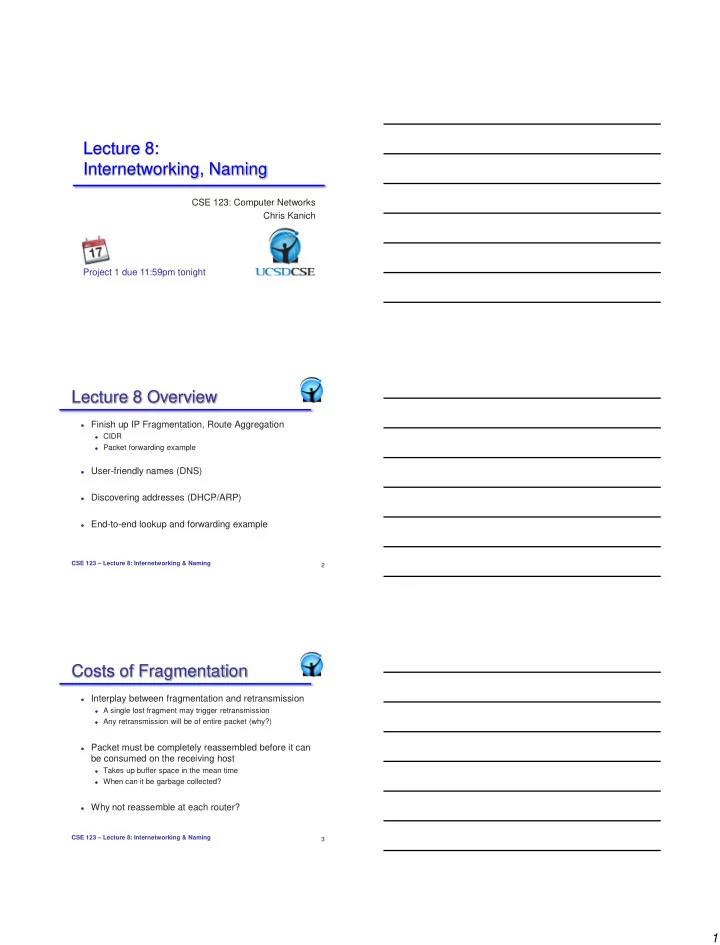
Lecture 8: Internetworking, Naming CSE 123: Computer Networks Chris Kanich Project 1 due 11:59pm tonight Lecture 8 Overview Finish up IP Fragmentation, Route Aggregation CIDR Packet forwarding example User-friendly names (DNS)


slide-1
SLIDE 1

1

CSE 123: Computer Networks Chris Kanich

Lecture 8: Internetworking, Naming

Project 1 due 11:59pm tonight

Lecture 8 Overview

 Finish up IP Fragmentation, Route Aggregation

 CIDR  Packet forwarding example

 User-friendly names (DNS)  Discovering addresses (DHCP/ARP)  End-to-end lookup and forwarding example

2 CSE 123 – Lecture 8: Internetworking & Naming

Costs of Fragmentation

 Interplay between fragmentation and retransmission

 A single lost fragment may trigger retransmission  Any retransmission will be of entire packet (why?)

 Packet must be completely reassembled before it can

be consumed on the receiving host

 Takes up buffer space in the mean time  When can it be garbage collected?

 Why not reassemble at each router?

3 CSE 123 – Lecture 8: Internetworking & Naming

slide-2
SLIDE 2

2

Path MTU Discovery

 Path MTU is the smallest MTU along path

 Packets less than this size don’t get fragmented

 Fragmentation is a burden for routers

 We already avoid reassembling at routers  Avoid fragmentation too by having hosts learn path MTUs

 Hosts send packets, routers return error if too large

 Hosts can set “don’t fragment” flag  Hosts discover limits, can size packets at source  Reassembly at destination as before

4 CSE 123 – Lecture 8: Internetworking & Naming

IP Addresses

 32-bits in an IPv4 address

 Dotted decimal format a.b.c.d  Each represent 8 bits of address

 Hierarchical: Network part and host part

 E.g. IP address 128.54.70.238  128.54 refers to the UCSD campus network  70.238 refers to the host ieng6.ucsd.edu

 Which part is network vs. host?

5 CSE 123 – Lecture 8: Internetworking & Naming

 Most significant bits determines “class” of address  Special addresses

 Class D (1110) for multicast, Class E (1111) experimental  127.0.0.1: local host (a.k.a. the loopback address)  Host bits all set to 0: network address  Host bits all set to 1: broadcast address

Network Host Network Host 1 Network Host 1 16 1 0 8 21 14 Class A Class B Class C 127 nets, 16M hosts 16K nets, 64K hosts 2M nets, 254 hosts

Class-based Addressing

6 CSE 123 – Lecture 8: Internetworking & Naming

slide-3
SLIDE 3

3

 Router needs to know where to forward a packet  Forwarding table contains:

 List of network names and next hop routers  Local networks have entries specifying which interface

» Link-local hosts can be delivered with Layer-2 forwarding

 E.g. www.ucsd.edu address is 132.239.180.101

 Class B address – class + network is 132.239  Lookup 132.239 in forwarding table  Prefix – part of address that really matters for routing

IP Forwarding Tables

7 CSE 123 – Lecture 8: Internetworking & Naming

Subnetting

 Individual networks may be composed of several

LANs

 Only want traffic destined to local hosts on physical network  Routers need a way to know which hosts on which LAN

 Networks can be arbitrarily decomposed into subnets

 Each subnet is simply a prefix of the host address portion  Subnet prefix can be of any length, specified with netmask

8 CSE 123 – Lecture 8: Internetworking & Naming Network Host

Subnet

Prefix

Subnet Addresses

 Every (sub)network has an address and a netmask

 Netmask tells which bits of the network address is important  Convention suggests it be a proper prefix

 Netmask written as an all-ones IP address

 E.g., Class B netmask is 255.255.0.0  Sometimes expressed in terms of number of 1s, e.g., /16

 Need to size subnet appropriately for each LAN

 Only have remaining bits to specify host addresses

9 CSE 123 – Lecture 8: Internetworking & Naming

slide-4
SLIDE 4

4

IP Address Problem (1991)

 Address space depletion

 In danger of running out of classes A and B

 Why?

 Class C too small for most organizations (only ~250

addresses)

 Very few class A – very careful about giving them out (who

has 16M hosts anyway?)

 Class B – greatest problem

10 CSE 123 – Lecture 8: Internetworking & Naming

 Classless Inter-Domain Routing (1993)

 Networks described by variable-length prefix and length  Allows arbitrary allocation between network and host address  e.g. 10.95.1.2/8: 10 is network and remainder (95.1.2) is host

 Pro: Finer grained allocation; aggregation  Con: More expensive lookup: longest prefix match

Network Host Prefix Mask=# significant bits representing prefix

CIDR

11 CSE 123 – Lecture 8: Internetworking & Naming 12 CSE 123 – Lecture 8: Internetworking & Naming

slide-5
SLIDE 5

5

13 CSE 123 – Lecture 7: Internetworking

Route Aggregation

 Combine adjacent networks in forwarding tables

 Helps keep forwarding table size down

“Send me anything with addresses beginning 200.23.16.0/20”

200.23.16.0/23 200.23.18.0/23 200.23.30.0/23

Fly-By-Night-ISP Organization 0 Organization 7 Internet Organization 1 ISPs-R-Us “Send me anything with addresses beginning 199.31.0.0/16”

200.23.20.0/23

Organization 2

. . . . . .

14 CSE 123 – Lecture 8: Internetworking & Naming

 But what if address range is not contiguous?

“Send me anything with addresses beginning 200.23.16.0/20”

200.23.16.0/23 200.23.18.0/23 200.23.30.0/23

Fly-By-Night-ISP Organization 0 Organization 7 Internet Organization 1 ISPs-R-Us “Send me anything with addresses beginning 199.31.0.0/16

  • r 200.23.18.0/23”

200.23.20.0/23

Organization 2

. . . . . .

15 CSE 123 – Lecture 8: Internetworking & Naming

Most Specific Route

slide-6
SLIDE 6

6

Longest Matching Prefix

 Forwarding table contains many prefix/length tuples

 They need not be disjoint!  E.g. 200.23.16.0/20 and 200.23.18.0/23  What to do if a packet arrives for destination 200.23.18.1?  Need to find the longest prefix in the table which matches it

(200.23.18.0/23)

 Not a simple table, requires multiple memory lookups

 Lots and lots of research done on this problem  Our own George Varghese is the master of this domain

16 CSE 123 – Lecture 8: Internetworking & Naming 128.2/16

10 16

19

128.32/16 128.32.130/24 128.32.150/24 default 0/0

  • Straightforward way to look up LMP
  • Arrange route entries into a series of bit tests
  • Worst case = 32 bit tests
  • Problem: memory speed is a bottleneck

Bit to test – 0 = left child,1 = right child 17 CSE 123 – Lecture 8: Internetworking & Naming

PATRICIA Trie Forwarding example

H2 H3 H4 R1

10.1.1/24 10.1.1.2 10.1.1.4

Provider

10.1/16

10.1.8/24 10.1.0/24 10.1.1.3 10.1.2/23

R2

10.1.0.2 10.1.8.4

10.1.0.1 10.1.1.1 10.1.2.2 10.1.8.1 10.1.2.1 10.1.16.1

H1

  • Packet to 10.1.1.3

arrives

  • Path is R2 – R1 –

H1 – H2

18 CSE 123 – Lecture 8: Internetworking & Naming

slide-7
SLIDE 7

7

Forwarding example (2)

Forwarding table at R2

H2 H3 H4 R1

10.1.1/24

10.1/16

10.1.8/24 10.1.0/24 10.1.1.3 10.1.2/23

R2

10.1.0.2 10.1.8.4

10.1.0.1 10.1.1.1 10.1.2.2 10.1.8.1 10.1.2.1 10.1.16.1

H1 Destination Next Hop 127.0.0.1 loopback Default or 0/0 10.1.0.1 10.1.8.0/24 interface1 10.1.2.0/23 interface2 10.1.0.0/23 10.1.2.2

  • Packet to 10.1.1.3
  • Matches 10.1.0.0/23

10.1.1.2 10.1.1.4

19 CSE 123 – Lecture 8: Internetworking & Naming

Forwarding example (3)

H2 H3 H4 R1

10.1.1/24

10.1/16

10.1.8/24 10.1.0/24 10.1.1.3 10.1.2/23

R2

10.1.0.2 10.1.8.4

10.1.0.1 10.1.1.1 10.1.2.2 10.1.8.1 10.1.2.1 10.1.16.1

H1

Routing table at R1

Destination Next Hop 127.0.0.1 loopback Default or 0/0 10.1.2.1 10.1.0.0/24 interface1 10.1.1.0/24 interface2 10.1.2.0/23 interface3

  • Packet to 10.1.1.3
  • Matches 10.1.1.2/31
  • Longest prefix match

10.1.1.2/31 10.1.1.2

10.1.1.2 10.1.1.4

20 CSE 123 – Lecture 8: Internetworking & Naming

Forwarding example (4)

H2 H3 H4 R1

10.1.1/24

10.1/16

10.1.8/24 10.1.0/24 10.1.1.3 10.1.2/23

R2

10.1.0.2 10.1.8.4

10.1.0.1 10.1.1.1 10.1.2.2 10.1.8.1 10.1.2.1 10.1.16.1

H1

Routing table at H1

Destination Next Hop 127.0.0.1 loopback Default or 0/0 10.1.1.1 10.1.1.0/24 interface1 10.1.1.3/31 interface2

  • Packet to 10.1.1.3
  • Direct route
  • Longest prefix match

10.1.1.2 10.1.1.4

21 CSE 123 – Lecture 8: Internetworking & Naming

slide-8
SLIDE 8

8

Layers of Identifiers

 Host name (e.g., www.ucsd.edu)

 Used by humans to specify host of interest  Unique, selected by host administrator  Hierarchical, variable-length string of alphanumeric carachters

 IP address (e.g., 128.54.70.238)

 Used by routers to forward packets  Unique, topologically meaningful locator  Hierarchical namespace of 32 bits

 MAC address (e.g., 58:B0:35:F2:3C:D9)

 Used by network adaptors to identify interesting frames  Unique, hard-coded identifier burned into network adaptor  Flat name space (of 48 bits in Ethernet)

22 CSE 123 – Lecture 8: Internetworking & Naming

 Host name: www.ucsd.edu

 Domain: registrar for each top-level domain (e.g., .edu)  Host name: local administrator assigns to each host

 IP addresses: 128.54.70.238

 Prefixes: ICANN, regional Internet registries, and ISPs  Hosts: static configuration, or dynamic using DHCP

 MAC addresses: 58:B0:35:F2:3C:D9

 OIDs: assigned to vendors by the IEEE  Adapters: assigned by the vendor from its block

CSE 123 – Lecture 8: Internetworking & Naming

Naming Hierarchy for Scale

23

Mapping Between Identifiers

 Domain Name System (DNS)

 Given a host name, provide the IP address  Given an IP address, provide the host name

 Address Resolution Protocol (ARP)

 Given an IP address, provide the MAC address  To enable communication within the Local Area Network

 Dynamic Host Configuration Protocol (DHCP)

 Automates host boot-up process  Given a MAC address, assign a unique IP address  … and tell host other stuff about the Local Area Network

CSE 123 – Lecture 8: Internetworking & Naming 24

slide-9
SLIDE 9

9

Domain Name System (DNS)

 Distributed administrative control

 Hierarchical name space divided into zones  Distributed over a collection of DNS servers

 Hierarchy of DNS servers

 Root servers  Top-level domain (TLD) servers  Authoritative DNS servers

 Performing the translations

 Local DNS servers  Resolver software

CSE 123 – Lecture 8: Internetworking & Naming 25 com edu

  • rg

ac uk zw

Unnamed root

bar west east foo my ac cam usr generic domains country domains my.east.bar.edu usr.cam.ac.uk CSE 123 – Lecture 8: Internetworking & Naming

DNS: Distributed Database

26

DNS Root Servers

 13 root servers (see http://www.root-servers.org/)

 Labeled A through M

B USC-ISI Marina del Rey, CA L ICANN Los Angeles, CA E NASA Mt View, CA F Internet Software C. Palo Alto, CA (and 17 other locations) I Autonomica, Stockholm (plus 3 other locations) K RIPE London (+ Amsterdam, Frankfurt) m WIDE Tokyo A Verisign, Dulles, VA C Cogent, Herndon, VA (also Los Angeles) D U Maryland College Park, MD G US DoD Vienna, VA H ARL Aberdeen, MD J Verisign, ( 11 locations) CSE 123 – Lecture 8: Internetworking & Naming 27

slide-10
SLIDE 10

10

Using DNS

 Local DNS server (“default name server”)

 Usually near the end hosts who use it  Local hosts configured with local server (e.g., /etc/resolv.conf)

  • r learn the server via DHCP

 Client application

 Extract server name (e.g., from the URL)  Do gethostbyname() to trigger resolver code

 Server application

 Extract client IP address from socket  Optional gethostbyaddr() to translate into name

CSE 123 – Lecture 8: Internetworking & Naming 28

Example

Host at cis.poly.edu wants IP address for gaia.cs.umass.edu

requesting host

cis.poly.edu gaia.cs.umass.edu

root DNS server local DNS server

dns.poly.edu

1 2 3 4 5 6

authoritative DNS server dns.cs.umass.edu

7 8 TLD DNS server

CSE 123 – Lecture 8: Internetworking & Naming 29

Reliability

 DNS servers are replicated

 Name service available if at least one replica is up  Queries can be load balanced between replicas

 UDP used for queries

 Need reliability: must implement this on top of UDP  Try alternate servers on timeout  Exponential backoff when retrying same server

 Cache responses to decrease load

 Both at end hosts and local servers

CSE 123 – Lecture 8: Internetworking & Naming 30

slide-11
SLIDE 11

11

 You already have a bunch from the days when you

called Jon Postel and asked for them (e.g. BBN)

 You get them from another provider

 E.g. buy service from Sprint and get a /24 from one of their

address blocks

 You get one directly from a routing registry

 ARIN: North America, APNIC (Asia Pacific), RIPE (Europe),

LACNIC (Latin America), etc.

 Registries get address from IANA (Internet Assigned Numbers

Authority)

31 CSE 123 – Lecture 8: Internetworking & Naming

Whence come IP Addresses?

 Well from your provider!  But how do you know what it is?  Manual configuration

 They tell you and you type that number into your computer

(along with the default gateway, DNS server, etc.)

 Automated configuration

 Dynamic Host Resolution Protocol (DHCP)

32 CSE 123 – Lecture 8: Internetworking & Naming

How Do You And I Get One? Bootstrapping Problem

 Host doesn’t have an IP address yet

 So, host doesn’t know what source address to use

 Host doesn’t know who to ask for an IP address

 So, host doesn’t know what destination address to use

 Solution: shout to discover a server who can help

 Install a special server on the LAN to answer distress calls

host host host ... DHCP server CSE 123 – Lecture 8: Internetworking & Naming 33

slide-12
SLIDE 12

12

DHCP

 Broadcast-based LAN protocol algorithm

 Host broadcasts “DHCP discover” on LAN (e.g. Ethernet broadcast)  DHCP server responds with “DHCP offer” message  Host requests IP address: “DHCP request” message  DHCP server sends address: “DHCP ack” message w/IP address

 Easy to have fewer addresses than hosts (e.g. UCSD

wireless) and to renumber network (use new addresses)

 What if host goes away (how to get address back?)

 Address is a “lease” not a “grant”, has a timeout  Host may have different IP addresses at different times?

34 CSE 123 – Lecture 8: Internetworking & Naming

Address Resolution Protocol

 Every node maintains an ARP table

 (IP address, MAC address) pair

 Consult the table when sending a packet

 Map destination IP address to MAC address  Encapsulate and transmit the data packet

 What if the IP address is not in the table?

 Broadcast: “Who has IP address x.x.x.x?”  Response: “MAC address yy:yy:yy:yy:yy:yy”  Sender caches the result in its ARP table

CSE 123 – Lecture 8: Internetworking & Naming 35

Example: Sending to CNN

A R B www.cnn.com

CSE 123 – Lecture 8: Internetworking & Naming 36

slide-13
SLIDE 13

13

Basic Steps

1.

Host A must learn the IP address of B via DNS

2.

Host A uses gateway R to reach external hosts

3.

Router R forwards IP packet to outgoing interface

4.

Router R learns B’s MAC address and forwards frame

A R B

CSE 123 – Lecture 8: Internetworking & Naming 37

Host A Learns B’s IP Address

 Host A does a DNS query to learn B’s address

 Suppose gethostbyname() returns 222.222.222.222

 Host A constructs an IP packet to send to B

 Source 111.111.111.111, dest 222.222.222.222

A R B

CSE 123 – Lecture 8: Internetworking & Naming 38

Host A Learns B’s IP Address

 IP packet

 From A: 111.111.111.111  To B: 222.222.222.222

 Ethernet frame

 From A: 74-29-9C-E8-FF-55  To gateway: ????

CSE 123 – Lecture 8: Internetworking & Naming

A R B

39

slide-14
SLIDE 14

14

A Decides to Send Through R

 Host A has a gateway router R

 Used to reach dests outside of 111.111.111.0/24  Address 111.111.111.110 for R learned via DHCP

 But, what is the MAC address of the gateway?

CSE 123 – Lecture 8: Internetworking & Naming

A R B

40

A Sends Packet Through R

 Host A learns the MAC address of R’s interface

 ARP request: broadcast request for 111.111.111.110  ARP response: R responds with E6-E9-00-17-BB-4B

 Host A encapsulates the packet and sends to R

CSE 123 – Lecture 8: Internetworking & Naming

A R B

41

A Sends Packet Through R

 IP packet

 From A: 111.111.111.111  To B: 222.222.222.222

 Ethernet frame

 From A: 74-29-9C-E8-FF-55  To R: E6-E9-00-17-BB-4B

CSE 123 – Lecture 8: Internetworking & Naming

A R B

42

slide-15
SLIDE 15

15

R Looks up Next Hop

 Router R’s adapter receives the packet

 R extracts the IP packet destined to 222.222.222.222

 Router R consults its forwarding table

 Packet matches 222.222.222.0/24 via other interface

CSE 123 – Lecture 8: Internetworking & Naming

A R B

43

R Wants to Forward Packet

 IP packet

 From A: 111.111.111.111  To B: 222.222.222.222

 Ethernet frame

 From R: 1A-23-F9-CD-06-9B  To B: ???

CSE 123 – Lecture 8: Internetworking & Naming

A R B

44

R Sends Packet to B

 Router R’s learns the MAC address of host B

 ARP request: broadcast request for 222.222.222.222  ARP response: B responds with 49-BD-D2-C7-56-2A

 Router R encapsulates the packet and sends to B

45 CSE 123 – Lecture 8: Internetworking & Naming

A R B

slide-16
SLIDE 16

16

R Wants to Forward Packet

 IP packet

 From A: 111.111.111.111  To B: 222.222.222.222

 Ethernet frame

 From R: 1A-23-F9-CD-06-9B  To B: 49-BD-D2-C7-56-2A

46 CSE 123 – Lecture 8: Internetworking & Naming

A R B

Summary

 Domain Name System

 Distributed, hierarchical database  Distributed collection of servers  Caching to improve performance

 IP to MAC Address mapping

 Dynamic Host Configuration Protocol (DHCP)  Address Resolution Protocol (ARP)

CSE 123 – Lecture 8: Internetworking & Naming 47

For Next Time

 Read 5.1-2 in P&D  Finish up Project 1!

 Lose a letter grade for each day late.

48 CSE 123 – Lecture 8: Internetworking & Naming