15-213 The course that gives CMU its Zip! Internetworking - - PowerPoint PPT Presentation

15 213
SMART_READER_LITE
LIVE PREVIEW

15-213 The course that gives CMU its Zip! Internetworking - - PowerPoint PPT Presentation

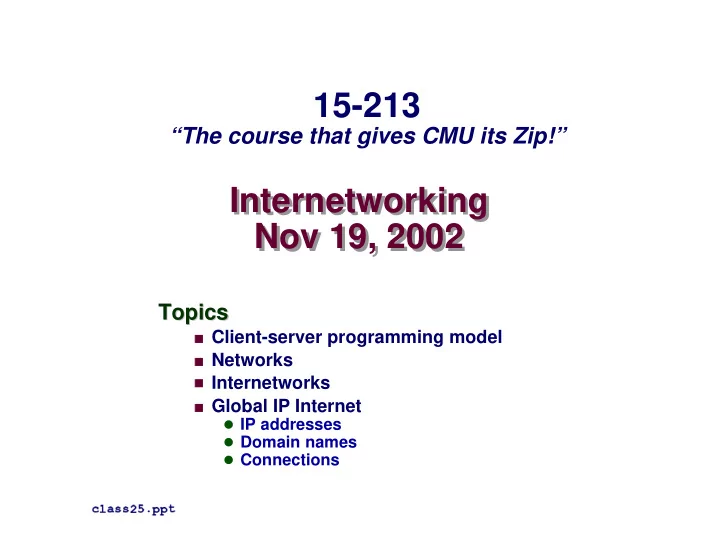
15-213 The course that gives CMU its Zip! Internetworking Internetworking Nov 19, 2002 Nov 19, 2002 Topics Topics Client-server programming model Networks Internetworks Global IP Internet IP addresses Domain


slide-1
SLIDE 1

Internetworking Nov 19, 2002 Internetworking Nov 19, 2002

Topics Topics

  • Client-server programming model
  • Networks
  • Internetworks
  • Global IP Internet

IP addresses Domain names Connections

✁✄✂✄☎✝✆✄✆✟✞✄✠☛✡✌☞✍☞✏✎

15-213

“The course that gives CMU its Zip!”

slide-2
SLIDE 2

– 2 – 15-213, F’02

A Client-Server Transaction A Client-Server Transaction

Client process Server process

  • 1. Client sends request
  • 2. Server

handles request

  • 3. Server sends response
  • 4. Client

handles response Resource

Every network application is based on the client-server Every network application is based on the client-server model: model:

  • A server process and one or more client processes
  • Server manages some resource.
  • Server provides service by manipulating resource for clients.

Note: clients and servers are processes running on hosts (can be the same or different hosts).

slide-3
SLIDE 3

– 3 – 15-213, F’02

Hardware Org of a Network Host Hardware Org of a Network Host

main memory I/O bridge MI ALU register file CPU chip system bus memory bus disk controller graphics adapter USB controller mousekeyboard monitor disk I/O bus Expansion slots network adapter network

slide-4
SLIDE 4

– 4 – 15-213, F’02

Computer Networks Computer Networks

A network is a hierarchical system of boxes and wires A network is a hierarchical system of boxes and wires

  • rganized by geographical proximity
  • rganized by geographical proximity
  • LAN (local area network) spans a building or campus.

Ethernet is most prominent example.

  • WAN (wide-area network) spans country or world.

Typically high-speed point-to-point phone lines.

An An internetwork internetwork ( (internet internet) ) is an interconnected set of is an interconnected set of networks. networks.

  • The Gobal IP Internet (uppercase “I”) is the most famous

example of an internet (lowercase “i”)

Let’s see how we would build an internet from the Let’s see how we would build an internet from the ground up. ground up.

slide-5
SLIDE 5

– 5 – 15-213, F’02

Lowest Level: Ethernet Segment Lowest Level: Ethernet Segment

Ethernet segment consists of a collection of Ethernet segment consists of a collection of hosts hosts connected by connected by wires (twisted pairs) to a wires (twisted pairs) to a hub hub. . Spans room or floor in a building. Spans room or floor in a building. Operation Operation

Each Ethernet adapter has a unique 48-bit address.

Hosts send bits to any other host in chunks called frames.

Hub slavishly copies each bit from each port to every other port.

Every host sees every bit.

host host host hub 100 Mb/s 100 Mb/s ports

slide-6
SLIDE 6

– 6 – 15-213, F’02

Next Level: Bridged Ethernet Segment Next Level: Bridged Ethernet Segment

Spans building or campus. Spans building or campus. Bridges cleverly learn which hosts are reachable from which ports Bridges cleverly learn which hosts are reachable from which ports and then selectively copy frames from port to port. and then selectively copy frames from port to port.

host host host host host hub hub bridge 100 Mb/s 100 Mb/s host host hub 100 Mb/s 100 Mb/s 1 Gb/s host host host bridge host host hub A B C X Y

slide-7
SLIDE 7

– 7 – 15-213, F’02

Conceptual View of LANs Conceptual View of LANs

For simplicity, hubs, bridges, and wires are often shown as a For simplicity, hubs, bridges, and wires are often shown as a collection of hosts attached to a single wire: collection of hosts attached to a single wire:

host host host ...

slide-8
SLIDE 8

– 8 – 15-213, F’02

Next Level: internets Next Level: internets

Multiple incompatible LANs can be physically connected by Multiple incompatible LANs can be physically connected by specialized computers called specialized computers called routers routers. . The connected networks are called an The connected networks are called an internet internet. .

host host host LAN 1 ... host host host LAN 2 ... router router router WAN WAN

LAN 1 and LAN 2 might be completely different, totally incompatible LANs (e.g., Ethernet and ATM)

slide-9
SLIDE 9

– 9 – 15-213, F’02

The Notion of an internet Protocol The Notion of an internet Protocol

How is it possible to send bits across incompatible How is it possible to send bits across incompatible LANs and LANs and WANs WANs? ? Solution: Solution: protocol software protocol software running on each host and running on each host and router smoothes out the differences between the router smoothes out the differences between the different networks. different networks. Implements an Implements an internet protocol internet protocol (i.e., set of rules) that (i.e., set of rules) that governs how hosts and routers should cooperate governs how hosts and routers should cooperate when they transfer data from network to network. when they transfer data from network to network.

  • TCP/IP is the protocol for the global IP Internet.
slide-10
SLIDE 10

– 10 – 15-213, F’02

What Does an internet Protocol Do? What Does an internet Protocol Do?

  • 1. Provides a naming scheme
  • 1. Provides a naming scheme
  • An internet protocol defines a uniform format for host

addresses.

  • Each host (and router) is assigned at least one of these

internet addresses that uniquely identifies it.

  • 2. Provides a delivery mechanism
  • 2. Provides a delivery mechanism
  • An internet protocol defines a standard transfer unit (packet)
  • Packet consists of header and payload

Header: contains info such as packet size, source and destination addresses. Payload: contains data bits sent from source host.

slide-11
SLIDE 11

– 11 – 15-213, F’02

Transferring Data Over an internet Transferring Data Over an internet

protocol software client LAN1 adapter Host A

data data PH FH1 data PH data PH FH2

LAN1 LAN2

data data PH FH1 data PH FH2 (1) (2) (3) (4) (5) (6) (7) (8) internet packet LAN2 frame

protocol software LAN1 adapter LAN2 adapter Router

FH1 LAN1 frame data PH FH2

protocol software server LAN2 adapter Host B

slide-12
SLIDE 12

– 12 – 15-213, F’02

Other Issues Other Issues

We are glossing over a number of important questions: We are glossing over a number of important questions:

  • What if different networks have different maximum frame

sizes? (segmentation)

  • How do routers know where to forward frames?
  • How are routers informed when the network topology

changes?

  • What if packets get lost?

These (and other) questions are addressed by the area These (and other) questions are addressed by the area

  • f systems known as
  • f systems known as computer networking.

computer networking.

slide-13
SLIDE 13

– 13 – 15-213, F’02

Global IP Internet Global IP Internet

Most famous example of an internet. Most famous example of an internet. Based on the TCP/IP protocol family Based on the TCP/IP protocol family

  • IP (Internet protocol) :

Provides basic naming scheme and unreliable delivery capability of packets (datagrams) from host-to-host.

  • UDP (Unreliable Datagram Protocol)

Uses IP to provide unreliable datagram delivery from process- to-process.

  • TCP (Transmission Control Protocol)

Uses IP to provide reliable byte streams from process-to- process over connections.

Accessed via a mix of Unix file I/O and functions from Accessed via a mix of Unix file I/O and functions from the the sockets interface sockets interface. .

slide-14
SLIDE 14

– 14 – 15-213, F’02

Hardware and Software Org of an Internet Application Hardware and Software Org of an Internet Application

TCP/IP Client Network adapter Global IP Internet TCP/IP Server Network adapter Internet client host Internet server host Sockets interface (system calls) Hardware interface (interrupts) User code Kernel code Hardware and firmware

slide-15
SLIDE 15

– 15 – 15-213, F’02

Basic Internet Components Basic Internet Components

An An Internet backbone Internet backbone is a collection of routers is a collection of routers (nationwide or worldwide) connected by high- (nationwide or worldwide) connected by high- speed point-to-point networks. speed point-to-point networks. A A Network Access Point Network Access Point (NAP) (NAP) is a router that is a router that connects multiple backbones (sometimes connects multiple backbones (sometimes referred to as referred to as peers peers). ). Regional networks Regional networks are smaller backbones that are smaller backbones that cover smaller geographical areas (e.g., cities cover smaller geographical areas (e.g., cities

  • r states)
  • r states)

A A point of presence point of presence (POP) (POP) is a machine that is is a machine that is connected to the Internet. connected to the Internet. Internet Service Providers Internet Service Providers (ISPs) provide dial-up (ISPs) provide dial-up

  • r direct access to
  • r direct access to POPs

POPs. .

slide-16
SLIDE 16

– 16 – 15-213, F’02

The Internet Circa 1993 The Internet Circa 1993

In 1993, the Internet consisted of one backbone In 1993, the Internet consisted of one backbone (NSFNET) that connected 13 sites via 45 (NSFNET) that connected 13 sites via 45 Mbs Mbs T3 links. T3 links.

  • Merit (Univ of Mich), NCSA (Illinois), Cornell Theory

Center, Pittsburgh Supercomputing Center, San Diego Supercomputing Center, John von Neumann Center (Princeton), BARRNet (Palo Alto), MidNet (Lincoln, NE), WestNet (Salt Lake City), NorthwestNet (Seattle), SESQUINET (Rice), SURANET (Georgia Tech).

Connecting to the Internet involved connecting Connecting to the Internet involved connecting

  • ne of your routers to a router at a backbone
  • ne of your routers to a router at a backbone

site, or to a regional network that was already site, or to a regional network that was already connected to the backbone. connected to the backbone.

slide-17
SLIDE 17

– 17 – 15-213, F’02

NSFNET Internet Backbone NSFNET Internet Backbone

✓☛✔✏✕✗✖☛✘✏✙✛✚ ✜☛✜☛✜✛✢✣✙☛✙✗✤✥✢✟✔☛✖✏✦
slide-18
SLIDE 18

– 18 – 15-213, F’02

Current NAP-Based Internet Architecture Current NAP-Based Internet Architecture

In the early 90’s commercial outfits were building their In the early 90’s commercial outfits were building their

  • wn high-speed backbones, connecting to NSFNET,
  • wn high-speed backbones, connecting to NSFNET,

and selling access to their and selling access to their POPs POPs to companies, ISPs, to companies, ISPs, and individuals. and individuals. In 1995, NSF decommissioned NSFNET, and fostered In 1995, NSF decommissioned NSFNET, and fostered creation of a collection of creation of a collection of NAPs NAPs to connect the to connect the commercial backbones. commercial backbones. Currently in the US there are about 50 commercial Currently in the US there are about 50 commercial backbones connected by ~12 backbones connected by ~12 NAPs NAPs (peering points). (peering points). Similar architecture worldwide connects national Similar architecture worldwide connects national networks to the Internet. networks to the Internet.

slide-19
SLIDE 19

– 19 – 15-213, F’02

Internet Connection Hierarchy Internet Connection Hierarchy

NAP NAP Backbone Backbone Backbone Backbone NAP POP POP POP Regional net POP POP POP POP POP Small Business Big Business ISP POP POP POP POP Pgh employee

dialup

DC employee POP

T3 T1

ISP (for individuals) POP

dialup T1

Colocation sites Private “peering” agreements between two backbone companies

  • ften bypass

NAP

slide-20
SLIDE 20

– 20 – 15-213, F’02

Network Access Points (NAPs) Network Access Points (NAPs)

Source: Boardwatch.com Note: Peers in this context are commercial backbones..droh

slide-21
SLIDE 21

– 21 – 15-213, F’02 Source: Boardwatch.com

MCI/WorldCom/UUNET Global Backbone

slide-22
SLIDE 22

– 22 – 15-213, F’02

A Programmer’s View of the Internet A Programmer’s View of the Internet

  • 1. Hosts are mapped to a set of 32-bit
  • 1. Hosts are mapped to a set of 32-bit IP addresses

IP addresses. .

  • 128.2.203.179
  • 2. The set of IP addresses is mapped to a set of
  • 2. The set of IP addresses is mapped to a set of

identifiers called Internet identifiers called Internet domain names domain names. .

  • 128.2.203.179 is mapped to www.cs.cmu.edu
  • 3. A process on one Internet host can communicate
  • 3. A process on one Internet host can communicate

with a process on another Internet host over a with a process on another Internet host over a connection connection. .

slide-23
SLIDE 23

– 23 – 15-213, F’02

  • 1. IP Addresses
  • 1. IP Addresses

32-bit IP addresses are stored in an 32-bit IP addresses are stored in an IP address IP address struct struct

  • IP addresses are always stored in memory in network byte
  • rder (big-endian byte order)
  • True in general for any integer transferred in a packet header

from one machine to another.

E.g., the port number used to identify an Internet connection.

✧✩★ ✪✬✫✮✭✬✯✮✰✬✫✱✯✮✭ ✲✩✳✩✳✮✰✬✯✮✴✩✴ ✴✩✭✩✰✬✵✮✶✩✭✬✵✮✰✬✯ ★✩✧ ✴✩✭✱✰✬✵✮✶✩✭ ✷✬✫✬✸✮✲✩✳✩✳✮✰ ✹ ✵✩✫✮✴✩✷✬✺✩✫✩✯✩✳ ✷✬✫✮✭ ✴✻✸✮✲✩✳✩✳✮✰✽✼ ✧✩★ ✫✩✯✮✭✻✾✮✿✮✰✬❀ ❁✮❂✮✭✬✯ ✿✮✰✬✳✩✯✮✰ ❃❄❁✽✷✬✺✮❅✩✯✩✫✱✳✮✷✬✲✩✫❇❆ ★✩✧ ❈ ✼

Handy network byte-order conversion functions:

❉✗❊ ✔✏❋✗●✥✚

convert

  • ☛✔✏❋☛✦
❍■❋ ❊ from host to network byte order. ❉✗❊ ✔✏❋✗✓✥✚

convert

✓ ❉ ✔☛✖ ❊ ❍✏❋ ❊ from host to network byte order. ❋ ❊ ✔ ❉
  • ✥✚

convert

  • ☛✔✏❋☛✦
❍■❋ ❊ from network to host byte order. ❋ ❊ ✔ ❉ ✓✥✚

convert

✓ ❉ ✔☛✖ ❊ ❍✏❋ ❊ from network to host byte order.
slide-24
SLIDE 24

– 24 – 15-213, F’02

Dotted Decimal Notation Dotted Decimal Notation

By convention, each byte in a 32-bit IP address is By convention, each byte in a 32-bit IP address is represented by its decimal value and separated by a represented by its decimal value and separated by a period period

IP address

❏✏❑✗▲☛❏☛❏☛▼✏◆✗▼☛❖☛▼ P ◗☛▼☛▲ ✢ ▼ ✢ ◗✗❘✏❙ ✢ ▼☛❙☛▼

Functions for converting between binary IP addresses Functions for converting between binary IP addresses and dotted decimal strings: and dotted decimal strings:

  • ❚✽❯❲❱❲❳✱❨❬❩❲❳✽❭✽❯ : converts a dotted decimal string to an IP

address in network byte order.

  • ❚✽❯❲❱❪❳✩❨❲❯❫❳✽❭❴❩ : converts an IP address in network by order to

its corresponding dotted decimal string.

  • “n” denotes network representation. “a” denotes application

representation.

slide-25
SLIDE 25

– 25 – 15-213, F’02

  • 2. Internet Domain Names
  • 2. Internet Domain Names

mil edu gov com cmu berkeley mit cs ece kittyhawk

128.2.194.242

cmcl unnamed root pdl imperial

128.2.189.40

amazon www

208.216.181.15

First-level domain names Second-level domain names Third-level domain names

slide-26
SLIDE 26

– 26 – 15-213, F’02

Domain Naming System (DNS) Domain Naming System (DNS)

The Internet maintains a mapping between IP addresses The Internet maintains a mapping between IP addresses and domain names in a huge worldwide distributed and domain names in a huge worldwide distributed database called database called DNS DNS. .

  • Conceptually, programmers can view the DNS database as a

collection of millions of host entry structures:

Functions for retrieving host entries from DNS: Functions for retrieving host entries from DNS:

  • ❵❴❱❲❳✮❛❪❭❲❜❴❳✱❝❲❞❴❯❪❩✮❡❬❱ : query key is a DNS domain name.
  • ❵❴❱❲❳❢❛❲❭❲❜❣❳✩❝❪❞❲❩❴❤❣❤❴✐
❥ query key is an IP address. ✧✩★ ❦✬❧✽♠ ♥✱✿✮✴✩✭ ✯✩✫✮✭✩✰✬❂ ✴✩✭✩✰✬✵✮✶✩✭✬✵✮✰✬✯ ★✩✧ ✴✩✭✩✰✬✵❢✶✩✭ ♥✩✿✮✴✩✭✬✯✩✫✮✭ ✹ ✶✬♥✩✲✮✰ ★✬♥✬✸✮✫✩✲✬♦✮✯❴✼ ✧✩★ ✿✮♣✩♣✩✷✩✶✩✷q✲✮r ✳✩✿✬♦✮✲✮✷✬✫ ✫✩✲✬♦✮✯ ✿✮♣ ♥✩✿✮✴✩✭ ★✩✧ ✶✬♥✩✲✮✰ ★✩★✬♥✬✸✮✲✮r✩✷✬✲✮✴✬✯✮✴✽✼ ✧✩★ ✫✩✵✮r✩r✩❅✩✭q✯✮✰✻♦✽✷✬✫✩✲✮✭✬✯✩✳ ✲✮✰✩✰✬✲✩❂ ✿✮♣ ✳✩✿✬♦✮✲✮✷✬✫ ✫✩✲✬♦✮✯✮✴ ★✩✧ ✷✬✫✮✭ ♥✬✸✮✲✩✳✩✳✮✰✩✭✬❂✬s✮✯t✼ ✧✩★ ♥✩✿✮✴✩✭ ✲✩✳✩✳✮✰✬✯✮✴✩✴ ✭✬❂✬s✮✯ ❃❄✉✮✈✬✸✽✪✻❧✮✇②①✽❆ ★✩✧ ✷✬✫✮✭ ♥✬✸✽r✬✯✩✫✩✺✮✭✬♥❴✼ ✧✩★ r✬✯✩✫✩✺✮✭✬♥ ✿✮♣ ✲✩✫ ✲✩✳✩✳③✰✬✯✮✴✩✴❴④ ✷✬✫ ❁✮❂✮✭✬✯✮✴ ★✩✧ ✶⑤♥✩✲✮✰ ★✩★✬♥✬✸⑥✲✩✳✩✳✮✰⑦✸✽r✩✷✩✴✩✭✽✼ ✧✩★ ✫✩✵✮r✩r✩❅✩✭✬✯✮✰✻♦✽✷✬✫✩✲✮✭✬✯✩✳ ✲✮✰✩✰✬✲✩❂ ✿✮♣ ✷✬✫✬✸✮✲✩✳✩✳✮✰ ✴✩✭✩✰✬✵✮✶✩✭✩✴ ★✩✧ ❈ ✼
slide-27
SLIDE 27

– 27 – 15-213, F’02

Properties of DNS Host Entries Properties of DNS Host Entries

Each host entry is an equivalence class of domain names Each host entry is an equivalence class of domain names and IP addresses. and IP addresses. Each host has a locally defined domain name Each host has a locally defined domain name which always maps to the which always maps to the loopback loopback address address Different kinds of mappings are possible: Different kinds of mappings are possible:

  • Simple case: 1-1 mapping between domain name and IP addr:
✒ ❀✮✷✩✭✩✭✬❂✩♥✩✲✬✾✮❀⑨⑧⑩✶❶♦✽✶✩r❴⑧❷✶✩✴❴⑧⑩✶✻♦✮✵❲⑧✣✯✩✳✩✵ maps to ❸✩❹✩❺ ⑧ ❹ ⑧ ❸✮❻✬❼ ⑧ ❹✩❼✩❹
  • Multiple domain names mapped to the same IP address:
✙☛✙✗✘☛✓❽✢❿❾➀❍ ❊ ✢➁✙☛➂☛✕

and

✘☛✓➃✢❿❾➀❍ ❊ ✢➁✙☛➂☛✕ ◗☛▲ ✢✄➄ ▼ ✢ ◗ ✢✄➄
  • Multiple domain names mapped to multiple IP addresses:
➅ ✔☛●❽✢✟✘☛✔✝❾

and

✜☛✜☛✜✛✢ ➅ ✔☛●✥✢✟✘☛✔✝❾

map to multiple IP addrs.

  • Some valid domain names don’t map to any IP address:

for example:

✘✝❾➀✘☛●❽✢✟✘☛✓✥✢✟✘✝❾✗✕➆✢➁✙☛➂☛✕
slide-28
SLIDE 28

– 28 – 15-213, F’02

A Program That Queries DNS A Program That Queries DNS

✷✬✫✮✭ ♦✮✲✮✷✬✫❬❃➇✷✬✫✮✭ ✲✮✰✬✺✮✶t④ ✶✬♥✩✲✮✰ ★✩★➈✲✮✰✬✺✩➉✽❆ ✹ ✧✩★ ✲✮✰✬✺✩➉❬➊ ❸✮➋ ✷✩✴ ✲ ✳✩✿✬♦✮✲✮✷✬✫ ✫✩✲✬♦✮✯ ✶✬♥✩✲✮✰ ★✩★✻s✩s❲✼ ★ ✿✮✰ ✳✩✿✮✭✩✭✬✯✩✳ ✳✩✯✮✶✩✷✻♦✮✲✮r ✪✩➌ ✲✩✳✩✳✮✰ ★✩✧ ✴✩✭✩✰✬✵✮✶✩✭ ✷✬✫✬✸✮✲✩✳✩✳✮✰ ✲✩✳✩✳✮✰③✼ ✴✱✭✩✰✬✵✮✶✩✭ ♥✩✿✮✴✩✭✬✯✩✫✮✭ ★✬♥✩✿✮✴✩✭✻s⑨✼ ✷✩♣ ❃➇✷✬✫✩✯✮✭✻✸✮✲✮✭✬✿✩✫❽❃➍✲✮✰✬✺✩➉❬➊ ❸✮➋ ④ ➎➏✲✩✳✩✳✮✰✮❆ ➐➒➑ ➓✮❆ ♥✩✿✮✴✩✭✻s ➑ ➔✩✯✮✭✬♥✩✿✮✴✩✭✻❁✮❂✩✲✩✳✩✳✮✰⑨❃✩❃✣✶✬✿✩✫✮✴✩✭ ✶✬♥✱✲✮✰ ★✮❆✩➎→✲✩✳✩✳❢✰❴④ ✴✩✷✩➣✬✯✩✿✮♣⑨❃➍✲✩✳✩✳✮✰✮❆✽④ ✉✮✈✬✸✽✪✻❧✮✇✩①✽❆✮✼ ✯✮r✩✴✬✯ ♥✩✿✮✴✩✭✻s ➑ ➔✩✯✮✭✬♥✩✿✮✴✩✭✻❁✮❂✩✫✩✲✬♦✮✯↔❃➍✲✮✰⑤✺✩➉↔➊ ❸✮➋ ❆✮✼ s✽✰✩✷✬✫✮✭✩♣⑨❃⑩↕✻✿✮♣✩♣✩✷✩✶✩✷✬✲✮r ♥✩✿✮✴✩✭✬✫✩✲✬♦✮✯❲➙ ➛✩✴✩➜✬✫✽↕✽④ ♥✩✿✮✴✩✭✻s✽❅✬➝✩♥✬✸✮✫✩✲✬♦✮✯✽❆✮✼ ♣✬✿✮✰ ❃❄s✩s ➑ ♥✩✿✮✴✩✭✻s③❅✬➝✩♥✬✸✮✲✮r✩✷✬✲✮✴✬✯✮✴✽✼ ★✻s✩s ➐✣➑ ❧✮➞✩➟✩➟❴✼ s✩s✮➠✩➠✽❆ s✽✰✩✷✬✫✮✭✩♣❲❃⑩↕✻✲✮r✩✷✬✲✮✴❴➙ ➛✩✴✩➜✬✫✽↕✽④ ★✻s✩s❴❆✮✼ ♣✬✿✮✰ ❃❄s✩s ➑ ♥✩✿✮✴✩✭✻s③❅✬➝✩♥✬✸✮✲✩✳✩✳✮✰➏✸✽r✩✷✩✴✩✭✽✼ ★✻s✩s ➐✣➑ ❧✮➞✩➟✱➟❴✼ s✩s✮➠✩➠✽❆ ✹ ✲✩✳✩✳✮✰❴⑧⑩✴✻✸②✲✩✳✩✳✮✰ ➑ ★❲❃✩❃➍✵✩✫✮✴✩✷✬✺✩✫✩✯✩✳ ✷✬✫✮✭ ★✮❆✬★✻s✩s❴❆✮✼ s✽✰✩✷✬✫✮✭✩♣❲❃⑩↕✻✲✩✳✩✳✮✰✬✯✮✴✩✴❴➙ ➛✩✴✩➜✬✫✽↕✽④ ✷✬✫✱✯✮✭➏✸✮✫✮✭✬✿✩✲❬❃➍✲✩✳✩✳✮✰⑥❆✱❆✮✼ ❈ ❈
slide-29
SLIDE 29

– 29 – 15-213, F’02

Querying DNS from the Command Line Querying DNS from the Command Line

Domain Information Groper ( Domain Information Groper ( ) provides a scriptable ) provides a scriptable command line interface to DNS. command line interface to DNS.

r✩✷✬✫✩✵✩➡q➝ ✳✮✷✬✺ ➠✮✴✬♥✩✿✮✰✩✭ ❀✮✷✩✭✩✭✬❂✩♥✱✲✬✾✮❀⑨⑧⑩✶✻♦✽✶✩r❴⑧⑩✶✩✴➢⑧⑩✶✻♦❢✵❲⑧✣✯✩✳✩✵ ❸✩❹✩❺ ⑧ ❹ ⑧ ❸✮❻✬❼ ⑧ ❹✩❼✩❹ r✩✷✬✫✩✵✩➡q➝ ✳✮✷✬✺ ➠✮✴✬♥✩✿✮✰✩✭ ❅✬➡ ❸✩❹✩❺ ⑧ ❹ ⑧ ❸✮❻✬❼ ⑧ ❹✩❼✩❹ ➤ ✪✬①✩①✩➥✩➦✬✉✩➧ ➤ ⑧✣➨✬➩✮➨✩➟❲⑧✣➨✮♠❴⑧✣➨✬➩✮➞❲⑧✣✇✩❦✩➞❲⑧ r✩✷✬✫✩✵✩➡q➝ ✳✮✷✬✺ ➠✮✴✬♥✩✿✮✰✩✭ ✲✩✿✮r❴⑧⑩✶⑤✿✬♦ ❹ ➓✩➫❴⑧ ❸✩❺✩❺ ⑧ ❸✩❼ ➫❴⑧ ❹✩❸ ➫ ❹ ➓✩➫❴⑧ ❸✩❺✩❺ ⑧ ❸✮➭ ➓❴⑧ ❸✩❹✩❸ ➭✬❼ ⑧ ❸✩❹ ⑧ ❸✩❼✮❻ ⑧ ❹✩❼ ➭✬❼ ⑧ ❸✩❹ ⑧ ❸✩❺✩➯ ⑧ ❹ ➫ r✩✷✬✫✩✵✩➡q➝ ✳✮✷✬✺ ➠✮✴✬♥✩✿✮✰✩✭ ❅✬➡ ➭✬❼ ⑧ ❸✩❹ ⑧ ❸✩❺✩➯ ⑧ ❹ ➫ ✲✩✿✮r✩❅✬➉✮➫❴⑧➲✾✮✯✬❁✽✴✬❂✮✴❴⑧✣✲✩✿✮r➢⑧⑩✶✬✿✬♦❫⑧
slide-30
SLIDE 30

– 30 – 15-213, F’02

  • 3. Internet Connections
  • 3. Internet Connections

Clients and servers communicate by sending streams Clients and servers communicate by sending streams

  • f bytes over
  • f bytes over connections

connections: :

  • Point-to-point, full-duplex (2-way communication), and

reliable.

A A socket socket is an endpoint of a connection is an endpoint of a connection

  • Socket address is an
➳✽➵ ❩❴❤❴❤❴✐❣❱❲❜❴❜➸❥✻➺❲❭❴✐❲❳ pair

A A port port is a 16-bit integer that identifies a process: is a 16-bit integer that identifies a process:

  • Ephemeral port: Assigned automatically on client when

client makes a connection request

  • Well-known port: Associated with some service provided by

a server (e.g., port 80 is associated with Web servers)

A connection is uniquely identified by the socket A connection is uniquely identified by the socket addresses of its endpoints ( addresses of its endpoints (socket pair socket pair) )

  • ➻✻➼❴➽❴❚❴❩❴❤❴❤❴✐
❥✬➼❣➽❴❚✽➺❲❭❴✐❲❳➸➾ ❜✽❱❴✐✽➚❲❩❴❤❴❤❴✐ ❥✩❜➪❱❴✐✽➚❴➺❲❭❴✐❲❳❲➶
slide-31
SLIDE 31

– 31 – 15-213, F’02

Putting it all Together: Anatomy of an Internet Connection Putting it all Together: Anatomy of an Internet Connection

Connection socket pair (128.2.194.242:51213, 208.216.181.15:80) Server (port 80) Client Client socket address 128.2.194.242:51213 Server socket address 208.216.181.15:80 Client host address 128.2.194.242 Server host address 208.216.181.15

slide-32
SLIDE 32

– 32 – 15-213, F’02

Next Time Next Time

How to use the sockets interface to establish Internet How to use the sockets interface to establish Internet connections between clients and servers connections between clients and servers How to use Unix I/O to copy data from one host to How to use Unix I/O to copy data from one host to another over an Internet connection. another over an Internet connection.