CPSC 213 - news, admin details, schedule and readings - lecture - - PowerPoint PPT Presentation

cpsc 213
SMART_READER_LITE
LIVE PREVIEW

CPSC 213 - news, admin details, schedule and readings - lecture - - PowerPoint PPT Presentation

About the Course it's all on the web page ... http://www.ugrad.cs.ubc.ca/~cs213/winter10t1/ CPSC 213 - news, admin details, schedule and readings - lecture slides (always posted before class) - 213 Companion (free PDF) - course wiki


slide-1
SLIDE 1

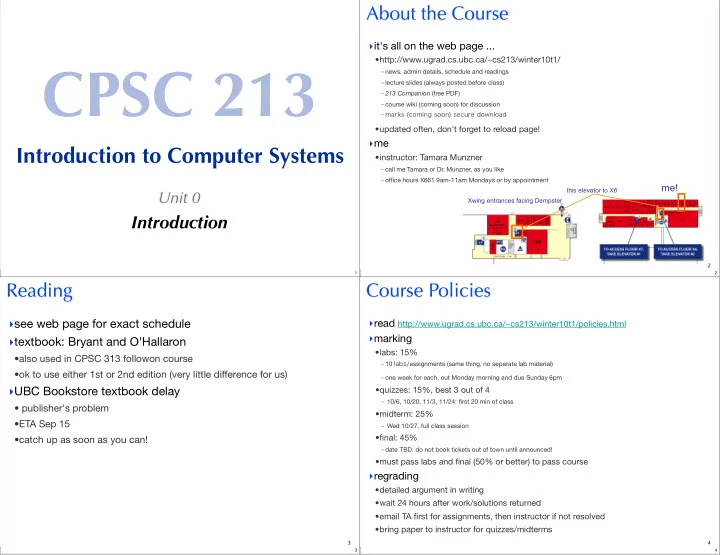
CPSC 213

Introduction to Computer Systems

Unit 0

Introduction

1 2

About the Course

  • it's all on the web page ...
  • http://www.ugrad.cs.ubc.ca/~cs213/winter10t1/
  • news, admin details, schedule and readings
  • lecture slides (always posted before class)
  • 213 Companion (free PDF)
  • course wiki (coming soon) for discussion
  • marks (coming soon) secure download
  • updated often, don't forget to reload page!
  • me
  • instructor: Tamara Munzner
  • call me Tamara or Dr. Munzner, as you like
  • office hours X661 9am-11am Mondays or by appointment
this elevator to X6

me!

Xwing entrances facing Dempster 2 3

Reading

  • see web page for exact schedule
  • textbook: Bryant and O'Hallaron
  • also used in CPSC 313 followon course
  • ok to use either 1st or 2nd edition (very little difference for us)
  • UBC Bookstore textbook delay
  • publisher's problem
  • ETA Sep 15
  • catch up as soon as you can!
3 4

Course Policies

  • read http://www.ugrad.cs.ubc.ca/~cs213/winter10t1/policies.html
  • marking
  • labs: 15%
  • 10 labs/assignments (same thing, no separate lab material)
  • one week for each, out Monday morning and due Sunday 6pm
  • quizzes: 15%, best 3 out of 4
  • 10/6, 10/20, 11/3, 11/24: first 20 min of class
  • midterm: 25%
  • Wed 10/27, full class session
  • final: 45%
  • date TBD. do not book tickets out of town until announced!
  • must pass labs and final (50% or better) to pass course
  • regrading
  • detailed argument in writing
  • wait 24 hours after work/solutions returned
  • email TA first for assignments, then instructor if not resolved
  • bring paper to instructor for quizzes/midterms
4
slide-2
SLIDE 2 5

Late/Missed Work, Illness

  • no late work accepted
  • email me immediately if you'll miss lab/exam from illness
  • written documentation due within 7 days after you return to

school

  • copy of doctor's note or other proof (ICBC accident report, etc)
  • written cover sheet with dates of absence and list of work missed
  • I'll decide on how to handle
  • might give extension if solutions not out yet
  • might grade you only on completed work
5 6

Plagiarism and Cheating

  • work together! but don’t cheat!
  • never present anyone else’s work as your own
  • but, don’t let this stop you from helping each other learn...
  • general discussion always fine
  • one-hour context switch rule for specific discussions
  • don't take written notes
  • do something else for an hour
  • then sit down to do the work on your own
  • proper attribution
  • include list of names if you had significant discussions with others
  • not allowed
  • working as a team and handing in joint work as your own
  • looking at somebody else's paper or smuggling notes into exam
  • getting or giving code, electronically or hardcopy
  • typing in code from somebody else's screen
  • using code from previous terms
  • paying somebody to write your code
  • it's a bad idea: you don't learn the stuff, and we'll probably catch you
  • I do prosecute, so that it's a level playing field for everybody else
  • possible penalties: 0 for the work, 0 for the course, suspended, permanent notation in transcript...
6

Overview of the course

  • Hardware context of a single executing program
  • hardware context is CPU and Main Memory
  • develop CPU architecture to implement C and Java
  • differentiate compiler (static) and runtime (dynamic) computation
  • System context of multiple executing programs with IO
  • extend context to add IO, concurrency and system software
  • thread abstraction to hide IO asynchrony and to express concurrency
  • synchronization to manage concurrency
  • virtual memory to provide multi-program, single-system model
  • hardware protection to encapsulate operating system
  • message-passing to communicate between processes and machines

GOAL: To develop a model of computation that is rooted in what really happens when programs execute.

7

What you will get out of this ...

  • Become a better programmer by
  • deepening your understand of how programs execute
  • learning to build concurrent and distributed programs
  • Learn to design real systems by
  • evaluating design trade-offs through examples
  • distinguish static and dynamic system components and techniques
  • Impress your friends and family by
  • telling them what a program really is
8
slide-3
SLIDE 3

What do you know now?

9

What happens what a program runs

  • Here’s a program
  • What do you understand about the execution of insert?

class SortedList { static SortedList aList; int size; int list[]; void insert (int aValue) { int i = 0; while (list[i] <= aValue) i++; for (int j=size-1; j>=i; j--) list[j+1] = list[j]; list[i] = aValue; size++; } }

10
  • Example
  • list stores { 1, 3, 5, 7, 9 }
  • SortedList.aList.insert(6) is called
  • Data structures
  • draw a diagram of the data structures
  • as they exist just before insert is called

a SortedList Object

size list 5

SortList Class

aList 1 3 5 7 9 assuming list[] was initialized to store 10 elements: list = new Integer[10];

class SortedList { static SortedList aList; int size; int list[]; void insert (int aValue) { int i = 0; while (list[i] <= aValue) i++; for (int j=size-1; j>=i; j--) list[j+1] = list[j]; list[i] = aValue; size++; } } 11
  • Data structures
  • lets dig a little deeper
  • which of these existed before program started?
  • these are the static features of the program
  • which were created by execution of program?
  • these are the dynamic features of the program
class SortedList { static SortedList aList; int size; int list[]; void insert (int aValue) { int i = 0; while (list[i] <= aValue) i++; for (int j=size-1; j>=i; j--) list[j+1] = list[j]; list[i] = aValue; size++; } }

Static:

* class and aList variable (sort of - clearer in C)

SortList Class

aList

Dynamic:

* SortedList object * size and list variables * value of aList, size and list * list of 10 integers

1 3 5 7 9

a SortedList Object

size list 5

12
slide-4
SLIDE 4
  • Execution of insert
  • how would you describe this execution?
  • carefully, step by step?

Sequence of Instructions

* program order * changed by control-flow structures

class SortedList { static SortedList aList; int size; int list[]; void insert (int aValue) { int i = 0; while (list[i] <= aValue) i++; for (int j=size-1; j>=i; j--) list[j+1] = list[j]; list[i] = aValue; size++; } } save location of SortedList.aList.insert(6) aValue = 6 i = 0 goto end-while if list[i]>aValue (1>6) i = 0+1 (1) goto end-while if list[i]>aValue (3>6) i = 1+1 (2) goto end-while if list[i]>aValue (5>6) i = 2+1 (3) goto end-while if list[i]>aValue (7>6) end-while: j = size-1 (4) goto end-if if j<i (4<3) list[j+1] = list[i] (list[5]=9) j = 4-1 (3) goto end-if if j<i (3<3) list[j+1] = list[i] (list[4]=7) j = 3-1 (2) goto end-if if j<i (2<3) end-if: list[i] = aValue (list[3] = 6) size = size+1 (6) statement after SortedList.aList.insert(6)

Instruction Types?

* read/write variable * arithmetic * conditional goto

13
  • Data structures
  • variables have a storage location and a value
  • some variables are created before the program starts
  • some variables are created by the program while it runs
  • variable values can be set before program runs or by the execution
  • Execution of program statements
  • execution is a sequence of steps
  • sequence-order can be changed by certain program statements
  • each step executes an instruction
  • instructions access variables, do arithmetic, or change control flow

Execution: What you Already Knew

14

An Overview of Computation

15

Readings

  • Companion
  • 1-2.1
16
slide-5
SLIDE 5

Phases of Computation

  • Human creation
  • design program and describe it in high-level language
  • Compilation
  • convert high-level, human description into machine-executable text
  • Execution
  • a physical machine executes the text
  • parameterized by input values that are unknown at compilation
  • producing output values that are unknowable at compilation
  • Two important initial definitions
  • anything that can be determined before execution is called static
  • anything that can only be determined during execution is called dynamic

Human Creation

Source Code

Compilation

Object Code

Execution

Dynamic State

17

Examples of Static vs Dynamic State

  • Static state in Java
  • Dynamic state in Java
18

A Simple Machine that can Compute

  • Memory
  • stores programs and data
  • everything in memory has a unique name: its memory location (address)
  • two operations: read or write value at location X
  • CPU
  • machine that executes programs to transform memory state
  • loads program from memory on demand one step at a time
  • each step may also read or write memory
  • Not in the Simple Machine
  • I/O Devices such as mouse, keyboard, graphics, disk and network
  • we will deal with these other things in the second half of the course

CPU Memory

19

The Simple Machine Model A Closer Look

20
slide-6
SLIDE 6

How do we start?

  • One thing we need to do is add integers
  • you already know how to do this from 121 (hopefully :))
  • A 32-bit Adder
  • implemented using logic gates implemented by transistors
  • it adds bits one at a time, with carry-out, just like in grade 2.

+

INPUT register INPUT register OUTPUT register

21

Generalizing the Adder

  • What other things do we want to do with Integers
  • What do we do with the value in the output register
22

Register File and ALU

  • Arithmetic and Logic Unit (ALU)
  • generalizes ADDER to perform many operations on integers
  • three inputs: two source operands (valA, valB) and a operation code (opCode)
  • output value (valE) = operation-code (operand0, operand1)
  • Register File
  • generalizes input and output registers of ADDER
  • a single bank of registers that can be used for input or output
  • registers named by numbers: two source (srcA, srcB) and one destination (dst)

valA valB

Register File

0: 1: 2: 3: 4: 5: 6: 7:

ALU

srcB srcA dst valE

  • pCode
23
  • Functional View
  • input for one step: opCode, srcA, srcB, and dst
  • a program is a sequence of these steps (and others)

valA valB

Register File

0: 1: 2: 3: 4: 5: 6: 7:

ALU

srcB srcA dst valE

  • pCode

Register File and ALU

srcB srcA dst

  • pCode
24
slide-7
SLIDE 7
  • Current model is too restrictive
  • to add two numbers the numbers must be in registers
  • programs must specify values explicitly
  • Extend model to include immediates
  • an immediate value is a constant specified by a program instruction
  • extend model to allow some instructions to specify an immediate (valC)

Putting Initial Values into Registers

valA valB

Register File

0: 1: 2: 3: 4: 5: 6: 7:

ALU

srcB srcA dst valE

  • pCode

valC

25
  • Functional View
  • we now have an additional input, the immediate value, valC

valA valB

Register File

0: 1: 2: 3: 4: 5: 6: 7:

ALU

srcB srcA dst valE

  • pCode

valC

Register File and ALU

srcB srcA dst

  • pCode

valC

26
  • Memory is
  • an array of bytes, indexed by byte address
  • Memory access is
  • restricted to a transfer between registers and memory
  • the ALU is thus unchanged, it still takes operands from registers
  • this is approach taken by Reduced Instruction Set Computers (RISC)
  • Extending model to include RISC-like memory access
  • opcode selects from set of memory-access and ALU operations
  • memory address and value are in registers

Memory Access

ALU Memory

0: 1: 2: 3: 4: 5: 6: 7: 27
  • Central Processing Unit or Core (CPU)
  • a register file
  • logic for ALU, memory access and control flow
  • a clock to sequence instructions
  • memory cache of some active parts of memory (e.g., instructions)
  • Memory
  • is too big to fit on the CPU chip, so it’s stored off chip
  • much slower than registers or cache (200 x slower than registers)

The Simple Machine

ALU Memory

0: 1: 2: 3: 4: 5: 6: 7:

CPU/core

ALU Memory

0: 1: 2: 3: 4: 5: 6: 7:

CPU/core

28
slide-8
SLIDE 8
  • A Program
  • sequence of instructions stored in memory
  • An Instruction
  • does one thing: math, memory-register transfer, or flow control
  • specifies a value for each of the functional inputs

CPU

srcB srcA dst

  • pCode

valC

0: valC=?, dst=?, srcA=?, srcB=?, opCode=? 1: valC=?, dst=?, srcA=?, srcB=?, opCode=? 2: valC=?, dst=?, srcA=?, srcB=?, opCode=? 3: valC=?, dst=?, srcA=?, srcB=?, opCode=?

A Program

ALU Memory

0: 1: 2: 3: 4: 5: 6: 7:

CPU/core

29

Instruction Set Architecture (ISA)

  • The ISA is the “interface” to a processor implementation
  • defines the instructions the processor implements
  • defines the format of each instruction
  • Instruction format
  • is a set of bits (a number)
  • an opcode and set of operand values
  • Types of instruction
  • math
  • memory access
  • control transfer (gotos and conditional gotos)
  • Design alternatives
  • simplify compiler design (CISC such as Intel Architecture 32)
  • simplify processor implementation (RISC)
  • Assembly language
  • symbolic representation of machine code
30

Example Instruction: ADD

  • Description
  • opCode = 61
  • two source operands in registers: srcA = rA, srcB = rB
  • put destination in register: dst = rB
  • Assembly language
  • general form: add rA, rB
  • e.g., add r0, r1
  • Instruction format
  • 16 bit number, divided into 4-bit chunks: 61sd
  • high-order 8 bits are opCode (61)
  • next 4 bits are srcA (s)
  • next 4 bits are srcB/dst (d)

0011 1101 ssss dddd 0011 11010000 0001

add rA, rB add r0, r1

31

Simulating a Processor Implementation

  • Java simulator
  • edit/execute assembly-language
  • see register file, memory, etc.
  • You will implement
  • the fetch + execute logic
  • for every instruction in SM213 ISA
  • SM213 ISA
  • developed as we progress through key language features
  • patterned after MIPS ISA, one of the 2 first RISC architectures

Fetch Instruction from Memory Execute it

Tick Clock

32