CPSC 213 Read assembly code anything that can be determined before - - PowerPoint PPT Presentation

cpsc 213
SMART_READER_LITE
LIVE PREVIEW

CPSC 213 Read assembly code anything that can be determined before - - PowerPoint PPT Presentation

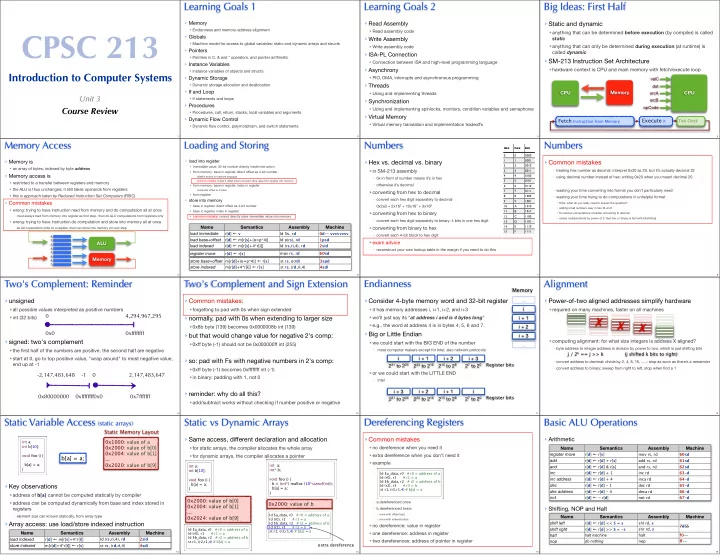
Learning Goals 1 Learning Goals 2 Big Ideas: First Half Memory Read Assembly Static and dynamic Endianness and memory-address alignment CPSC 213 Read assembly code anything that can be determined before execution (by


slide-1
SLIDE 1

CPSC 213

Introduction to Computer Systems

Unit 3

Course Review

1

Learning Goals 1

  • Memory
  • Endianness and memory-address alignment
  • Globals
  • Machine model for access to global variables; static and dynamic arrays and structs
  • Pointers
  • Pointers in C, & and * operators, and pointer arithmetic
  • Instance Variables
  • Instance variables of objects and structs
  • Dynamic Storage
  • Dynamic storage allocation and deallocation
  • If and Loop
  • If statements and loops
  • Procedures
  • Procedures, call, return, stacks, local variables and arguments
  • Dynamic Flow Control
  • Dynamic flow control, polymorphism, and switch statements
2

Learning Goals 2

  • Read Assembly
  • Read assembly code
  • Write Assembly
  • Write assembly code
  • ISA-PL Connection
  • Connection between ISA and high-level programming language
  • Asynchrony
  • PIO, DMA, interrupts and asynchronous programming
  • Threads
  • Using and implementing threads
  • Synchronization
  • Using and implementing spinlocks, monitors, condition variables and semaphores
  • Virtual Memory
  • Virtual memory translation and implementation tradeoffs
3

Big Ideas: First Half

  • Static and dynamic
  • anything that can be determined before execution (by compiler) is called

static

  • anything that can only be determined during execution (at runtime) is

called dynamic

  • SM-213 Instruction Set Architecture
  • hardware context is CPU and main memory with fetch/execute loop

CPU

srcB srcA dst

  • pCode

valC

Fetch Instruction from Memory Execute it

Tick Clock

CPU Memory

4
  • Memory is
  • an array of bytes, indexed by byte address
  • Memory access is
  • restricted to a transfer between registers and memory
  • the ALU is thus unchanged, it still takes operands from registers
  • this is approach taken by Reduced Instruction Set Computers (RISC)
  • Common mistakes
  • wrong: trying to have instruction read from memory and do computation all at once
  • must always load from memory into register as first step, then do ALU computations from registers only
  • wrong: trying to have instruction do computation and store into memory all at once
  • all ALU operations write to a register, then can store into memory on next step

Memory Access

ALU Memory

0: 1: 2: 3: 4: 5: 6: 7: 5

Loading and Storing

  • load into register
  • immediate value: 32-bit number directly inside instruction
  • from memory: base in register, direct offset as 4-bit number
  • offset/4 stored in machine language
  • common mistake: forget 0 offset when just want store value from register into memory
  • from memory: base in register, index in register
  • computed offset is 4*index
  • from register
  • store into memory
  • base in register, direct offset as 4-bit number
  • base in register, index in register
  • common mistake: cannot directly store immediate value into memory

store base+offset m[r[d]+(o=p*4)] ← r[s] st rs, o(rd) 3spd store indexed m[r[d]+4*r[i]] ← r[s] st rs, (rd,ri,4) 4sdi register move r[d] ← r[s] mov rs, rd 60sd Name Semantics Assembly Machine load immediate r[d] ← v ld $v, rd 0d-- vvvvvvvv load base+offset r[d] ← m[r[s]+(o=p*4)] ld o(rs), rd 1psd load indexed r[d] ← m[r[s]+4*r[i]] ld (rs,ri,4), rd 2sid

6

Numbers

  • Hex vs. decimal vs. binary
  • in SM-213 assembly
  • 0x in front of number means it’s in hex
  • otherwise it’s decimal
  • converting from hex to decimal
  • convert each hex digit separately to decimal
  • 0x2a3 = 2x162 + 10x161 + 3x160
  • converting from hex to binary
  • convert each hex digit separately to binary: 4 bits in one hex digit
  • converting from binary to hex
  • convert each 4-bit block to hex digit
  • exam advice
  • reconstruct your own lookup table in the margin if you need to do this
dec hex bin 0000 1 1 0001 2 2 0010 3 3 0011 4 4 0100 5 5 0101 6 6 0110 7 7 0111 8 8 1000 9 9 1001 10 A 1010 11 B 1011 12 C 1100 13 D 1101 14 E 1110 15 F 1111 7

Numbers

  • Common mistakes
  • treating hex number as decimal: interpret 0x20 as 20, but it’s actually decimal 32
  • using decimal number instead of hex: writing 0x20 when you meant decimal 20
  • wasting your time converting into format you don’t particularly need
  • wasting your time trying to do computations in unhelpful format
  • think: what do you really need to answer the question?
  • adding small numbers easy in hex: B+2=D
  • for serious computations consider converting to decimal
  • unless multiply/divide by power of 2: then hex or binary is fast with bitshifting!
8

Two's Complement: Reminder

  • unsigned
  • all possible values interpreted as positive numbers
  • int (32 bits)
  • signed: two's complement
  • the first half of the numbers are positive, the second half are negative
  • start at 0, go to top positive value, "wrap around" to most negative value,

end up at -1

4,294,967,295 0xffffffff 0x0 2,147,483,647

  • 2,147,483,648
  • 1

0x0 0x7fffffff 0x80000000 0xffffffff

9

Two's Complement and Sign Extension

  • Common mistakes:
  • forgetting to pad with 0s when sign extended
  • normally, pad with 0s when extending to larger size
  • 0x8b byte (139) becomes 0x0000008b int (139)
  • but that would change value for negative 2's comp:
  • 0xff byte (-1) should not be 0x000000ff int (255)
  • so: pad with Fs with negative numbers in 2's comp:
  • 0xff byte (-1) becomes 0xffffffff int (-1)
  • in binary: padding with 1, not 0
  • reminder: why do all this?
  • add/subtract works without checking if number positive or negative
10

Endianness

  • Consider 4-byte memory word and 32-bit register
  • it has memory addresses i, i+1, i+2, and i+3
  • we’ll just say its “at address i and is 4 bytes long”
  • e.g., the word at address 4 is in bytes 4, 5, 6 and 7.
  • Big or Little Endian
  • we could start with the BIG END of the number
  • most computer makers except for Intel, also network protocols
  • or we could start with the LITTLE END
  • Intel

i i + 1 i + 2 i + 3 ... ... Memory i 231 to 224 i + 1 223 to 216 i + 2 215 to 28 i + 3 27 to 20 Register bits i + 3 231 to 224 i + 2 223 to 216 i + 1 215 to 28 i 27 to 20 Register bits

11

Alignment

  • Power-of-two aligned addresses simplify hardware
  • required on many machines, faster on all machines
  • computing alignment: for what size integers is address X aligned?
  • byte address to integer address is division by power to two, which is just shifting bits
  • convert address to decimal; divide by 2, 4, 8, 16, .....; stop as soon as there’s a remainder
  • convert address to binary; sweep from right to left, stop when find a 1

✗ ✗ ✗

j / 2k == j >> k (j shifted k bits to right)

12

Static Variable Access (static arrays)

  • Key observations
  • address of b[a] cannot be computed statically by compiler
  • address can be computed dynamically from base and index stored in

registers

  • element size can known statically, from array type
  • Array access: use load/store indexed instruction

b[a] = a;

int a; int b[10]; void foo () { .... b[a] = a; }

Static Memory Layout 0x1000: value of a 0x2000: value of b[0] 0x2004: value of b[1] ... 0x2020: value of b[9]

Name Semantics Assembly Machine load indexed

r[d] ← m[r[s]+4*r[i]] ld (rs,ri,4), rd 2sid store indexed m[r[d]+4*r[i]] ← r[s] st rs, (rd,ri,4) 4sdi

13

Static vs Dynamic Arrays

  • Same access, different declaration and allocation
  • for static arrays, the compiler allocates the whole array
  • for dynamic arrays, the compiler allocates a pointer

int a; int* b; void foo () { b = (int*) malloc (10*sizeof(int)); b[a] = a; } int a; int b[10]; void foo () { b[a] = a; }

0x2000: value of b[0] 0x2004: value of b[1] ... 0x2024: value of b[9] 0x2000: value of b

ld $a_data, r0 # r0 = address of a ld (r0), r1 # r1 = a ld $b_data, r2 # r2 = address of b st r1, (r2,r1,4) # b[a] = a ld $a_data, r0 # r0 = address of a ld (r0), r1 # r1 = a ld $b_data, r2 # r2 = address of b ld (r2), r3 # r3 = b st r1, (r3,r1,4) # b[a] = a

extra dereference

14

Dereferencing Registers

  • Common mistakes
  • no dereference when you need it
  • extra dereference when you don’t need it
  • example
  • a dereferenced once
  • b dereferenced twice
  • once with offset load
  • once with indexed store
  • no dereference: value in register
  • one dereference: address in register
  • two dereferences: address of pointer in register

ld $a_data, r0 # r0 = address of a ld (r0), r1 # r1 = a ld $b_data, r2 # r2 = address of b ld (r2), r3 # r3 = b st r1, (r3,r1,4) # b[a] = a

15

Basic ALU Operations

  • Arithmetic
  • Shifting, NOP and Halt

Name Semantics Assembly Machine register move

r[d] ← r[s] mov rs, rd 60sd add r[d] ← r[d] + r[s] add rs, rd 61sd and r[d] ← r[d] & r[s] and rs, rd 62sd inc r[d] ← r[d] + 1 inc rd 63-d inc address r[d] ← r[d] + 4 inca rd 64-d dec r[d] ← r[d] - 1 dec rd 65-d dec address r[d] ← r[d] - 4 deca rd 66-d not r[d] ← ~ r[d] not rd 67-d

Name Semantics Assembly Machine shift left

r[d] ← r[d] << S = s shl rd, s 7dSS shift right r[d] ← r[d] >> S = -s shr rd, s 7dSS halt halt machine halt f0-- nop do nothing nop fg--

16
slide-2
SLIDE 2

Summary: Static Scalar and Array Variables

  • Static variables
  • the compiler knows the address (memory location) of variable
  • Static scalars and arrays
  • the compiler knows the address of the scalar value or array
  • Dynamic arrays
  • the compiler does not know the address the array
  • What C does that Java doesn’t
  • static arrays
  • arrays can be accessed using pointer dereferencing operator
  • arithmetic on pointers
  • What Java does that C doesn’t
  • typesafe dynamic allocation
  • automatic array-bounds checking
17

Structs

  • Key observation
  • offset from base of struct to a specific field is static
  • can always be computed by compiler
  • address can be computed dynamically from base stored in register and
  • ffset computed by compiler and encoded directly into instruction
  • difference from arrays: fields do not all have to be same size, so cannot necessarily

compute offset from index

  • Struct access: use load/store offset instruction

struct D { int e; long long f; int g; }; Name Semantics Assembly Machine load base+offset r[d] ← m[r[s]+(o=p*4)] ld o(rs), rd 1psd store base+offset m[r[d]+(o=p*4)] ← r[s] st rs, o(rd) 3spd struct D d0;

address of d0 0x1000: value of d0.e 0x1004: value of d0.f 0x100c: value of d0.g address of d0.e address of d0.f address of d0.g

(also)

18

Static vs. Dynamic Structs

  • Static and dynamic differ by an extra memory access
  • dynamic structs have dynamic address that must be read from memory

struct D { int e; int f; }; struct D d0; d0.e = d0.f; struct D* d1; d1->e = d1->f; m[0x1000] ← m[0x1004] m[m[0x1000]+0] ← m[m[0x1000]+4] r[0] ← 0x1000 r[2] ← m[r[0]+4] m[r[0]] ← r[2] r[0] ← 0x1000 r[1] ← m[r[0]] r[2] ← m[r[1]+4] m[r[1]] ← r[2]

0x1000: value of d0.e 0x1004: value of d0.f 0x1000: 0x2000 0x2000: value of d1->e 0x2004: value of d1->f

extra dereference

19

Static Control Flow for If/Loop

  • conditional branches: do if register is
  • equal to zero
  • greater than zero
  • often requires ALU calculation to change condition into zero check
  • tradeoff is keep ISA compact, vs. require more instructions to execute desired behavior
  • continue with RISC approach: pick compact
  • unconditional
  • PC-relative (branch)
  • 8 bits to encode address with respect to current PC, fits into 2-byte instruction
  • in assembly, target is label specifying location
  • absolute (jump)
  • 32 bits to encode address, requires 6-byte instruction

Name Semantics Assembly Machine branch

pc ← (a==pc+oo*2) br a 8-oo branch if equal pc ← (a==pc+oo*2) if r[c]==0 beq rc, a 9coo branch if greater pc ← (a==pc+oo*2) if r[c]>0 bgt rc, a acoo jump pc ← a (a specified as label) j a b--- aaaaaaaa

20

Implementing for Loops

  • Transformation
  • calculate condition into zero check
  • use two branches
  • conditional to end at start
  • unconditional after loop body
  • defer store to memory
  • only after loop end
  • (when posssible)

for (i=0; i<10; i++) s += a[i]; temp_i=0 temp_s=0 loop: temp_t=temp_i-9 if temp_t>0 goto end_loop temp_s+=a[temp_i] temp_i++ goto loop end_loop: s=temp_s i=temp_i

ld $0x0, r0 # r0 = temp_i = 0 ld $a, r1 # r1 = address of a[0] ld $0x0, r2 # r2 = temp_s = 0 ld $0xfffffff7, r4 # r4 = -9 loop: mov r0, r5 # r5 = temp_i add r4, r5 # r5 = temp_i-9 bgt r5, end_loop # if temp_i>9 goto +4 ld (r1, r0, 4), r3 # r3 = a[temp_i] add r3, r2 # temp_s += a[temp_i] inc r0 # temp_i++ br loop # goto -7 end_loop: ld $s, r1 # r1 = address of s st r2, 0x0(r1) # s = temp_s st r0, 0x4(r1) # i = temp_i

21
  • Transformations: same idea
  • calculate condition into zero check
  • two branches for most cases
  • conditional on top
  • unconditional to bottom to skip next case
  • except for last case, do not need
  • defer store to memory when possible
  • Common mistake (if and for)
  • only using one branch

Implementing if-then-else

if (a>b) max = a; else max = b;

temp_a=a temp_b=b temp_c=temp_a-temp_b goto then if (temp_c>0) else: temp_max=temp_b goto end_if then: temp_max=temp_a end_if: max=temp_max ld $a, r0 # r0 = &a ld 0x0(r0), r0 # r0 = a ld $b, r1 # r1 = &b ld 0x0(r1), r1 # r1 = b mov r1, r2 # r2 = b not r2 # temp_c = ! b inc r2 # temp_c = - b add r0, r2 # temp_c = a-b bgt r2, then # if (a>b) goto +2 else: mov r1, r3 # temp_max = b br end_if # goto +1 then: mov r0, r3 # temp_max = a end_if: ld $max, r0 # r0 = &max st r3, 0x0(r0) # max = temp_max

22
  • Set up return value
  • read the value of the program counter (PC): convention is to use r6
  • increment to skip next two instructions (incr itself, and jump)
  • Do jump to callee
  • jump to a dynamically determined target address stored in register
  • Procedure call: use indirect jump (with zero offset)

Static Control Flow: Procedure Calls

Name Semantics Assembly Machine get pc

r[d] ← pc + (o==p*2) gpc $o, rd 6fpd indirect jump pc ← r[s] + (o==pp*2) j o(rs) cspp void foo () { ping (); } void ping () {} ping: j 0(r6) # return foo: gpc $6, r6 # r6 = pc of next instruction j ping # goto ping ()

23

Procedure Storage Needs

  • frame
  • arguments
  • local variables
  • saved registers
  • return address
  • access through offsets from top
  • just like structs with base
  • simple example
  • two local vars
  • saved return address

local variables saved register 0x1000 pointer local 0 local 1 ret addr 0x1000 0x1004 0x1008

local variables arguments saved registers frame pointer ret addr arg 0 arg 1 local 0 local 1 local 2 arg 2

24

Stack vs. Heap

  • split memory into two pieces
  • heap grows down
  • stack grows up
  • move stack pointer up to

smaller number when add frame

heap stack Frame A Frame B Frame C Struct C Struct B Struct A address 0x00000000 address 0xfgfgfgfg Frame A pointer local 0 local 1 ret addr ptr + 0 ptr + 4 ptr + 8 memory

  • but within frame, offsets still go down
  • convention: r5 is stack pointer

sp 0x5000 sp 0x4fg6 sp 0x4fg0 sp 0x4fea

25

b: deca r5 # sp -= 4 for ra st r6, (r5) # *sp = ra deca r5 # sp -= 4 for l1 deca r5 # sp -= 4 for l0

Snippet 8: Caller vs. Callee

foo: deca r5 # sp-=4 for ra st r6, (r5) # *sp = ra gpc $6, r6 # r6 = pc j b # goto b () ld $0, r0 # r0 = 0 st r0, 0x0(r5) # l0 = 0 ld $0x1, r0 # r0 = 1 st r0, 0x4(r5) # l1 = 1 inca r5 # sp += 4 to discard l0 inca r5 # sp += 4 to discard l1 ld (r5), r6 # ra = *sp inca r5 # sp += 4 to discard ra j (r6) # return ld (r5), r6 # ra = *sp inca r5 # sp+=4 to discard ra j (r6) # return

1

allocate frame save r6

2

call b()

6

restore r6 deallocate frame return

3

save r6 and allocate frame

4

body

5

deallocate frame return

26

do not touch r6 Frame Three local k ptr + 0 ptr + 4 local j ptr + 8 local i Frame Two sp 1980 local j ret addr: $retToOne ptr + 0 ptr + 4 save r6 to stack at (sp +8) then set r6: $retToTwo local i ptr + 8 Frame One local i ret addr: $retToFoo sp 1992 ptr + 0 ptr + 4 save r6 to stack at (sp +4) then set r6: $retToOne Frame Foo sp 2000 r6: $retToFoo

Stack Frame Setup

void foo () { // r5 = 2000

  • ne ();

} void one () { int i; two (); } void two () { int i; int j; three (); } void three () { int i; int j; int k; } sp 1968

27

Arguments and Return Value

  • Return value
  • convention: store in r0 register
  • common mistake:
  • push return value on stack instead of using r0
  • Arguments
  • in registers or on stack
  • pushing on stack requires more work, but holds unlimited number
  • work must be done by caller
  • common mistake:
  • allocate space and save off arguments to stack in callee
28

Stack Summary

  • stack is managed by code that the compiler generates
  • stack pointer (sp) is current top of stack (stored in r5)
  • grows from bottom up towards 0
  • push (allocate) by decreasing sp value, pop (deallocate) by increasing sp value
  • accessing information from stack
  • callee accesses local variables, saved registers, arguments as static offsets from base of stack pointer (r5)
  • stack frame for procedure created by mix of caller and callee work
  • common mistake: confusion about what caller vs callee should do
  • caller setup
  • if arguments passed through stack: allocates room for them and save them to stack
  • sets up new value of r6 return address (to next instruction in this procedure, after the jump)
  • saves registers r0-r3 to stack if expect to use values after call
  • jumps to callee code
  • callee setup (prologue)
  • unless leaf procedure, allocates room for old value of r6 and saves it to stack
  • save r4, r7 to stack if they will be overwritten
  • allocates space on stack for local variables
  • callee teardown (epilogue)
  • ensure return value in r0
  • deallocates stack frame space for locals
  • unless leaf procedure, restores old r6 and deallocates that space on stack
  • if previously saved, restore old r4/r7 and deallocate that space on stack
  • jump back to return address (location stored in r6)
  • caller teardown
  • deallocates stack frame space for arguments
  • restore r0-r3 if previously saved to stack, deallocate that space
  • use return value (if any) in r0
29

Security Vulnerability: Buffer Overflow

  • The bug
  • if position of the first ‘.’ in str is more than 10 bytes from the beginning of

str, this loop will write portions of str into memory beyond the end of buf

  • The vulnerability
  • attacker can change printPrefix’s return address
  • buf[XX] can overwrite return address on stack frame
  • instead of return to caller code, “return” to attacker’s code
  • execute arbitrary code

void printPrefix (char* str) { char buf[10]; ... // copy str up to "." input buf while (*str!='.') *(bp++) = *(str++); *bp = 0;

  • ther stuff

return address buf [0 ..9] The Stack when printPrefix is running

pointer

30

Variables Summary

  • Global variables
  • address know statically
  • Reference variables
  • variable stores address of value (usually allocated dynamically)
  • Arrays
  • elements, named by index (e.g. a[i])
  • address of element is base + index * size of element
  • base and index can be static or dynamic; size of element is static
  • Instance variables
  • offset to variable from start of object/struct know statically
  • address usually dynamic
  • Locals and arguments
  • offset to variable from start of activation frame know statically
  • address of stack frame is dynamic
31

Pointers

  • Notation
  • & X

the address of X

  • * X

the value X points to

  • we also call this operation dereferencing
  • &a = 0x1000, a = 3, *a = (whatever is at address 0x3...)
  • &b = 0x2000, b = 0x3000, *b = 4
  • common mistakes
  • use address of pointer
  • try to dereference integer storing value

int a; int* b; void foo () { a = 3; *b = 4; }

0x1000: 3 value of a address of a 0x2000: 0x3000 value of b address of b 0x3000: 4 value of *b address of *b

32
slide-3
SLIDE 3

Pointer Arithmetic in C

  • Alternative to a[i] notation for dynamic array access
  • a[x] equivalent to *(a+x)
  • &a[x] equivalent to (a+x)
  • Pointer arithmetic takes into account size of datatype
  • &a[0] = 0x2004; &a[2] = 0x2008
  • (& a[2]) - (& a[1])) == 1 == (a+2) - (a+1)
  • compiler treats pointer-to-int difgerently than int!
  • even though both can be stored with 32 bits on IA-32 machine
  • Common mistake
  • treat pointer arithmetic like direct calculations with addresses
  • ofg by 4 when doing pointer arithmetic with integers

int a[4]; 0x2000: value of a[0] 0x2004: value of a[1] 0x2008: value of a[2] 0x200a: value of a[3]

33

Pointer Arithmetic Example Program

  • Exam studying advice
  • try writing simple test programs, use gdb and print to explore
tmm% cat array2.c #include <stdio.h> int main (int argc, char** argv) { int a[4] = {100, 110, 120, 130}; int k = &a[4]; int m = &a[1]; int n = k-m; int o = &a[4]-&a[1]; printf ("k hex: %x, k dec: %d, m hex: %x, m dec %d, n: %d, o: %d \n",k, k, m, m, n, o); } tmm% gcc -g -o array2 array2.c array2.c: In function ‘main’: array2.c:6: warning: initialization makes integer from pointer without a cast array2.c:7: warning: initialization makes integer from pointer without a cast tmm% ./array2 k hex: bffff7d0, k dec: -1073743920, m hex: bffff7c4, m dec -1073743932, n: 12, o: 3 tmm% gdb array2 (gdb) p &a[4] $1 = (int *) 0xbffff510 (gdb) p k $2 = -1073744624 34

Determining Endianness of a Computer

#include <stdio.h> int main () { char a[4]; *((int*)a) = 1; printf("a[0]=%d a[1]=%d a[2]=%d a[3]=%d\n",a[0],a[1],a[2],a[3]); }

  • how does this C code check for endianness?
  • create array of 4 bytes (char data type is 1 byte)
  • cast whole thing to an integer, set it to 1
  • check if the 1 appears in first byte or last byte
  • things to understand:
  • concepts of endiananess
  • casting between arrays of bytes and integers
  • masking bits, shifting bits
35

Memory Management in C

  • Explicit allocation with malloc and deallocation with free
  • Dangling pointer problem
  • pointer to object that has already been freed
  • happens when allocate and free happen in different parts of code
  • various strategies to avoid (reduce likelihood, but not a guaranteed cure)
  • use local variables (allocated on the stack) and pass in address of the local from caller, instead
  • f dynamic allocation in callee
  • coding conventions
  • explicit reference counting (heavyweight solution)
  • Memory leak problem
  • allocated memory is not deallocated when no longer needed, so memory

usage steadily grows (problem especially for long-running programs)

  • Common mistake
  • don’t free any memory to avoid dangling pointer problem
  • result is memory leak, leads to later problems even though no immediate crash
36
  • Garbage collection model
  • allocation with new
  • deallocation handled by Java system, not programmer
  • thus some kinds of programmer errors are impossible, including dangling pointers
  • Advantages
  • much easier to program
  • Disadvantages
  • some performance penalties
  • system knows less than programmer in best case
  • GC pass could occur at bad time (realtime/interactive situation)
  • programmers tempted to ignore memory management completely
  • GC is not perfect, memory leaks can still occur!

Memory Management in Java

37

Polymorphic Dispatch

  • Method address is determined dynamically
  • compiler can not hardcode target address in procedure call
  • instead, compiler generates code to lookup procedure address at runtime
  • address is stored in memory in the object’s class jump table
  • Class Jump table
  • every class is represented by class object
  • the class object stores the class’s jump table
  • the jump table stores the address of every method implemented by the class
  • objects store a pointer to their class object
  • Static and dynamic of method invocation
  • address of jump table is determined dynamically
  • method’s offset into jump table is determined statically
38

Dynamic Jumps in C

  • Function pointer
  • a variable that stores a pointer to a procedure
  • declared
  • <return-type> (*<variable-name>)(<formal-argument-list>);
  • used to make dynamic call
  • <variable-name> (<actual-argument-list>);
  • Example

void ping () {} void foo () { void (*aFunc) (); aFunc = ping; aFunc (); } calls ping

39
  • Key observation
  • base address stored in register (dynamic)
  • for polymorphism jump table, offset can be computed statically by

compiler

  • Function pointers: use indirect base/offset jump instruction

Indirect Jump: Base/Offset

Name Semantics Assembly Machine indir jump b+o

pc ← m[r[s] + (o==pp*2)] j *o(rs) dspp

40

Switch Statement

void bar () { if (i==0) j=10; else if (i==1) j = 11; else if (i==2) j = 12; else if (i==3) j = 13; else j = 14; } int i; int j; void foo () { switch (i) { case 0: j=10; break; case 1: j=11; break; case 2: j=12; break; case 3: j=13; break; default: j=14; break; } }

  • Semantics the same as simplified nested if statements
  • choosing one computation from a set
  • restricted syntax: static, cardinal values
  • Potential benefit: more efficient computation (usually)
  • jump table to select correct case with single operation
  • if statement may have to execute each check
  • number of operations is number of cases (if unlucky)
41

Switch Statement Strategy

  • Choose one of two strategies to implement
  • use jump table unless case labels are sparse or there are very few of them
  • use nested-if-statements otherwise
  • Jump-table strategy
  • statically
  • build jump table for all label values between lowest and highest
  • generate code to
  • goto default if condition is less than minimum case label or greater than maximum
  • normalize condition to lowest case label
  • use jump table to go directly to code selected case arm

goto address of code_default if cond < min_label_value goto address of code_default if cond > max_label_value goto jumptable[cond-min_label_value] statically: jumptable[i-min_label_value] = address of code_i forall i: min_label_value <= i <= max_label_value

42

Switch Snippet

switch (i) { case 20: j=10; break; case 21: j=11; break; case 22: j=12; break; case 23: j=13; break; default: j=14; break; } case20: ld $0xa, r1 # r1 = 10 br done # goto done ... default: ld $0xe, r1 # r1 = 14 br done # goto done done: ld $j, r0 # r0 = &j st r1, 0x0(r0) # j = r1 br cont # goto cont jmptable: .long 0x00000140 # & (case 20) .long 0x00000148 # & (case 21) .long 0x00000150 # & (case 22) .long 0x00000158 # & (case 23) foo: ld $i, r0 # r0 = &i ld 0x0(r0), r0 # r0 = i ld $0xffffffed, r1 # r1 = -19 add r0, r1 # r0 = i-19 bgt r1, l0 # goto l0 if i>19 br default # goto default if i<20 l0: ld $0xffffffe9, r1 # r1 = -23 add r0, r1 # r1 = i-23 bgt r1, default # goto default if i>23 ld $0xffffffec, r1 # r1 = -20 add r1, r0 # r0 = i-20 ld $jmptable, r1 # r1 = &jmptable j *(r1, r0, 4) # goto jmptable[i-20]

43
  • Key observation
  • base address stored in register (dynamic)
  • for switch jump table, have index stored in register
  • Switch: use indirect jump indexed instruction
  • Indirect Jump: Indexed

Name Semantics Assembly Machine

indir jump indexed pc ← m[r[s] + r[i]*4] j *(rs,ri,4) esi-

44

Static and Dynamic Jumps

  • Jump instructions
  • specify a target address and a jump-taken condition
  • target address can be static or dynamic
  • jump-target condition can be static (unconditional) or dynamic (conditional)
  • Static jumps
  • jump target address is static
  • compiler hard-codes this address into instruction
  • Dynamic jumps
  • jump target address is dynamic

Name Semantics Assembly Machine branch

pc ← (a==pc+oo*2) br a 8-oo branch if equal pc ← (a==pc+oo*2) if r[c]==0 beg a 9coo branch if greater pc ← (a==pc+oo*2) if r[c]>0 bgt a acoo jump pc ← a (a specified as label) j a b--- aaaaaaaa 45

Dynamic Jumps

  • Jump base+offset
  • Jump target address stored in a register
  • We already introduced this instruction, but used it for static procedure

calls

  • Indirect jumps
  • Jump target address stored in memory
  • Base-plus-offset (function pointers) and indexed (switch) modes for

memory access

Name Semantics Assembly Machine indirect jump pc ← r[s] + (o==pp*2) j o(rs) cspp Name Semantics Assembly Machine indir jump b+o pc ← m[r[s] + (o==pp*2)] j *o(rs) dspp indir jump indexed pc ← m[r[s] + r[i]*4] j *(rs,ri,4) esi-

46

Dynamic Control Flow Summary

  • Static vs dynamic flow control
  • static if jump target is known by compiler
  • dynamic for polymorphic dispatch, function pointers, and switch statements
  • Polymorphic dispatch in Java
  • invoking a method on an object in Java
  • method address depends on object’s type, which is not known statically
  • object has pointer to class object; class object contains method jump table
  • procedure call is an indirect jump – i.e., target address in memory
  • Function pointers in C
  • a variable that stores the address of a procedure
  • used to implement dynamic procedure call, similar to polymorphic dispatch
  • Switch statements
  • syntax restricted so that they can be implemented with jump table
  • jump-table implementation running time is independent of the number of case labels
  • but, only works if case label values are reasonably dense
47

Big Ideas: Second Half

  • Memory hierarchy
  • progression from small/fast to large/slow
  • registers (same speed as ALU instruction execution, roughly: 1 ns clock tick)
  • memory (over 100x slower: 100ns)
  • disk (over 1,000,000x slower: 10 millisec)
  • network (even worse: 200+ millisec RT to other side of world just from speed of light in fiber)
  • implications
  • don’t make ALU wait for memory
  • ALU input only from registers, not memory
  • don’t make CPU wait for disk
  • interrupts, threads, asynchrony
  • Clean abstraction for programmer
  • ignore asynchronous reality via threads and virtual memory (mostly)
  • explicit synchronization as needed
48
slide-4
SLIDE 4

Adding I/O to Simple Machine

  • Beyond CPU/memory
  • CPU: ALU and registers
  • I/O devices have small processors: I/O controllers
  • processing power available outside CPU

CPU Memory CPU Memory Memory Bus I/O Bus I/O Controllers I/O Devices The Processors

49

I/O-Mapped Memory

  • I/O-Mapped Memory
  • use familiar syntax for load/store for both memory and I/O
  • memory addresses beyond the end of main memory handled by I/O controllers
  • mapping configured at boot time
  • loads and stores are translated into I/O-bus messages to controller
  • Example
  • to read/write to controller at address 0x80000000

ld $0x80000000, r0 st r1 (r0) # write the value of r1 to the device ld (r0), r1 # read a word from device into r1

addresses 0x00000000- 0x7fffffff addresses 0x80000000

  • 0x800000ff

read 0x1000 read 0x80000000

addresses 0x80000400- 0x800004ff addresses 0x80000100- 0x800001ff CPU Memory addresses 0x80000200- 0x800002ff addresses 0x80000300- 0x800003ff

50

Programmed IO (PIO)

  • CPU requests one word at a time and waits for I/O controller
  • CPU must wait until data is available
  • but I/O devices may be much slower than CPU (disks millions of times slower)
  • large transfers slow since must be done one word at a time
  • CPU must check back with I/O controller (for instance by polling)
  • poll too often means high overhead
  • poll too seldom means high latency
  • no way for I/O controller to initiate communication
  • for some devices CPU has no idea when to poll (network traffic, mouse click)

PIO:

data transfer: CPU sends requests to controller and waits until data is ready

CPU Memory

51

Interrupts

  • CPU Interrupts
  • controller can signal the CPU by setting special-purpose registers
  • isDeviceInterrupting

set by I/O Controller to signal interrupt

  • interruptControllerID

set by I/O Controller to identify interrupting device

  • CPU checks for interrupts on every fetch-execute cycle
  • polling, but very low overhead of register access: does not slow down computation
  • CPU jumps to controller’s Interrupt Service Routine to service interrupt
  • interruptVectorBase

interrupt-handler jump table, initialized at boot time while (true) { if (isDeviceInterrupting) { m[r[5]-4] ← r[6]; r[5] ← r[5]-4; r[6] ← pc; pc ← interruptVectorBase [interruptControllerID]; } fetch (); execute (); }

52

Direct Memory Access (DMA)

  • I/O controller transfers data to/from main memory

independently of CPU

  • process initiated by CPU using PIO
  • send request to controller with addresses and sizes
  • data transferred to memory without CPU involvement
  • controller signals CPU with interrupt when transfer complete
  • can transfer large amounts of data with one request
  • not limited to one word at a time

1: PIO

data transfer CPU -> Controller initiated by CPU

2: DMA

data transfer Controller <-> Memory initiated by Controller

3: Interrupt

control transfer Controller -> CPU initiated by Controller

53

PIO vs DMA: Phone Call Analogy

  • PIO: only CPU can make a phone call
  • must stay on the line a looooong time waiting for controller to finish
  • PIO/DMA/Interrupt combination: sequence of phone calls
  • PIO: CPU calls controller to make request, then hangs up
  • DMA: controller calls memory to deliver data
  • Interrupt: controller calls CPU to inform that data is ready
  • leaves voicemail that CPU picks up on the next fetch/execute cycle

1: PIO

data transfer CPU -> Controller initiated by CPU

2: DMA

data transfer Controller <-> Memory initiated by Controller

3: Interrupt

control transfer Controller -> CPU initiated by Controller

54

Asynchronous Disk Reading

  • Cannot depend on synchronized execution where result is

available before next statement executed

  • Handling disk reads asynchronously
  • each request has completion routine that should run after interrupt
  • need queue so can handle multiple pending requests
  • Challenges of asynchrony
  • either programmers must use explicitly asynchronous programming model
  • decoupled event triggering and handling as with event-driven GUI programming
  • imagine if not just on mouse clicks, but for every memory access!
  • or system can provide abstractions to hide asynchrony from programmers
  • threads, processes, virtual memory

read (buf, siz, blkNo); nowHaveBlock (buf, siz); asyncRead (buf, siz, blkNo, nowHaveBlock);

55

Threads

  • Abstraction for execution
  • programmer’s view
  • statements are executed one after another, appearance of sequential flow
  • system reality
  • threads maybe be blocked (stopped)
  • often thread is not running because CPU is running a different thread
  • blocked threads can be restarted
  • Using threads
  • create
  • starts new thread, immediately adds it to queue of threads waiting to run
  • join
  • blocks calling thread until target thread completes
  • common mistakes:
  • assume that order of joining is order of execution
  • assume that order of creating is order of execution
  • thread joins runnable queue with create call, not with join call
  • scheduler may choose what to run next in any order

foo bar zot join bat

56

Thread Status DFA

S c h e d u l e Y i e l d S c h e d u l e Block C

  • m

p l e t e U n b l

  • c

k Join or Detach Create Nascent Running Runnable Blocked Dead Freed

57

Implementing Threads

  • Each thread has own copy of stack
  • Thread-Control Block (TCB)
  • thread status: (NASCENT, RUNNING, RUNNABLE, BLOCKED, or DEAD)
  • pointers to base of thread’s stack base and top of thread’s stack
  • scheduling parameters such as priority, quantum, pre-emptability, etc.
  • Queues
  • ready: list of TCB’s of all RUNNABLE threads
  • blocked: list of TCB’s of BLOCKED threads
  • Thread switch (stops Ta and starts Tb)
  • save all registers to stack
  • save stack pointer to Ta’s TCB
  • set stack pointer to stack pointer in Tb’s TCB
  • restore registers from stack
58

Thread Private Data

Ready Queue

r5

Stacks

TCBa

RUNNING

TCBb

RUNNABLE

TCBc

RUNNABLE

Thread Control Blocks

Top of stack points to TCB where Thread-private data is stored

  • TCB must have pointer to

stack

  • otherwise no way to find thread's data
  • Stack must have pointer to

TCB

  • otherwise no way to add currently

running thread to ready queue, which stores TCBs not stacks

  • Common mistake:
  • forgetting that stack must point back

to TCB

59

Thread Scheduling Policies

  • Priority
  • choose highest priority runnable thread to run
  • Round-Robin
  • equal-priority threads get fair share of processor, in round-robin fashion
  • Preemptive
  • priority-based
  • lower priority thread preempted as soon as higher priority becomes runnable
  • quantum-based (time slices)
  • thread preempted when its time quantum expires
  • timer device: I/O controller connected to clock, sends interrupts to CPU at regular intervals
  • Can be combined
60
  • Use mutual exclusion to guard critical sections where data

shared between multiple threads is accessed

  • avoid race conditions where conflicting operations on shared data are

interleaved arbitrarily leading to nondeterministic behavior

  • example: stack corruption when push and pop interleaved without being guarded
  • Mutual exclusion with locks
  • spinlock
  • thread busy-waits until lock acquired
  • use when locks only needed for short time
  • blocking locks
  • thread blocks if lock not available
  • thread returned to runnable state when lock becomes available
  • use when locks may be held for long periods

Mutual Exclusion

61

Mutual Exclusion Using Locks

  • lock semantics
  • a lock is either held by a thread or available
  • at most one thread can hold a lock at a time
  • a thread attempting to acquire a lock that is already held is forced to wait
  • lock primitives
  • lock

acquire lock, wait if necessary

  • unlock release lock, allowing another thread to acquire if waiting
  • using locks for the shared stack

void push_cs (struct SE* e) { lock (&aLock); push_st (e); unlock (&aLock); } struct SE* pop_cs () { struct SE* e; lock (&aLock); e = pop_st (); unlock (&aLock); return e; }

62

Spinlocks Require Atomic Read/Write

  • Impossible when read and write are separate operations
  • Need atomic read and write that is single indivisible unit
  • with no intervening access to that memory location from any other thread allowed
  • Atomic Memory Exchange
  • one type of atomic memory instruction (there are other types)
  • group a load and store together atomically
  • exchanging the value of a register and a memory location
  • much higher overhead than standard load or store

void lock (int* lock) { while (*lock==1) {} *lock = 1; }

Another thread could run in between read and write

Name Semantics Assembly atomic exchange

r[v] ← m[r[a]] m[r[a]] ← r[v] xchg (ra), rv

63
  • Spin first on fast normal read, then try slow atomic exchange
  • use normal read in loop until lock appears free
  • when lock appears free use exchange to try to grab it
  • if exchange fails then go back to normal read
  • common mistake:
  • assume that atomic exchange always succeeds; could fail!

ld $lock, %r1 loop: ld (%r1), %r0 beq %r0, try br loop try: ld $1, %r0 xchg (%r1), %r0 beq %r0, held br loop held:

Implementing Spinlocks

64
slide-5
SLIDE 5

Blocking Locks

  • If a thread may wait a long time
  • it should block so that other threads can run
  • it will then unblock when it becomes runnable (lock available or event

notification)

  • Blocking locks for mutual exclusion
  • if lock is held, locker puts itself on waiter queue and blocks
  • when lock is unlocked, unlocker restarts one thread on waiter queue
  • Blocking locks for event notification (condition variables)
  • waiting thread puts itself on a a waiter queue and blocks
  • notifying thread restarts one thread on waiter queue (or perhaps all)
  • Implementing blocking locks using spinlocks
  • lock data structure includes a waiter queue and a few other things
  • data structure is shared by multiple threads; lock operations are critical sections
  • thus we use spinlocks to guard these sections in blocking lock implementation
65

Implementing a Blocking Lock

  • Spinlock guard
  • on for critical sections
  • off before thread blocks

struct blocking_lock { spinlock_t spinlock; int held; uthread_queue_t waiter_queue; }; void lock (struct blocking_lock l) { spinlock_lock (&l->spinlock); while (l->held) { enqueue (&waiter_queue, uthread_self ()); spinlock_unlock (&l->spinlock); uthread_switch (ready_queue_dequeue (), TS_BLOCKED); spinlock_lock (&l->spinlock); } l->held = 1; spinlock_unlock (&l->spinlock); } void unlock (struct blocking_lock l) { uthread_t* waiter_thread; spinlock_lock (&l->spinlock); l->held = 0; waiter_thread = dequeue (&l->waiter_queue); spinlock_unlock (&->spinlock); waiter_thread->state = TS_RUNNABLE; ready_queue_enqueue (waiter_thread); }

66

Blocking Lock Example Scenario

Thread A Thread B

  • 1. calls lock()
  • 2. grabs spinlock
  • 5. grabs blocking lock
  • 6. releases spinlock
  • 7. returns from lock()
  • 3. calls lock()
  • 4. tries to grab spinlock, but spins
  • 8. grabs spinlock
  • 9. queues itself on waiter list
  • 10. releases spinlock
  • 11. blocks
  • 12. calls unlock()
  • 13. grabs spinlock
  • 14. releases lock
  • 15. restarts Thread B
  • 16. releases spinlock
  • 17. returns from unlock()
  • 18. scheduled
  • 19. grabs spinlock
  • 20. grabs blocking lock
  • 21. releases spinlock
  • 22. returns from lock()

thread running spinlock held blocking lock held

67

Busywaiting vs Blocking

A

A busywaits

B

A busywaits A does work A does work B does work B does work B does work

Busywait Locks A

A blocks

B

A does work A does work B does work B does work B does work

Blocking Locks

  • Using spinlocks to

busywait for long time wastes CPU cycles

  • use for short things
  • including within implementation of

blocking locks

  • Using blocking locks

has high overhead

  • use for long things
  • Common mistake
  • assume that CPU is

busywaiting during blocking locks

  • thread does not run again until

after blocking lock is released

68

Locks and Loops Common Mistakes

  • Confusion about spinlocks inside blocking locks
  • use spinlocks in the implementation of blocking locks
  • two separate levels of lock!
  • holding spinlock guarding variable read/write
  • holding actual blocking lock
  • Confusion about when spinlocks needed
  • must turn on to guard access to shared variables
  • must turn off before finishing or blocking
  • Confusion about loop function
  • busywait
  • only inside spinlock
  • thread blocked inside loop body, not busywaiting
  • yield for blocking lock
  • re-check for desired condition: is lock available?
  • blocking wait for CV, blocking wait for semaphore P implementation
  • re-check for desired condition
69
  • Monitors and condition variables
  • monitor provides blocking locks
  • guarantees mutual exclusion
  • condition variable provides blocking notify
  • control transfer among threads with wait/notify
  • abstraction supports explicit locking
  • Semaphores
  • blocking atomic counter, stop thread if counter would go negative
  • introduced to coordinate asynchronous resource use
  • abstraction implicitly supports mutex, no need for explicit locking by user
  • could use to implement monitors, barriers (and CVs, sort of)
  • Common mistake:
  • confusing three things
  • how to use, how to implement, how one abstraction might be used to implement the other

Synchronization Abstractions

70
  • Common mistake: confusing lock and notify
  • lock: resource only available for single user at once
  • notify: event has occurred
  • Common mistake: confusing spin and block
  • spin: actively use CPU resources while waiting
  • block: do not use any CPU resources while waiting, use scheduler blocking mechanism
  • checking the lock: try washroom door handle to see if it opens
  • spinlock: keep rattling the door handle and knocking until the door opens
  • like a three year old child
  • blocking lock: knock once, step away from the door to wait quietly, walk towards door

after it opens. (and somebody else might beat you there, so do check door again!)

  • checking for notification: asking 'are we there yet' on a car trip
  • spinnotify: keep asking 'are we there yet' every 30 seconds, for 1000km
  • like a three year old child
  • blocking notify: after first question, driver says 'no, go to sleep, I'll wake you up when

we get there'.

Spin/Block,Lock/Notify: 3YrOld Analogy

71
  • Provides mutual exclusion with blocking lock
  • enter lock
  • exit unlock
  • Standard case: assume all threads could overwrite shared

memory.

  • mutex: only allows access one at a time
  • Special case: distinguish read-only access (readers) from

threads that change shared memory values (writers).

  • mutex: allow multiple readers but only one writer

Monitors

void doSomething (uthread_monitor_t* mon) { uthread_monitor_enter (mon); touchSharedMemory(); uthread_monitor_exit (mon); }

72
  • Mechanism to transfer control back and forth between

threads

  • uses monitors: CV can only be accessed when monitor lock is held
  • Primitives
  • wait

blocks until a subsequent notify operation on the variable

  • notify

unblocks one waiter, continues to hold monitor

  • notify_all unblocks all waiters (broadcast), continues to hold monitor
  • Each CV associated with a monitor
  • Multiple CVs can be associated with same monitor
  • independent conditions, but guarded by same mutex lock

Condition Variables

uthread_cv_t* not_empty = uthread_cv_create (beer); uthread_cv_t* warm = uthread_cv_create (beer); uthread_monitor_t* beer = uthread_monitor_create ();

73
  • Monitor automatically exited before block on wait
  • before waiter blocks, it exits monitor to allow other threads to enter
  • Monitor automatically re-entered before return from wait
  • when trying to return from wait after notify, thread may block again until

monitor can be entered (if monitor lock held by another thread)

  • Monitor stays locked after notify: does not block
  • Implication: cannot assume desired condition holds after

return from blocking wait

  • other threads may have been in monitor between wait call and return
  • must explicitly re-check: usually enclose wait in while loop with condition check
  • same idea as blocking lock implementation with spinlocks!

Wait and Notify Semantics

void pour () { monitor { while (glasses==0) wait; glasses--; }} void refill (int n) { monitor { for (int i=0; i<n; i++) { glasses++; notify; }}}

74

Condition Variables

  • Common mistakes:
  • CVs do not have internal storage variables (boolean flags or int counters)
  • CVs are variables: named so can tell them apart from each other
  • wait/notify tired vs. wait/notify hungry
  • users of CVs do not have to explicitly block
  • wait/notify done within implementation of CVs
  • users of CVs do have to hold monitor in order to access CV values
75

Semaphores

  • Atomic counter that can never be less than 0
  • attempting to make counter negative blocks calling thread
  • P(s): acquire
  • try to decrement s
  • if s would be negative, atomically blocks until s positive, then decrement s
  • V(s): release
  • increment s
  • atomically unblock any threads waiting in P
  • Explicit locking not required when using semaphores since

atomicity built in

uthread_semaphore_t* glasses = uthread_create_semaphore (0); void pour () { uthread_P (glasses); } void refill (int n) { for (int i=0; i<n; i++) uthread_V (glasses); }

76

Semaphores

  • Using semaphores: good building block for implementing

many other things

  • monitors
  • condition variables (almost)
  • rendezvous: two threads wait for each other before continuing
  • barriers: all threads must arrive at barrier before any can continue
  • Implementing semaphores: similar spirit to blocking locks

struct uthread_semaphore { spinlock_t spinlock; int count; uthread_queue_t waiter_queue; }; struct blocking_lock { spinlock_t spinlock; int held; uthread_queue_t waiter_queue; }; (really should be boolean...)

77
  • Solved problem: race conditions
  • solved by synchronization abstractions: locks, monitors, semaphores
  • Unsolved problems when using multiple locks
  • deadlock: nothing completes because multiple competing actions wait for

each other

  • starvation: some actions never complete
  • no abstraction to simply solve problem, major concern intrinsic to

synchronization

  • some ways to handle/avoid:
  • precedence hierarchy of locks
  • detect and destroy: notice deadlock and terminate threads

Deadlock and Starvation

78

Virtual Memory

  • Virtual Address Space
  • an abstraction of the physical address space of main (i.e., physical) memory
  • programs access memory using virtual addresses
  • memory management unit translates virtual address to physical memory

addresses

  • MMU hardware performs translation on every memory access by program
  • Process
  • a program execution with a private virtual address space
  • may have one or many threads
  • private address space required for static address allocation and isolation
79

Virtual Address Translation

  • each program uses the same virtual address, but they map

to different physical addresses

ld $0x1000, r2 ld $3, r3 st r3, (r2) ld $0x1000, r4 ld $42, r5 st r5, (r4)

PA: 0x5000 3 VA: 0x1000 PA: 0x9000 42 VA: 0x1000

80
slide-6
SLIDE 6

Address Space Translation Tradeoffs

  • Single, variable-size, non-expandable segment
  • internal fragmentation of segment due to sparse address use
  • Multiple, variable-size, non-expandable segments
  • internal fragmentation of segments when size isn’t know statically
  • external fragmentation of memory because segments are variable size
  • moving segments would resolve fragmentation, but moving is costly
  • Expandable segments
  • expansion must by physically contiguous, but there may not be room
  • external fragmentation of memory requires moving segments to make room
  • Multiple, fixed-size, non-expandable segments
  • called pages
  • need to be small to avoid internal fragmentation, so there are many of them
  • since there are many, need indexed lookup instead of search
81

Paging

  • Key idea
  • Virtual address space is divided into set of fixed-size segments called pages
  • number pages in virtual address order
  • virtual page number = virtual address / page size
  • Page table
  • indexed by virtual page number (vpn)
  • stores base physical address (actually address / page size (pfn) to save space)
  • stores valid flag

virtual address space physical address space

82
  • Translate by searching through all segments: too slow!
  • Translate with indexed lookup: Page Table

class AddressSpace { PageTableEntry pte[]; int translate (int va) { int vpn = va / PAGE_SIZE; int offset = va % PAGE_SIZE; if (pte[vpn].isValid) return pte[vpn].pfn * PAGE_SIZE + offset; else throw new IllegalAddressException (va); }} class PageTableEntry { boolean isValid; int pfn; } for (int i=0; i<segments.length; i++) { int offset = va - segment[i].baseVA; if (offset > 0 && offset < segment[i].bounds) { pa = segment[i].basePA + offset; return pa; } } throw new IllegalAddressException (va);

Translation: Search vs. Lookup Table

83

Address Translation

20 bits (5 hexits)

va: 32 bit address

31 12 bits (3 hexits)

Page Table (~4MB for 220 ptes) pte[vpn] = pfn pa Page (4KB) vpn

  • ffset

int translate (int va) { int vpn = va >>> 12; int offset = va & 0xfff; if (pte[vpn].isValid) return pte[vpn].pfn << 12 | offset;

  • The bit-shifty version
  • assume that page size is 4-KB = 4096 = 212
  • assume addresses are 32 bits
  • then, vpn and pfn are 20 bits and offset is 12 bits
  • pte is pfn plus valid bit, so 21 bits or so, say 4 bytes

ptbr

84

Demand Paging

  • Key Idea
  • some application data is not in memory
  • transfer from disk to memory, only when needed
  • Page Table
  • only stores entries for pages that are in memory
  • pages that are only on disk are marked invalid
  • access to non-resident page causes a page-fault interrupt
  • Page Fault
  • is an exception raised by the CPU
  • when a virtual address is invalid
  • an exception is just like an interrupt, but generated by CPU not IO device
  • page fault handler runs each time a page fault occurs
  • Memory Map
  • a second data structure managed by the OS
  • divides virtual address space into regions, each mapped to a file
  • page-fault interrupt handler checks to see if faulted page is mapped
  • if so, gets page from disk, update Page Table and restart faulted instruction

a.out swap swap

85

Demand Paging

  • Virtual vs Physical Memory Size
  • VM can be even larger than available

PM with demand paging!

  • Page Replacement
  • pages can now be removed from

memory, transparent to program

  • a replacement algorithm choose which

pages should be resident and swaps out

  • thers

a.out swap swap swap

86

Context Switch

  • A context switch is
  • switching between threads from different processes
  • each process has private virtual address space and thus its own page

table

  • Implementing a context switch
  • change PTBR to point to new process's page table
  • thread switch (save regs, switch stacks, restore regs)
  • Context switch vs thread switch
  • changing page tables can be considerably slower than just changing threads
  • mainly because caching techniques used to make translation fast
  • many pages may need reloading from disk because of demand paging
87

Paging Summary

  • Paging
  • a way to implement address space translation
  • divide virtual address space into small, fixed sized virtual page frames
  • page table stores base physical address of every virtual page frame
  • page table is indexed by virtual page frame number
  • some virtual page frames have no physical page mapping
  • some of these get data on demand from disk
88

Summary: Second Half

  • Single System Image
  • hardware implements a set of instructions needed by compilers
  • compilers translate programs into these instructions
  • translation assumes private memory and processor
  • Threads
  • an abstraction implemented by software to manage asynchrony and

concurrency

  • provides the illusion of single processor to applications
  • differs from processor in that it can be stopped and restarted
  • Virtual Memory
  • an abstraction implemented by software and hardware
  • provides the illusion of a single, private memory to application
  • not all data need be in memory, paged in on demand
89