Lecture 1 Course webpage - - PowerPoint PPT Presentation

lecture 1
SMART_READER_LITE
LIVE PREVIEW

Lecture 1 Course webpage - - PowerPoint PPT Presentation

Lecture 1 Course webpage http://csserver.evansville.edu/~hwang/f10-courses/cs375.html Handouts, assignments Supplemental resources Syllabus and schedule, textbooks CS Lab, Virtual Box, Wubi Thursday, August 26 CS 375 UNIX


slide-1
SLIDE 1

Thursday, August 26 CS 375 UNIX System Programming - Lecture 1 1

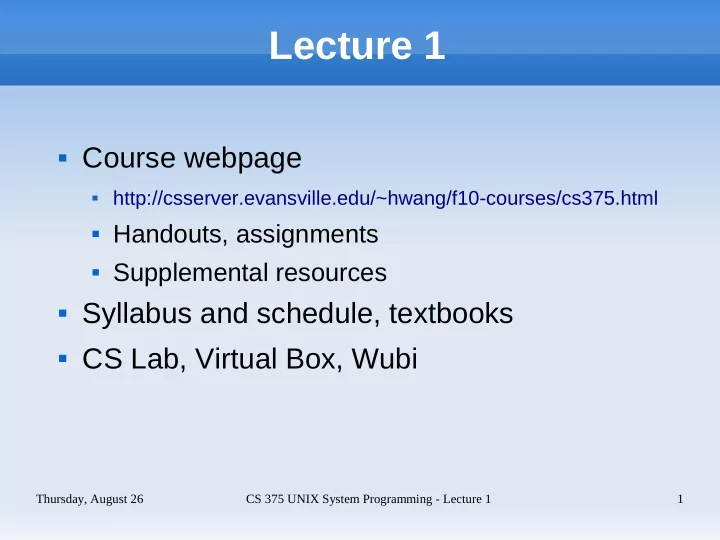
Lecture 1

 Course webpage

 http://csserver.evansville.edu/~hwang/f10-courses/cs375.html

 Handouts, assignments  Supplemental resources

 Syllabus and schedule, textbooks  CS Lab, Virtual Box, Wubi

slide-2
SLIDE 2

Thursday, August 26 CS 375 UNIX System Programming - Lecture 1 2

Outline

 What is UNIX?  What is Linux?  UNIX programming environments  Review of compiling C and C++ programs

slide-3
SLIDE 3

Thursday, August 26 CS 375 UNIX System Programming - Lecture 1 3

What is UNIX? - Features

 A multiuser, multitasking operating system  UNIX is portable (written in C).  UNIX is secure (file and process security).  A UNIX system includes hundreds of utilities,

tools, and libraries. Tools for text processing and programming are standard.

slide-4
SLIDE 4

Thursday, August 26 CS 375 UNIX System Programming - Lecture 1 4

What is UNIX? - Features

 The TCP/IP protocols (Internet) were

developed under UNIX and are now a core part

  • f the OS.

 While not a core part of the OS, a Graphical

User Interface is standard (X Window System

  • r X).

 The POSIX (portable operating system

interface) standards are now used to define UNIX-like systems. Standards define interfaces, shells, tools, security, etc.

slide-5
SLIDE 5

Thursday, August 26 CS 375 UNIX System Programming - Lecture 1 5

What is UNIX? - History

 UNIX was developed by Bell Labs (AT&T) in

the early 1970s. AT&T gave the source code of the OS to universities and licensed it to many

  • ther companies. (Several companies

developed their own versions of UNIX.)

 At Berkeley, several enhancements resulted in

Berkeley System Derived (BSD) UNIX.

 The UNIX trademark belongs to the Open

  • Group. SCO owns the original AT&T source.
slide-6
SLIDE 6

Thursday, August 26 CS 375 UNIX System Programming - Lecture 1 6

slide-7
SLIDE 7

Thursday, August 26 CS 375 UNIX System Programming - Lecture 1 7

What is Linux? - History

 Linux is a free, POSIX compatible OS originally

written by Linus Torvalds. It was first released in 1991. (Linus was a student in Finland at the time.) It is now maintained and updated by people around the world.

 The term Linux properly refers to only the

kernel of the OS, but is usually used to describe the complete OS (kernel, libraries, core utilities and video support) or distribution.

slide-8
SLIDE 8

Thursday, August 26 CS 375 UNIX System Programming - Lecture 1 8

What is Linux? - Features

 Like most modern OSes Linux supports: true

multitasking, threads, virtual memory, shared libraries, demand loading, shared copy-on-write executables, memory management, loadable device driver modules, video frame buffering, and TCP/IP networking

 Although originally written for the Intel 80386

processor it has been ported to over 20 other processors.

slide-9
SLIDE 9

Thursday, August 26 CS 375 UNIX System Programming - Lecture 1 9

What is Linux? - Distributions

 There are several Linux distributions: Red Hat,

SuSE, Slackware, Mandrake, Debian, Gentoo, Knoppix, Ubuntu, etc.

 A distribution consists of the complete Linux

OS, plus administration and user applications. An installation program also is included.

 Distributions provide software in packages

along with a package management program.

slide-10
SLIDE 10

Thursday, August 26 CS 375 UNIX System Programming - Lecture 1 10

What is Linux? - Tux, the Mascot

slide-11
SLIDE 11

Thursday, August 26 CS 375 UNIX System Programming - Lecture 1 11

UNIX Programming Environments

 Cygwin

 Cygwin is a free UNIX-like environment for

  • Windows. It includes C and C++ compilers, shells,

Perl, Python, UNIX emulation libraries and X (and much, much more).

 MSYS/MinGW

 MSYS is a minimal GNU system for Windows. It

includes C and C++ compilers (MinGW), a shell and standard UNIX utilities (make, grep, etc). There is no UNIX emulation support.

slide-12
SLIDE 12

Thursday, August 26 CS 375 UNIX System Programming - Lecture 1 12

UNIX Programming Environments

 CSLAB/csserver (recommended)

 CSLAB/KC267 dual-boot Linux and Windows.  Remote log on to csserver via ssh.  Putty and WinSCP are free ssh and sftp Windows

clients.

 ALL PROGRAMS MUST BE TESTED ON

CSSERVER BEFORE SUBMISSION!!!!!!!!!!!

slide-13
SLIDE 13

Thursday, August 26 CS 375 UNIX System Programming - Lecture 1 13

UNIX Programming Environments

 VirtualBox Virtual Machine (recommended)

 Run Linux in a virtual machine.  Programming, network and administration  VirtualBox and an Ubuntu/Vmware image are on

the course DVD

 Wubi

 Windows installer for Ubuntu Linux, dual-boots  File system is a large Windows file, no partitioning  Easily uninstalled

slide-14
SLIDE 14

Thursday, August 26 CS 375 UNIX System Programming - Lecture 1 14

UNIX Programming Environments

 Linux

 Install Linux on a PC, either stand-alone or dual

boot

 If you have never installed Linux before, get help

from someone who has

 Ubuntu installer can be used to resize a Windows

partition to make room for Ubuntu

 Instructor can provide an installation CD

slide-15
SLIDE 15

Thursday, August 26 CS 375 UNIX System Programming - Lecture 1 15

Compiling C and C++ Programs

 Create source file using a text editor

$ emacs first.cpp & #include <iostream> using namespace std; int main () { cout << "CS 375 is off and running!" << endl; return 0; }

slide-16
SLIDE 16

Thursday, August 26 CS 375 UNIX System Programming - Lecture 1 16

Compiling C and C++ Programs

 Compile and run (or just “make first”)

$ g++ -o first first.cpp $ ./first

 Refer to the man or info pages for info on g++  Use the “-v” option to get full details:

$ g++ -v -o first first.cpp Using built-in specs. Target: i486-linux-gnu Configured with: ../src/configure ...

slide-17
SLIDE 17

Thursday, August 26 CS 375 UNIX System Programming - Lecture 1 17

PATH Environment Variable

 The PATH variable contains a list of directories

that is searched when looking for programs:

$ echo $PATH # display PATH /usr/local/sbin:/usr/local/bin:/usr/sbin ...

 A program not in the PATH can be run by using

the complete PATHNAME:

$ /home/hwang/cs375/examples/first $ ./first # . indicates current directory

 You can add the current directory to the PATH

(not recommended):

$ PATH=$PATH:. $ first

slide-18
SLIDE 18

Thursday, August 26 CS 375 UNIX System Programming - Lecture 1 18

Include Files

 Let's build a slightly more complex application:

$ emacs second.cpp & #include <iostream> #include "mymath.h" using namespace std; int main () { int a, b, c; cout << "Enter first integer: "; cin >> a; cout << "Enter second integer: "; cin >> b; c = sumtwo (a, b); cout << "Their sum is: " << c << endl; return 0; }

slide-19
SLIDE 19

Thursday, August 26 CS 375 UNIX System Programming - Lecture 1 19

Include Files

 Here are the other files needed:

$ cat mymath.cpp # Source file of utility fncs #include "mymath.h" int sumtwo (int x, int y) { return x + y; } $ cat mymath.h int sumtwo (int x, int y);

 To compile and link:

$ g++ -o second -I. second.cpp mymath.cpp

slide-20
SLIDE 20

Thursday, August 26 CS 375 UNIX System Programming - Lecture 1 20

Include Files

 g++ automatically looks in the current directory

so the “-I.” is optional here.

 Standard include directories such as

/usr/include, /usr/local/include, /usr/include/c+ +/4.4 are automatically searched.