
SLIDE 1
How ¡to ¡create ¡a ¡timed ¡PowerPoint ¡presentation? ¡
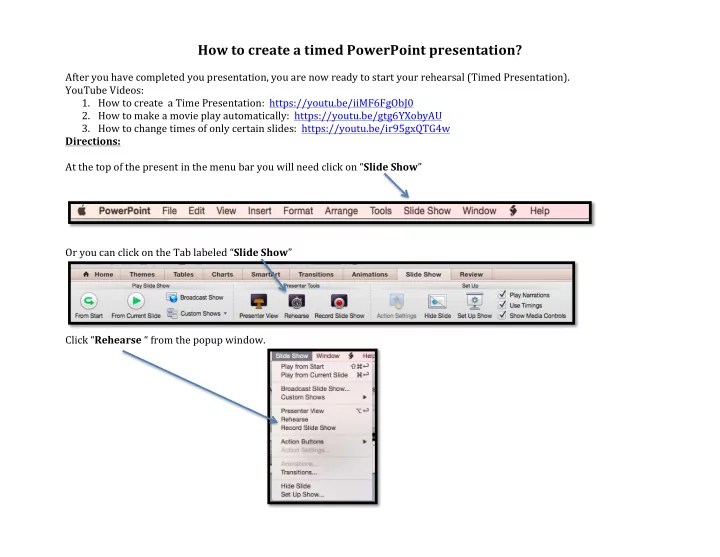
¡ After ¡you ¡have ¡completed ¡you ¡presentation, ¡you ¡are ¡now ¡ready ¡to ¡start ¡your ¡rehearsal ¡(Timed ¡Presentation). ¡ YouTube ¡Videos: ¡
- 1. How ¡to ¡create ¡ ¡a ¡Time ¡Presentation: ¡ ¡https://youtu.be/iiMF6FgObJ0 ¡ ¡
- 2. How ¡to ¡make ¡a ¡movie ¡play ¡automatically: ¡ ¡https://youtu.be/gtg6YXobyAU ¡ ¡
- 3. How ¡to ¡change ¡times ¡of ¡only ¡certain ¡slides: ¡ ¡https://youtu.be/ir95gxQTG4w ¡ ¡