
SLIDE 1
Smart Objects
Open Source Hardware Ioannis Chatzigiannakis
Sapienza University of Rome
Lecture 2
How dow we build is a smart
- bject?
How dow we build is a smart object? Ioannis Chatzigiannakis - - PowerPoint PPT Presentation
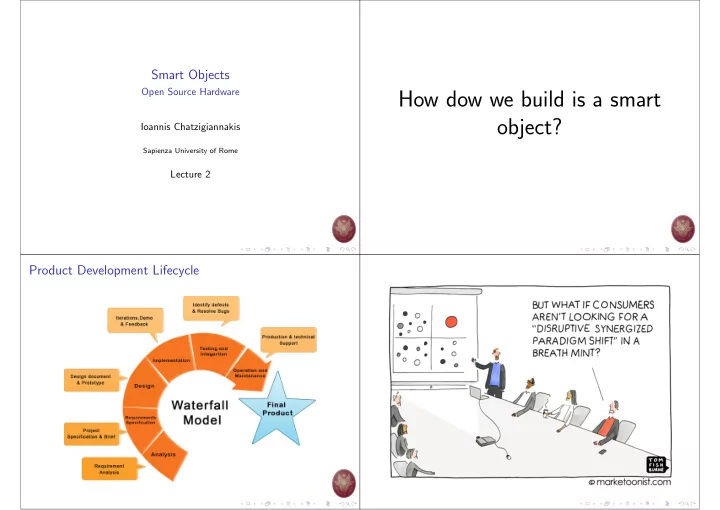
Smart Objects Open Source Hardware How dow we build is a smart object? Ioannis Chatzigiannakis Sapienza University of Rome Lecture 2 Product Development Lifecycle What should our smart object do? The Definition of User Experience (UX)
Open Source Hardware Ioannis Chatzigiannakis
Sapienza University of Rome
Lecture 2
Don Norman and Jakob Nielsen
◮ Meet the exact needs of the customer ◮ without fuss or bother ◮ Next comes simplicity and elegance: produce products that are a joy to own, a joy to use. ◮ . . . goes far beyond giving customers what they say they want ◮ . . . go beyond checklist of features
Don Norman and Jakob Nielsen
◮ Need to interact with users. ◮ Tangible objects convey more than story boards & wireframes. ◮ Mock-ups are a first important step.
◮ Need for fast & low-cost mock-ups ◮ 3D printing
◮ How can we add some basic functionality ?
◮ Need for interactive mock-ups ◮ Developing hardware prototypes require electrical engineers ? ◮ Open Source Hardware.
USB Plug:
External Power Supply:
V
ATmega328P Microcontroller:
(program)
Input/Output:
Sense-Think-Act is a popular interaction paradigm
Almost all systems that use physical computing will have a combination of the following
◮ Buttons Switches, Light Sensors, Flex Sensors, Humidity Sensors, Temperature Sensors . . . ◮ Internet Services (next semester)
processing, decision making
◮ LEDs, DC motor, servo motor, a piezo buzzer, relay, an RGB LED . . . ◮ Internet Services (next semester)
One of the most useful tool. ◮ A breadboard is easier than soldering ◮ A lot of those little holes are connected, which ones? ◮ Sometimes breadboards break Each row (horiz.) of 5 holes are connected. Vertical columns called power bus are connected vertically
Microcontrollers are digital devices ◮ ON or OFF ◮ Digital signals are discrete ◮ Analog signals are anything that can be a full range of values. ◮ Discrete NOT continuous
. . . 1023
◮ Motion-controlled Lamp ◮ User is approaching – turn on lights. ◮ No user present – turn off lights. ◮ How do we sense if user is present?
◮ Multiple ways ◮ One possible way: Ultrasonic Sensor (Cost: 4 e)
◮ How do we switch on/off the lamp?
◮ Multiple ways ◮ One possible way: Relay (Cost: 2 e)
◮ The ultrasonic sensor measures the distance to the closest
◮ Arduino reads the measurement ◮ If the distance is small enough, Arduino switches the relay on ◮ The relay lets the current flow and the lamp switch on ◮ If the distance is large, Arduino switches the relay off ◮ The relay interrupts the current flow and the lamp switches off
◮ Change Relay → Servo ◮ Multiple Relays ◮ Multiple Ultrasonic Sensors ◮ . . .
USB
ORIGIN GND_TP TP_PWRIN TP_VIN TP_5V TP_3V3 TP_RESET TP_A0 TP_A1 TP_A2 TP_A3 TP_A4 TP_A5 TP_0 TP_1 TP_2 TP_3 TP_4 TP_5 TP_6 TP_7 TP_8 TP_9 TP_10 TP_11 TP_12 TP_13 TP_AREF TP_SDA TP_SCL TP_XT1 TP_XT2 TP_ONL TP_RX TP_TX TP_TXL TP_RXL TP_DTR TP_USBVCC TP_VUCAP TP_XT3 TP_XT4 TP_PB4 TP_PB5 TP_PB6 TP_PB7 TP_MISO2 TP_RESET2 TP_MOSI2 TP_SCK2 TP_XUSB TP_D- TP_D+ TP_USH TP_UGND TP_GATE TP_LCMD TP_LL TP_CMP GND_TP1 TP_5V1A B C D E 1 2 3 4 5 6 7 8 A B C D E 1 2 3 4 5 6 7 8
io 0 io 0 io 0 io 0 io 0 io 0 io 0 io 0 io 0 io 0 io 0 io 0 io 0 io 0 io 0 io 0 io 0 io 0 io 0 io 0 pwr 0 pwr 0 pwr 0 pas 0 io 0 io 0 in 0 pwr 0 pas 0 pas 0 pas 0 pas 0 pas 0 pas 0 sup 0 sup 0 sup 0 sup 0 sup 0 sup 0 pas 0 pas 0 pas 0 pas 0 pas 0 pas 0 pas 0 pas 0 pas 0 pas 0 pas 0 pas 0 pas 0 pas 0 pas 0 pas 0 pas 0 pas 0 pas 0 pas 0 pas 0 pas 0 pas 0 pas 0 sup 0 sup 0 pas 1 pas 1 sup 0 pas 0 pas 0 pas 0 pas 0 sup 0 sup 0 sup 0 sup 0 pas 0 pas 0 sup 0 sup 0 pas 0 pas 0 pas 0 pas 0 pas 0 pas 0 pwr 0 pwr 0 pwr 0 io 0 io 0 io 0 io 0 io 0 io 0 sup 0 in 0 in 0 pas 0 pas 0 pas 1 pas 1 sup 0 pas 1 pas 1 sup 0 sup 0 pas 1 pas 1 sup 0 pas 0 pas 0 sup 0 pas 0 pas 0 pas 0 sup 0 sup 0 sup 0 sup 0 pas 1 pas 1 sup 0 io 0 io 0 io 0 io 0 io 0 io 0 io 0 io 0 io 0 io 0 io 0 io 0 io 0 io 0 io 0 io 0 io 0 io 0 io 0 io 0 io 0 pwr 0 io 0 io 0 pwr 0 pwr 0 in 0 pas 0 pwr 0 pwr 0 pwr 0 io 0 io 0 sup 0 pas 1 pas 1 pas 0 pas 0 pas 0 pas 0 pas 0 pas 0 sup 0 sup 0 sup 0 pas 1 pas 1 pas 1 pas 1 pas 1 pas 1 pas 1 pas 1 pas 1 pas 1 pas 1 pas 1 pas 1 pas 1 pas 1 pas 1 pas 1 pas 1 pas 1 pas 1 sup 0 pas 1 pas 1 pas 1 pas 1 pas 1 pas 1 pas 1 pas 1 pas 1 pas 1 pas 1 pas 1 pas 1 pas 1 pas 1 pas 1 pas 1 pas 1 pas 1 pas 1 pas 1 pas 1 pas 1 pas 1 pas 1 pas 1 pas 1 pas 1 pas 1 pas 1 pas 1 pas 1 pas 1 pas 1 pas 1 pas 1 sup 0 pas 0 pas 0 pas 0 pas 0 sup 0 in 0 in 0Arduino(TM) UNO Rev3
USB boot En SDA SCL◮ designed by the BBC for use in computer education in the UK ◮ teach broad audience how to program ◮ targeting schools & K-12
Micro USB Plug ◮ Power ◮ Program nRF51822 ARM Cortex-M0:
(program)
3-axis accelerometer sensor 25 LEDs in a 55 array Input/Output:
Cost: 27 e
FTDI connector ◮ USB Plug LiPo charger/power Supply ATmega168 Microcontroller:
(program)
Input/Output:
Cost: 18 e
USB Plug External Power Supply: ◮ Similar to Arduino Uno Intel Curie Microcontroller:
(program)
accelerometer/gyro
Matching Engine Input/Output:
Cost: 40$
Micro USB Plug LiPo charger/power supply Tensilica L106 32-bit RISC Microcontroller:
(program)
SRAM
Input/Output:
Cost: 2$
Micro USB Plug STM32F205 120Mhz ARM Cortex M3:
(program)
SRAM
Device Cloud
Connectivity Input/Output:
Cost: 19$
Micro USB Plug JST2.0 Lipo battery input ATSAMD21G18 32-Bit ARM Cortex M0+:
(program)
LoRaWAN GPS Receiver Input/Output:
Cost: 49$
Broadcom BCM2837 4 × ARM Cortex-A53:
Storage: microSD Networking
GPU: Broadcom VideoCore IV @ 400 MHz Input/Output:
Cost: 36e
◮ Preparatory step for your prototype ◮ Browse the web to learn about Arduino project ◮ Make a list of all the capabilities you encounter
◮ e.g., can sense light, can rotate wheel, can switch light on, etc. ◮ useful → you will learn about available features
◮ Think of a Smart Product
◮ In terms of Sense-Think-Act ◮ What Input/Sensors do you need? ◮ What Output/Actuators you could use?
https://www.nngroup.com/articles/usability-101-introduction-to-usability/
https://makezine.com/
https://www.instructables.com/
https://www.hackster.io/
https://www.adafruit.com/
https://www.seeedstudio.com/
https://www.sparkfun.com/
https://www.arduino.cc/en/Guide/Arduino101