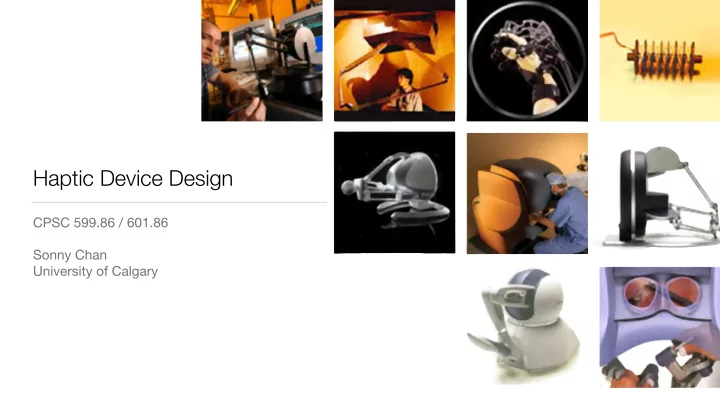
SLIDE 1
Haptic Device Design
CPSC 599.86 / 601.86 Sonny Chan University of Calgary
SLIDE 2 Electro-Mechanical Devices
- A haptic device is an electro-mechanical, or mechatronic, assembly
SLIDE 3
A ROBOT!
SLIDE 4 The Haptic Device
- We’ve treated this component
as a black box through this course until now…
- position in,
- force out,
- rest was “magic”
- Let’s take a look inside!
Device Controller
position +
force + torque
SLIDE 5
Force Output
Computer DAC Amplifier Motor
SLIDE 6 Digital-Analog Converter
Interfaces directly with computer
DAC
(Sensoray 826) 10110…
SLIDE 7
Current Amplifier
Supplies desired current to motor
Amplifier
SLIDE 8
DC Motor
Converts current to torque
τ = kT I
Motor
SLIDE 9
Mechanical Assembly
[From J. Forsslund et al., Proc. Tangible & Embedded Interfaces 2015.]
SLIDE 10
Position Input
Computer Counter Encoder Motor
SLIDE 11
Optical Quadrature Encoder
Counts rotational ticks in either direction
Encoder
SLIDE 12 Quadrature Counter
Communicates rotation back to computer
Counter
(Sensoray 826) 10110…
SLIDE 13
Components of an Impedance Haptic Device
Computer Counter Encoder Motor DAC Amplifier
… plus a few mechanical links
SLIDE 14 Position / Orientation
- Encoders and counters tell us
the rotational angles of our motors and joints
- Great! But how do I know where my
manipulandum (end-effector) is?
- Determine spatial position using
forward kinematics
Device Controller
position +
force + torque
SLIDE 15
Kinematics of a Serial Manipulator
Known: Determine: `1, `2, ✓1, ✓2 x = (x, y) x = (`1 + `2 cos ✓2) cos ✓1 − `2 sin ✓2 sin ✓1 (`1 + `2 cos ✓2) sin ✓1 − `2 sin ✓2 cos ✓1
SLIDE 16
Kinematics of a Parallel Manipulator
`0 r1 r2 θ1 θ2 x = ??? (0, 0)
SLIDE 17 Force / Torque
- Recall that we can command
each of the motors to exert a desired torque
- How do we translate motor
torques into an output force vector?
Device Controller
position +
force + torque
SLIDE 18 The Kinematic Jacobian Matrix
- Relates derivates of generalized coordinates to cartesian coordinates:
x = (`1 + `2 cos ✓2) cos ✓1 − `2 sin ✓2 sin ✓1 (`1 + `2 cos ✓2) sin ✓1 − `2 sin ✓2 cos ✓1
dθ = "
∂x ∂θ1 ∂x ∂θ2 ∂y ∂θ1 ∂y ∂θ2
# = −(`1 + `2c✓2)s✓1 − `2s✓2c✓1 ... (`1 + `2c✓2)c✓1 + `2s✓2s✓1 ...
τ1 τ2
principle of virtual work
SLIDE 19 Summary
- Haptic devices are made of motors, encoders, data input/output electronics,
and mechanical linkages
- Forward kinematic analysis allows us to determine the end-effector position
(and orientation) from measured joint angles
- The kinematic Jacobian, along with the force/torque relationship equation,
allows us to command a force (and torque) vector at the end-effector
SLIDE 20
Which one is a haptic device?
SLIDE 21
Human Factors
What makes a good haptic device?
SLIDE 22 Tenets of Haptic Interfaces
- Free motion should feel free
- Rigid objects should feel stiff, and not soft
- The user should not be able to go through rigid objects
- The user should not feel unintended vibrations
- The interface should be comfortable and ergonomic to use
[From M. Srinivasan and C. Basdogan, Computers & Graphics 21(4), 1997.]
- friction, back-drivability
- force output
- rendering
- stability
- design
SLIDE 23 Motors & Gearing
- Larger motors can exert more
force, but have more inertia
- affects back-drivability
- Gearing a motor can provide
significantly more force
- creates friction, backlash
- often lose back-drivability
SLIDE 24 5 10 15
Encoders
- High-resolution encoders can be
extremely expensive
- Insufficient encoder resolution
can be detrimental to stability
SLIDE 25 Bearings & Linkages
- High quality bearings on joints
will reduce friction
- Very rigid link materials can
improve stability, but may add unwanted inertia
- Long links may reduce force
- utput capacity
- mechanical lever-arm
SLIDE 26 10-3 10-2 10-1 100 101 10-1 100 101 102 103
Human Dynamic Range
[Figure adapted from original by Lynette Jones, MIT]
Force (N) Displacement (m)
driving a car timed dexterity tests micro- assembly / surgery typing
SLIDE 27 Motor Dynamic Range
- Measured as Fmax : Fmin
- Human:
- Good motor:
- Maxon, $150
- Motor:
- Mabuchi, $3.99
- Major design challenge!
>1000 : 1 80 : 1 10 : 1
SLIDE 28
Consequence: no single haptic interface can suit all tasks and needs
SLIDE 29 And remember:
Be mindful of ergonomics!
Haptic Workstation - CyberGlove Systems
SLIDE 30
And that’s all folks!
Thanks for tuning in to the 2018 edition