SLIDE 1
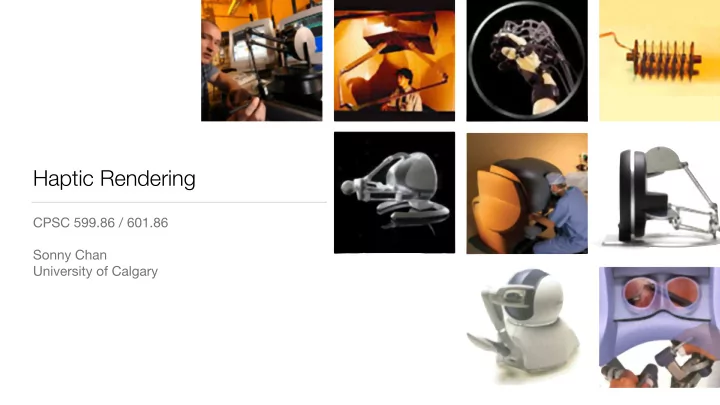
Haptic Rendering
CPSC 599.86 / 601.86 Sonny Chan University of Calgary
SLIDE 2 Today’s Outline
- Announcements
- Human haptic perception
- Anatomy of a visual-haptic simulation
- Virtual wall and potential field rendering
SLIDE 3 Reminder: Friday Labs
- Every Friday during the semester, during our regular class time
- 13:00 – 13:50 in MS 156
- we will start this Friday, Jan. 18
- I’ll be trying to teach you how to code too! :-)
SLIDE 4 Course Materials
- Visit our course web page for up to date information:
- handouts, lecture slides, assignments, etc.
- http://cpsc.ucalgary.ca/~sonny.chan/cpsc599.86/
- http://cpsc.ucalgary.ca/~sonny.chan/cpsc601.86/
- Readings will be posted on D2L site
SLIDE 5
Haptic Perception
SLIDE 6
Touch Perception
somatosensory system cutaneous receptors kinaesthetic receptors
SLIDE 7 Cutaneous Perception
- Inputs from different types of mechanoreceptors embedded in the skin
- vibration and texture perception
- pressure and skin stretch (grasped object)
SLIDE 8 Kinaesthetic Perception
- Inputs from mechanoreceptors in muscles, tendons, and joints
- limb position and movement
- larger contact forces and loads
SLIDE 9 Cutaneous / Tactile Feedback
- Devices can be very difficult to realize
- requires high spatial actuator resolution
SLIDE 10 Kinaesthetic Feedback
- Key realization: tool-mediated interaction
- system need only render tool contact forces
SLIDE 11 Kinaesthetic Haptic Devices
- Driven by two common types of control strategies
- Impedance-control haptic devices simulate mechanical impedance
- Admittance-control haptic devices simulate mechanical admittance
SLIDE 12 Impedance vs. Admittance Control
- Impedance devices
- sensed position
- commanded force
- Admittance devices
- sensed force
- commanded position
SLIDE 13 Impedance vs. Admittance Devices
- Impedance haptic devices
- are cheaper to build
- back-drivable
- Admittance haptic devices
- higher range of forces
- requires force sensor ($$$)
- generally less common
SLIDE 14 Devices for CPSC 599/601
- We will focus on studying
- kinaesthetic devices: tool-
mediated interaction
- impedance control: render forces
(impedances)
- 3-DOF actuated devices, 3- or 6-
DOF sensed
SLIDE 15
Visual-Haptic Simulation
Under the Hood
SLIDE 16 The Basics
- How does a basic visual-haptic simulation work?
Virtual Environment Haptic Interface Avatar
SLIDE 17
The Interface
position force
SLIDE 18
–J. Kenneth Salisbury
“Haptic rendering is the process of computing and generating forces in response to user interactions with virtual objects.”
[From K. Salisbury et al., Proc. Symposium on Interactive 3D Graphics, 1995.]
SLIDE 19
Simulation Components
Haptic device Collision detection Video Graphics engine Visual rendering Simulation Force response Control algorithms Simulation engine Haptic rendering X S, X Fr Fd Fd
[From K. Salisbury et al., IEEE Computer Graphics & Applications 24(2), 2004.]
SLIDE 20
In this course…
Haptic device Collision detection Video Graphics engine Visual rendering Simulation Force response Control algorithms Simulation engine Haptic rendering X S, X Fr Fd Fd
We focus on the haptic rendering component.
SLIDE 21 The Virtual Environment
- representations of virtual objects
- real-time simulation of physical
behaviour
- geometric modelling (CPSC
589/689) and computer animation (CPSC 587/687)
Collision detection Simulation Force response Simulation engine X S, X Fd
SLIDE 22 Haptic Device
- We will treat the device as a
“black box”
- We will crack one open near the end
- f the semester
- Take the online “Introduction to
Haptics” course at Lagunita to learn more!
Haptic device Collision detection X S, X Fr
SLIDE 23 Visual Rendering
- Given a virtual environment,
render its state on the screen (in real time)
- We will let CHAI3D do this for us
- CPSC 453,
CPSC 591/691
Video Graphics engine Visual rendering Force response Simulation engine X S, X Fd Fd
SLIDE 24
Haptic vs. Visual Rendering
Visual Rendering Haptic Rendering
SLIDE 25 Bi-Directionality
- Bi-directional information flow is a distinguishing feature of haptic interfaces
- This has many consequences that we will visit in later classes
Haptic Rendering
SLIDE 26
Potential Fields
SLIDE 27
Recall the hardware-software interface:
position force
SLIDE 28 Starting Simple
- A plane is one of the simplest
virtual environments we can conceive and render
“virtual wall”?
F = f(x) = ?
SLIDE 29 Virtual Walls
- The simplest virtual environment: a linear spring in 3D
- Can be used to study stability
- Useful building block for more complex virtual environments and interactions
SLIDE 30 Virtual Wall Algorithm
F(x) = ( −kx if x > 0
x
F
SLIDE 31 Virtual Wall Stiffness
- Stiffness (k) affects how the
virtual wall feels
|F| x
harder materials softer materials avatar
F = −kx
SLIDE 32 Another Shape
- What is the simplest way to
render a circle or a sphere?
SLIDE 33 Potential Fields
- The term potential field is
borrowed from physics / mechanics
- Force is a vector field gradient of
potential
- We normally just skip to defining
force field
~ F = rU
SLIDE 34 Why Potential Fields?
- They make intuitive sense (3D
springs)
- They are easy to compute
- ... but with simplicity comes
limitations
SLIDE 35 Summary
- Human haptic perception
- kinaesthetic feedback and impedance devices
- Anatomy of a visual-haptic simulation
- we’ll focus on the haptic rendering aspect of things
- Virtual wall and potential field rendering
- the tools you need for programming assignment #1