ENGR/CS 101 CS Session Lecture 1 CS session webpage - - PowerPoint PPT Presentation

engr cs 101 cs session
SMART_READER_LITE
LIVE PREVIEW

ENGR/CS 101 CS Session Lecture 1 CS session webpage - - PowerPoint PPT Presentation

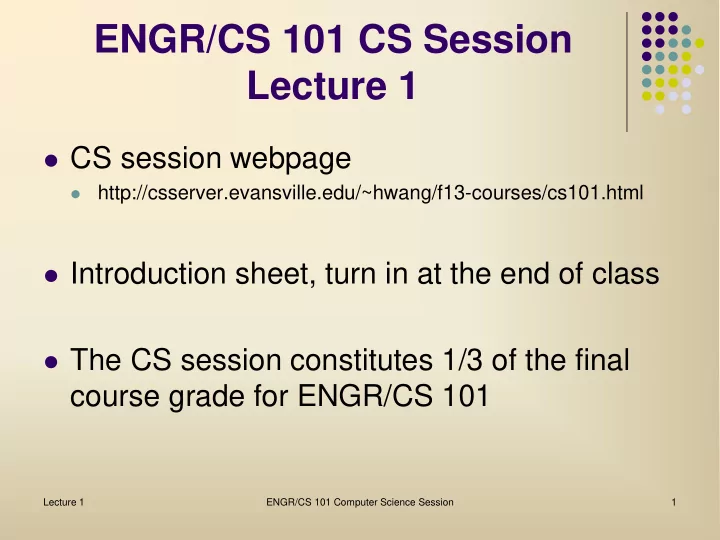
ENGR/CS 101 CS Session Lecture 1 CS session webpage http://csserver.evansville.edu/~hwang/f13-courses/cs101.html Introduction sheet, turn in at the end of class The CS session constitutes 1/3 of the final course grade for ENGR/CS


slide-1
SLIDE 1

ENGR/CS 101 CS Session Lecture 1

 CS session webpage

http://csserver.evansville.edu/~hwang/f13-courses/cs101.html

 Introduction sheet, turn in at the end of class  The CS session constitutes 1/3 of the final

course grade for ENGR/CS 101

Lecture 1 ENGR/CS 101 Computer Science Session 1

slide-2
SLIDE 2

Outline

 What is Computer Science?  Bits to Brains

 Binary digits (bits)  Binary numbers  ASCII encoding

Lecture 1 ENGR/CS 101 Computer Science Session 2

slide-3
SLIDE 3

Lecture 1 ENGR/CS 101 Computer Science Session 3

What is Computer Science?

 Short video by University of Washington

 "Power to Change the World"

 Study of how computer programs are written

to solve problems using computation

 Use an engineering approach to design and

implement a computer program

 But first, a look at a basic idea underlying

computing

slide-4
SLIDE 4

Binary Digits (Bits)

 A bit is a digit that can have value 0 or 1.

10011101

 A byte is (a sequence of) 8 bits  A word is 16, 32, or 64 bits, depending on the

machine architecture.

Lecture 1 ENGR/CS 101 Computer Science Session 4

8 bits 1 byte

slide-5
SLIDE 5

Binary Numbers

 Use the cards to help answer the following

questions:

 What cards can we use to show 3 dots? 6 dots?

11 dots?

 What is the highest number of dots that we can

represent with these cards?

 What is the smallest number of dots we can

represent with these cards?

 What is the pattern of the dots? How many dots

would there be on a fifth card?

Lecture 1 ENGR/CS 101 Computer Science Session 5

slide-6
SLIDE 6

Binary Numbers

 Arrange the cards like so:

 Count from 0 to 15 dots by flipping over the cards  What is the pattern as you count?

Lecture 1 ENGR/CS 101 Computer Science Session 6

slide-7
SLIDE 7

Binary Numbers

 Each digit place represents a power of the

base of the number in decimal. E.g.,

 35610 = 3 x 10² + 5 x 101 + 6 x 100

 100111012 = 1 x 27 + 0 x 26 + 0 x 25 + 1 x 24 +

1 x 23 + 1 x 22 + 0 x 21 + 1 x 20 = 15710

 What is 10001112 in decimal? What is 9710

in binary?

Lecture 1 ENGR/CS 101 Computer Science Session 7

slide-8
SLIDE 8

Characters

 Computers "speak" bits and bytes, but

humans communicate using letters, words, and sentences.

 Need to encode characters into bits. One

such encoding is called ASCII (American Standard Code for Information Interchange).

 Alphabet-based  Ordering based on English alphabet  Extended for other languages' alphabet symbols

Lecture 1 ENGR/CS 101 Computer Science Session 8

slide-9
SLIDE 9

ASCII Encoding (Decimal)

A 65 N 78 a 97 n 110 B 66 O 79 b 98

  • 111

C 67 P 80 c 99 p 112 D 68 Q 81 d 100 q 113 E 69 R 82 e 101 r 114 F 70 S 83 f 102 s 115 G 71 T 84 g 103 t 116 H 72 U 85 h 104 u 117 I 73 V 86 I 105 v 118 J 74 W 87 j 106 w 119 K 75 X 88 k 107 x 120 L 76 Y 89 l 108 y 121 M 77 Z 90 m 109 z 122

space

32 ! 33 , 44 . 46

Lecture 1 ENGR/CS 101 Computer Science Session 9

slide-10
SLIDE 10

Characters

 How many bits will it take to implement ASCII

encoding of characters?

 Can you find a mathematical equation to

calculate the number of bits needed to represent a number n?

Lecture 1 ENGR/CS 101 Computer Science Session 10

slide-11
SLIDE 11

In-class Exercise

 Decode the ASCII message on the worksheet  Write your first name in ASCII in binary  Turn in the worksheet and the introduction

sheet before you leave.

Lecture 1 ENGR/CS 101 Computer Science Session 11