Designing for Inclusion: Examining Do-It-Yourself design activities - - PowerPoint PPT Presentation

designing for inclusion
SMART_READER_LITE
LIVE PREVIEW

Designing for Inclusion: Examining Do-It-Yourself design activities - - PowerPoint PPT Presentation

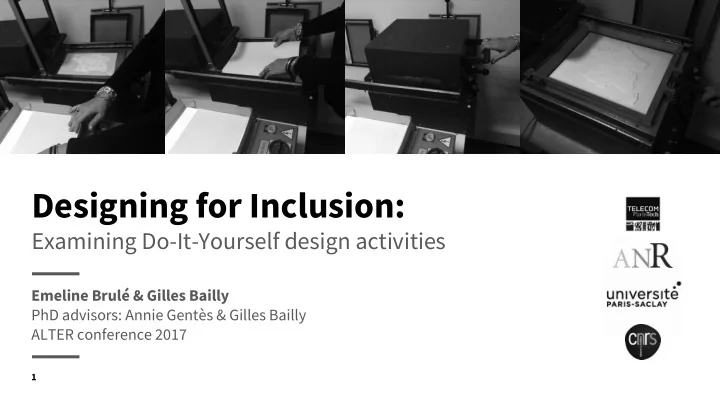
Designing for Inclusion: Examining Do-It-Yourself design activities Emeline Brul & Gilles Bailly PhD advisors: Annie Gents & Gilles Bailly ALTER conference 2017 1 Atlas for the blind, 1837, S.G. Howe Map created with pins, 1900 -


slide-1
SLIDE 1

Examining Do-It-Yourself design activities

Designing for Inclusion:

Emeline Brulé & Gilles Bailly PhD advisors: Annie Gentès & Gilles Bailly ALTER conference 2017

1
slide-2
SLIDE 2

2

Designing and producing educational tactile documents and artifacts: a long history.

Atlas for the blind, 1837, S.G. Howe Map created with pins, 1900 - aph.org Map production, 1977 - aph.org

slide-3
SLIDE 3

3

Since 1990, two main changes:

Integration policies (UN bill of children’s rights) and digital technologies.

A Perkins brailler A braille computer (and MP3 player)

slide-4
SLIDE 4

4

Research theme: How are adapted educational material and tools made today?

Matrix for a thermoformed map, 2014: Pasta and cardboard Raised lines drawing, 2014: Microsoft Word, (specific) swell paper A prototype of a magnifier for the classroom Whiteboard, 2014: Bluetooth camera, tablet

slide-5
SLIDE 5

5

Research questions: How do professional caregivers identify and use existing artifacts that can suit their purposes? When do they decide to design their own artifacts and how do they do so? How does it modify their roles and organization?

slide-6
SLIDE 6

6

Approach: Between sociology and the field of HCI and design. I focus on professional caregivers.

Sociology Human Computer Interaction Design

slide-7
SLIDE 7

7

Methods: Ethnography (a year-and-a-half) and interviews

slide-8
SLIDE 8

8

References: In HCI: DIY assistive technologies, 3D printing in education

Hurst, A., & Tobias, J. (2011). Empowering Individuals with Do-it-yourself Assistive Technology Buehler, E., Comrie, N., Hofmann, M., McDonald, S., & Hurst, A. (2016). Investigating the Implications of 3D Printing in Special Education.

In sociology: sociology of usages, sociology of work

Akrich, M. (1998). Les utilisateurs, acteurs de l’innovation. Wenger, Etienne (1998). Communities of Practice: Learning, Meaning, and Identity.

slide-9
SLIDE 9

Constatations

9

slide-10
SLIDE 10

10

  • 1. Most adaptations are still done locally, on an

individual basis (in France).

slide-11
SLIDE 11

11

  • 1. Most adaptations are still done locally, on an

individual basis (in France).

  • 2. Caregivers now deal with the making or

modification of technologies.

slide-12
SLIDE 12

12

  • 1. Most adaptations are still done manually and

locally (in France).

  • 2. Caregivers now deal with the making or

modification of technologies.

  • 3. There used to be carpenters to make small scale

models etc. This type of production was then limited, until the development of Fablabs.

Small scale model of a Toulouse’s building

slide-13
SLIDE 13

13

However: There are still many small scale models being used. Caregivers rely on different sources (toys etc.).

slide-14
SLIDE 14

14

What are the types of design interventions made? (I will not cover text enlargement, braille or tactile transcription)

slide-15
SLIDE 15

15

Four types of design interventions on artifacts (Akrich, 1998):

  • displacement (i.e. modify their uses);
  • adaptation (i.e. modifications to adapt to the user/environment

but does not change the primary function);

  • extension (i.e. associate them in a new way, to extend their

functions);

  • diversion (i.e. using them for something entirely different from

the original use).

slide-16
SLIDE 16

16

Ex: Sold as a toy, used as a therapy tool to develop fine visual coordination.

slide-17
SLIDE 17

17

Four types of design interventions on artifacts (Akrich, 1998):

  • displacement (i.e. modify their uses);
  • adaptation (i.e. modifications to adapt to the user/environment

but does not change the primary function);

  • extension (i.e. associate them in a new way, to extend their

functions);

  • diversion (i.e. using them for something entirely different from

the original use).

slide-18
SLIDE 18

18

Ex: a tactile clock, with tactile landmarks and braille numbers

Braille number Tactile landmark (pearls)

slide-19
SLIDE 19

19

Four types of design interventions on artifacts (Akrich, 1998):

  • displacement (i.e. modify their uses);
  • adaptation (i.e. modifications to adapt to the user/environment

but does not change the primary function);

  • extension (i.e. associate them in a new way, to extend their

functions);

  • diversion (i.e. using them for something entirely different from

the original use).

slide-20
SLIDE 20

20

Ex: a camera usually fixed on a smartphone to improve photo quality becomes a white board magnifier when fixed in the classroom and used with the child’s device.

slide-21
SLIDE 21

21

Four types of design interventions on artifacts (Akrich, 1998):

  • displacement (i.e. modify their uses);
  • adaptation (i.e. modifications to adapt to the user/environment

but does not change the primary function);

  • extension (i.e. associate them in a new way, to extend their

functions);

  • diversion (i.e. using them for something entirely different from

the original use).

slide-22
SLIDE 22

22

Ex: a book to be folded into a tree, pastas to represent cities on a map of France, magnets to make tactile map, using interfaces’ elements for a different purpose.

“What if we take the mechanism to choose the time on smartphones, and use it to make a conversion table?”c

slide-23
SLIDE 23

23

What to make from objects entirely designed by caregivers?

slide-24
SLIDE 24

24

For locally made artifacts, caregivers have developed an implicit knowledge of useful properties (e.g. bright and contrasted colors, encourage tactile manipulation etc.)

slide-25
SLIDE 25

25

This applies to interactive artifacts as well.

A dialogue between a document maker and an educator: “We could make an accessible climbing wall, like, we could use beacon we attach to the climbing grips, and it would make a sound when you pass in front of it.” “Like, with an infrared thingy?” “I thought the kids could have a bracelet and it could be bluetooth.”

slide-26
SLIDE 26

26

Why do caregivers build artifacts themselves? Different and complementary motivations.

  • Corresponds to a local need (e.g. map of a specific place) / or contribute to the

community and can be shared and reproduced elsewhere;

  • It’s an interesting challenge, it participates to their training;
  • It answers a specific and well-identified pedagogical need and will serve several

generations of children within this organization. Contrary to Buehler et al., I’ve

  • bserved more applications than STEM;
  • To please a specific group of children.
slide-27
SLIDE 27

27

How do caregivers build artifacts?

  • They rely on digital fabrication techniques (laser cutting and 3D printing).

Caregivers make the files, the production is often at least partly outsourced;

  • Enroll external help for the design and production in particular when it involves

coding/electronic (family members, volunteers, PhD students observing their practices);

  • They sometimes used libraries of models (e.g. Thingiverse).
slide-28
SLIDE 28

28

What are the limits?

  • Simplicity: more complex 3D models need to be outsourced;
  • Costs! 5€/30 min of 3D printing means ~ 300€ for a 3D globe;
  • There is much more manual post-production than it seems;
  • Coding/electronic remains difficult: issues of maintenance and robustness;
  • Their vision of the benefits is not always shared by their superiors.
slide-29
SLIDE 29

29

Organizational implications

  • Possible if, and if only, other aspects of their work is automatized (e.g., the

adaptation of school books);

  • Needs to be justified in measurable results (e.g. academic improvements), difficult

to do if it is “only” to improve children’ experience of the classroom;

  • There are attempts to make this knowledge explicit.
slide-30
SLIDE 30

30

Knowledge management around Fablabs and technologies

  • A small group of interested caregivers;
  • One person, a document-maker became the treasure’s guardian, and centralizes

all prototypes and resources.

  • No formal training to use the software, short training to use the digital fabrication

tools;

  • Different modalities to share this knowledge.
slide-31
SLIDE 31

31

Different modalities to share this knowledge

  • Locally, by doing Fablabs group visits, during informal discussions etc.;
  • Discussion with teachers to understand sense-making processes and refine the

choice of projects to be undertaken;

  • Through the professional network:
  • A file that serves as a catalogue, shared with professional networks

(http://gpeaa.fr/n-243-voyage-a-travers-la-3d-juin-2017/). It describes the properties of the objects;

  • By teaching to future document makers;
  • Propositions to recense objects in an online library catalog.
slide-32
SLIDE 32

32

This is a community of practice (Wenger, 1998):

  • Mutual Engagement: Firstly, through participation in the community, members

establish norms and build collaborative relationships; this is termed mutual

  • engagement. These relationships are the ties that bind the members of the

community together as a social entity.

  • Joint Enterprise: Secondly, through their interactions, they create a shared

understanding of what binds them together; this is termed the joint enterprise. The joint enterprise is (re)negotiated by its members and is sometimes referred to as the 'domain' of the community.

  • Shared Repertoire: Finally, as part of its practice, the community produces a set of

communal resources, which is termed their shared repertoire; this is used in the pursuit of their joint enterprise and can include both literal and symbolic meanings.

slide-33
SLIDE 33

Thank you!

Any questions?

Emeline Brulé - emeline.brule@telecom

  • paristech.fr - @e_mln_e

Under the supervision of Annie Gentès and Gilles Bailly Thanks to the CESDV-IJA of Toulouse, Nathalie Bédouin and Laurence Boulade

Caregivers develop an implicit knowledge of material properties that can be used to develop adapted educational material and assistive technologies; Digital technologies (3D printing, laser cutting) can be used in almost every school discipline for children with visual impairments; Whereas physical properties (colors, tactile landmarks etc.) are “easy” to transfer, caregivers encounter difficulties when it comes to interactive devices, which are not solved by existing vulgarisation tools; For now, these practices develop within a community of practice, in parallel with official organization.