Data Visualization Methodological Foundations of Biomedical - - PowerPoint PPT Presentation

data visualization
SMART_READER_LITE
LIVE PREVIEW

Data Visualization Methodological Foundations of Biomedical - - PowerPoint PPT Presentation

Data Visualization Methodological Foundations of Biomedical Informatics October 13, 2015 Kelly Ruggles, Ph.D. Data Visualization in Biology and Medicine Challenge is to


slide-1
SLIDE 1

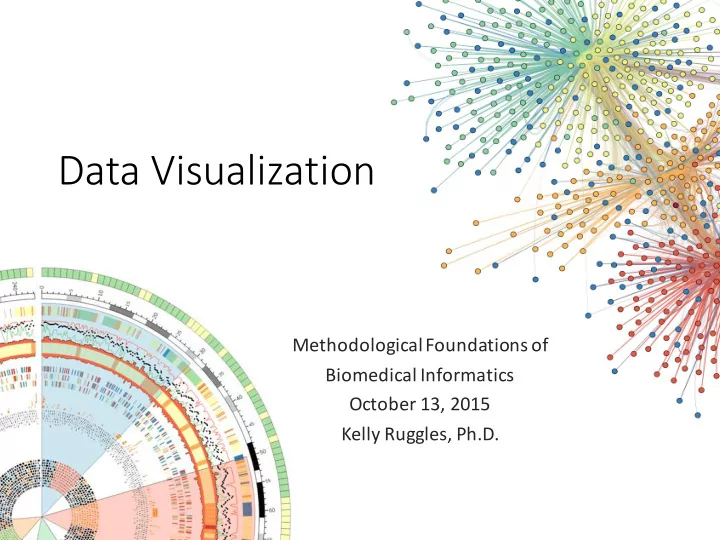
Data ¡Visualization

Methodological ¡Foundations ¡of ¡ Biomedical ¡Informatics October ¡13, ¡2015 Kelly ¡Ruggles, ¡Ph.D. ¡
slide-2
SLIDE 2

Data ¡Visualization ¡in ¡Biology ¡and ¡Medicine

  • Challenge ¡is ¡to ¡explore ¡and ¡communicate ¡large ¡amounts ¡of ¡data ¡

without ¡being ¡overwhelmed

  • Data ¡visualization ¡takes ¡advantages ¡of ¡our ¡ability ¡to ¡recognize ¡

patterns

  • Visualization ¡is ¡most ¡useful ¡in ¡situations ¡when ¡
  • Do ¡not ¡yet ¡know ¡the ¡regularities ¡in ¡the ¡data
  • Allows ¡for ¡exploration ¡of ¡data ¡for ¡patterns
  • Complementing ¡ algorithmic ¡approaches
slide-3
SLIDE 3

Poor ¡visualization ¡examples

slide-4
SLIDE 4

Poor ¡visualization ¡examples

slide-5
SLIDE 5

Poor ¡visualization ¡examples

slide-6
SLIDE 6

Good ¡visualization ¡examples

slide-7
SLIDE 7

Good ¡visualization ¡examples

slide-8
SLIDE 8

Good ¡visualization ¡examples

slide-9
SLIDE 9

Visualization ¡Tools

  • Static ¡visualization
  • Matlab
  • Matplotlib
  • R ¡(ggplot2)
  • Dynamic ¡visualization
  • JavaScript
  • D3: ¡JavaScript ¡library ¡for ¡producing ¡ dynamic ¡data ¡visualizations ¡in ¡web ¡

browsers

slide-10
SLIDE 10

Plot ¡Types

  • 1. ¡Bar ¡charts ¡and ¡box ¡plots
  • 2. ¡Sets ¡and ¡Intersections
  • 3. ¡Scatters ¡and ¡Regressions
  • 4. ¡Heat ¡maps ¡and ¡clustergrams
  • 5. ¡Networks
  • 6. ¡Genome-­‑wide ¡visualization
  • 7. ¡Data ¡integration
  • 8. ¡ ¡3D ¡and ¡multi-­‑dimensional
slide-11
SLIDE 11

Demo ¡dataset

  • iTRAQ MS/MS ¡proteomic ¡data ¡from ¡CPTAC ¡breast ¡tumor ¡samples
  • 83 ¡tumor ¡samples
  • Dataset ¡with ¡missing ¡data: ¡12,553 ¡proteins
  • Dataset ¡with ¡missing ¡data ¡removed: ¡7,975 ¡protein
  • Data ¡has ¡been ¡log ¡normalized ¡and ¡median ¡centered ¡for ¡each ¡sample ¡
slide-12
SLIDE 12
  • 1. ¡Bar ¡charts ¡and ¡box ¡plots
  • Used ¡to ¡visualize ¡quantities ¡associated ¡with ¡a ¡set ¡of ¡items
  • Bar ¡charts ¡are ¡useful ¡for ¡counts, ¡boxplots ¡for ¡distributions
  • Stacked ¡bar ¡charts ¡are ¡useful ¡in ¡comparing ¡contributions ¡to ¡the ¡total

Bar ¡charts ¡in ¡Lipidomics Bar ¡and ¡stacked ¡bar ¡Proteomics

slide-13
SLIDE 13
  • 1. ¡Bar ¡charts ¡and ¡box ¡plots
  • When ¡dealing ¡with ¡quantities ¡sampled ¡from ¡a ¡population ¡then ¡use ¡

either ¡error ¡bars ¡or ¡box ¡plots

  • For ¡both ¡box ¡plots ¡and ¡bar ¡charts, ¡consider ¡ordering ¡the ¡bars ¡by ¡

height ¡and ¡boxes ¡by ¡the ¡median ¡to ¡make ¡figures ¡easier ¡to ¡read ¡ (unless ¡the ¡order ¡is ¡important ¡to ¡maintain)

http://www.nature.com/nmeth/journal/v11/n2/full/nmeth.2807.html

slide-14
SLIDE 14
  • 2. ¡Sets ¡and ¡Intersections ¡(Euler/Venn)
  • Use ¡to ¡visualize ¡the ¡intersections ¡of ¡3-­‑4 ¡sets ¡but ¡beyond ¡this ¡is ¡challenging
  • Euler ¡vs. ¡Venn: ¡
  • Venns have ¡regions ¡for ¡all ¡possible ¡combinations ¡of ¡groups ¡whether ¡or ¡not ¡there ¡

are ¡things ¡in ¡those ¡regions ¡or ¡not

  • Eulers only ¡show ¡overlapping ¡regions ¡if ¡something ¡exists ¡in ¡that ¡overlap ¡
slide-15
SLIDE 15
  • 2. ¡Sets ¡and ¡Intersections

http://www.informationisbeautiful.net/

slide-16
SLIDE 16
  • 2. ¡Sets ¡and ¡Intersections ¡(more ¡than ¡4 ¡sets)
  • Encode ¡all ¡intersection ¡sets ¡in ¡a ¡matrix ¡and ¡color ¡code ¡the ¡number ¡of ¡

elements ¡in ¡each ¡intersection

Genes ¡mutated ¡in ¡tumors ¡of ¡patients ¡with ¡gliobastoma multiforme Intersection ¡is ¡the ¡number ¡patients ¡with ¡co-­‑mutation

slide-17
SLIDE 17
  • 3. ¡Scatter ¡plots

All ¡reps ¡failed All ¡reps ¡passed Some ¡reps ¡passed

  • Used ¡to ¡look ¡at ¡relationship ¡between ¡two ¡variables ¡(typically ¡includes ¡

a ¡regression ¡analysis)

  • Add ¡color ¡and ¡size ¡to ¡add ¡more ¡dimensions ¡to ¡the ¡data ¡
slide-18
SLIDE 18
  • 3. ¡Scatter ¡plots ¡and ¡regression
  • Scatter ¡Matrix: ¡allows ¡you ¡to ¡look ¡at ¡relationship ¡between ¡each ¡

permutation ¡of ¡each ¡variable ¡combination ¡

slide-19
SLIDE 19
  • 3. ¡Scatter ¡plots
slide-20
SLIDE 20
  • 4. ¡Heatmaps and ¡clustergrams
  • 2D ¡table ¡with ¡color ¡shading ¡used ¡to ¡represent ¡quantitation
  • Well ¡suited ¡for ¡high-­‑throughput ¡data ¡(gene ¡expression, ¡transcriptomic)
  • Requires ¡meaningful ¡labeling ¡or ¡rows/columns ¡(often ¡not ¡well ¡done)

Toussaint ¡Loua, ¡1873

slide-21
SLIDE 21

Hierarchical ¡Clustering

  • Used ¡to ¡identify ¡groups ¡that ¡have ¡similar ¡expression ¡patterns
  • The ¡more ¡homogenous, ¡the ¡poorer ¡the ¡separation
  • Two ¡types: ¡
  • Agglomerative ¡(bottom ¡up): ¡most ¡commonly ¡used ¡
  • everything ¡starts ¡in ¡its ¡own ¡cluster ¡and ¡are ¡merged ¡
  • More ¡precise ¡at ¡bottom ¡of ¡the ¡tree, ¡identifying ¡more, ¡smaller ¡ clusters
  • Divisive ¡(top ¡down): ¡
  • everything ¡starts ¡in ¡one ¡cluster ¡and ¡is ¡split
  • More ¡precise ¡at ¡top ¡of ¡the ¡tree, ¡identifying ¡fewer ¡but ¡larger ¡clusters
slide-22
SLIDE 22

Hierarchical ¡Clustering

  • Given ¡N ¡items ¡(genes) ¡to ¡be ¡clustered ¡and ¡an ¡NxN distance ¡matrix
  • Assign ¡each ¡item ¡to ¡a ¡cluster ¡so ¡you ¡have ¡N ¡clusters ¡each ¡with ¡1 ¡item
  • Find ¡closest ¡(most ¡similar) ¡pair ¡of ¡clusters ¡and ¡merge ¡them ¡into ¡a ¡single ¡

cluster

  • Computer ¡distances ¡(similarities) ¡between ¡the ¡new ¡cluster ¡and ¡each ¡of ¡the ¡
  • ld ¡clusters
  • Repeat ¡steps ¡2 ¡and ¡3 ¡until ¡all ¡items ¡are ¡clustered ¡into ¡a ¡single ¡cluster ¡of ¡size ¡N
slide-23
SLIDE 23

Hierarchical ¡Clustering

  • Factor ¡proximity ¡and ¡cluster ¡shape ¡are ¡established ¡based ¡on ¡two ¡

similarity ¡measures

  • Distance ¡metric ¡
  • Euclidean ¡distance. ¡More ¡sensitive ¡to ¡scaling/fluctuations ¡in ¡the ¡data ¡
  • Pearson ¡correlation
  • Linkage ¡method: ¡affects ¡the ¡distance ¡between ¡clusters
  • Average ¡linkage-­‑ based ¡on ¡average ¡distance ¡between ¡cluster ¡features
  • Complete ¡linkage-­‑ based ¡on ¡maximum ¡distance ¡between ¡cluster ¡features

http://www.nature.com/nmeth/journal/v9/n3/full/nmeth.1902.html

slide-24
SLIDE 24
  • 4. ¡Heatmaps and ¡Clustergrams

Ruggles ¡and ¡Rajan, ¡2014

slide-25
SLIDE 25
  • 5. ¡Networks
  • Complex ¡interactions ¡between ¡proteins, ¡DNA, ¡RNA, ¡small ¡molecules ¡
  • Hubs: ¡single ¡nodes ¡connected ¡to ¡many ¡other ¡nodes
  • Clusters: ¡sets ¡of ¡interconnected ¡nodes
  • Directed ¡vs. ¡undirected ¡

Directed Undirected Undirected http://www.nature.com/nmeth/journal/v9/n2/full/nmeth.1862.html

slide-26
SLIDE 26
  • 5. ¡Networks
  • Layouts ¡can ¡dramatically ¡change ¡how ¡we ¡see ¡the ¡data ¡
  • Large ¡and ¡complex ¡dataset ¡= ¡hairball
  • Adjacency ¡matrix ¡is ¡an ¡alternative ¡for ¡large ¡datasets ¡
  • Can ¡be ¡difficult ¡to ¡understand ¡the ¡connections
  • Could ¡instead ¡focus ¡on ¡a ¡smaller ¡subset ¡of ¡the ¡data

http://www.nature.com/nmeth/journal/v9/n2/full/nmeth.1862.html

slide-27
SLIDE 27
  • 5. ¡Networks ¡example

http://www.informationisbeautiful.net/

slide-28
SLIDE 28
  • 5. ¡Tools ¡for ¡creating ¡networks
  • Tools: ¡
  • Cytoscape
  • Gephi
  • String
  • Reactome (cytoscape plug-­‑in)

http://www.spandidos-­‑publications.com/ijmm/33/6/1586

slide-29
SLIDE 29
  • 6. ¡Genome-­‑wide ¡visualization
  • Typical ¡anaysis: ¡
  • Uses ¡a ¡location ¡on ¡the ¡reference ¡genome ¡to ¡order ¡the ¡data
  • Arranges ¡linear ¡coordinate ¡data ¡on ¡the ¡x-­‑axis, ¡label ¡data ¡value ¡on ¡the ¡y
  • Limitations: ¡
  • Cannot ¡represent ¡

the ¡entire ¡genome ¡ in ¡one ¡figure ¡and ¡ maintain ¡resolution

  • Poor ¡overview ¡of ¡

small ¡genomic ¡ features ¡such ¡as ¡ genes

  • Genome ¡browsers ¡

get ¡around ¡this ¡by ¡ allow ¡for ¡zooming ¡ but ¡difficult ¡to ¡do ¡for ¡ static ¡figures

Mapped Protein

Proteogenomic Expression Log2(Basal/Luminal)

−5 5 CNV −5 5 mRNA # genes −2.5 2.5 Peptides 0.5 1 1.5 2 x 10⁸ −2.5 2.5 Phospho

PRKCZ ARID1A JAK1 LDLRAP1 CLCA1 HMGCS2 NRAS

Chromosome 1

slide-30
SLIDE 30
  • 6. ¡Genome-­‑wide ¡visualization
slide-31
SLIDE 31
  • 6. ¡Genome-­‑wide ¡visualization
  • Circos plots
slide-32
SLIDE 32
  • 6. ¡Tools ¡for ¡genome-­‑wide ¡visualization
  • Netgestalt
  • UCSC ¡genome ¡browser
  • IGV

Variants Proteomic ¡ Quantitation RNA-­‑Seq ¡Data ¡ Proteomic ¡ Mapping Predicted ¡gene ¡ expression

slide-33
SLIDE 33
  • 6. ¡Genome-­‑wide ¡visualization
  • Many ¡stacked ¡rows ¡for ¡different ¡data ¡types ¡aligned ¡to ¡the ¡reference ¡

genome ¡can ¡make ¡it ¡difficult ¡to ¡see ¡patterns ¡in ¡the ¡data

  • To ¡manage ¡an ¡overwhelming ¡amount ¡of ¡data/complexity ¡one ¡can ¡

summarize ¡(abridged) ¡or ¡compact ¡(preserves ¡ original) ¡the ¡data. ¡

  • Heatmaps can ¡be ¡used ¡to ¡compact ¡data ¡

Collapsed ¡to ¡single ¡track ¡ Heatmap replaces ¡peak ¡heights

slide-34
SLIDE 34

3D ¡and ¡multidimensional ¡plots

  • Adds ¡level ¡of ¡visual ¡complexity ¡that ¡makes ¡data ¡difficult ¡to ¡

understand ¡and ¡therefore ¡usually ¡better ¡to ¡plot ¡on ¡2D ¡plane ¡

slide-35
SLIDE 35

Colors

  • Rainbow ¡colormap (jet): ¡not ¡ideal ¡for ¡quantitative ¡data ¡because ¡it’s ¡not ¡

clear ¡how ¡colors ¡are ¡ordered

  • 3 ¡hues ¡make ¡low ¡and ¡high ¡ends ¡distinct
  • 2 ¡hues ¡highlight ¡1 ¡extreme
  • Colorblind: ¡don’t ¡use ¡red-­‑green ¡combo
  • Can ¡check ¡in ¡Illustrator ¡and ¡Photoshop ¡for ¡color-­‑blindness ¡(View ¡> ¡

Proof ¡Setup ¡> ¡Color ¡Blindness)

slide-36
SLIDE 36

Colors

  • Choose ¡your ¡own ¡colors! ¡
  • Use ¡hot/bold ¡colors ¡when ¡you ¡want ¡to ¡draw ¡attention ¡and ¡

cooler/muted ¡colors ¡for ¡less ¡important ¡data

http://journals.plos.org/ploscompbiol/article?id=10.1371/journal.pcbi.1003833

slide-37
SLIDE 37

JavaScript ¡and ¡D3

  • Allows ¡for ¡rich ¡user ¡interactivity

http://bl.ocks.org/mbostock/4062045 http://www.theguardian.com/world/interactive/2013/feb/12/state-­‑of-­‑ the-­‑union-­‑reading-­‑level http://bl.ocks.org/mbostock/4343214 http://www.informationisbeautiful.net/visualizations/snake-­‑oil-­‑ supplements/

slide-38
SLIDE 38

General ¡Best ¡Practices

  • Know ¡your ¡audience
  • Adapt ¡to ¡your ¡medium ¡
  • manuscript ¡figure ¡vs. ¡website
  • Do ¡not ¡trust ¡the ¡defaults! ¡ ¡
  • Font ¡size, ¡colors, ¡ticks, ¡markers ¡and ¡statistical ¡test ¡inputs
  • Don’t ¡mislead ¡the ¡reader
  • Make ¡sure ¡scaling ¡is ¡accurate
  • Pie ¡charts ¡and ¡3-­‑D ¡skyscraper ¡charts ¡can ¡be ¡misleading
  • The ¡simpler ¡the ¡better
  • Avoid ¡“chart ¡junk”
  • Unnecessary ¡colors, ¡labels, ¡colored ¡backgrounds, ¡ useless ¡gridlines, ¡
  • Message ¡> ¡Beauty ¡
  • Get ¡the ¡right ¡tool
  • D3, ¡matlab, ¡matplotlib, ¡R
  • Cytoscape, ¡circos
  • Illustrator ¡

http://journals.plos.org/ploscompbiol/article?id=10.1371/journal.pcbi.1003833

slide-39
SLIDE 39

Resources

  • Circos
  • D3: ¡http://d3js.org/
  • Matlab
  • Matplotlib
  • R
  • Adobe ¡Illustrator ¡(free ¡through ¡NYU)
  • Color ¡codes ¡https://web.njit.edu/~kevin/rgb.txt.html
slide-40
SLIDE 40

Inspirations

  • VIZBI ¡http://vizbi.org/
  • Nate ¡Silver ¡Five ¡Thirty ¡Eight ¡

http://fivethirtyeight.com/contributors/nate-­‑silver/

  • Points ¡of ¡view ¡Nature ¡Methods ¡blog ¡

http://blogs.nature.com/methagora/2013/07/data-­‑visualization-­‑ points-­‑of-­‑view.html

  • Information ¡is ¡beautiful ¡http://www.informationisbeautiful.net/
  • Information ¡aesthetics ¡http://infosthetics.com/
  • Flowing ¡data ¡http://flowingdata.com/
slide-41
SLIDE 41

Homework

  • 1. ¡Using ¡your ¡dataset, ¡create ¡3 ¡clustergrams using ¡different ¡distance ¡

metrics/linkage ¡methods

  • 2. ¡Using ¡the ¡plot ¡type ¡of ¡your ¡choice ¡(NOT ¡heatmap or ¡clustergram) ¡

highlight ¡at ¡least ¡3 ¡dimensions ¡of ¡your ¡data ¡in ¡a ¡static ¡figure. ¡ ¡Pay ¡ attention ¡to ¡color! ¡