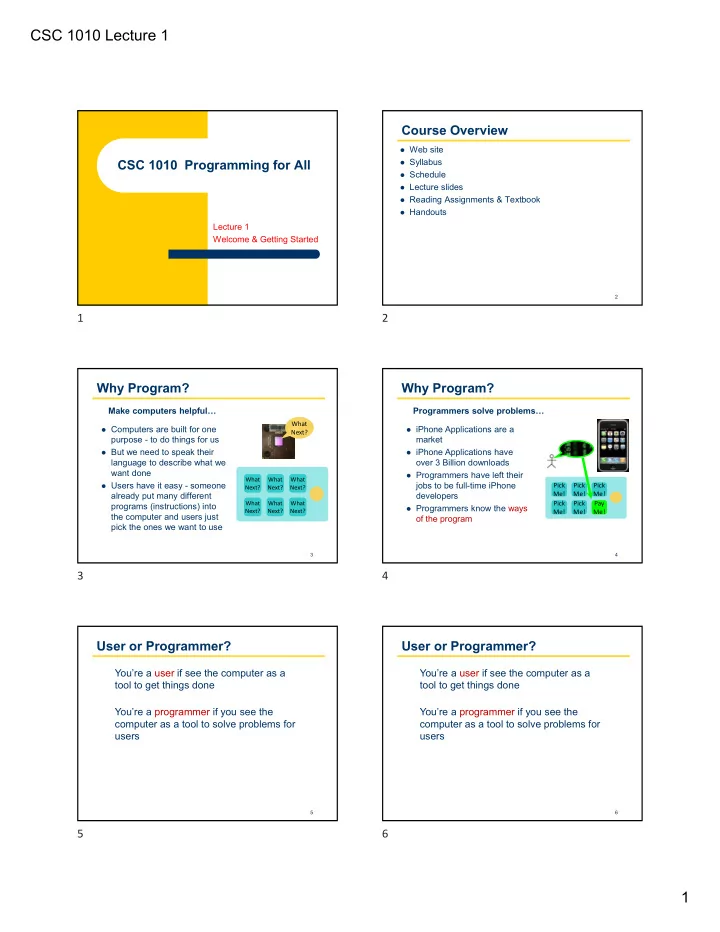
CSC 1010 Lecture 1 Course Overview Web site Syllabus CSC 1010 - - PDF document

csc 1010 lecture 1
SMART_READER_LITE
LIVE PREVIEW

CSC 1010 Lecture 1 Course Overview Web site Syllabus CSC 1010 - - PDF document

CSC 1010 Lecture 1 Course Overview Web site Syllabus CSC 1010 Programming for All Schedule Lecture slides Reading Assignments & Textbook Handouts Lecture 1 Welcome & Getting Started 2 1 2 Why Program? Why


slide-1
SLIDE 1

CSC 1010 Lecture 1 1

CSC 1010 Programming for All

Lecture 1 Welcome & Getting Started

2

Course Overview

 Web site  Syllabus  Schedule  Lecture slides  Reading Assignments & Textbook  Handouts

3

Why Program?

 Computers are built for one

purpose - to do things for us

 But we need to speak their

language to describe what we want done

 Users have it easy - someone

already put many different programs (instructions) into the computer and users just pick the ones we want to use Make computers helpful…

What Next? What Next? What Next? What Next? What Next? What Next? What Next?

4

Why Program?

 iPhone Applications are a

market

 iPhone Applications have

  • ver 3 Billion downloads

 Programmers have left their

jobs to be full-time iPhone developers

 Programmers know the ways

  • f the program

Programmers solve problems…

Pick Me! Pick Me! Pick Me! Pick Me! Pay Me! Pick Me!

5

User or Programmer?

You’re a user if see the computer as a tool to get things done You’re a programmer if you see the computer as a tool to solve problems for users

6

User or Programmer?

You’re a user if see the computer as a tool to get things done You’re a programmer if you see the computer as a tool to solve problems for users

1 2 3 4 5 6

slide-2
SLIDE 2

CSC 1010 Lecture 1 2

7

Why be a Programmer?

 To get something done

Clean up survey data for processing

Design a spreadsheet that automates things

Understand how the team you manages uses coding to solve problems  To solve problems for others

Fix a performance issue in software

Add a guestbook to a web site

Make a mobile app that everybody loves

8

What is a Program?

A program is a sequence of instructions that can be interpreted and executed by a computer.

A program is expressed in a particular programming language, like Python.

There are 100s of programming languages, like: Java, C++, Php, SQL, and more

Writing a program is also an act of creativity, which many view as both an art and a science

The Python Programming Language

One of the most successful programming languages ever Over 4 million developers in every major industry

9

The Python Programming Language

10

Created by Guido van Rossum in 1989 …while on vacation

The Python Programming Language

Where did it get its name? Not the snake… the Monty Python comedy troupe What is it used for? Everything… it is a general‐purpose language First public release: 1991

11

The Python Programming Language

Core Principles

  • Beautiful is better than ugly.
  • Explicit is better than implicit.
  • Simple is better than complex.
  • Complex is better than complicated.
  • Readability counts.
  • …and more…

12

7 8 9 10 11 12

slide-3
SLIDE 3

CSC 1010 Lecture 1 3

Algorithms

A step‐by‐step procedure for solving a problem Give it some input… It does something… Then it produces some output

13

Examples of Algorithms

  • Making a peanut butter and jelly sandwich
  • Navigating a human robot around the room
  • Performing awesome dance moves

14

Algorithm: Performing Dance Moves

15 https://www.youtube.com/watch?v=vlzwuFkn88U

while music is playing: Left hand out and up Right hand out and up Flip Left hand Flip Right hand Left hand to right shoulder Right hand to left shoulder Left hand to back of head Right ham to back of head Left hand to right hit Right hand to left hit Left hand on left bottom Right hand on right bottom Wiggle Wiggle Jump

Algorithm: Did you see the bugs?

16 https://www.youtube.com/watch?v=vlzwuFkn88U

while music is playing: Left hand out and up Right hand out and up Flip Left hand Flip Right hand Left hand to right shoulder Right hand to left shoulder Left hand to back of head Right ham to back of head Left hand to right hit Right hand to left hit Left hand on left bottom Right hand on right bottom Wiggle Wiggle Jump

Algorithm: Fixed the bugs!

17 https://www.youtube.com/watch?v=vlzwuFkn88U

while music is playing: Left hand out and up Right hand out and up Flip Left hand Flip Right hand Left hand to right shoulder Right hand to left shoulder Left hand to back of head Right hand to back of head Left hand to right hip Right hand to left hip Left hand on left bottom Right hand on right bottom Wiggle Wiggle Jump

Programming Errors

Syntax – the grammar rules for the language Semantics – the meaning of things in the language Syntax errors – grammar problems or typos Runtime errors – crashes when it runs Logic errors – works but get the wrong answer Testing – trying to break your program Debugging – finding and fixing problems or "bugs"

18

13 14 15 16 17 18

slide-4
SLIDE 4

CSC 1010 Lecture 1 4

Programming Errors

The interpreter analyzes a program and reports any syntax errors

19

t ot al = 7 i f t ot al > 0 pr i n t ( ' The t ot al i s a posi t i ve num ber ' ) el se: pr i nt ' The t ot al i s NO T posi t i ve' print spelled wrong missing parentheses missing colon

Programming Errors

The interpreter runs the program, runtime errors cause it to fail

20

pr i nt ( 99 / 0) divide by 0 error

Tr aceback ( m

  • st r ecent cal l l ast ) :

Fi l e " r unt i m e_er r or . py" , l i ne 1, i n pr i nt ( 99 / 0) Zer oDi vi si onEr r or : di vi si on by zer o

Programming Errors

The interpreter runs the program, logic errors give wrong results

21

pr i nt ( ' The per i m i t er

  • f a squar e wi t h 3 i nch si des i s' )

pr i nt ( 4 * 4, ' f eet . ' )

The per i m i t er

  • f a squar e wi t h 3 i nch si des i s

16 f eet .

No syntax errors. The program runs without crashing.

spelled wrong in output Wrong! Should be 12 units should be inches

  • utput should

be on 1 line

Computer Hardware

22

The physical components:

  • monitor, mouse, keyboard, disk drives, etc.
  • system circuit boards which include: main processor,

memory, graphics processor, and sound card.

If it's part of a computer system and you can touch it, it is computer hardware.

Computer Hardware

23

The von Neum ann architecture

  • Control Unit: heart
  • Arithmetic Logic Unit: thinking brain

CPU: brain synapses

  • Memory Unit: remembering brain
  • Input: the senses
  • Output: speech & movement

If a computer was a person…

Computer Hardware

24

Overheating Central Processing Unit (CPU)

http://www.youtube.com/watch?v=y39D4529FM4

19 20 21 22 23 24

slide-5
SLIDE 5

CSC 1010 Lecture 1 5

Computer Hardware

25

Hard Disk in action

http://www.youtube.com/watch?v=9eMWG3fwiEU

Flow of Control

What happens next in the program?

26

Step by Step Calling Functions

Flow of Control

What happens next in the program?

27

Conditionals Loops

Python Quickstart

Step 1. Download from python.org Step 2. Install (double‐click on what you downloaded) Step 3. Run IDLE shell (a new menu option) Step 4. Run IDLE editor

28

Python Quickstart

Step 1. Download from python.org Step 2. Install (double‐click on what you downloaded) Step 3. Run IDLE shell (a new menu option) Step 4. Run IDLE editor

29

Using IDLE

IDLE is a Python editor and environment for running programs

30

Syntax Highlighting Menus File > New File File > Open File > Save Run > Run Module (F5)

25 26 27 28 29 30

slide-6
SLIDE 6

CSC 1010 Lecture 1 6

Hello, World!

The classic first program to write in any new language.

31

pr i nt ( " Hel l o, W

  • r l d! " )

Program statement:

Hel l o, W

  • r l d!

Output:

Hello, World!

32

pr i nt ( ' Tel l m e and I f or get . ’ ) pr i nt ( ' Show m e and I r em em ber . ’ ) pr i nt ( ' I nvol ve m e and I under st and. ' )

Another example:

Tel l m e and I f or get . Show m e and I r em em ber . I nvol ve m e and I under st and.

Hello, World!

33

Make use of the download and R & R buttons on code in the textbook

Download the program to your computer Run & Revise the code right in the browser

31 32 33