CS 171: Visualization Design Principles Hanspeter Pfister - - PowerPoint PPT Presentation

cs 171 visualization
SMART_READER_LITE
LIVE PREVIEW

CS 171: Visualization Design Principles Hanspeter Pfister - - PowerPoint PPT Presentation

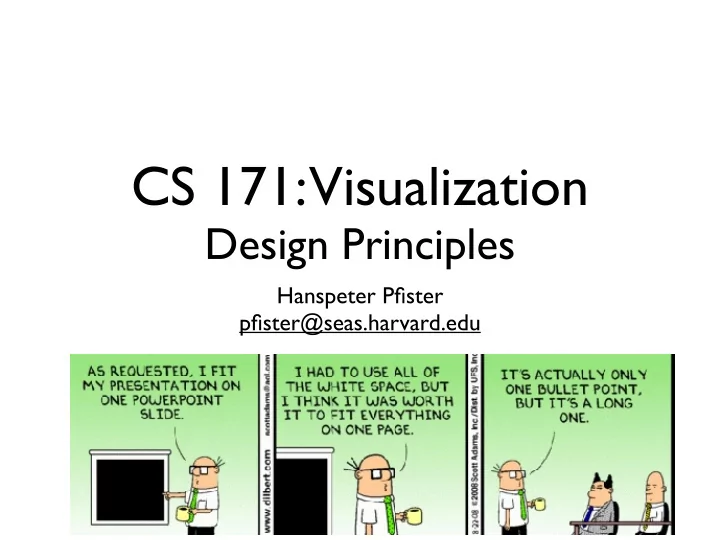
CS 171: Visualization Design Principles Hanspeter Pfister pfister@seas.harvard.edu Last Time Visualization To convey information through graphical representations of data Due This Week HW0, including course survey (due tonight)


slide-1
SLIDE 1

CS 171: Visualization

Design Principles

Hanspeter Pfister pfister@seas.harvard.edu
slide-2
SLIDE 2

Last Time

slide-3
SLIDE 3

Visualization

To convey information through graphical representations of data

slide-4
SLIDE 4

Due This Week

  • HW0, including course survey (due tonight)
  • Readings week 1: A. Cairo and T. Munzner
slide-5
SLIDE 5

Design Critique

slide-6
SLIDE 6
slide-7
SLIDE 7

NYT, 2008 Print Edition

slide-8
SLIDE 8

Last.fm Listening History

slide-9
SLIDE 9
slide-10
SLIDE 10

Harvard Business Review

June 2010, HBR by Jeff Clark

slide-11
SLIDE 11

Design

slide-12
SLIDE 12

Design

“Design must be functional and functionality must be translated into visual aesthetics, without any reliance

  • n gimmicks that have to be explained.”
  • F. A. Porsche
slide-13
SLIDE 13

Graphical Design

slide-14
SLIDE 14

Design Excellence

“Clutter and confusion are not attributes of information, they are failures of design.”

  • E. Tufte
slide-15
SLIDE 15

Edward Tufte

slide-16
SLIDE 16

Outline

  • Graphical Integrity
  • Visualization Design Principles
  • Graphic Design Principles
slide-17
SLIDE 17

Graphical Integrity

slide-18
SLIDE 18

Missing Scales

Tufte, VDQI

($11,410) ($4,200,000)

slide-19
SLIDE 19

Scale Distortions

Nielson

slide-20
SLIDE 20

Scale Distortions

Flowing Data

slide-21
SLIDE 21

Scale Distortions

Flowing Data

slide-22
SLIDE 22

Scale Distortions

  • A. Kriebel,

VizWiz

slide-23
SLIDE 23

Scale Distortions

slide-24
SLIDE 24

Scale Distortions

slide-25
SLIDE 25

Scale Distortions

slide-26
SLIDE 26

Scale Distortions

slide-27
SLIDE 27

Global Warming?

The Daily Mail, UK, Jan 2012

slide-28
SLIDE 28

Global Warming?

Mother Jones

slide-29
SLIDE 29

Global Warming!

Mother Jones

slide-30
SLIDE 30

The Lie Factor

Tufte, VDQI

Size of effect shown in graphic Size of effect in data

slide-31
SLIDE 31

The Lie Factor

Tufte, VDQI

slide-32
SLIDE 32
slide-33
SLIDE 33

U.S. SmartPhone Marketshare

39.0% 19.5% 9.8% 7.4% 3.1% 21.2%

RIM Apple Palm Motorola Nokia Other

slide-34
SLIDE 34

21.2% 3.1% 7.4% 9.8% 19.5% 39.0%

RIM Apple Palm Motorola Nokia Other

U.S. SmartPhone Marketshare

slide-35
SLIDE 35

0% 10% 20% 30% 40% RIM Other Apple Palm Motorola Nokia 3.1 7.4 9.8 19.5 21.2 39.0

U.S. SmartPhone Marketshare

slide-36
SLIDE 36

Tufte’s Integrity Principles

  • Clear, detailed, and thorough labeling and

appropriate scales

  • Size of the graphic effect should be directly

proportional to the numerical quantities (“lie factor”)

  • Show data variation, not design variation
slide-37
SLIDE 37

Visualization Design Principles

slide-38
SLIDE 38

Maximize Data-Ink Ratio

175 350 525 700 Males Females

0-$24,999 $25,000+ 0-$24,999 $25,000+

Data ink Total ink used in graphic Data-Ink Ratio =

slide-39
SLIDE 39

Maximize Data-Ink Ratio

175 350 525 700 Males Females

0-$24,999 $25,000+ 0-$24,999 $25,000+

Data ink Total ink used in graphic Data-Ink Ratio =

slide-40
SLIDE 40

Avoid Chartjunk

  • ngoing, Tim Brey

Extraneous visual elements that distract from the message

slide-41
SLIDE 41

Avoid Chartjunk

  • ngoing, Tim Brey
slide-42
SLIDE 42

Avoid Chartjunk

  • ngoing, Tim Brey
slide-43
SLIDE 43

Avoid Chartjunk

  • ngoing, Tim Brey
slide-44
SLIDE 44

Avoid Chartjunk

  • ngoing, Tim Brey
slide-45
SLIDE 45

Avoid Chartjunk

  • ngoing, Tim Brey
slide-46
SLIDE 46

Increase Data Density

Ho et al., “Thermal Conductivity of the Elements: A Comprehensive Review”

  • J. Phys. Chem. 1974

Number data items Area of data in graphic Data density =

slide-47
SLIDE 47
  • A. Cairo,

The Functional Art

slide-48
SLIDE 48
  • M. Novotny and H. Hauser, “Outlier-Preserving Focus+Context

Visualization in Parallel Coordinates,” IEEE Transactions on Visualization and Computer Graphics, 2006.

slide-49
SLIDE 49

Steve Chappel and Reebe Garofalo in Rock 'N' Roll is Here to Pay: The History and Politics of the Music Industry, 1977

slide-50
SLIDE 50

Tufte’s Design Principles

  • Maximize data-ink ratio
  • Avoid chart junk
  • Increase data density
  • Layer information
slide-51
SLIDE 51
slide-52
SLIDE 52

Subjective Dimensions

  • Aesthetics: Attractive things are perceived as

more useful than unattractive ones

  • Style: Communicates brand, process, who the

designer is

  • Playfulness: Encourages experimentation and

exploration

  • Vividness: Can make a visualization more

memorable

Pat Hanrahan, Nov 2007

slide-53
SLIDE 53

Graphic Design Principles

slide-54
SLIDE 54

Robin Williams

slide-55
SLIDE 55

Contrast Repetition Alignment Proximity

Robin Williams

slide-56
SLIDE 56

Contrast Repetition Alignment Proximity

Robin Williams

slide-57
SLIDE 57

Principle of Contrast

If two items are not exactly the same, then make them different. Really different.

Don’t be a wimp.

slide-58
SLIDE 58
  • A. Cairo,

The Functional Art

slide-59
SLIDE 59
  • M. Meyer
slide-60
SLIDE 60

D3, M. Bostock

slide-61
SLIDE 61
  • R. Kosara, S. Miksch, and H. Hauser, “Focus+Context Taken Literally,”

IEEE Computer Graphics and Applications, 2002.

slide-62
SLIDE 62

Contrast Repetition Alignment Proximity

Robin Williams

slide-63
SLIDE 63

Principle of Repetition

Repeat some aspects of the design throughout the entire piece

slide-64
SLIDE 64

Small Multiples

D3, M. Bostock

slide-65
SLIDE 65
  • A. Gelmann
slide-66
SLIDE 66
  • M. Meyer, B. Wong, M. Styczynski and H. Pfister. “Pathline: A Tool For

Comparative Functional Genomics”, Computer Graphics Forum, 2010

slide-67
SLIDE 67

Contrast Repetition Alignment Proximity

Robin Williams

slide-68
SLIDE 68

Principle of Alignment

Nothing should be placed on the page arbitrarily Every item should have a visual connection with something else

slide-69
SLIDE 69

D3, M. Bostock

slide-70
SLIDE 70
  • M. Meyer, B. Wong, M. Styczynski and H. Pfister. “Pathline: A Tool For

Comparative Functional Genomics”, Computer Graphics Forum, 2010

slide-71
SLIDE 71
  • C. Partl, A. Lex, M. Streit, D. Kalkofen, K. Kashofer, and D. Schmalstieg, “enRoute:

Dynamic Path Extraction from Biological Pathway Maps for In-Depth Experimental Data Analysis,” IEEE Symposium on Biological Data Visualization, 2012

slide-72
SLIDE 72

Contrast Repetition Alignment Proximity

Robin Williams

slide-73
SLIDE 73

Principle of Proximity

Group related items together . . . as physical closeness implies a relationship

slide-74
SLIDE 74

Protovis, M. Bostock

Proximity

slide-75
SLIDE 75
  • M. Meyer, T. Munzner, A. DePace, H. Pfister, “MulteeSum: A Tool for

Comparative Spatial and Temporal Gene Expression Data”, IEEE Transactions on Visualization and Computer Graphics, 2010

slide-76
SLIDE 76
  • M. Dörk, S. Carpendale, and C. Williamson, “Visualizing explicit and implicit

relations of complex information spaces,” Information Visualization, 2012

slide-77
SLIDE 77

Contrast Repetition Alignment Proximity

Robin Williams

slide-78
SLIDE 78

Further Reading

slide-79
SLIDE 79

Stephen Few

slide-80
SLIDE 80

Graph Design IQ Test

Stephen Few, Perceptual Edge

slide-81
SLIDE 81

Garr Reynolds

slide-82
SLIDE 82

Next Week

  • HW1(due Thursday)
  • Bring laptops on Tuesday (Intro to Python)
  • Readings: Carpendale and Cleveland / McGill