
SLIDE 1
#ACESCorporateEdit
1
#ACESCorporateEdit
ACES 22nd Annual National Conference Palmer House Hilton Chicago, Illinois Presented by Kristen Legg, Managing Editor Floyd|Snider April 28, 2018
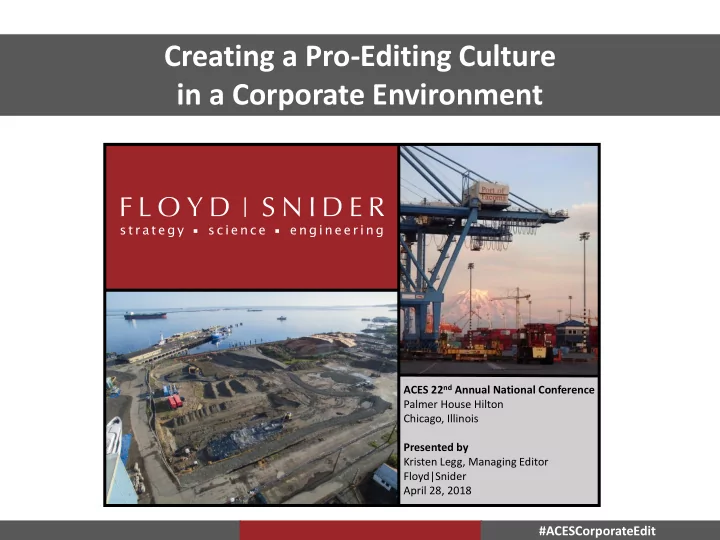
Creating a Pro-Editing Culture in a Corporate Environment ACES 22 nd - - PowerPoint PPT Presentation
Creating a Pro-Editing Culture in a Corporate Environment ACES 22 nd Annual National Conference Palmer House Hilton Chicago, Illinois Presented by Kristen Legg, Managing Editor Floyd|Snider April 28, 2018 #ACESCorporateEdit
#ACESCorporateEdit
1
#ACESCorporateEdit
ACES 22nd Annual National Conference Palmer House Hilton Chicago, Illinois Presented by Kristen Legg, Managing Editor Floyd|Snider April 28, 2018
#ACESCorporateEdit
2
Goals for today’s presentation
#ACESCorporateEdit
3
Staff demographics
#ACESCorporateEdit
4
Then vs. now
#ACESCorporateEdit
5
‒ Department management ‒ Scheduling ‒ Providing information to authors ‒ Corporate initiatives
The tools and tactics used to get from Then to Now
#ACESCorporateEdit
6
as an opportunity to “take something off his plate,” but really it allowed me to make the meeting more useful to the editing department
actually a time for me to hear what documents are coming up
Make Things Easier: Run your department like a full publication house
Project Document Contact To Edit Due Notes First Mention Issues
#ACESCorporateEdit
7
Text Make Things Easier: Scheduling
schedule for document review (including internal deadlines)
for their piece of the puzzle
give each document the attention it needs
cuts back on our time to make the document better
when a deadline shifts
for something else, that’s important for us to know
#ACESCorporateEdit
8
Make Things Easier: Provide information to authors so they have the tools they need to succeed
(80+ pages plus tables, figures, appendices)
(30+ pages, plus a few tables/figures)
(short memo or letter)
#ACESCorporateEdit
9
in the office
better
Make Things Easier: Corporate initiatives
#ACESCorporateEdit
10
pieces, and blatant errors
Make Things Easier: Recent initiative that has proven successful
#ACESCorporateEdit
11
Stay relevant: Keep finding ways to drive your point home
#ACESCorporateEdit
12
Eight Steps to Creating a Perfect, Pain-Free* Schedule for Your Document
* The tech edit team cannot guarantee that you do not accidentally trip and fall on your way to Kristen’s office, or that you don’t pull a muscle while jumping for joy at the ease of your tech edit experience.1
Talk to your client
If your document is driven by an Agency or meeting deadline, then it is what it is. However, if your client is saying, “I want a memo by the end of next week!” consider responding with “I think that is doable; let me double check with our fantastic tech edit team.”
2
Talk to tech edit
Five minutes! That’s all it will take to stroll down to Kristen’s office and say, “I’ve got a document that I’d like to get out on X
will that be doable?” Then I can say either: (1) “We can make that happen,” or (2) “We have 8 RI/FSs going out that day. Let me see if Christine is available to take on some of this load.”
3
Check in with your client
Send an email or call...or do both like this lady! Let them know it’s a go and that you will send them a more detailed schedule soon.
4
Walk back to Kristen’s office
Here’s where things get complicated... It is important to really think through all of the steps that are involved with a document. I will use an example from a recent experience Lynn and I had. Lynn had a Phase I with a super-short turn around time. She gave the team as much time as possible to get the writing done, but it was still going to be
5
Think through the entire document process and try to avoid any last minute schedule surprises
I thought this was great information for the team, but I thought we could do better. “OK, we have a May 1 deadline, so let’s shoot internally for a draft report by Apr 20, which gives us time for my review, draft client review, and tech edit.” “Assuming we are sending only a pdf on Friday, May 1, and that this is a medium-sized document, here is what I propose for the 10-working day schedule you want: Friday, April 17 internal draft to Lynn COB Tuesday, April 21 to Legg by COB for tech edit Thursday, April 23 redlines to Lynn mid-day Thursday, April 23 back to Legg to finalize Friday, April 24 to the client by COB Tuesday, April 28 back from client by COB Wednesday, April 29 new redlines back to Legg COB Friday, May 1 finalize and out the door Two notes:
smaller, then this is probably overkill. If it’s more like a FFS or has a ton of tables/figures, we might need more time.
6
Meet your deadlines
We should work to respect our team members’ time as much as we respect
sweaty in the back part of your head. If the whole team is in the know about the agreed-upon schedule, we can encourage one another to get our work done on time.
7
Follow the Three C’s
Communication, compromise, chocolate. If a schedule is slipping, or is affected by outside forces, talk with the team (including tech edit) to come up with a revised schedule. If that doesn’t work, there’s always chocolate.
8
I don’t have an eighth step. Just needed to fill up the page. Look at this crazy polychaete! Adding these specific internal and client review dates helped everyone. The team knew what was expected of them. Tech edit was able to ensure that they were ready for the document as soon as it arrived in their inboxes. Lynn was able to be available when she was needed to review redlines. The client was clear about how much time they had to review.
Keys to unlocking a smoother, more cost-effective, enjoyable editing experience.
HELPFUL/NOT HELPFUL
HELPFUL Reminding tech edit what to bill to and sending a link to the files when we haven’t seen a document in awhile NOT H HELPF PFUL Sending an email with no billing info or hyperlink to the document HELPF PFUL Making sure titles for tables, figures, and appendices are correct in the table of contents before sending to tech edit NOT H HELPFUL Providing contradictory information for us to sort out or no information at all HELPFUL Waiting to send all text, tables, figures, and appendices in one batch to tech edit NOT H HELPFUL Sending text that is not fully written, drafts of figures that are currently with GIS,
HELPFUL Discussing budget and expected level of effort with tech edit ahead of time NOT H HELPFUL Bringing up budget after a full tech edit (our standard practice) is complete
STEPS TO CREATING A DOCUMENT SCHEDULE
3
Create a a s schedule w with t tech e edit: : Think through all of the steps that come with document development. Tech edit can help create a schedule that includes internal deadlines. For example: April 17 Tech QC April 21 Senior Review April 23 To tech edit April 29 Back from tech edit April 30 Client review May 3 Address comments May 5 Redline review May 6 Finalize
1
Talk to k to y your c client: If a due date is not agency-driven, consider telling your client you will get back to them shortly as to when we can deliver.
2
Talk t k to t tech e edit: Let us know what you’re thinking for a timeline, and we will let you know if we can do that or if we will need to bring in additional help.
4
Me Meet y your d deadlines: Letting an internal deadline slip, even by 1 day, cuts down on tech edit’s time with the document at the end. We are more than willing to provide reminders to help you guys stay on track, just let us know.
5
Keep l lines o
communication o
know (including tech edit). We can help you with a revised schedule.
BUDGETING YOUR TIME
Report rt Type
Large Document (e.g., RI/FS)
Curs rsory
Full Edit Prod roduction
Medium Document (e.g., small rpt.) Small Document (e.g., memo) 20–40 hrs 4 hrs 2 hrs 40–60 hrs 16 hrs Up to 8 hrs 10 hrs 4 hrs 1–2 hrs
Based on average docs with tables, figures, and appendices. Assumes 5 copies, comb-bound. Definitions of cursory and full edits provided to right.
Cursory vs. full
Cursory: Heavy format with focus on layout and usability of a document. No reading of document. Should be performed sparingly and only for client review drafts. Full: Cursory edit plus read-through
text and attachments, and critical look at document structure. Performed on all documents that leave Floyd|Snider.
HOW THE PROCESS WORKS
Author prepares al all text, tables, figures, appendices Tec ech QC of all text, tables, figures, appendices Author updates all text, tables, figures, appendices Tech edit revi views ws an and formats ats all text, tables, figures, appendices Author updates all text, tables, figures, appendices Tech edit final alizes al all text, tables, figures, appendices
Stay relevant: Just a spoonful of sugar helps the editing get done
posted in the kitchen, by the printer, and in my office
#ACESCorporateEdit
13
work they are doing
big task kickoff meetings, which keeps you informed and ready for surprises
their attention
Stay relevant: Market yourself and your team
#ACESCorporateEdit
14
authors about project logistics, specific global edit questions, or even the weather
events ‒ Provides an opportunity to get to know your coworkers
Stay relevant: Make your presence known
#ACESCorporateEdit
15
important thing to do in a document
important ‒ For some authors that is editing, because I know they are not the best writers ‒ Sometimes, I need my formatter to really make the document pretty because I know it’s going to be printed out and handed to 20 people who aren’t going to read it but will trust it’s good it if looks nice ‒ Other times, I want the time to be spent on the TOC and making the document usable, because it is going to be used in a working meeting ‒ We are so busy once in a while that I talk with the author and decide to send it out as is, with a note to the client that says “this hasn’t been edited”
Work With the Team: Sometimes, you just have to be like Elsa
#ACESCorporateEdit
16
remain the same for all issues with all staff members
Work With the Team: Dealing with conflict
#ACESCorporateEdit
17
if either person feels their work is under attack
Can we reconvene later to come to an agreement?”
Work With the Team: Tricks for critical conversations
#ACESCorporateEdit
18
.
#ACESCorporateEdit
19
Editing does not have to be an afterthought
workload
rules around protocol
#ACESCorporateEdit
20
(206) 292-2078 kristen.legg@floydsnider.com Two Union Square 601 Union Street, Suite 600 Seattle, WA 98101 www.floydsnider.com